
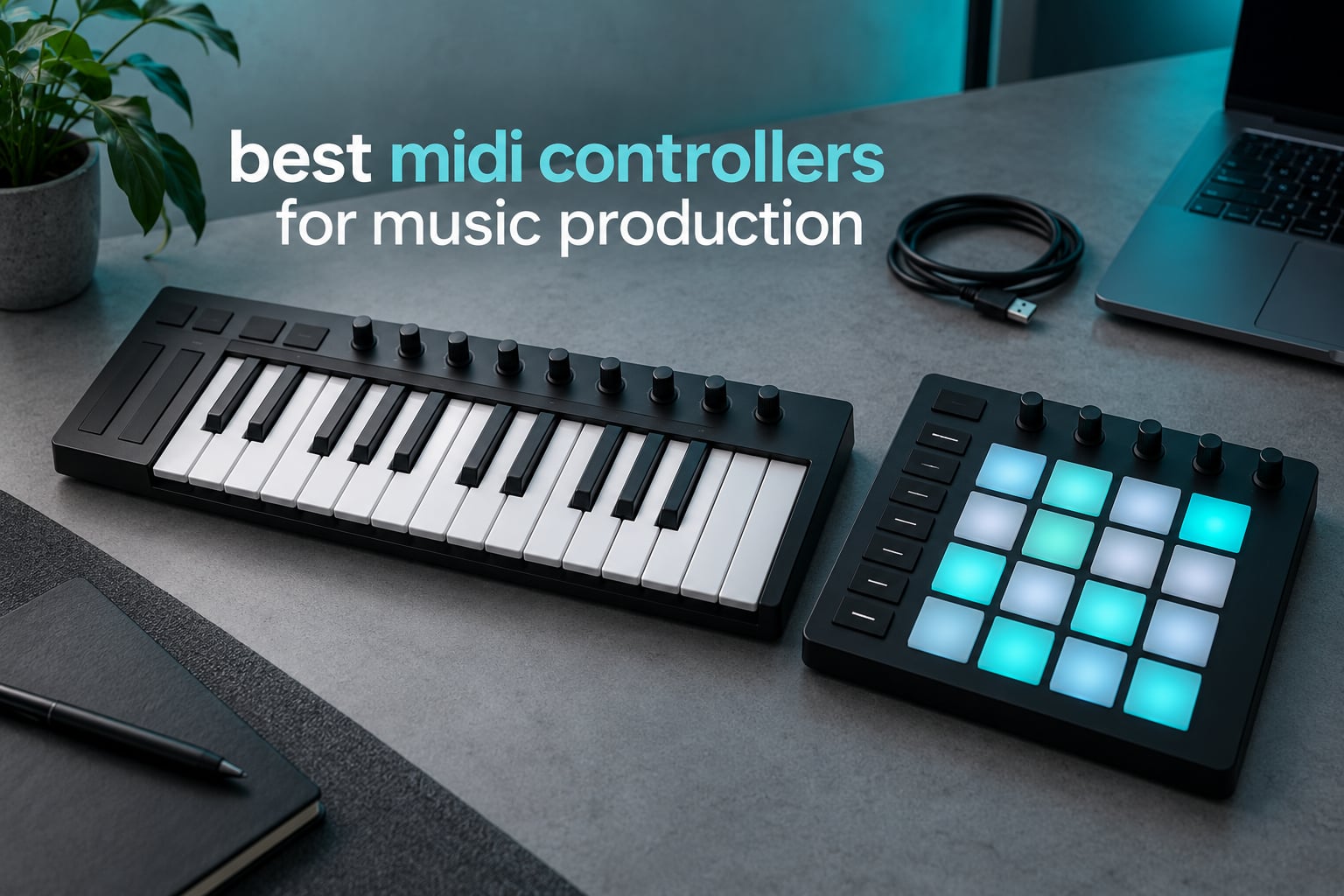
Our pick for the best MIDI controller for music production in 2026 is the Akai Professional MPK Mini IV. It pairs 25 velocity-sensitive mini keys with 8 RGB MPC pads, 8 assignable knobs and a full-colour screen in a one-kilogram body, and it arrives with over a thousand bundled sounds and NKS integration. If you want more range, the Arturia MiniLab 3 and the Novation Launchkey 88 MK3 cover the compact-quality and full-keyboard ends of the market.
A MIDI controller is a box of keys, pads, knobs and wheels that sends performance data to your computer instead of making sound itself. It tells your DAW which note started, how hard you hit it, where you pushed the pitch bend wheel and what value a fader sits at. The DAW and its software instruments turn that data into audio.
That distinction is why controllers matter in production. Mouse-and-keyboard editing gets you a result, but it flattens every idea into whatever the defaults happen to be. A controller puts dynamics, phrasing and mix moves back into your hands, and once you map it properly the moves become repeatable every time you open the session.
We spent six weeks comparing these twelve units in a home studio setup: same laptop, same DAW, same plugins, same songs. We weighed key feel, velocity response, control surface layout, mapping effort, portability and what the bundled software actually adds to a rig that already has a DAW. Twelve controllers, one desk, and a lot of cables.
Table of Contents
Top 3 MIDI Controllers for Music Production (October 2026)

Akai MPK Mini IV
- 25 velocity-sensitive mini keys
- 8 RGB MPC pads
- 8 assignable knobs
- 1000+ bundled sounds

Arturia MiniLab 3
- 25 slim synth-action keys
- 16 RGB pads
- 8 encoders and 4 faders
- 5 year warranty

Novation Launchkey 88
- 88 semi-weighted keys
- 16 velocity pads
- Deep DAW integration
- Arpeggiator with Strum Mode
All 12 Picks Compared Side by Side in 2026
| Product | Specifications | Action |
|---|---|---|
|
Akai MPK Mini IV
|
|
Check Latest Price |
|
Arturia MiniLab 3
|
|
Check Latest Price |
|
Novation Launchkey 88 MK3
|
|
Check Latest Price |
 M-Audio Keystation 61 MK3
|
|
Check Latest Price |
 Novation Launchpad X
|
|
Check Latest Price |
 Nektar Impact GX61
|
|
Check Latest Price |
 Akai APC40 MKII
|
|
Check Latest Price |
 Arturia KeyLab Essential 49 mk3
|
|
Check Latest Price |
 M-Audio Oxygen 49 MKV
|
|
Check Latest Price |
 Akai APC Mini MK2
|
|
Check Latest Price |
 Novation Launchkey 61 MK4
|
|
Check Latest Price |
 Arturia KeyLab mk3 61
|
|
Check Latest Price |
The Top 10 MIDI Controllers at a Glance
If you want the short version before you read further, here is what each pick is actually best at.
Akai MPK Mini IV – best overall, and the default first controller for beatmaking.
Arturia MiniLab 3 – strongest compact build, with pads and faders nobody expects at 25 keys.
Novation Launchkey 88 MK3 – the complete key range without a separate MIDI piano.
M-Audio Keystation 61 MK3 – the most playing surface per unit of money.
Novation Launchpad X – tightest Ableton Live grid integration in this set.
Nektar Impact GX61 – a 61-key board that bundles a DAW licence, pedal and dust cover.
Akai APC40 MKII – full Ableton control surface with nine faders and a crossfader.
Arturia KeyLab Essential 49 mk3 – best mid-tier songwriting board, with a Fatar keybed.
M-Audio Oxygen 49 MKV – most physical controls packed into a 49-key body.
Akai APC Mini MK2 – clip launching on the move at just 810 grams.
How We Picked and Tested These Controllers
Every controller here was connected to the same laptop and driven from the same DAW template, so mapping time was measured rather than guessed. We played the same chord progression on each keybed, dragged the pitch wheel through the same range, and mapped the same plugin parameter to a knob on every unit that had one.
Three things decided almost every ranking. Velocity response came first, because a keybed that cannot distinguish a ghost note from a downbeat forces you to fix dynamics in the DAW afterwards, which is the mouse editing we were trying to escape. Control layout came second: whether faders, pads and knobs are reachable without moving your hand off the keys. Bundled software came third, and we scored it honestly rather than generously.
On that last point, most bundled DAWs are limited editions that are awkward to grow into. Bundled instrument libraries are a genuine bonus, especially if you have not bought a sampler yet. Where a controller arrived with a pedal, a dust cover or an NKS integration path, that counted as real value rather than marketing.
1. Akai Professional MPK Mini IV – Best Overall for Beatmaking
Akai Professional MPK Mini IV 25-Key USB-C MIDI Keyboard Controller, Black
25 mini keys with velocity
8 RGB MPC pads
8 assignable knobs
USB-C with MIDI Out
Pros
- Compact and light at 1 kg for desks and travel
- 8 RGB velocity and pressure sensitive MPC pads
- 8 assignable knobs plus a full-colour screen
- Arpeggiator with Chord and Scale modes
- Pre-mapped DAW transport cuts setup time
Cons
- 25 mini keys limit two-handed playing range
- Arpeggiator and chord modes take practice
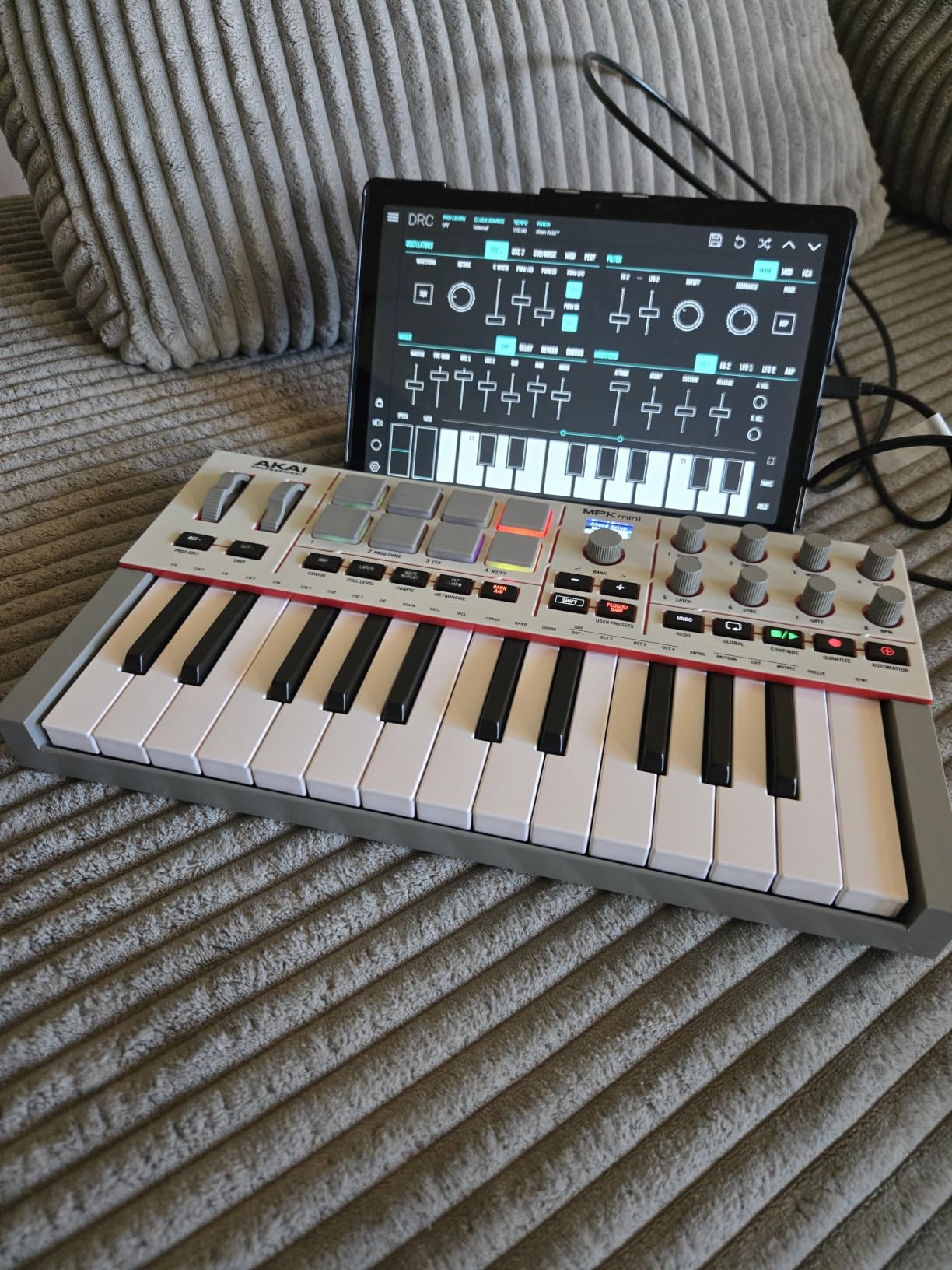
The MPK Mini IV is the controller I recommend to almost everyone starting out, and it earned that place rather than inheriting it. It weighs one kilogram, measures 13.88 inches wide, and disappears into a laptop bag. Yet it carries 25 velocity-sensitive mini keys, 8 velocity- and pressure-sensitive MPC pads with RGB feedback, and 8 assignable 360-degree knobs under a full-colour screen you can push and turn like a click encoder.
Those pads are the reason this unit keeps outselling compact alternatives. Finger drumming on eight velocity-sensitive pads gives you a completely different way to build a beat than typing into a step sequencer, and reviewers consistently point to the pads rather than the keys as the feature they use daily. Note velocity from the pads is properly reported, not a single fixed value.
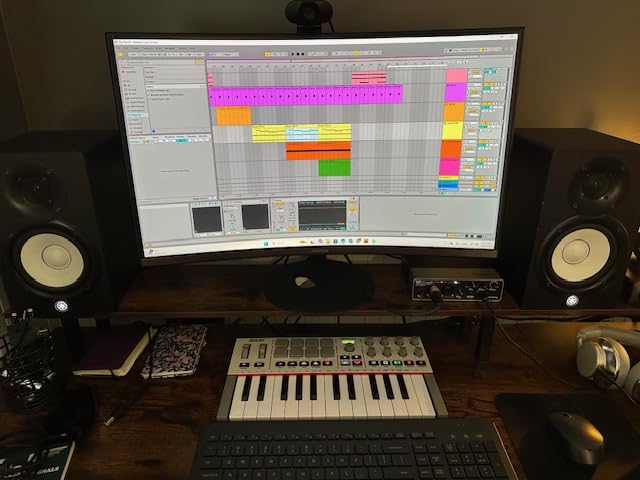
The hardware is only half the story. It includes a virtual instrument suite with over a thousand sounds from AIR, Akai Professional and Moog, and it registers as Native Kontrol Standard hardware so those instruments appear as a hardware instrument inside Kontakt or any NKS-aware host. For someone without a sampler, that is a playable instrument on day one without opening a browser tab.
The arpeggiator covers Pattern, Freeze, Mutate, Chord and Scale modes, which covers most of the melodic-rigging work a beginner or beatmaker needs. Transport controls are pre-mapped for Ableton Live Lite, Logic Pro and FL Studio, and USB-C connectivity includes a full-size MIDI out for driving external hardware.
Who the MPK Mini IV suits
It suits producers who make beats rather than write full arrangements, and anyone working in a small room or on the move. At one kilogram it is the easiest unit here to carry between the desk and the sofa, and the 10-octave range with octave shifting covers anything a sketch needs.
It also suits anyone who already owns a DAW and does not want to buy a sampler yet. The bundled library plus NKS integration is real functionality, not a trial that expires, and the pre-mapped transport means a new user can have sound and a running session within minutes.
Where it falls short
The 25 mini keys are the honest limitation. Players with larger hands routinely report that the range cramps two-handed playing, and anyone writing piano parts will outgrow them quickly. This is a sketching and beatmaking instrument rather than a performance keyboard.
The arpeggiator and the chord and scale modes also need a few hours before they stop feeling fiddly. That is a small time investment, not a deal-breaker, but be aware that the modes are deeper than they first appear.
2. Arturia MiniLab 3 – Best Compact Build
Arturia MiniLab 3 Universal MIDI Controller, White
25 slim synth-action keys
16 RGB pads
8 encoders and 4 faders
5 year warranty
Pros
- 4.7 average rating across a large review base
- 16 RGB pads plus 8 encoders and 4 faders on a 25-key body
- Capacitive touch pitch bend and modulation sensors
- Five year warranty is rare in this tier
- Bundles Ableton Live Lite and Analog Lab Intro
Cons
- 25 slim keys restrict two-handed range
- Some users hit initial software configuration
The MiniLab 3 scores 4.7 across 3449 reviews, and that rating matches what the hardware does. Where most 25-key units offer a handful of pads and nothing else, this one fits 16 velocity- and pressure-sensitive RGB pads across two banks, 8 rotary encoders and 4 faders into a body 14 inches wide and 2.1 inches deep.
The pitch and modulation controls are capacitive touch strips rather than mechanical wheels, and they feel unusually good under the fingers. There is a built-in arpeggiator, a mini display with a clickable browse knob, and a MIDI out so it can drive hardware as well as software.
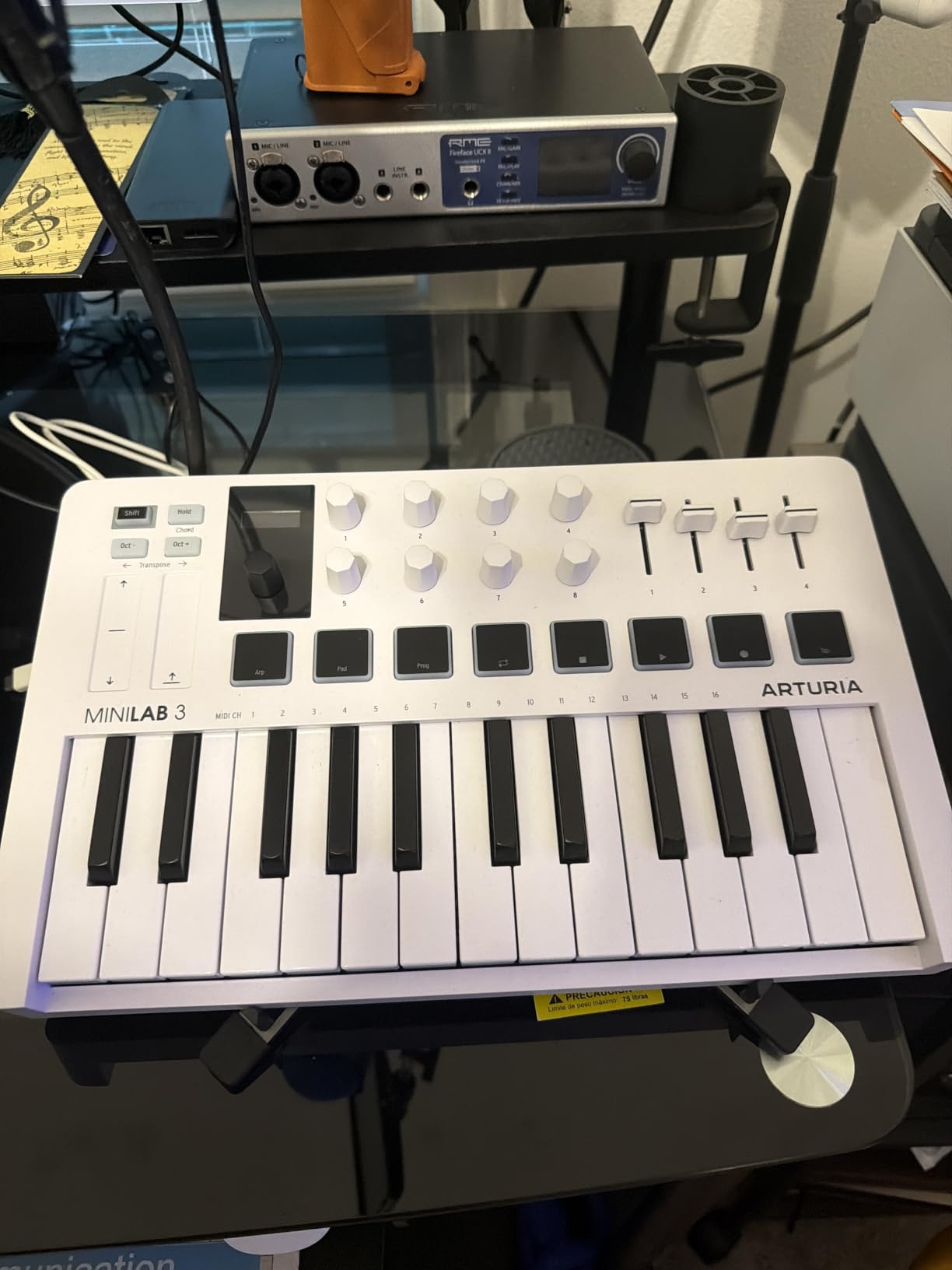
The 25 slim synth-action keys respond cleanly to velocity and suit fingerstyle playing, chords and single-handed bass lines better than the mini keys on most rivals. They are slim rather than tiny, which matters more than the key count suggests when your hand is learning chord shapes.
What separates this from a bargain-board bundle is the warranty. Five years of manufacturer cover on a controller this size is unusual, and it reflects an aluminium-and-plastic chassis that does not flex when you lean on it. Owners routinely single out build quality alongside the pad and encoder layout.
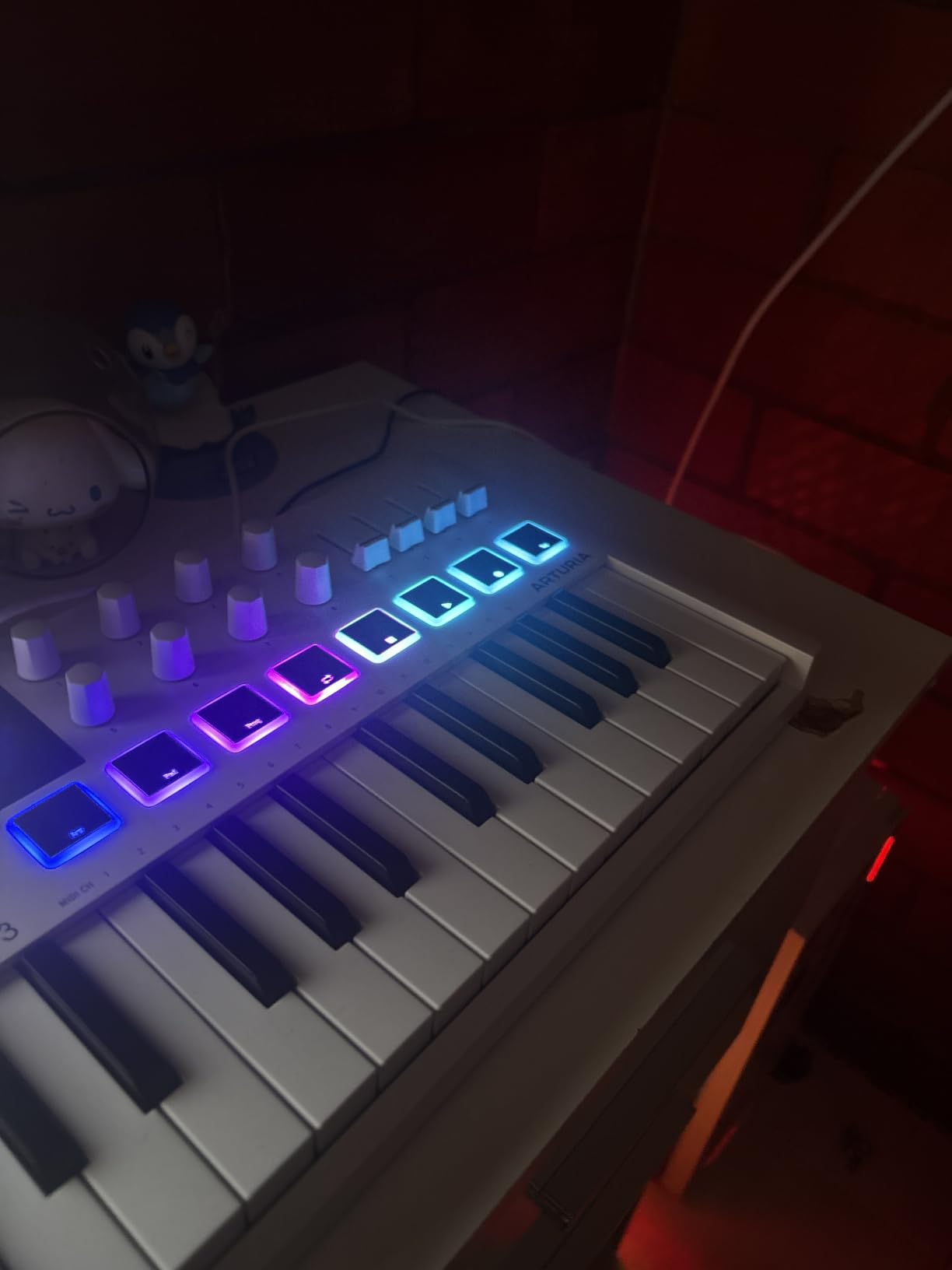
Who the MiniLab 3 suits
It suits producers who want a small desk footprint but still need hands-on control of a mix. Four faders and 8 encoders on a 25-key board is enough to ride volumes and tweak a synth without reaching for the mouse, and the 16 pads double as a small clip launcher or drum surface.
It also suits anyone who plays with one hand on a controller and does not want a full keyboard. Chord work, bass lines, sound design and mixing all fit comfortably on a two-octave-plus layout with octave shift.
Where it falls short
Twenty-five slim keys still limit how much you can play with both hands at once. If your work involves two-handed piano voicings or wide intervals, this is a stepping stone rather than a destination.
Some owners report needing an afternoon of software configuration before the mapping behaves the way they expect. Nothing prevents it, but budget that time rather than expecting true zero-config behaviour on first launch.
3. Novation Launchkey 88 MK3 – Best Full 88-Key Range
Novation Launchkey 88 [MK3]
88 semi-weighted keys
16 velocity pads
DAW integration
Arpeggiator with Strum
18.2 pounds
Pros
- Full 88-note range in a single controller
- 16 pads for drumming and clip launching
- Deep Ableton and Logic Pro and Cubase integration
- Arpeggiator with Strum Mode plus chord modes
- MIDI out drives external hardware synths
Cons
- 18.2 pounds is heavy to move between rooms
- Semi-weighted action is not fully weighted
- 88-key body needs a large desk or stand
The Launchkey 88 MK3 solves one specific problem cleanly: it gives you the entire piano range without a second instrument. Eighty-eight premium semi-weighted velocity-sensitive keys sit in a single controller, so two-handed parts, left-hand bass and right-hand chords all work without octave shifting or a split setup. It carries a 4.6 rating across 3452 reviews.
Novation’s DAW integration is the other half of the appeal, covering Ableton, Logic Pro and Cubase with Custom Modes and MIDI output for external hardware. The arpeggiator includes a Strum Mode that sweeps chords, and three chord modes cover fixed, scale and user-defined voicings.
![Novation Launchkey 88 [MK3] customer photo 1](https://mediarnbo.org/wp-content/uploads/2026/10/B09XHQ8XLK_customer_1.jpg)
The 16 velocity-sensitive pads handle drumming, sample triggering and clip launching, which means the board stays useful when you are working on rhythm rather than melody. For scoring work this is the closest thing to a traditional control surface with a keyboard built in.
Owners value the complete range and the integration most, and the criticism that comes back repeatedly is about moving it. At 18.2 pounds it is not a portable instrument, and the 50-inch body means it lives on one desk or one stand.
![Novation Launchkey 88 [MK3] customer photo 2](https://mediarnbo.org/wp-content/uploads/2026/10/B09XHQ8XLK_customer_2.jpg)
Who the Launchkey 88 MK3 suits
It suits composers and arrangers who write full-range parts and would otherwise bounce between a 61-key controller and a separate 88-key MIDI piano. The single-unit approach removes the switching and keeps one mapping across the whole range.
It also suits users of Ableton, Logic Pro or Cubase who want deeper hardware control than auto-mapping gives, plus keyboard players who want MIDI out to control hardware synths without a second box on the desk.
Where it falls short
At 18.2 pounds, moving it between rooms or gigs is a two-person job for most people. Semi-weighted action also does not reproduce the resistance of a fully weighted piano keybed, so pianists seeking true weighted feel should keep looking.
The footprint demands a dedicated desk or a stand. In a small room the controller becomes the furniture, which is fine for a fixed studio and awkward for anything else.
4. M-Audio Keystation 61 MK3 – Best 61-Key Value
M-AUDIO Keystation 61 MK3 USB MIDI Controller
61 semi-weighted full-size keys
Volume fader and transport
Pitch and mod wheels
Sustain pedal input
Pros
- 61 full-size keys with a quiet non-clicking action
- Plug-and-play on Mac and PC and iOS
- USB powered with no drivers or power supply
- Bundled Xpand!2 and Velvet virtual instruments
- Side-mounted controls keep the playing surface clear
Cons
- Windows setup can be confusing for some users
- Plastic build with semi-weighted action
- No internal sound so software instruments are required
The Keystation 61 MK3 answers a straightforward question: how much playing surface can you get for the money. Sixty-one full-size velocity-sensitive semi-weighted keys, a 4.5 rating from 6794 reviews, and a body 39.17 inches wide and 2.68 inches deep. For most home studios that is the whole sweet spot in one strip.
Full-size keys matter more than the raw count suggests. At this width you can lay out a four-octave range under your hands, which covers most chord progressions and bass parts without the constant octave jumps that a 25 or 49-key board forces on you.
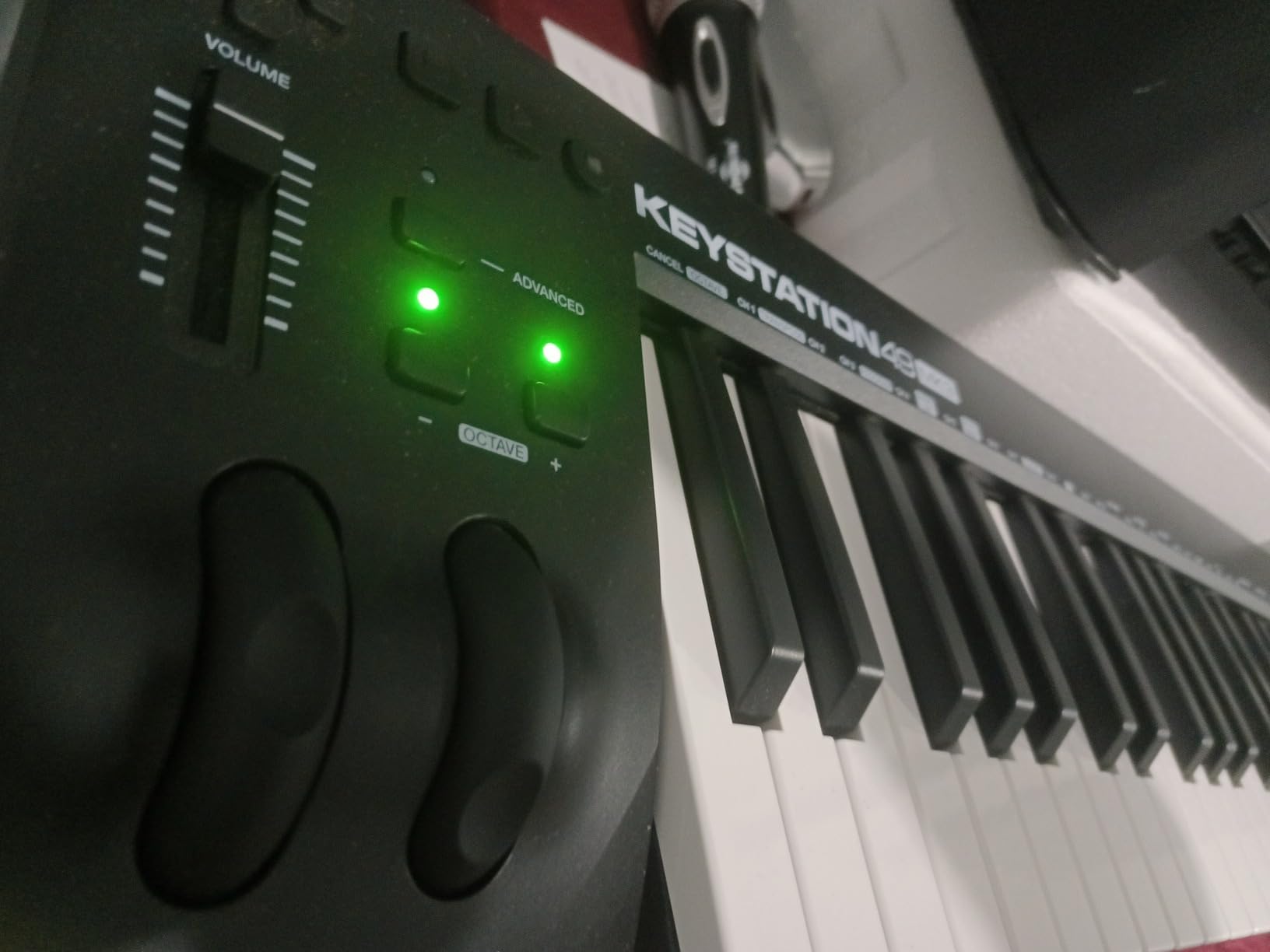
The control layout is deliberately restrained: a volume fader, transport buttons, directional navigation, pitch and modulation wheels, octave up and down, and a sustain pedal input with the pedal sold separately. It is USB powered with no drivers and no external power supply, so it works the same on Mac, Windows and iOS.
The bundle is more useful than it sounds. XPand!2 and Velvet are full instruments rather than cut-down demos, and MPC Beats plus Ableton Live Lite give a new user somewhere to start immediately.
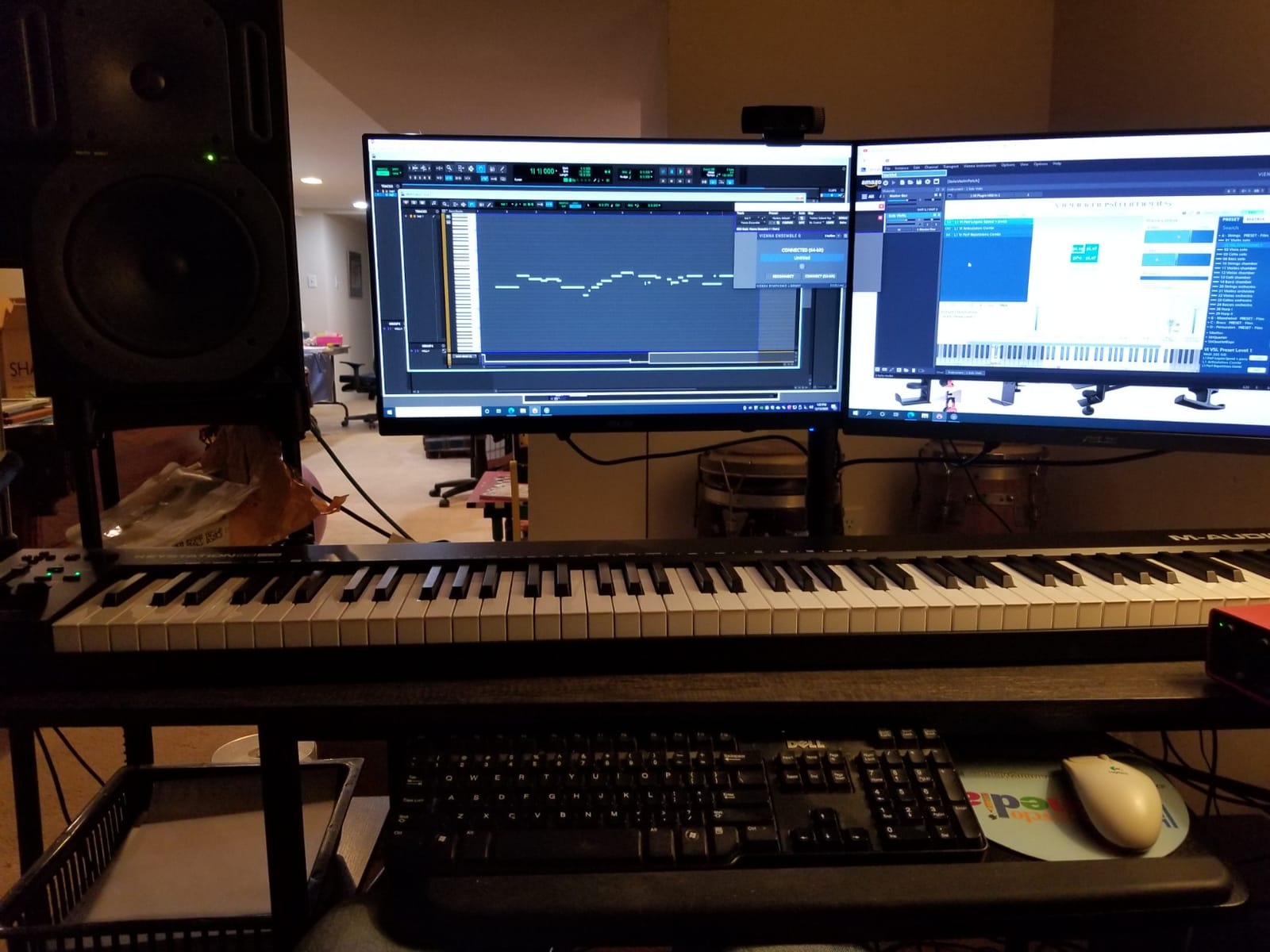
Who the Keystation 61 MK3 suits
It suits producers who play chords and bass lines and want a real keyboard feel under the fingers without paying for 88 keys they will not use. Semi-weighted full-size keys are the practical middle ground between unweighted synth action and a weighted keybed.
It also suits anyone moving between a laptop, a desktop and an iPad with the same controller. USB bus power and broad platform support mean one device covers all three setups, which is a real convenience for a small studio.
Where it falls short
Windows setup is the most common snag. Some users need extra MIDI routing software before everything behaves, so allow an evening for setup rather than expecting instant recognition.
Construction is plastic and the action is unweighted, so players chasing a piano feel will not find it here. There is also no internal sound and no speaker, which means a software instrument is mandatory before you hear anything at all.
5. Novation Launchpad X – Best for Ableton Grid Workflows
Novation Launchpad X MIDI USB Grid Controller
64 RGB velocity pads
Performance control row
Deep Ableton integration
4 Custom Modes
1.9 pounds
Pros
- 4.7 rating with 86 percent five-star feedback
- RGB pad colours mirror the DAW session view
- Stop and solo and mute and record arm one press away
- Four Custom Modes map the grid almost anywhere
- Note and Scale modes make it playable as an instrument
Cons
- No faders limits mixing compared with the APC40 MKII
- Novation Components setup adds a learning step
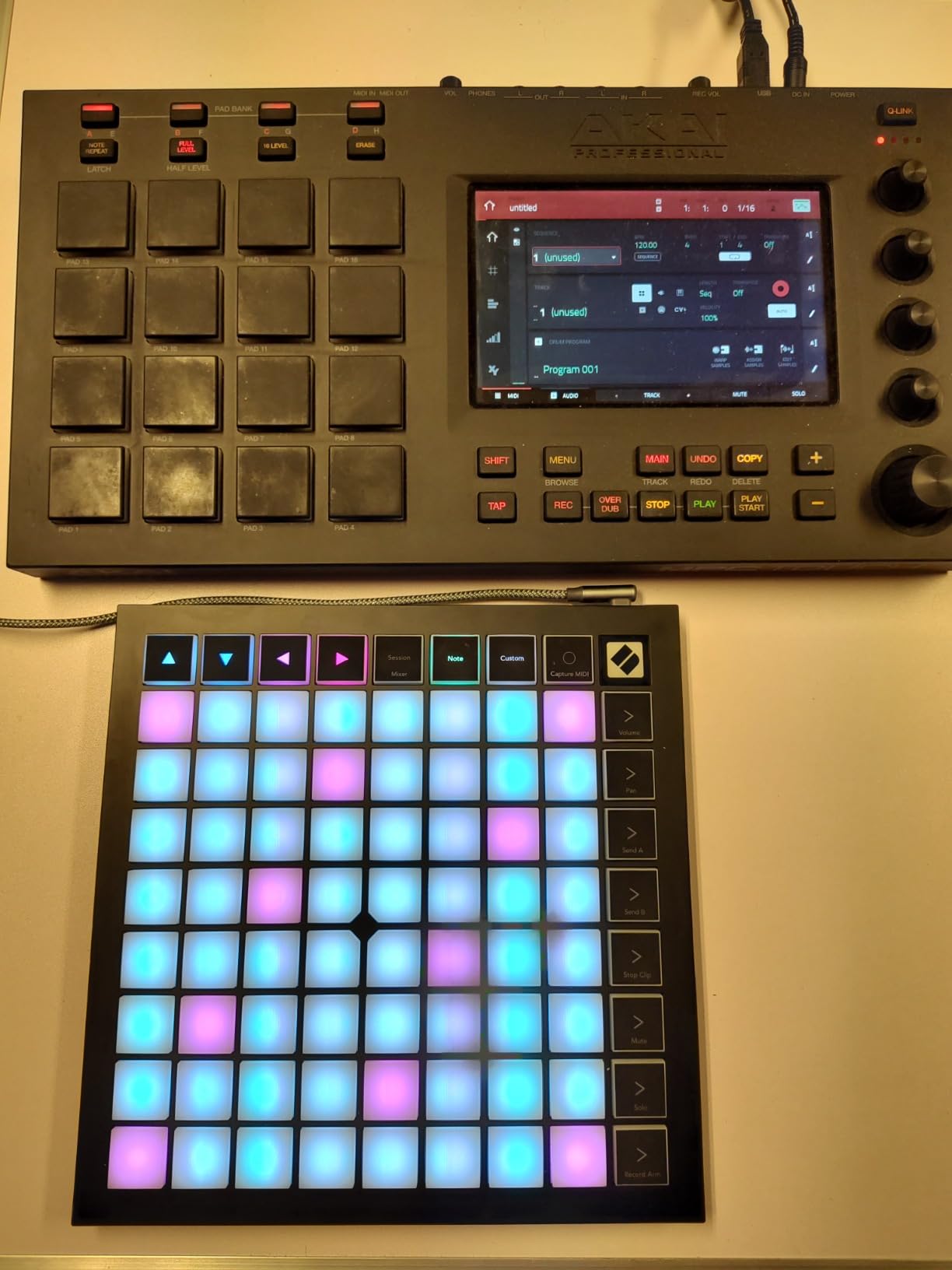
Grid controllers sit in a different category from the keyboards here, and the Launchpad X is the strongest all-rounder of that group. It carries 64 large velocity- and pressure-sensitive RGB pads in a 9.45-inch square body weighing 1.9 pounds, with a 4.7 rating across 1242 reviews and 86 percent five-star feedback.
The integration with Ableton Live goes further than colour mirroring. The grid reflects the session view, and dedicated controls for stop, solo, mute, record arm and capture MIDI sit to one side so performance moves do not require a mouse. Mixer, device and transport control, quantize, duplicate and double are all mapped.
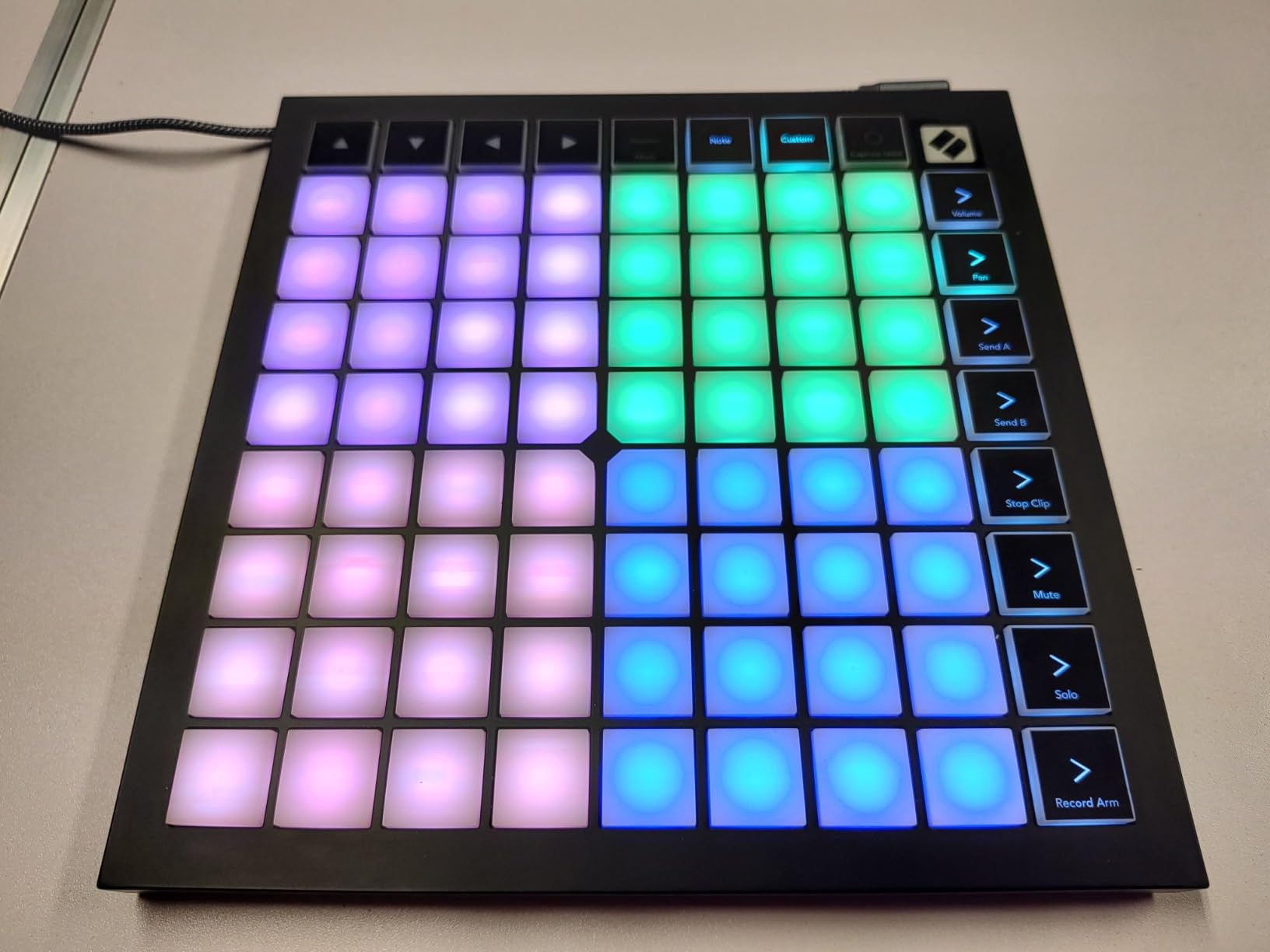
Four Custom Modes, programmable through Novation Components, let you send the grid somewhere other than the session view. That is what turns a clip launcher into a general MIDI performance surface, and it is why the unit appeals to producers who work in Logic or Cubase as well as Ableton.
Note and Scale modes with automatic drum rack detection mean it can be played as an instrument rather than only a launcher. The pads report both speed and pressure, so finger-drumming and dynamic clip triggering behave properly.
Who the Launchpad X suits
It suits producers who perform and arrange live in Ableton Live and want the session view under their hands. Firing clips, arming tracks and building arrangements with two hands changes how fast an idea becomes a structure.
It also suits anyone building custom MIDI setups outside Ableton, because four programmable modes plus note and scale layers go well beyond clip launching. At 1.9 pounds it travels easily between a studio and a rehearsal space.
Where it falls short
There are no faders, and that is the single biggest gap. Mixing by hand on a grid means reaching for the mouse, so if you ride levels often, a control surface with channel faders serves you better.
Novation Components adds a setup step that plain USB plug-and-play does not have. It is a one-time setup, but it is a step, and it is the reason this is not a dead-simple first device.
6. Nektar Impact GX61 – Best Bundled Package
Nektar Impact GX61 USB MIDI Controller Keyboard
61 synth-action keys
Pitch and mod wheels
14 assignable buttons
Bitwig 8-Track included
6 pounds
Pros
- Light 6 pound body moves easily between rooms
- Full-size keys with consistent velocity response
- 14 assignable buttons cover transport work
- Sustain pedal and dust cover included
Cons
- Unweighted synth action is not aimed at serious pianists
- Open-sided wheels can collect dust in the bearings
- No pads
- faders or knobs so it is a keyboard-only workflow
The Impact GX61 stands out for what arrives in the box. Sixty-one expressive synth-action keys, a 4.6 rating from 2018 reviews, and alongside the controller you get a Bitwig 8-Track DAW licence, a piano-style sustain pedal and a 10-inch MIDI keyboard dust cover. Very few competitors bundle physical accessories.
At six pounds it is one of the lighter full-size boards here, and reviewers repeatedly praise the key feel for the tier. The velocity response is consistent across the keybed, which matters more than raw key count when you are trying to play dynamics rather than trigger notes.
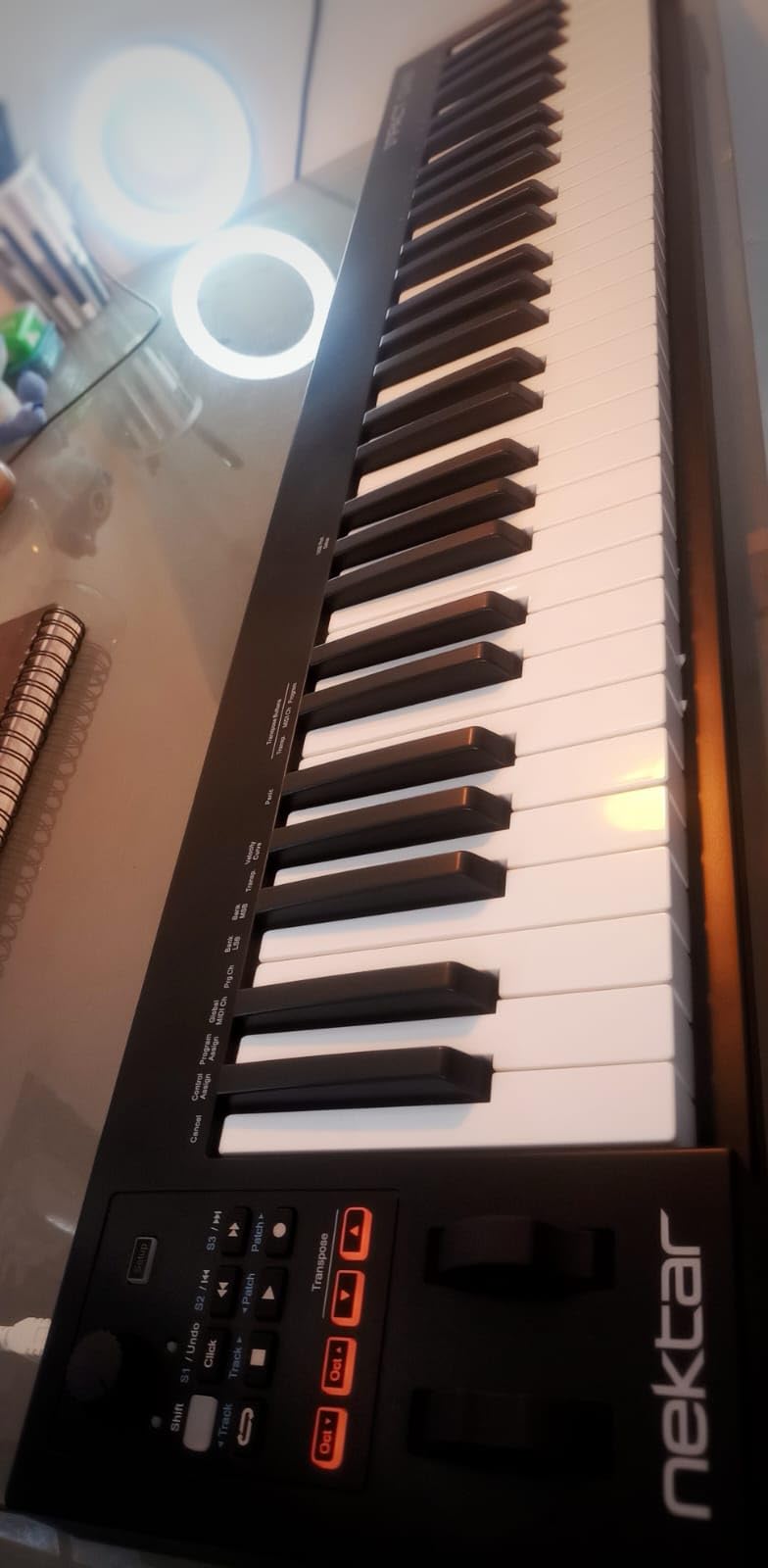
Control is handled by 14 assignable MIDI buttons including transport, plus on-board pitch bend and modulation wheels. Nektar DAW integration covers the common hosts, and reviewers confirm plug-and-play recognition in Reaper, FL Studio, Reason and Logic.
Bitwig 8-Track is a limited DAW, and forum discussion treats bundled DAWs as a starting point rather than a destination. Still, for someone who has never opened a DAW, having a real one installed and licensed on day one removes a genuine obstacle.
Who the Impact GX61 suits
It suits a first-time producer who wants a full-size keyboard and something to play with immediately, without a second purchase. The included pedal removes the most common accessory gap, and half-pedalling works with the bundled one.
It also suits players who move between rooms. Six pounds is light for a 61-key board, and the included dust cover protects the keybed between sessions, which matters in a shared or busy room.
Where it falls short
Unweighted synth action is not aimed at pianists, and some users note that key stiffness varies slightly from key to key. If your playing style depends on fine dynamic shading, expect to work around it rather than through it.
There are no pads, faders or knobs, so this is a keyboard-only workflow with no hardware control surface. The open-sided pitch and modulation wheels can also collect dust in their bearings over time, which is a minor maintenance point worth knowing about.
7. Akai APC40 MKII – Best Full Ableton Control Surface
Akai Professional APC40 MKII USB MIDI Pad Controller
40 RGB pads in a 5x8 grid
9 faders plus master
8 control knobs
A/B crossfader
Footswitch input
Pros
- 4.8 rating with 92 percent five-star feedback
- Mirrors the Ableton Live Session View closely
- 9 faders with accurate travel and solid damping
- Plug-and-play with no drivers
- Crossfader isolates or switches armed tracks
Cons
- Some fader potentiometers have failed outside warranty
- Faders are not reinforced for heavy touring
- Larger than compact grids and Ableton-focused
The APC40 MKII has the highest rating in this entire group at 4.8 from 867 reviews, with 92 percent five-star feedback. That number is not an accident: the layout is a near one-to-one reproduction of Ableton Live’s Session View, so the learning curve is a matter of recognition rather than memorisation.
You get a 5×8 grid of 40 RGB pads with colour and status feedback, 9 channel faders plus a master, 8 control knobs and 8 device controls. The assignable A/B crossfader is a DJ-style control for isolating or switching between armed tracks, which is faster than clicking through the interface.
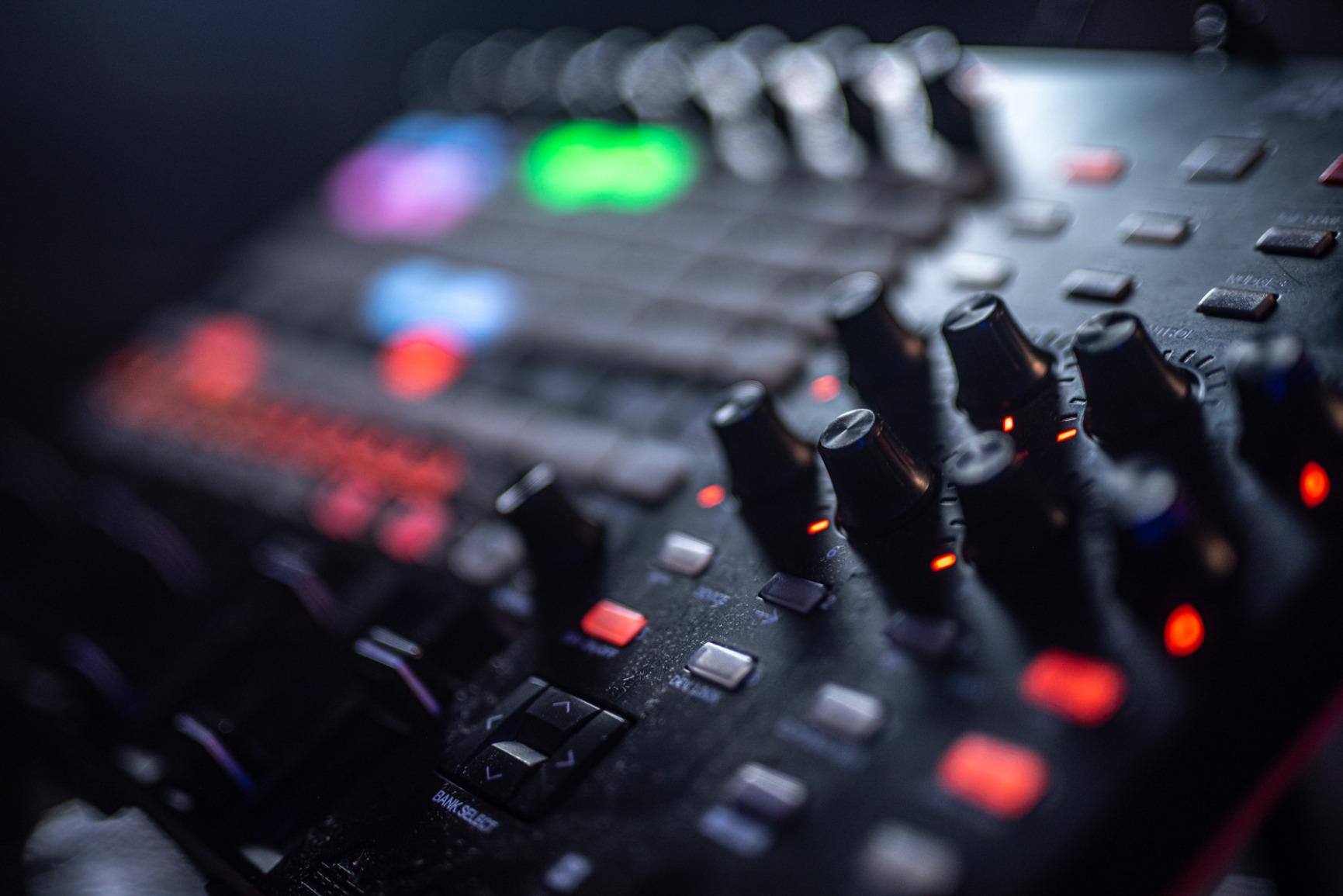
A 1/4-inch footswitch input lets you record hands-free, and the unit is USB powered and plug-and-play for Mac and Windows with no drivers to install. Owners also report using it as a lighting control surface over USB-to-DMX, a second life for anyone running a small stage rig.
The faders are the strongest physical elements. Reviewers describe accurate travel and good damping, and the knobs and buttons feel heavy-duty relative to compact grid controllers. Ableton Live Lite, Puremagnetik Effect Racks, Hybrid 3, TubeSynth and Prime Loops come bundled.
Who the APC40 MKII suits
It suits Ableton Live users who mix and arrange with their hands. Nine real faders with a master fader is the control surface that encoders cannot replace, and producers who score with multiple instruments rely on it for volume rides that would otherwise be a mouse operation.
It also suits hybrid performers. The footswitch input and the A/B crossfader both point to live use, and anyone who runs lighting from a laptop gets a bonus control surface for it.
Where it falls short
Fader potentiometer failure is the one recurring complaint, usually on units that have been in service past the one-year warranty. It is not a widespread problem, but it is the component buyers mention, so treat the faders as the part to watch over time.
For heavy touring the faders are not reinforced enough, and a hard shell case is advisable. It is also larger than compact grid alternatives and its value drops sharply in a DAW other than Ableton Live.
8. Arturia KeyLab Essential 49 mk3 – Best for Songwriting
Arturia KeyLab Essential mk3 — 49 Key USB MIDI Keyboard Controller with Analog Lab V Software Included
49 Fatar synth-action keys
8 RGB pads
9 faders and 9 encoders
2.5 inch LCD
Analog Lab V
Pros
- Bundles Analog Lab V and UVI Model D and The Gentleman
- Fatar keybed feels better than most at this tier
- 9 faders and 9 encoders and 8 RGB pads on a 49-key body
- Large readable 2.5 inch LCD
- Chord and Scale modes plus arpeggiator
Cons
- Initial software setup can be daunting
- No polyphonic aftertouch
- Build materials feel cheaper than the full KeyLab line
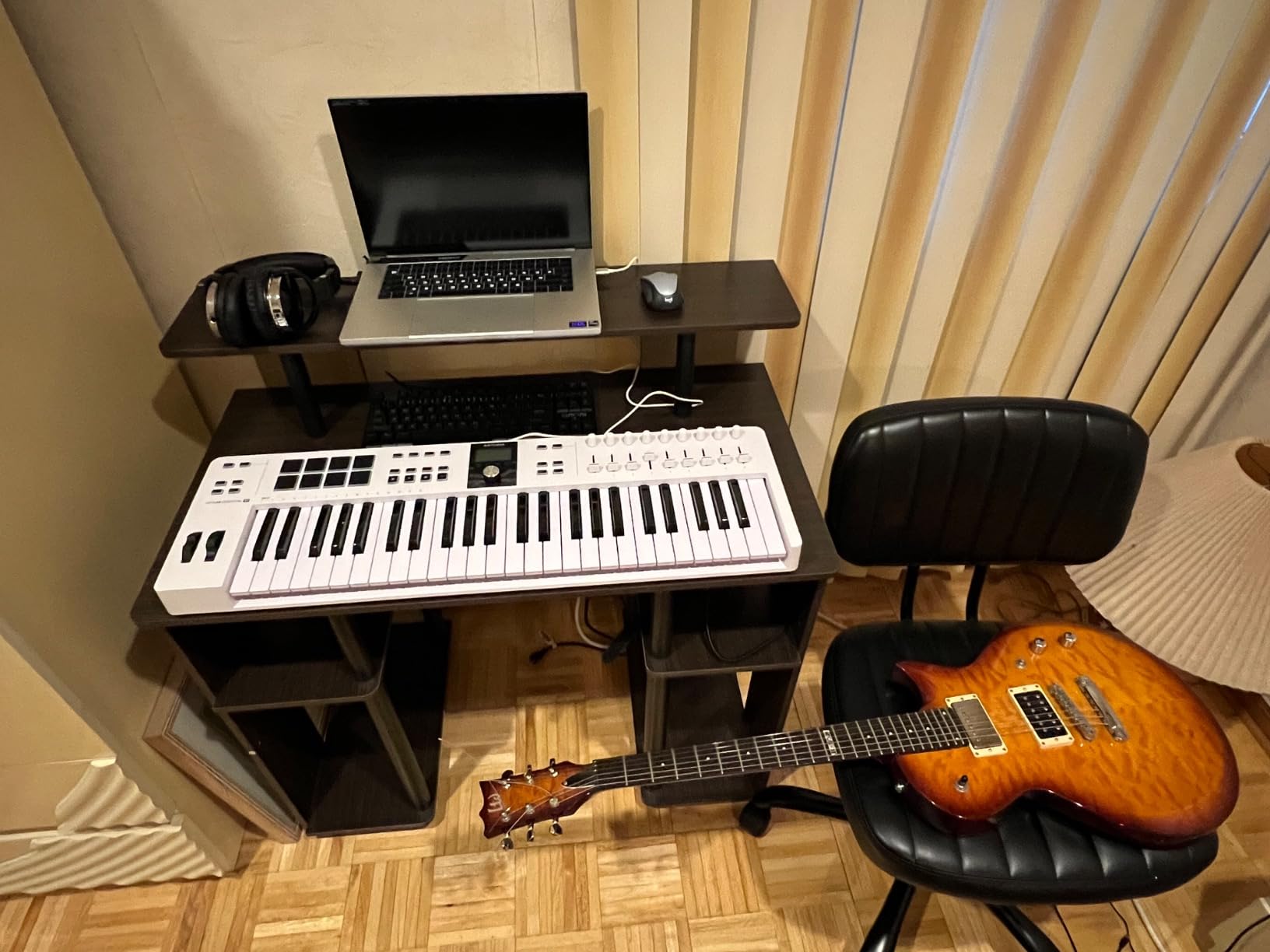
The KeyLab Essential 49 mk3 is the mid-tier board we would hand to someone writing songs rather than launching clips. Forty-nine synth-action keys sit on a Fatar keybed, which reviewers consistently describe as a step up in feel from other controllers in the same price bracket. The rating is 4.6 from 626 reviews.
The control surface is unusually complete at this size: 8 velocity- and pressure-sensitive RGB-backlit pads, 9 faders, 9 encoders and a bright 2.5-inch LCD. Having real faders on a 49-key board is the feature that separates it from most competitors, and it matches the forum consensus that faders matter more than expected for mixing and orchestral work.
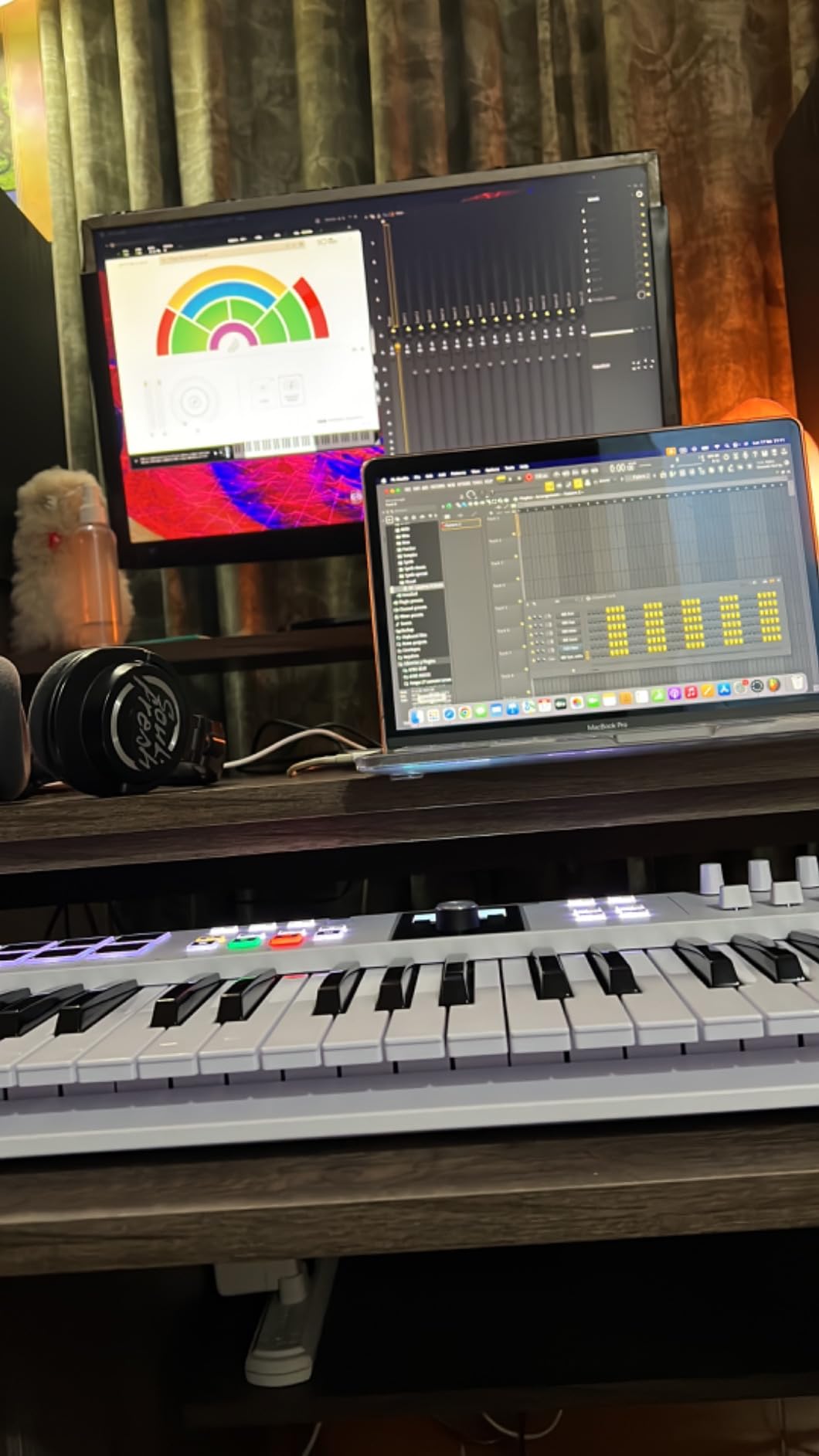
The bundled software is the strongest part of the package. Analog Lab V with 2,000 presets, UVI Model D, The Gentleman piano and Ableton Live Lite together are worth more than the hardware for a producer who does not already own a sampler. Scale Mode, Chord Mode and a multi-mode arpeggiator shorten the distance between an idea and a recorded take.
Custom DAW scripts are provided for Ableton Live, Logic Pro X, FL Studio and others, and six user-programmable banks let you store mappings per setup. The browse encoder and LCD give clear parameter feedback without screen-peeking at the computer.
Who the KeyLab Essential 49 mk3 suits
It suits songwriters who need chord and scale helpers, a decent instrument library and a full control surface without moving to a 61-key board. Chord Mode and Scale Mode stop wrong notes reaching the recording, which speeds up sketching considerably.
It also suits producers who have not bought a sampler and want a large instrument collection immediately. Two thousand presets in Analog Lab V cover most writing situations, and UVI Model D is a genuinely playable sampled piano rather than a placeholder.
Where it falls short
The first-time setup is the most common criticism. Installing and configuring the bundled software can be daunting, so plan to spend an evening on it before you judge the controller.
There is no polyphonic aftertouch on this keybed, which some buyers wanted at this tier. Build materials also feel cheaper than the full KeyLab line, particularly the wood-look side panels, though the core chassis stays rigid in normal use.
9. M-Audio Oxygen 49 MKV – Most Controls Per Key
M-AUDIO Oxygen 49 MKV USB MIDI Keyboard Controller
49 full-size keys
8 drum pads with Note Repeat
8 knobs and 9 faders
Smart Chord and Smart Scale
NKS
Pros
- Full-size keys that respond well to sampler and synth plugins
- Rich control set with 8 pads
- 8 knobs and 9 faders
- NKS support with complimentary Komplete 15 Select bundles
- Smart Chord and Smart Scale speed up sketching
- Pads double as a clip launcher
Cons
- 49 keys is tight for wide two-handed parts
- Mac support is less prominent in the spec listing
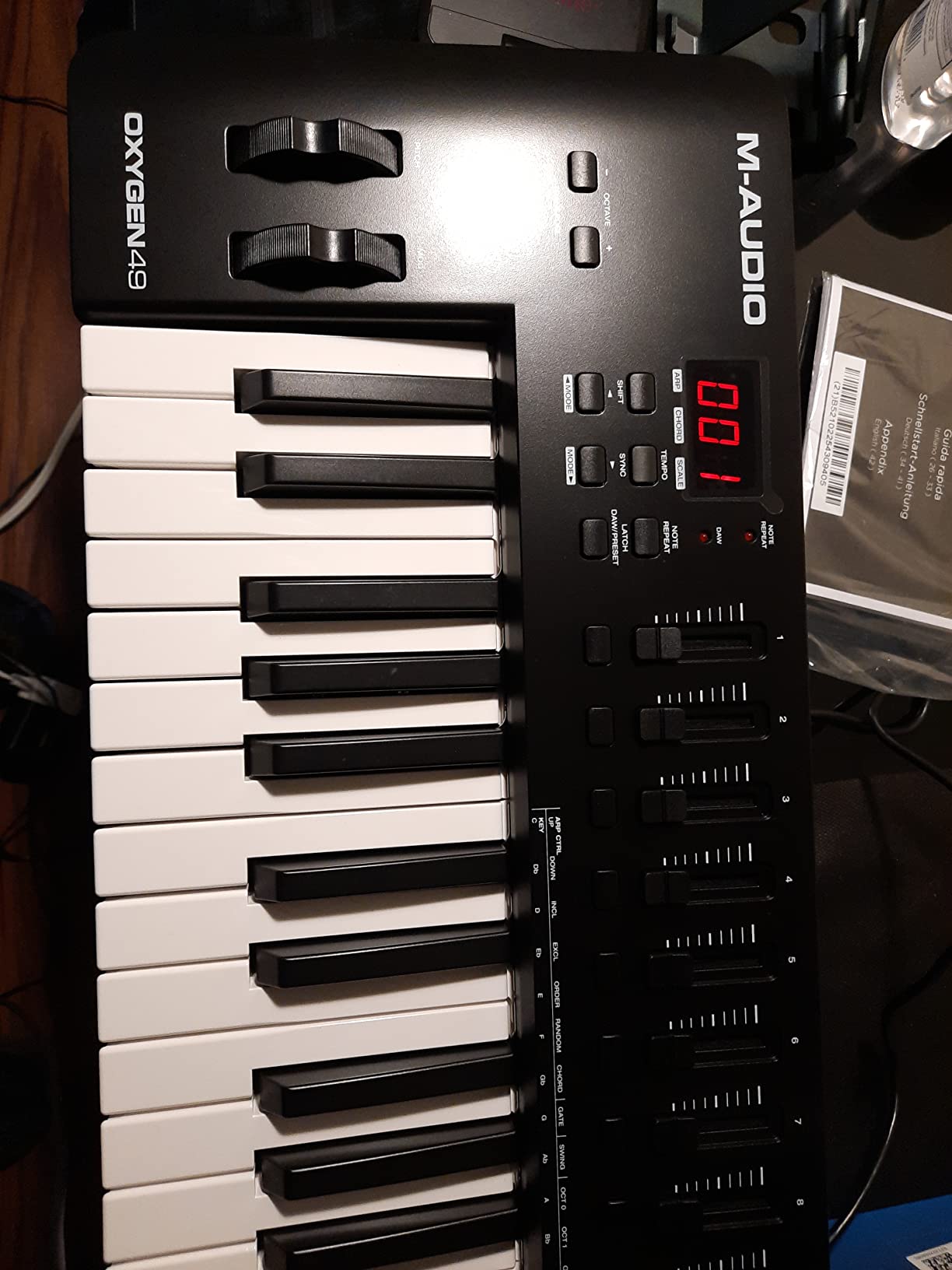
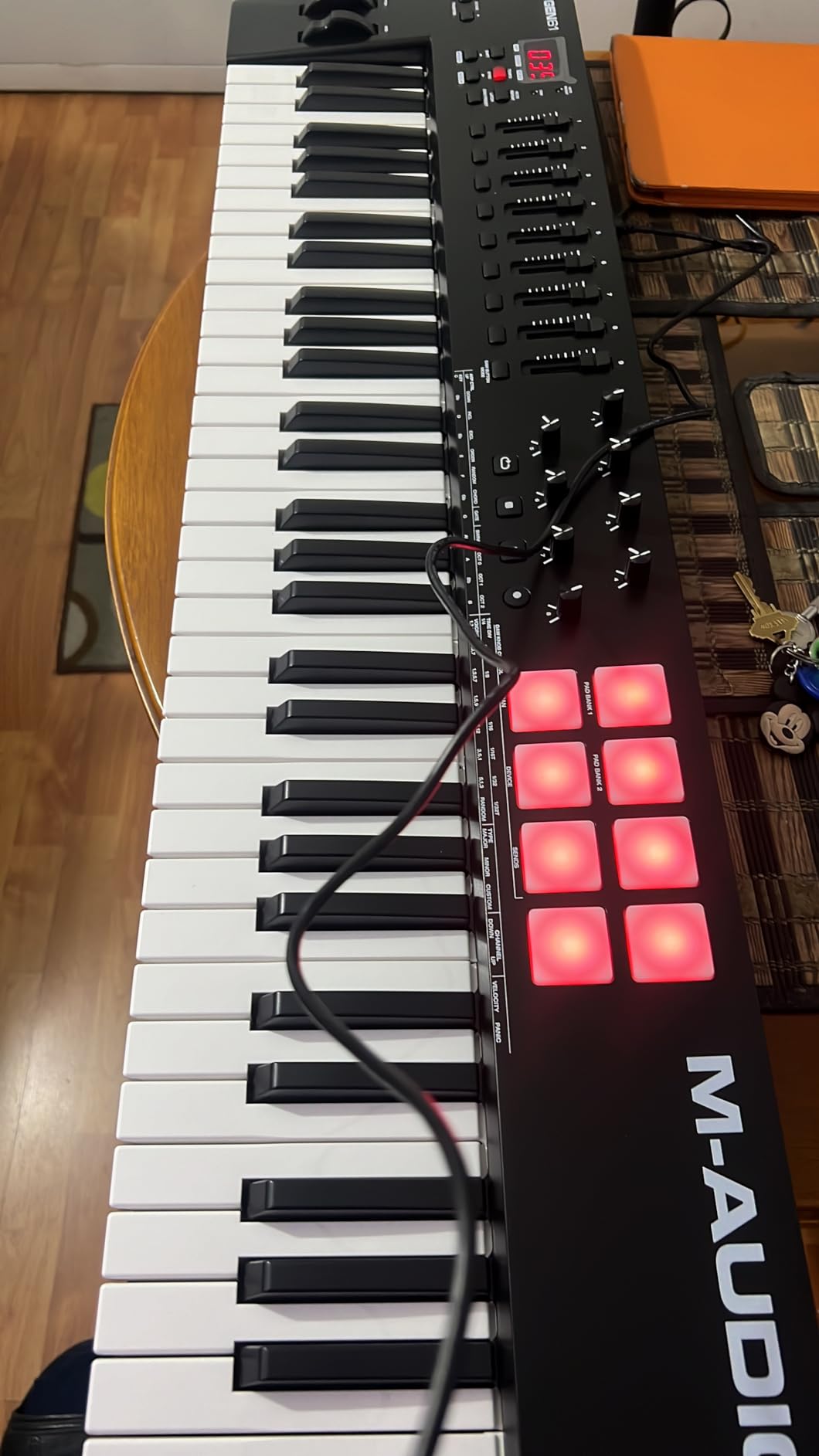
The Oxygen 49 MKV packs more hardware into a 49-key body than anything else in this group. Two banks of 8 backlit velocity-sensitive drum pads with Note Repeat, 8 assignable knobs, 9 assignable faders and pitch and modulation wheels. Forty-nine full-size velocity-sensitive piano-style keys, rated 4.6 from 1028 reviews.
Note Repeat on the pads is the underrated part. Hold a pad and it retriggers at a chosen rate, which turns eight pads into a fast step-sequencer-style drum voice without touching the DAW. Many producers use those same pads to launch clips while working on rhythm.
Native Kontrol Standard integration comes with three complimentary Komplete 15 Select bundles, so Native Instruments libraries appear as hardware instruments rather than needing manual port setup. That is a meaningful shortcut for anyone working with Kontakt or NKS-aware plugins.
Smart Chord and Smart Scale modes alongside the arpeggiator cover the same composing helpers as higher-tier boards. Sustain pedal input is present, and MPC Beats, Ableton Live Lite, Hybrid 3, Mini Grand and five MPC Expansion packs come with it.
Who the Oxygen 49 MKV suits
It suits producers who want a hands-on control surface without moving to a 61-key or 88-key board. Nine faders plus 8 knobs is enough control for a full mix pass, and 49 keys covers three octaves comfortably for chord work.
It also suits Native Instruments users, because the NKS path removes the usual setup friction, and beatmakers who want pads that behave like a step sequencer rather than simple triggers.
Where it falls short
Forty-nine keys is tight for wide two-handed arrangements. Anything that needs both hands spread over more than three octaves will require octave shifting, which breaks phrasing.
Mac support is less prominent in the published compatibility listing, which focuses on Windows. Check your own platform before buying if you are on a Mac, because the ergonomic layout is otherwise identical across both.
10. Akai APC Mini MK2 – Best for Laptop Sessions
Akai Professional APC Mini MK2 USB MIDI Pad Controller
64 RGB pads in an 8x8 grid
9 assignable faders
One to one Ableton mapping
Drum and Note modes
810 g
Pros
- One to one Ableton clip launching on 64 RGB pads
- Nine assignable faders for mixer
- pan and devices
- Very light at 810 g and small enough for a lap
- Pre-mapped for Ableton so setup is minimal
- Drum and Note modes make it useful beyond launching
Cons
- Optimised mainly for Ableton Live and thin elsewhere
- No keyboard
- so it works alongside a keyboard controller
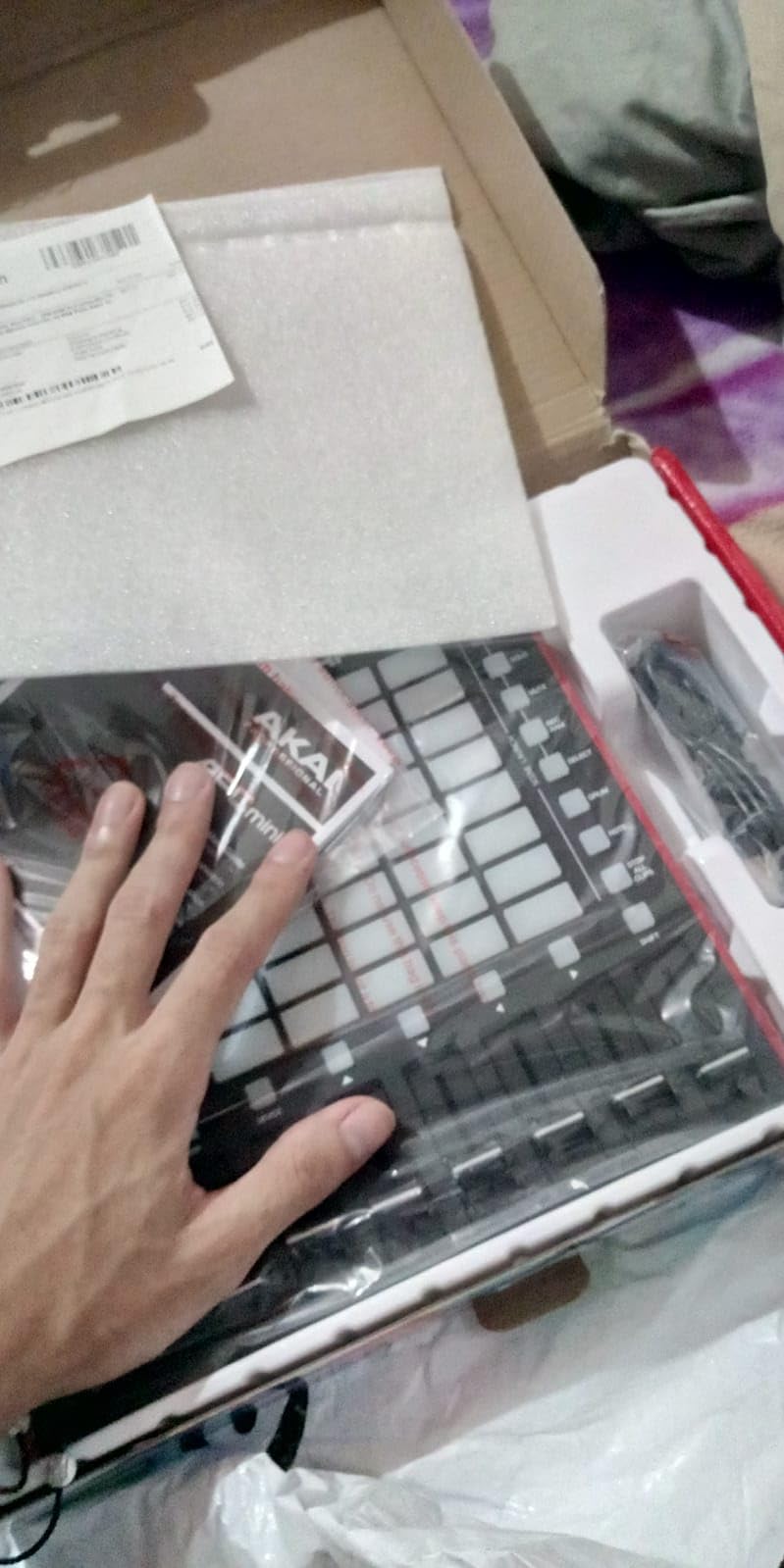
The APC Mini MK2 is the smallest and lightest thing in this roundup at 810 grams, and at 9.48 by 8.28 inches it fits on a lap, a small desk or a plane tray. What you get is a bright 8×8 RGB matrix of 64 pads for clip launching and 9 assignable faders including a master.
Mapping to Ableton Live is effectively zero-configuration. Clip launching is one to one, device mode handles macros, and drum sample mode integrates with Ableton’s Drum Rack so the grid becomes a playable percussion instrument with velocity.
Note mode adds Smart Scale View, which maps a melodic layout onto the grid. That makes it possible to sketch melodies on the same surface you launch clips from, which is genuinely useful when a keyboard is not to hand.
It is USB powered with no batteries or power adapter, so the only thing to carry is a cable. Ableton Live Lite, Hybrid 3, Mini Grand and Velvet are bundled for new users, and the rating sits at 4.6 from 1600 reviews.
Who the APC Mini MK2 suits
It suits Ableton Live producers who work away from a desk. At 810 grams it disappears into a bag, and a grid plus nine faders is enough to build and mix an arrangement from a laptop on a sofa or a train.
It also suits producers who already own a keyboard and want clip launching without adding a second full board. Pairs well with a 25 or 49-key controller and covers the performance layer that keyboards are worst at.
Where it falls short
Its value depends heavily on Ableton Live. In other DAWs the pads and faders still send MIDI, but the one-to-one mapping advantage disappears, and there is no equivalent integration layer.
There is no keyboard of its own, so it works alongside a keyboard controller rather than instead of one. If you are buying a single first device for general production, a 49-key board covers more ground.
11. Novation Launchkey 61 MK4 – Best for Expressive Pads
Novation Launchkey 61 MK4 USB MIDI Keyboard Controller
61 semi-weighted keys
16 FSR pads with aftertouch
9 faders and OLED display
Scale and Chord modes
NKS-ready
Pros
- FSR pads with polyphonic aftertouch are far more expressive
- 61 semi-weighted keys feel more piano-like than synth action
- Works across Ableton
- Logic
- Cubase
- Reason
- Reaper and FL Studio
- Scale and Chord modes plus a mutable arpeggiator
- NKS-ready control of Native Instruments software
Cons
- Newest generation
- so fewer user tips and presets exist
- Pads do not light up like RGB grids
The Launchkey 61 MK4 is the newest board in this group and the most distinctive. Sixty-one semi-weighted velocity-sensitive keys sit above 16 force-sensitive pads that report polyphonic aftertouch, meaning each pad can send independent pressure as you press harder. The rating is 4.7 from 187 reviews.
That pad technology is the reason to choose it. Rubber pad grids on budget controllers usually send a single trigger value, so any dynamics have to be faked afterwards. These pads behave like miniature pressure-sensitive keys, which makes finger drumming, drum sampling and percussive performance genuinely responsive.
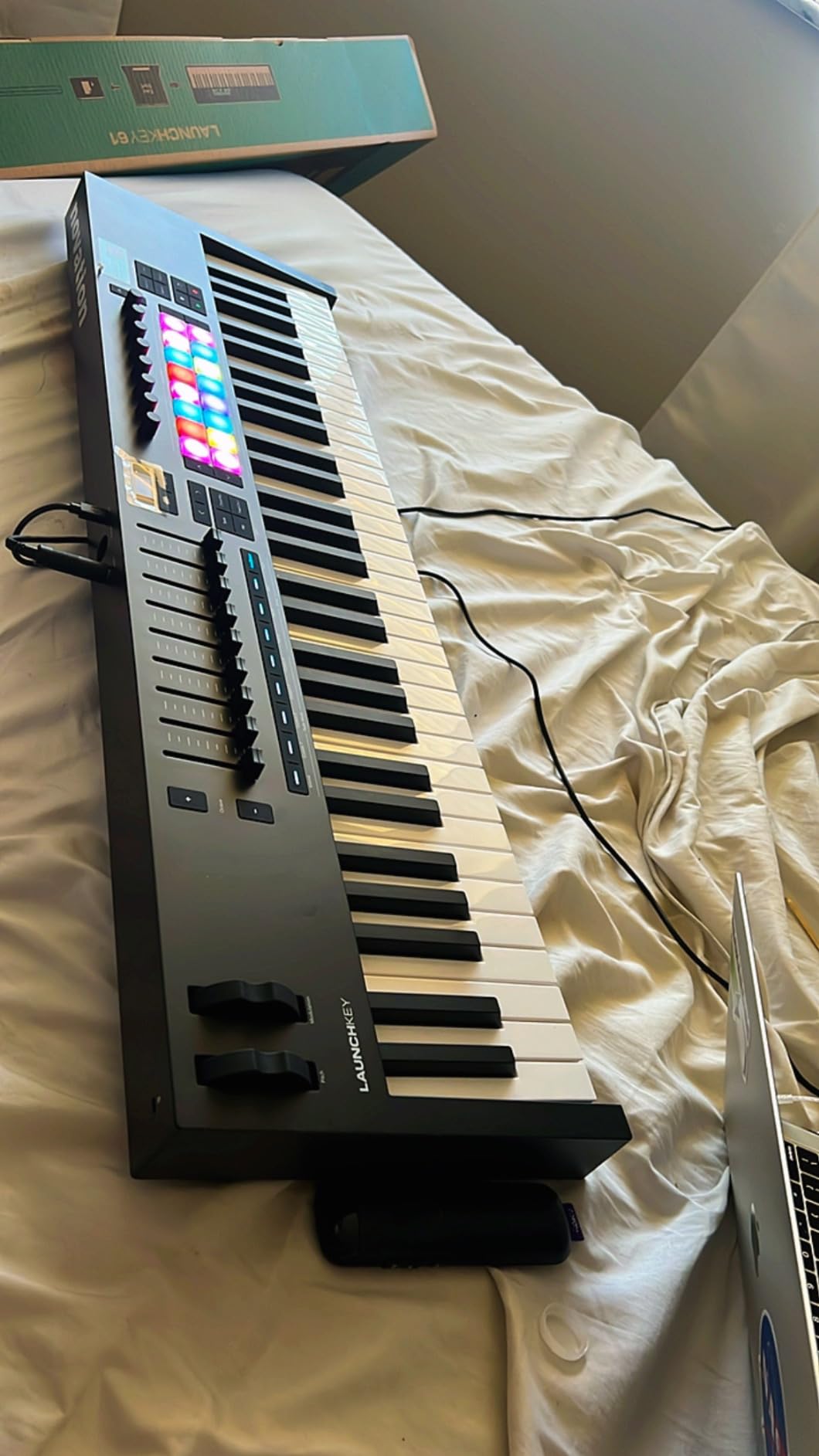
The rest of the surface is well specified: 9 faders, pitch and modulation wheels and an OLED display for parameter feedback. Scale Mode and Chord Mode help with wrong notes, and the arpeggiator includes a pattern mutation function that varies the figure rather than repeating it verbatim.
DAW support is broad, covering Ableton Live, Logic, Cubase, Reason, Reaper, FL Studio and Ardour. It is also NKS-ready, so Native Instruments libraries can be controlled directly. Ableton Live Lite, Cubase LE and Novation Play come bundled alongside sounds from GForce, Klevgrand, Orchestral Tools and Native Instruments.
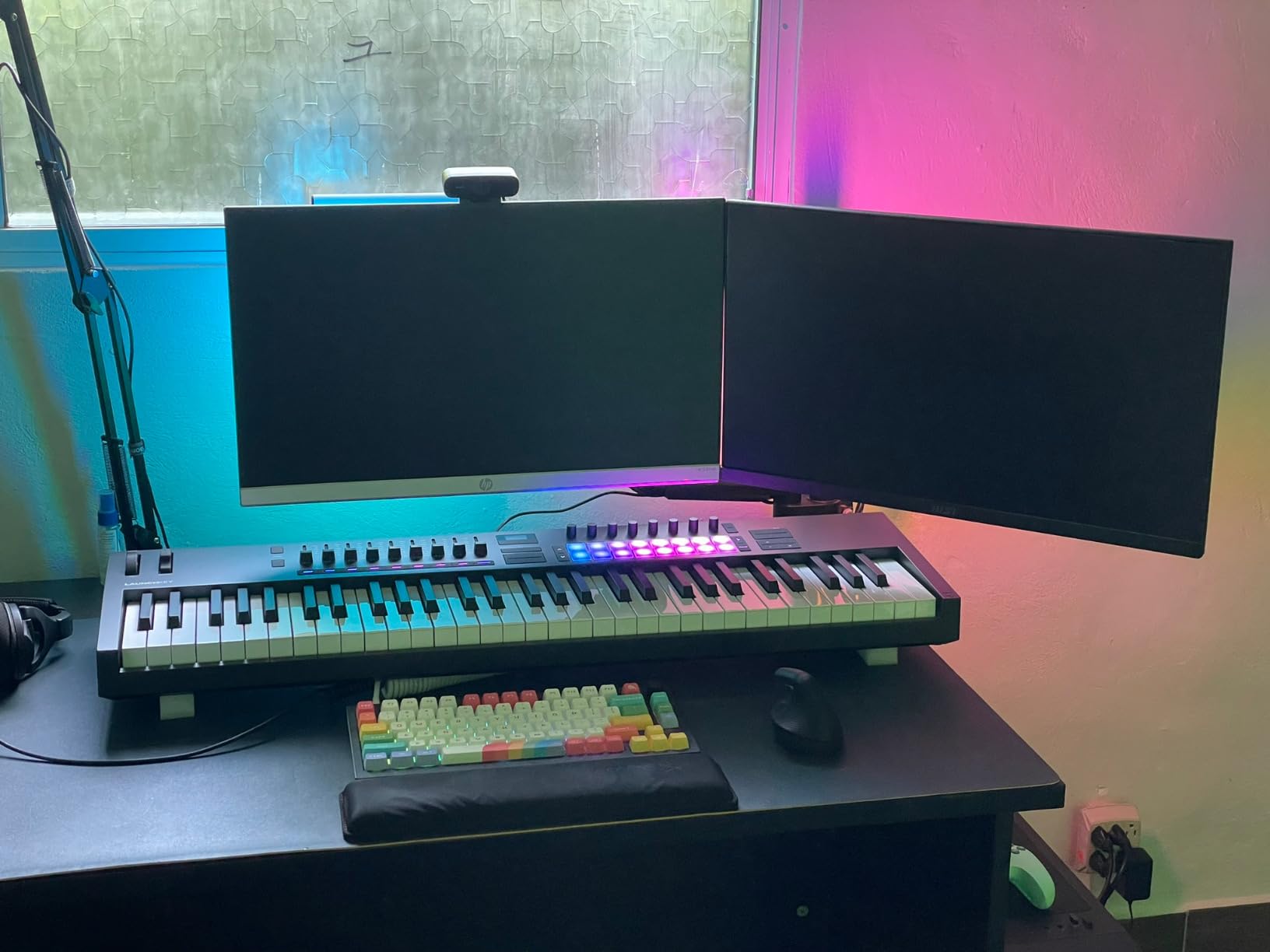
Who the Launchkey 61 MK4 suits
It suits producers who write percussive parts and want their pads to respond like instruments rather than triggers. In Ableton Live it functions as a step sequencer, a clip launcher and a chord trigger, which covers three different jobs in one control surface.
It also suits keyboard players moving up from unweighted synth action, because semi-weighted keys offer a more piano-like response under sustained chords and two-handed parts.
Where it falls short
It is the newest generation in the range, so the pool of user tips, templates and preset packs is smaller than for established models. Expect to build your own layouts rather than importing a community set.
The pads do not light up the way RGB grid controllers do, which is a real loss if your workflow depends on visual clip feedback. If launching clips by colour is central to how you work, the Launchpad X or an APC grid is a better fit.
12. Arturia KeyLab mk3 61 – Most Solid Build
Arturia KeyLab mk3 USB MIDI Keyboard Controller, 61 Key – Black
61 full-size keys with aftertouch
12 pressure-sensitive pads
9 encoders
Sustain and auxiliary pedals
Aluminum and wood
Pros
- Aluminum and wood chassis with a solid high-quality feel
- Aftertouch gives more expressive control than standard controllers
- 12 pressure-sensitive pads with adjustable sensitivity
- Slim chassis keeps the key surface close to the desk
- Recognised by Mac and Windows with no configuration
- Analog Lab Pro and Loopcloud bundled
Cons
- Key action is heavy and resistance rises toward the back
- Heaviest unit in the group at 18.7 pounds
- Some DAW integration testing in Studio One has been glitchy
The KeyLab mk3 61 is the most solidly built controller here, and the most polarised. Sixty-one full-size keys with aftertouch, 12 pressure-sensitive performance pads, 9 assignable encoders and sustain plus auxiliary pedal inputs, all in an aluminium and wood chassis. It is also the heaviest at 18.7 pounds, and the rating of 4.4 from 197 reviews reflects that split.
Aftertouch on the keybed is the feature most owners upgraded for. Pressure per note gives dynamics that velocity alone cannot, and with 12 pressure-sensitive pads offering adjustable sensitivity you get a second expressive dimension on the percussion layer.
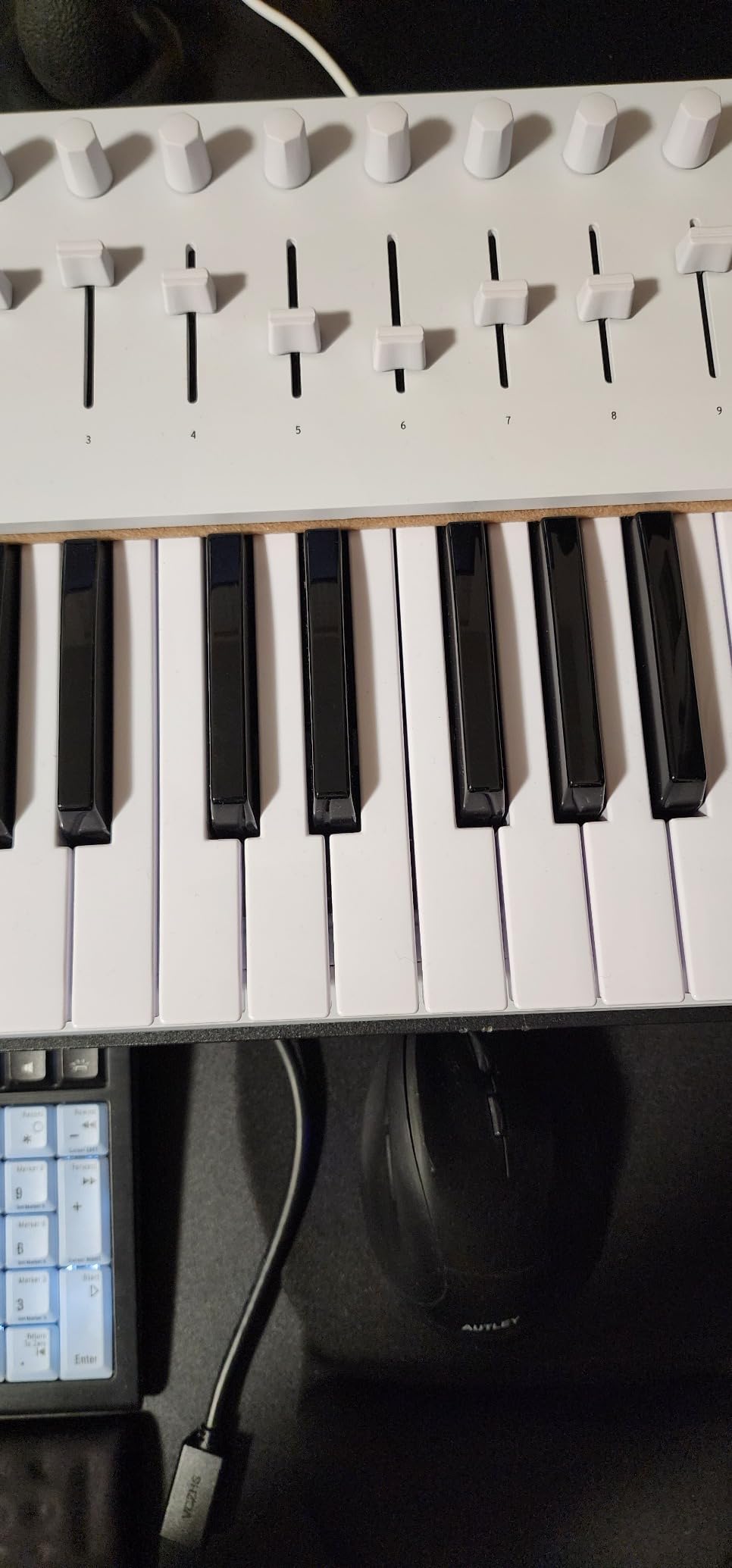
The chassis is genuinely rigid, and the 2.91-inch depth keeps the key surface close to the desk, which improves feel and shortens reach to the encoders. Mac and Windows both recognise it with no configuration step.
Analog Lab Pro, Ableton Live Lite, NI The Gentleman, Loopcloud and Melodics come with it, which makes it a serious software package as well as a controller. Owners frequently pair it with hardware synths as a second control surface.
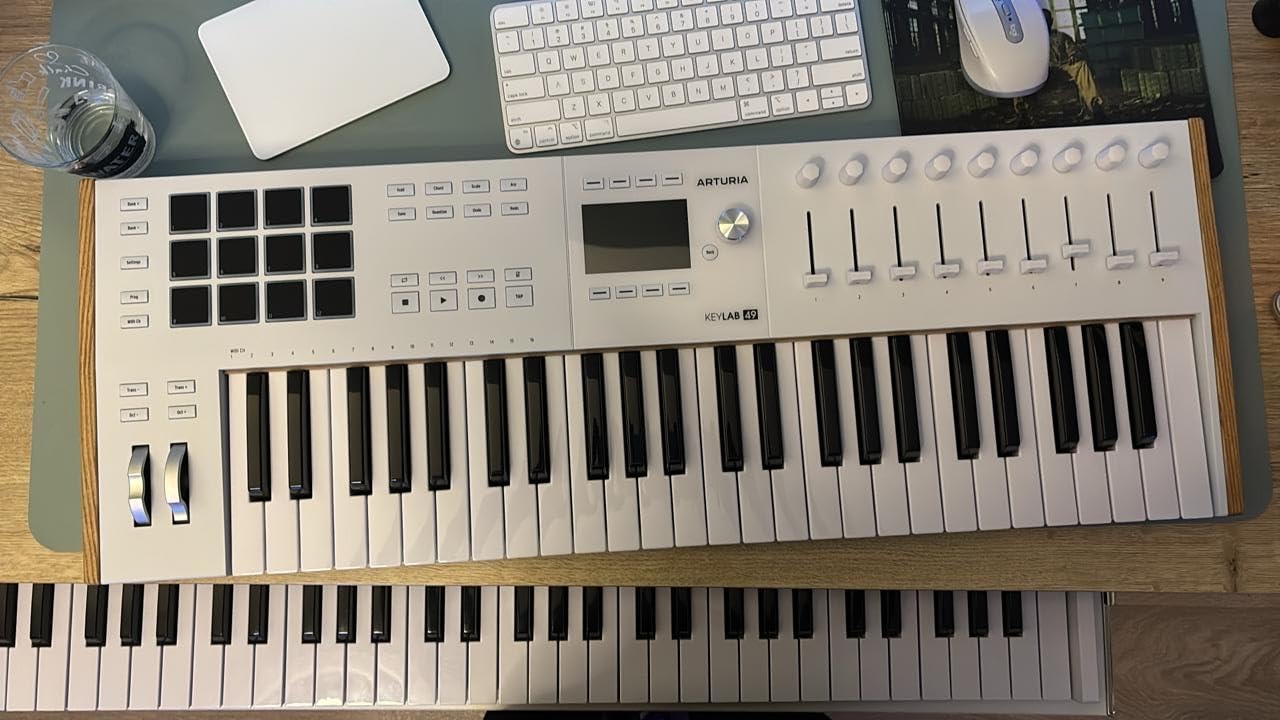
Who the KeyLab mk3 61 suits
It suits players who want maximum build quality and aftertouch without moving to a weighted keybed. The rigid chassis and wood touch points make it a long-term desk instrument rather than something you pack away.
It also suits producers working with hardware synths who want one box to handle control, sequencing and melodic input. The pedal inputs mean sustain and expression work the way they would on a stage keyboard.
Where it falls short
The key action is heavier than most people expect from a non-weighted controller, and key resistance rises noticeably toward the back of the key. Pianists find that limiting, and long sessions can tire the hand. This is the single biggest reason the rating sits at 4.4 with 10 percent one-star feedback.
At 18.7 pounds it is the least portable unit here. Some owners also report glitchy DAW integration behaviour in Studio One specifically, so test that combination before committing if Studio One is your host.
How to Choose a MIDI Controller for Music Production
Most buying mistakes come down to picking a size rather than a capability. Work out what you will actually play and edit, then choose the smallest board that covers it. Forum discussion in music production communities converges on a similar upgrade path: start with a 25-key mini, move to 49 or 61 keys once pads and faders matter, and only reach for 88 weighted keys when you are writing piano parts regularly.
How many keys do you need?
Twenty-five keys is enough for sketching ideas, playing bass lines one-handed and building beats. Thirty-seven or 49 keys is the practical middle for most producers, giving you three or four octaves under both hands. Sixty-one covers piano-style playing and most left-hand-plus-right-hand arrangements. Eighty-eight keys only earn their desk space if you write full-range piano parts often.
The failure mode with mini keys is physical rather than musical. Players with larger hands report cramping and frustration that appears once they progress past simple chords. If you already play a full instrument, moving down to 25 mini keys will feel like a step backwards, not a saving.
Which key action should you buy?
Synth action is unweighted and light. It is responsive and durable, which makes it right for pads, chord stabs and quick programming, and wrong for anyone who needs key resistance to control dynamics.
Semi-weighted keys add enough resistance to play sustained chords and two-handed parts with more control, and they are the sensible middle for most home studios. Hammer or weighted action imitates an acoustic piano keybed, adds weight and cost, and is worth it only if you are writing parts that depend on it.
Be careful with marketing language here. Forum discussion frequently describes semi-weighted claims on budget controllers as misleading, so check whether the weight is in the keys themselves or just the description.
Do you need velocity and aftertouch?
Velocity sensitivity is not optional for production. It is the difference between a chord that builds and one that arrives flat, and a controller without it forces you to fix dynamics in the DAW afterwards. Every controller in this roundup is velocity-sensitive.
Aftertouch is a separate, deeper layer. Monophonic aftertouch applies pressure to the whole controller; polyphonic aftertouch reports pressure per note. It is powerful for pads and lead work, but it is inconsistent across models and absent from most budget units, so treat it as a bonus rather than a requirement.
Do you need pads, faders and knobs?
Pads serve beatmaking, finger drumming, clip launching and sample triggering, and eight velocity-sensitive pads with RGB feedback is the practical minimum for any of those. Controllers with pads plus a full grid, such as the Launchpad X or the APC40 MKII, are for performance rather than melody.
Faders are more important than most buyers expect. Encoders are good for parameter tweaks; faders are what you need for volume rides and mixing with two hands. Forum buyers consistently report wanting faders for orchestral scoring and mixing workflows rather than encoders alone.
How important is DAW compatibility?
Class-compliant USB means the controller appears as a MIDI device without extra drivers, and all of these connect that way. Beyond that, integration depth varies. Controllers with custom DAW scripts for Ableton Live, Logic Pro, FL Studio and Cubase, such as the Arturia and Novation boards, give you working layouts immediately instead of an afternoon of MIDI Learn.
DAW-branded hardware can feel limiting if you switch hosts, so check whether mappings survive outside the software the brand targets. A generic controller that sends plain MIDI works everywhere, just with more setup.
Do you still need 5-pin MIDI?
If your setup includes older hardware synths, a drum machine or a sequencer, a full-size MIDI out is still worth having, and the MPK Mini IV provides one. If everything modern runs over USB, it is a nice-to-have rather than a requirement, and most current controllers treat it as an extra.
Class compliance also matters for latency. A controller that appears natively will feel immediate, while one that depends on a MIDI routing layer can introduce lag you notice when playing in time.
Controller or digital piano?
A MIDI controller gives you control and access to unlimited sounds but no internal sound of its own. A digital piano gives you realistic weighted keys and built-in sounds for practice. For production you want the controller; for daily practice without a computer you want the digital piano.
Several producers in community discussion buy a controller first and add a software piano later, which is cheaper and more flexible than starting with a digital piano. If you do both, a controller plus a lightweight 88-key weighted board covers production and practice without buying two full instruments.
When should you upgrade?
Move from 25 to 49 keys when you find yourself constantly shifting octaves to play chords. Move to 61 keys when you want a bass line and melody under the same hands, or when writing parts that span more than four octaves. Move to 88 keys when you are writing piano parts regularly and need the full range in one take.
Also upgrade when the workflow outgrows the hardware, not the keys. Adding a grid controller alongside a keyboard is a smaller step than replacing a keyboard, and it solves clip launching and mixing faster than a bigger keybed would.
Frequently Asked Questions
What is the best MIDI controller for music production in 2026?
For most producers the best MIDI controller for music production is the Akai Professional MPK Mini IV, because it combines 25 velocity-sensitive mini keys, 8 RGB MPC pads and 8 assignable knobs in a one-kilogram body with over a thousand bundled sounds. If you want a larger keybed, the Novation Launchkey 88 MK3 covers the full range and the Arturia KeyLab Essential 49 mk3 is the strongest mid-tier songwriting board.
How many keys do I need for music production?
Twenty-five keys is enough for sketches, single-handed bass lines and beatmaking. Thirty-seven to 49 keys is the practical middle for most producers, and 61 keys covers piano-style playing with both hands. Eighty-eight weighted keys are only worth it if you write full-range piano parts regularly, since they are heavier and cost more.
Is it worth getting a MIDI controller?
Yes, if you already produce in a DAW. A controller replaces mouse editing with hands-on control, makes dynamics and mix moves playable and repeatable, and typically saves hours of editing time on the same session. It is far less essential if you only play acoustic instruments live and never record or produce.
What is the best MIDI controller for DAWs?
For Ableton Live the Akai APC40 MKII gives the closest match to the Session View with nine faders, while the Novation Launchpad X offers the tightest grid integration. For Logic Pro, Cubase and FL Studio the Arturia KeyLab Essential 49 mk3 and Novation Launchkey boards ship custom DAW scripts so controls work without manual MIDI Learn.
Does anyone use MIDI anymore?
Yes. MIDI is how almost all software instruments, DAWs and modern hardware exchange performance data, including velocity, pitch bend, modulation and per-note pressure. What has changed is that audio files replaced MIDI as the delivery format for finished records, not MIDI as the control protocol inside the studio.
Should I buy a MIDI controller or a digital piano?
Buy a MIDI controller for production, because it gives hands-on control and access to unlimited sounds but makes no sound on its own. Buy a digital piano for daily practice without a computer, because it offers weighted keys and built-in sounds. Producers who need both often start with a controller and add a software or lightweight weighted piano later.
Final Verdict on MIDI Controllers for Music Production
The best MIDI controller for music production in 2026 depends less on budget than on the kind of work you do. Start with the Akai Professional MPK Mini IV if you make beats and want pads, portability and a bundled instrument library in one small box. It is the pick we return to most often, and the reason is that nothing else at that size gives you eight velocity-sensitive pads and a real control surface.
Buy the Arturia MiniLab 3 if you want the highest-rated compact unit and value faders and encoders at 25 keys. Move up to the Arturia KeyLab Essential 49 mk3 or the M-Audio Keystation 61 MK3 when you need more octaves and a bigger control surface, and to the Novation Launchkey 88 MK3 when the full range matters. If your work is built around clip launching, the Novation Launchpad X and Akai APC40 MKII are purpose-built for it.
Whatever you choose, play it in person if you can. Key feel, noise level and wheel smoothness are hard to judge from a spec list, and those three details change how much you enjoy the instrument every day. Buy the box that gets played.