
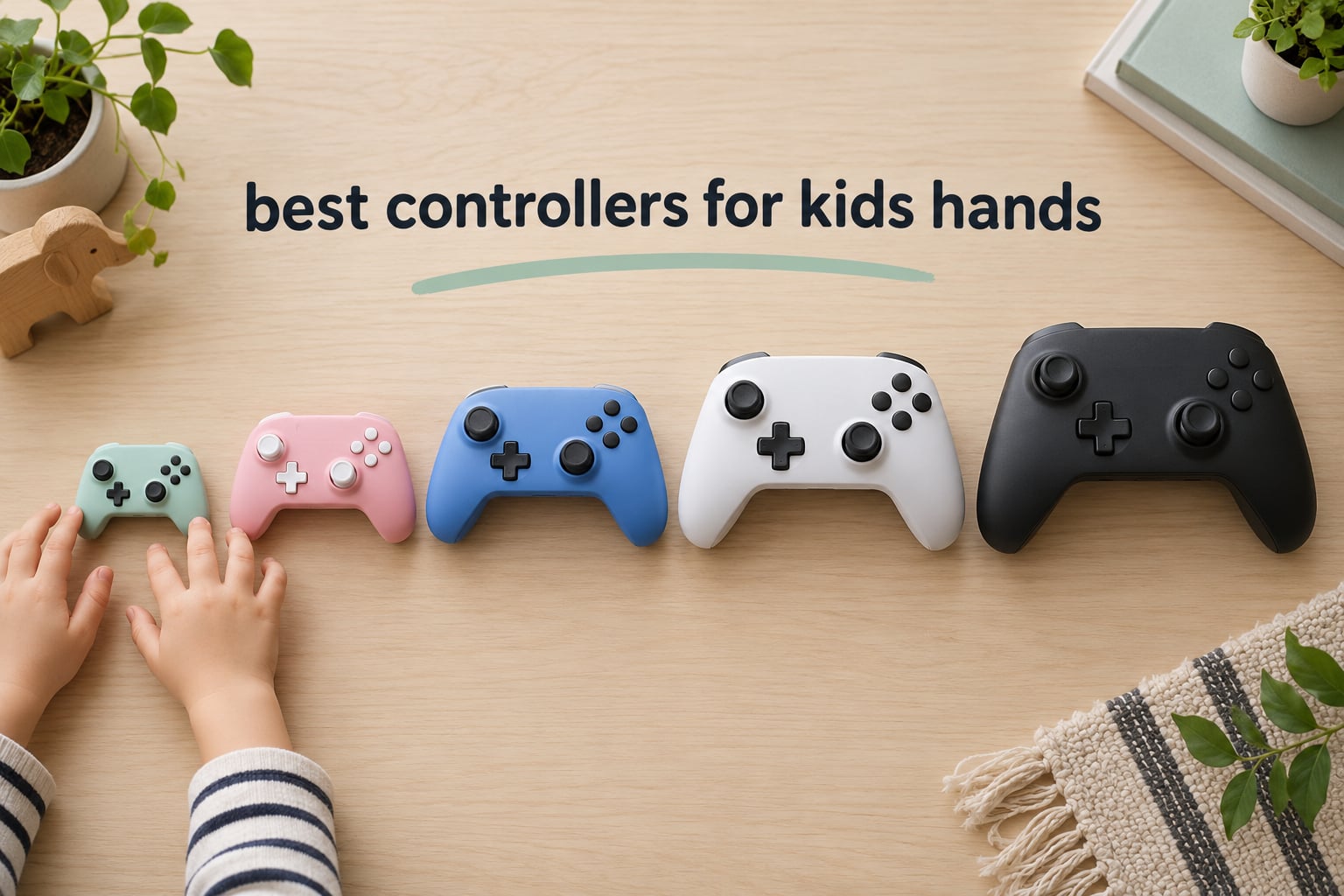
The best game controller for kids is the 8BitDo Micro if your child is under about seven and plays 2D games, and the 8BitDo Lite 2 if they need real analog sticks. Both are built to a smaller physical scale than a standard pad, with shorter grips and a lighter body, so a child’s hands wrap around the whole controller instead of pinching the front edge.
That distinction sounds cosmetic until you watch a five-year-old play on a full-size DualSense or Xbox pad. Their palms sit at the very tip of the grips, fingers curl forward to reach the shoulder buttons, and the analog sticks end up under the base of the thumb rather than between thumb and finger. The result is a child who tires after twenty minutes, misses face buttons, and drifts the stick when they meant to walk.
Fit is not a comfort issue alone. A controller sized for an average adult hand forces small hands forward onto the fingertips, which slows reaction time and costs fine stick control. A cheaper pad that actually fits plays better than an expensive one that does not, and the research behind this roundup came back with the same complaint in every forum thread we read.
One parent on r/gaming put it plainly: “Kids obviously have small hands but my little tooters have got tiny little hands. I’ve got Xbox and ps and both standard controllers are too.” Another, on r/Switch, told a different story: “Get an 8bitdo controller for a bit. I have two of these so my kids can use them and they are great.” Two parents, same hardware, opposite size problems – which is why the brand name alone does not help you. 8BitDo alone makes pads from 20 grams to full-size.
We pulled twelve controllers and sorted them by what actually matters for small hands: real weight in the hand, real dimensions, stick layout, connection type, and the platforms each one genuinely supports. The short answer for most families is the 8BitDo Lite 2, the 8BitDo Micro for the youngest players, and the HyperX Clutch Tanto if the child plays on Xbox.
Table of Contents
Top 3 Controllers for Small Hands (October 2026)


GameSir Nova Lite
- Hall Effect sticks and triggers
- Bluetooth 2.4GHz and USB-C
- 10 hour battery
Those three cover the three real use cases. The Micro is the smallest pad here and the one we trust most for a child who is still playing platformers and puzzle games. The Lite 2 is the most complete small controller on the market, with analog sticks, motion control and rumble in an 80 gram body. The Nova Lite is the pick if the child plays across several devices and you want a pad that will not develop stick drift.
Top Picks at a Glance by Age Band
Ages 3-5: The 8BitDo Micro, at 24.8 grams and 3.94 inches wide, is the smallest pad in this roundup and the easiest for a toddler to hold one-handed.
Ages 5-7: The ShanWan Q36 keychain mini at 30 grams works one-handed, but only for 2D titles – pair it with the 8BitDo Micro if the child will play anything with 3D movement.
Ages 6-9: The 8BitDo Lite 2 is the first controller in this list a child can genuinely play a modern 3D game on, and it is still far smaller than a Switch Pro pad.
Ages 9-12: The GuliKit Elves 2 gives a growing child Hall Effect sticks, a floating D-pad and a 20 hour battery in a 6.3 ounce shell.
Teens and adults: The GameSir Nova Lite is the most reviewed pad here, with three connection modes and a switch that covers PC, Switch, Android and Steam Deck.
Xbox and PlayStation households: The HyperX Clutch Tanto for Xbox Series, and the AceGamer Wireless Pocket for Switch and Switch 2, are the two licensed-friendly options with genuinely small shells.
Two things to note about that list. There is no official PlayStation controller here, because Sony does not license third-party DualSense pads and the licensed alternative does not come in a small size – the same gap every parent searching this topic runs into. And for the youngest band, “smallest” is not automatically “best”; the ShanWan and the Zero 2 are smaller still, but both drop the analog sticks entirely.
All 12 Controllers Compared Side by Side in 2026
| Product | Specifications | Action |
|---|---|---|
|
8BitDo Micro
|
|
Check Latest Price |
|
8BitDo Lite 2
|
|
Check Latest Price |
|
GameSir Nova Lite
|
|
Check Latest Price |
 8BitDo Zero 2
|
|
Check Latest Price |
 HyperX Clutch Tanto
|
|
Check Latest Price |
 PowerA Nano Enhanced
|
|
Check Latest Price |
 GuliKit Elves 2
|
|
Check Latest Price |
 IINE Wireless Candy Pop
|
|
Check Latest Price |
 AceGamer Wireless Pocket
|
|
Check Latest Price |
 ShanWan Keychain Mini
|
|
Check Latest Price |
 Surge Wired Junior
|
|
Check Latest Price |
 GameSir X5 Lite
|
|
Check Latest Price |
Weights on that table range from 20 grams to 300 grams – a fifteen-fold difference that maps almost perfectly onto age. A toddler can barely hold the 300 gram Nova Lite, while a ten-year-old will find the 20 gram Zero 2 frustratingly small within a year. Weight is the single most honest number on a controller spec sheet, and almost no retail listing shows it.
1. 8BitDo Micro – the smallest full pad we trust for tiny hands
8Bitdo Micro Bluetooth Gamepad Pocket-sized Mini Controller for Switch/Switch 2, Android, and Raspberry Pi, Supports Keyboard Mode (Green)
24.8 g
3.94 x 1.97 x 0.5 inch
16 buttons
Bluetooth for Switch
Pros
- Lightest full pad in the roundup at 24.8 grams
- Fits a genuine toddler grip one-handed
- Works on Switch Switch 2 Android and Raspberry Pi
- Keyboard mode widens what it can do
Cons
- No analog sticks so 3D console games are out
- Very limited input surface for modern titles
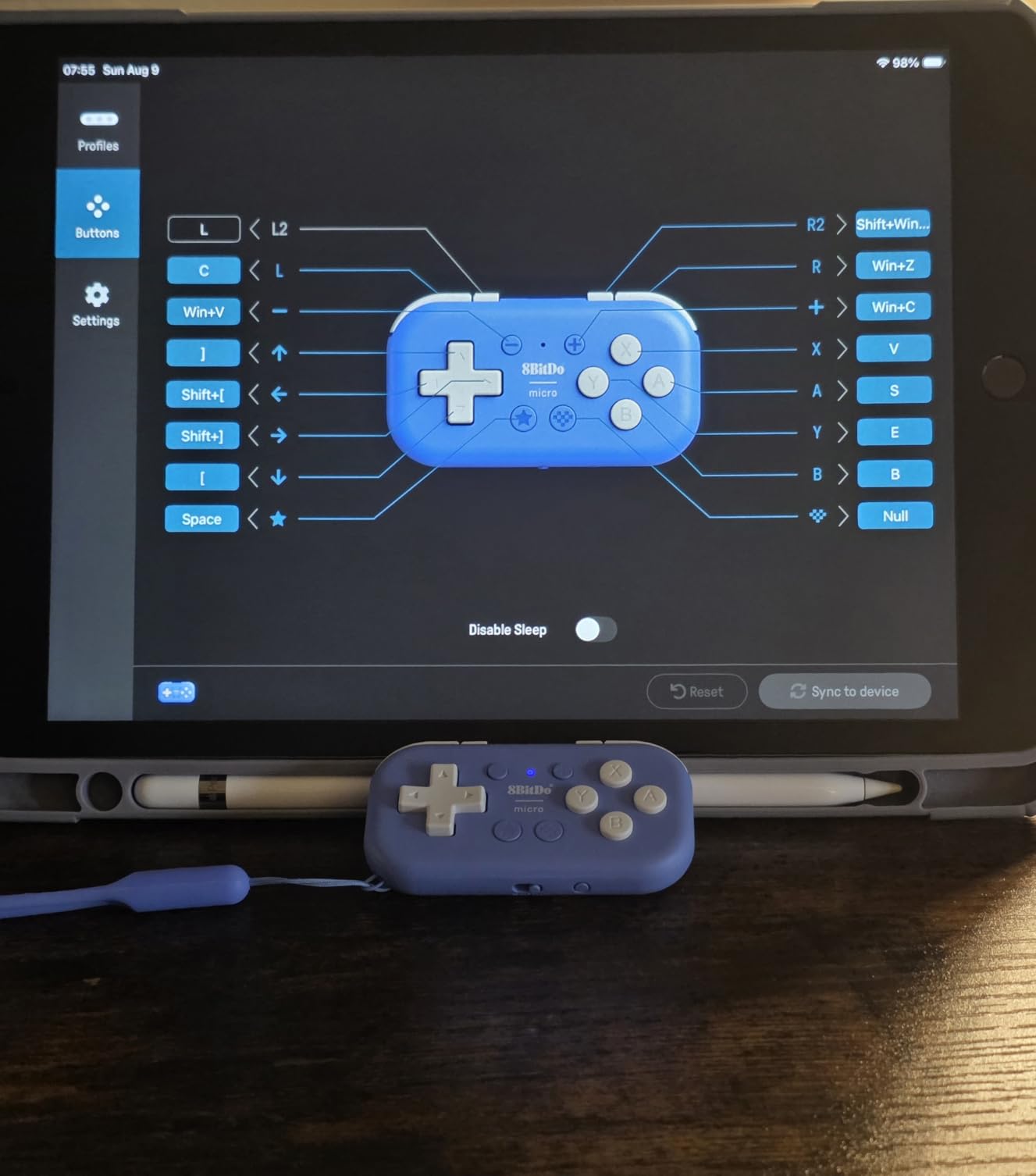
The 8BitDo Micro weighs 24.8 grams and measures 3.94 by 1.97 inches. That is roughly the size of a deck of cards with a bit of depth, and it is the smallest complete controller in this roundup that still has 16 buttons rather than a NES-style four.
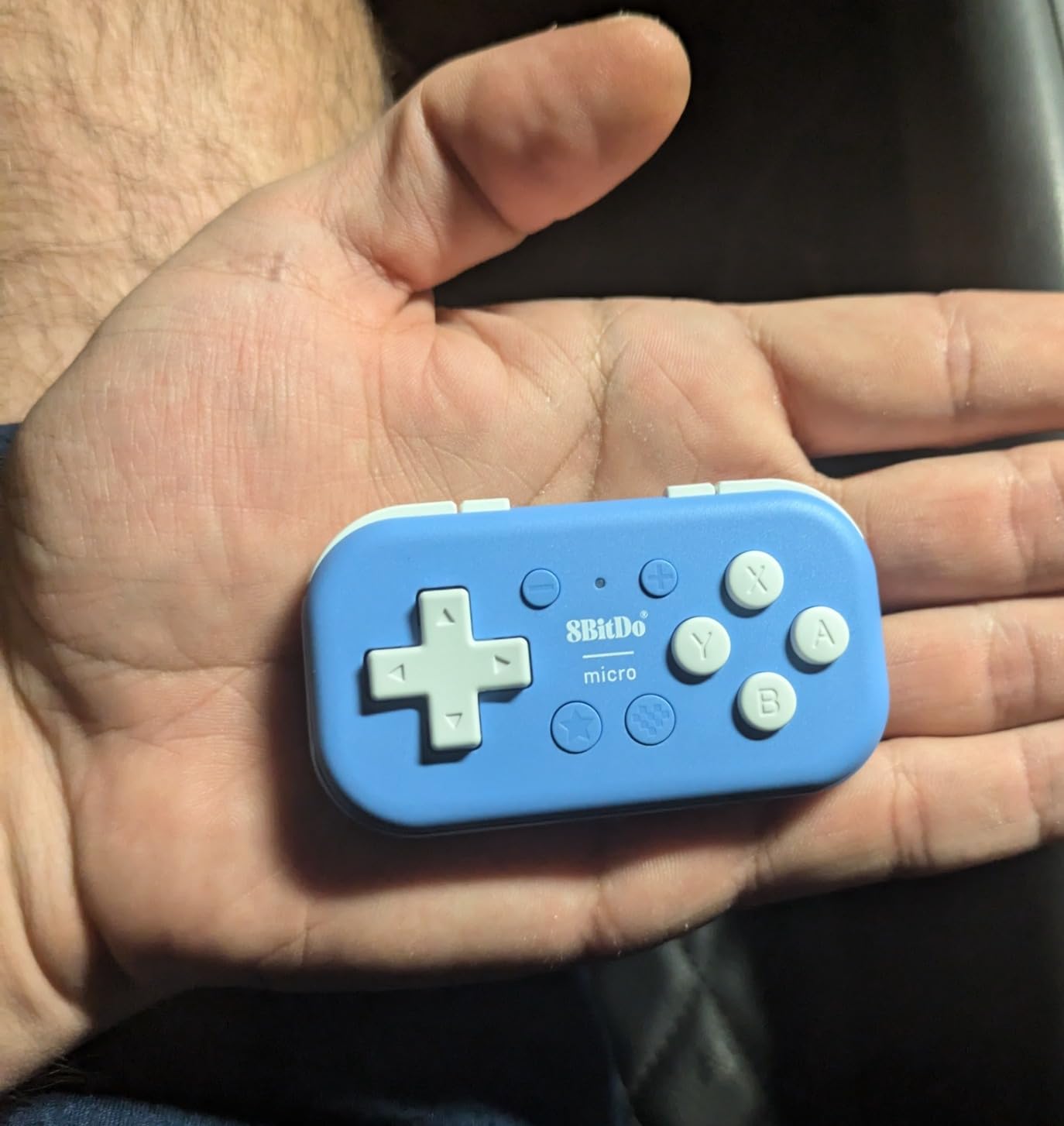
It is the pad we hand to a child under seven. The body is thin and flat enough that a small hand covers the entire face, with no overhanging grips to slide off. Parents on r/SBCGaming describe this tier of hardware accurately when they call the 8BitDo small pads “probably perfect for younger kids, but too small for me” – that is exactly the line this controller sits on.
The trade is fixed and simple: there are no analog sticks. Two-dimensional platformers, puzzle games, retro titles, and a good number of Switch indie games work well because they use the D-pad and face buttons. Anything that needs a character to walk in eight directions does not work, and no firmware update will change that.
Connectivity is Bluetooth, with listed support for the Switch, Switch 2, Android and Raspberry Pi. The keyboard mode is a genuinely useful trick – hold a button and the pad acts as a keyboard, which turns it into a legitimate tool for a small child on a PC or a streaming box. Battery life is the one number the listing leaves vague, so plan on charging it alongside the console rather than trusting it for a long trip.
Best for a child under seven on 2D games
Buy the Micro if the newest games in your household are 2D platformers, puzzle games, or retro emulators. A four-year-old will hold it correctly on the first attempt, which is not something you can say about almost any other controller.
It also travels better than anything else here. The whole thing is roughly the size of a phone, so it lives in a jacket pocket and does not need its own case. For a family that games in the car, on aeroplanes, or in waiting rooms, that portability is worth more than any feature list.
Check this before buying: what the child actually plays
The single question to ask before ordering is whether the games involved need analog control. If your child plays a platform adventure game, a 3D platformer, or anything with a camera, the Micro will frustrate them within an hour and you will end up buying the Lite 2 anyway.
It is also not a good controller for an adult. The buttons are small and closely spaced, and the body offers nothing to rest against. If you plan to use it yourself, buy a second controller for the child instead.
2. 8BitDo Lite 2 – the best mini pad with real analog sticks
8BitDo Lite 2 Bluetooth Gamepad for Switch, Switch Lite, Android and Raspberry Pi (Pink)
80 g
4.72 inch wide
16 buttons
Bluetooth and USB
Pros
- Real analog sticks in an 80 gram body
- Shaped triggers with rumble and motion control
- Rechargeable battery with USB-C charging
- Works on Switch Switch Lite Android and Raspberry Pi
Cons
- Not compatible with Xbox or PlayStation
- Very thin profile can feel cramped
- Buttons need more precision than a full-size pad
The Lite 2 is the controller we recommend most often. At 80 grams it is more than three times the weight of the Micro, and that extra mass is what buys you analog sticks, shaped shoulder triggers, rumble, and motion control in a body still far smaller than a Switch Pro Controller.
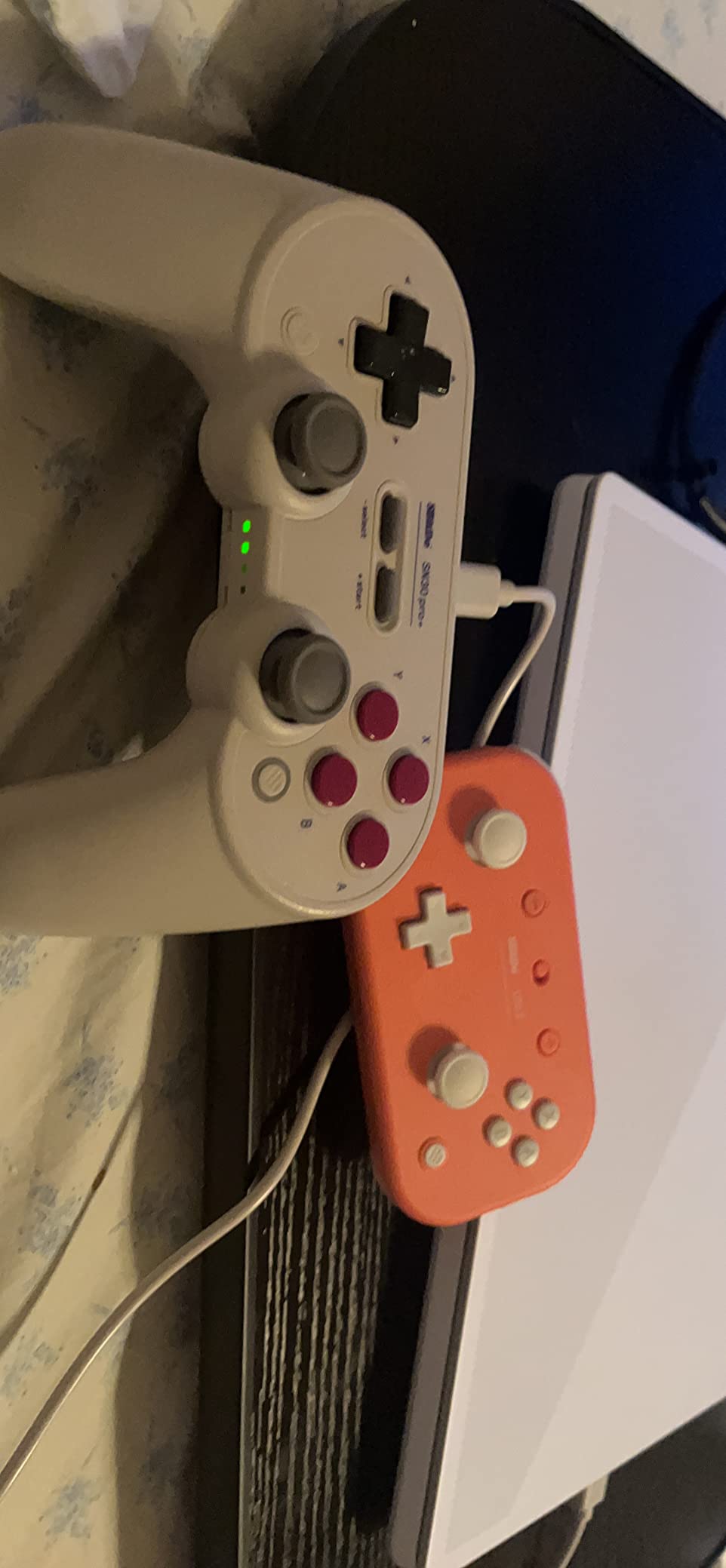
It has been the families’ answer for years, and the reason is simple: nothing else at this size is this complete. A six-year-old can hold it with two hands, reach every button without shifting grip, and play a modern 3D game. The customisable turbo function is a quiet bonus on games where mashing is the intended mechanic.
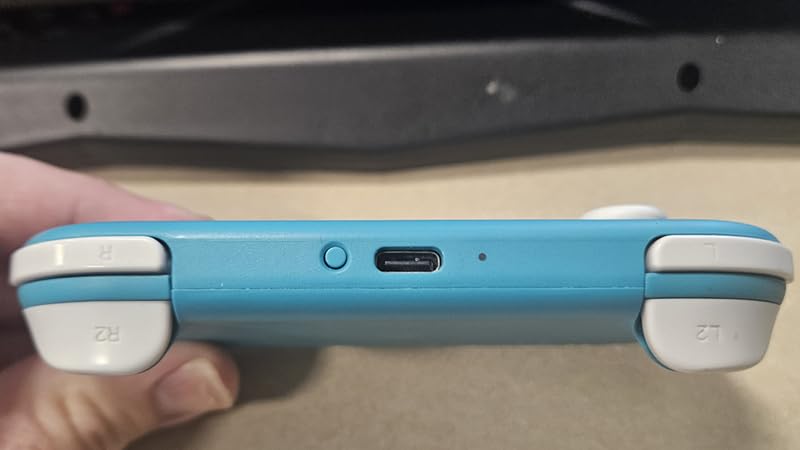
Connectivity is Bluetooth plus USB-C, and the listed platform support covers the Switch, Switch Lite, Android, and Raspberry Pi. The internal rechargeable battery means there is no replaceable-cell routine to learn, which matters more than it sounds when the person charging it is five.
Fit is the trade-off. The profile is thin and light, and reviewers with larger hands report that it feels cramped – which is the entire point if you are buying it for a child, but worth knowing if you are an adult with small hands rather than a parent buying for a kid. Button precision also takes a few sessions; the layout is compact enough that new players sometimes miss inputs at first.
Best for a Switch household with a child aged six to nine
This is the age band where the Lite 2 has no real competition. Below six, the sticks are optional and the body is bulkier than needed. Above nine, the child may outgrow it within a year or two, depending on hand growth.
Because the Switch ecosystem is where most family gaming happens, it is also the pad most likely to be used by more than one child. A parent on r/Switch bought two precisely so both kids could play, and that two-controller pattern works here because 8BitDo sells the Lite 2 in a colour range rather than a single adult-looking shell.
Check this before buying: platform and pairing
It does not work on Xbox or PlayStation, full stop. If the family owns an Xbox Series console, this is the wrong purchase no matter how well it fits.
You should also expect a short pairing process the first time. 8BitDo controllers are recognised directly by the Switch for the main modes, but a parent on r/NintendoSwitch put the difference plainly: “the Power A Nano is the smaller of the 2, and has a very very long cord and doesn’t require any setup, where the 8BitDo requires setup and software.” If a five-year-old will be playing completely unsupervised, that setup step happens once, in front of you, and then it never comes back.
3. GameSir Nova Lite – most connection options per controller
GameSir Nova Lite Wireless Controller for PC, Hall Effect Sticks & Trigger
300 g
Hall Effect sticks and triggers
600mAh battery
Bluetooth 2.4GHz USB-C
Pros
- Hall Effect sticks and triggers with no drift
- Bluetooth 2.4GHz dongle and USB-C in one pad
- Linear triggers with a PS5-like feel
- 10 hour battery on a 2 hour charge
Cons
- Heaviest controller here at 300 grams
- No data cable included in the box
- Layout still large for the smallest hands
The Nova Lite is the most reviewed controller in this roundup by a wide margin, and the reason is the stick technology. Both the analog sticks and the triggers are Hall Effect, which reads position magnetically instead of through a potentiometer – that is the difference between a pad that still works in three years and one that drifts into the corner of the screen.
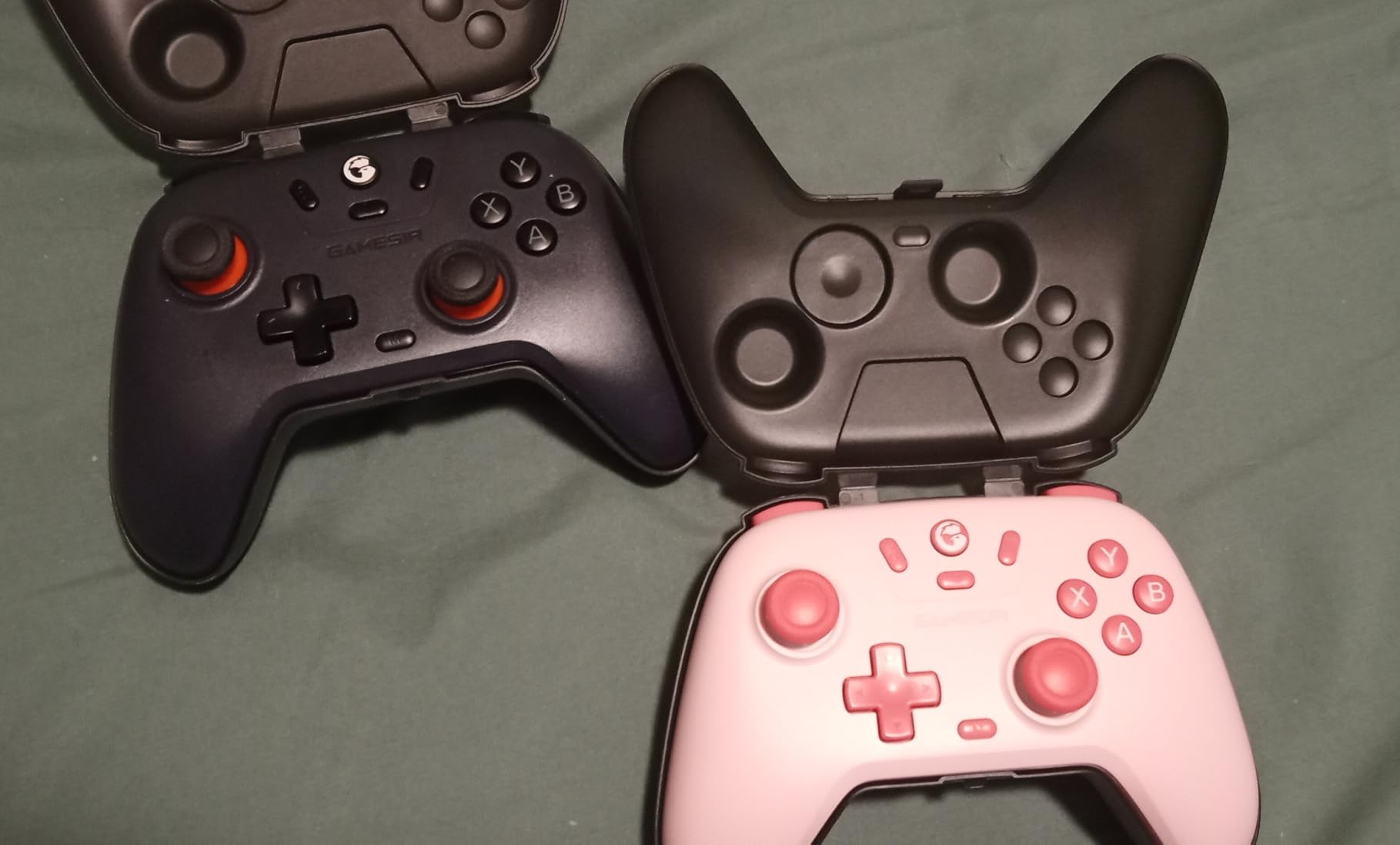
It also covers more devices than anything else here in a single body. Windows 10 and 11, the Switch, Android, iOS and the Steam Deck are all listed, and the three connection modes – Bluetooth, the 2.4GHz wireless dongle, and USB-C – mean you can move between a docked console and a laptop without replanning anything.
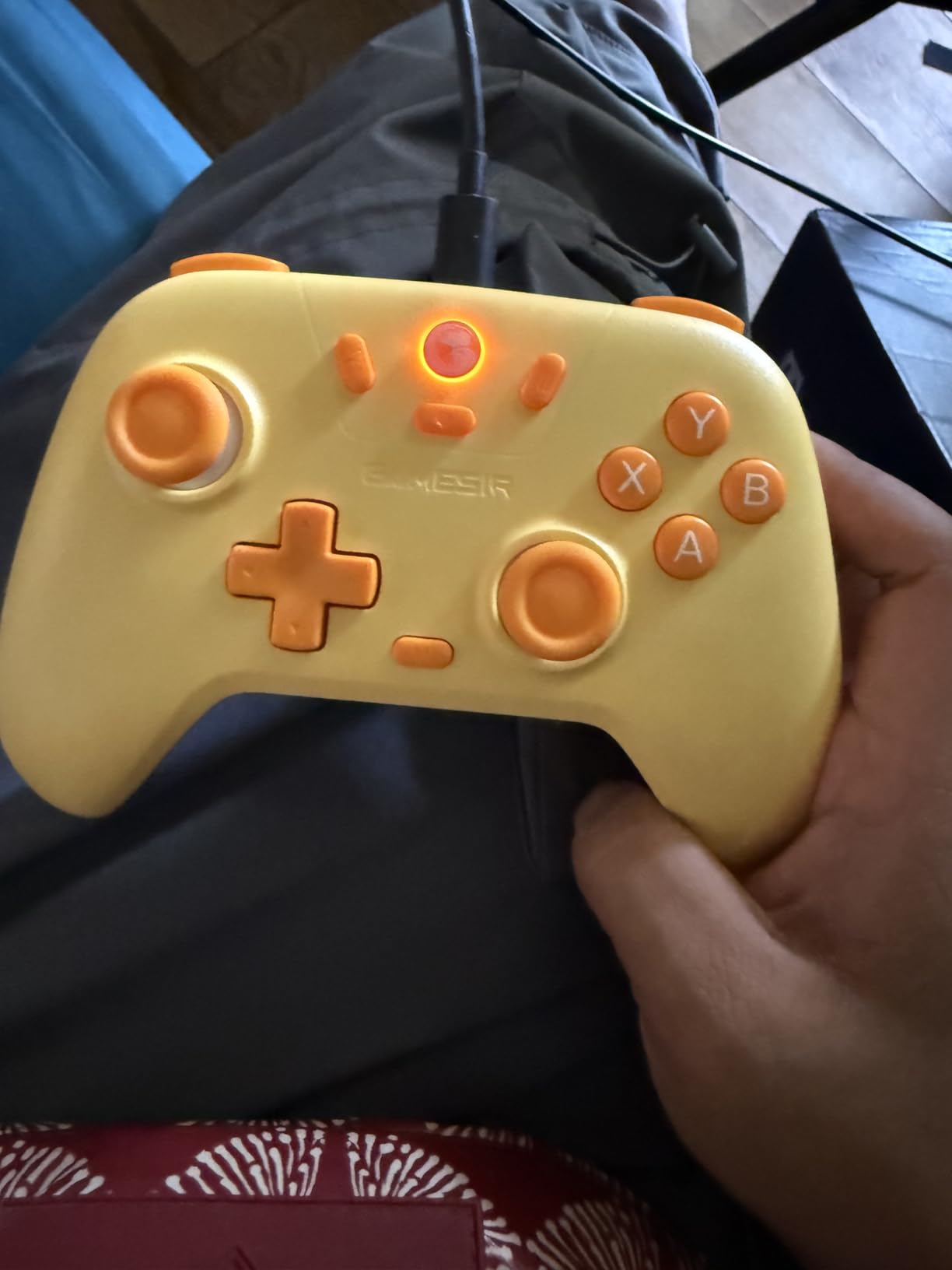
The 600mAh battery runs up to ten hours and takes about two hours to refill. The multi-function button handles vibration intensity, ABXY layout, and deadzone settings, and the 20Hz turbo can be assigned to any of the standard buttons. These are grown-up conveniences, and they are genuinely useful for a shared family controller.
Now the honest part. At 300 grams it is the heaviest controller in this roundup, and it is not a small-shell pad in the way the Micro or the AceGamer is. A child under seven will find it heavy and will struggle to wrap their hands around the grips. The Nova Lite earns its place in a household where the same pad serves a parent and a tween, or as a second controller for a child aged nine or older.
Best for a child aged nine and up, or a shared family pad
Pick the Nova Lite when the child plays on more than one device, when drift is a concern because the controller will live for years, or when you want a spare that any adult in the house can also use. It is the most flexible unit we tested in the list.
The 2.4GHz dongle mode deserves a special mention for anyone on a desktop PC, where Bluetooth pairing through a crowded room can be unreliable. A dedicated receiver sidesteps that entirely, and the reported latency difference is not something a child will notice but you will.
Check this before buying: weight and the missing cable
If the child is under about eight, look at the GuliKit Elves 2 or the AceGamer Wireless Pocket instead – both are lighter and both are explicitly shaped for smaller hands. 300 grams is a lot of controller for a six-year-old.
No data cable is included in the box. That is only an issue if you plan to use the USB-C mode on a PC that has no suitable port, since the dongle and Bluetooth both work without it. Nothing else in the package list will surprise you.
4. 8BitDo Zero 2 – the lightest travel pad you can buy
8Bitdo Zero 2 Mini Bluetooth Gamepad (Yellow)
20 g
Keychain-sized
14 buttons
Bluetooth with 8 hour battery
Pros
- Lightest option at 20 grams
- Rechargeable battery with 8 hours of play
- Works on Switch Windows Android macOS
- Upgradeable firmware widens future support
Cons
- No analog sticks or shoulder triggers
- Very small buttons are hard for larger fingers
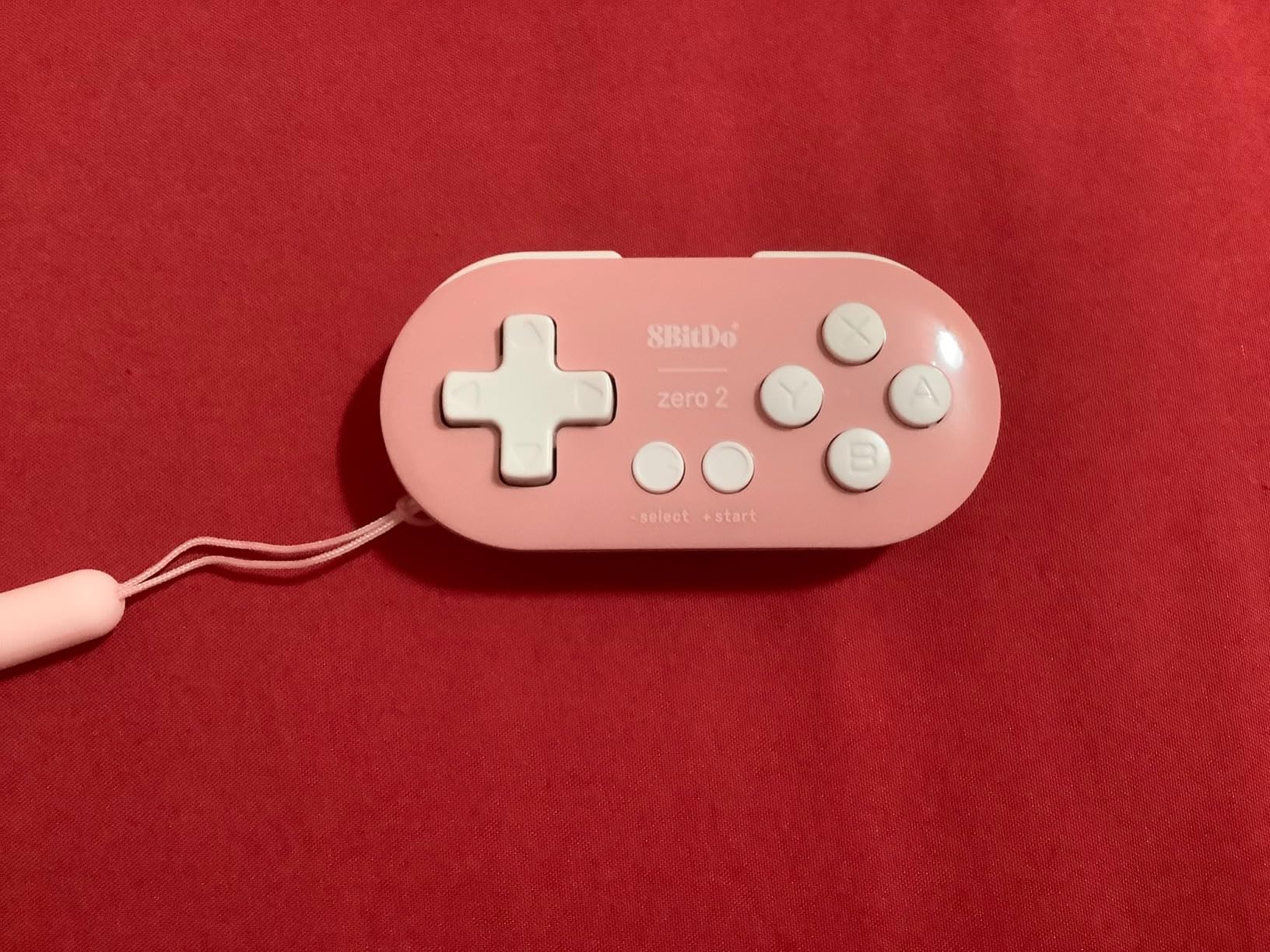
The Zero 2 weighs 20 grams. It is smaller and lighter than the Micro, and it is the only controller in this roundup that a parent can genuinely lose in a coat pocket without noticing for a day.
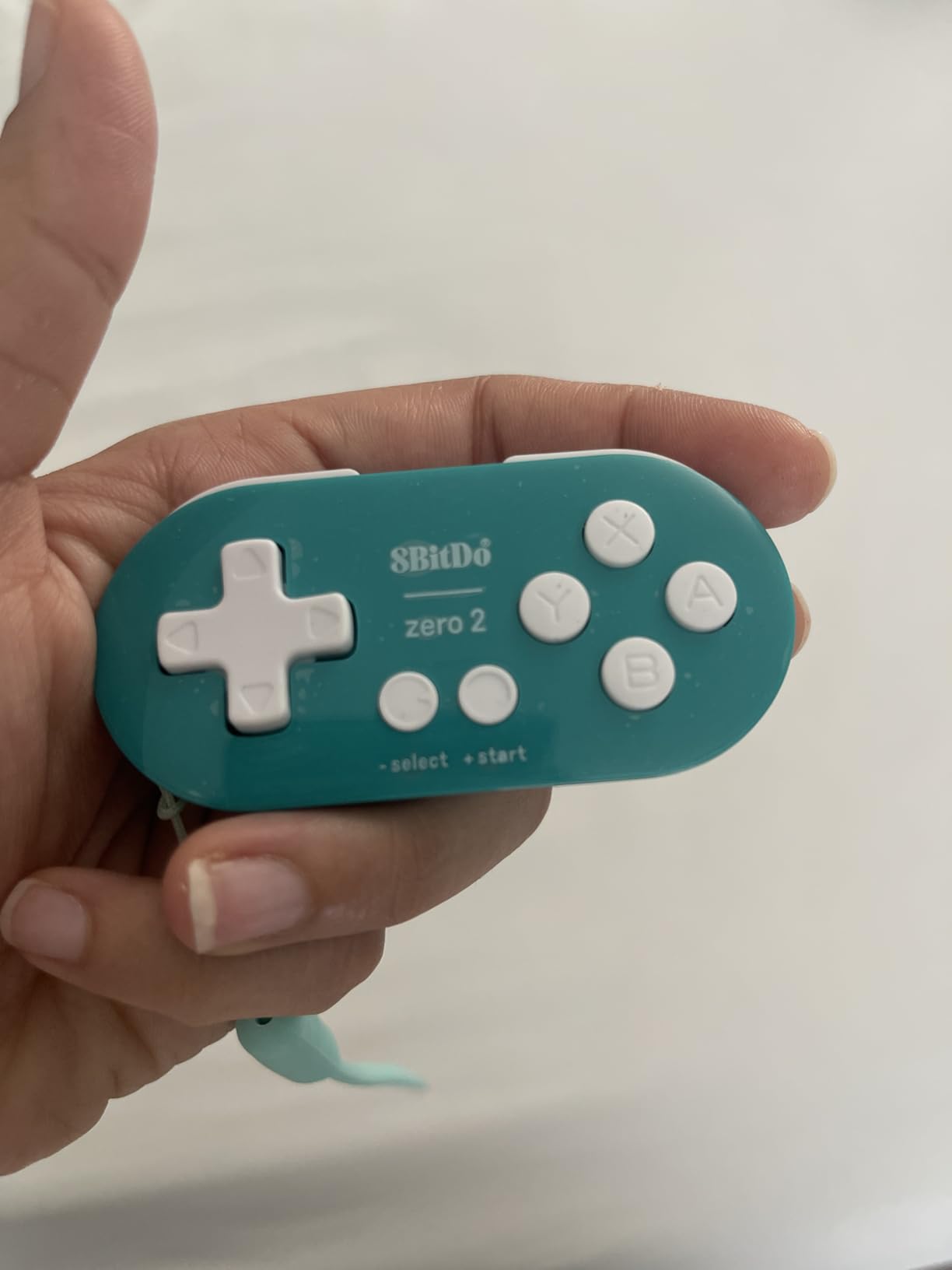
It has 14 buttons, a D-pad, face buttons and shoulder-level inputs, and it pairs over Bluetooth as either X-input or D-input. That makes it a good second pad for retro games, side-scrolling platformers, and the huge library of 2D indie titles on the Switch eShop. It will not drive a 3D character at all.
Platform coverage is wide for something this small: the Switch, Windows, Android, macOS, and Raspberry Pi are all listed, and the upgradeable firmware is the quiet advantage. When a new platform needs a new input mode, 8BitDo has historically added it rather than leaving the device behind.
Battery life is one of the better numbers here – up to eight hours of play from a one to two hour charge. For a child on a long train journey or a flight, that is a full session without a cable in the bag.
Best as a travel and holiday pad, not a main controller
Think of the Zero 2 as the thing that goes in the carry-on. It handles 2D games on any screen, weighs nothing, and needs no setup beyond a Bluetooth pairing. For a child who games on a borrowed laptop or a tablet, it solves the problem without solving anything else.
It also works well as a second controller for a family playing a 2D co-op game on a Switch that does not have a spare pair of Joy-Con drifting. Two of them is a complete multiplayer setup for the right game.
Check this before buying: button size for older fingers
The buttons are small and closely spaced, and reviewers with larger hands report accuracy problems. That is a fair trade at this size, but it means a nine-year-old or a parent using it will find it fiddly where a five-year-old will not.
Because the input surface is minimal, there is no way to remap around the limitation. If the game needs two analog inputs, no firmware or phone app will make this controller work.
5. HyperX Clutch Tanto – a licensed Xbox controller in a smaller shell
HyperX Clutch Tanto – Mini Wired Gaming Controller for Xbox Series X|S Licensed Compact Full Featured Wired Black
165 g
5.1 x 3.6 x 1.8 inch
Officially licensed
2 year warranty
Pros
- Officially licensed for Xbox Series X and S
- Compact 20 percent smaller form factor
- Keeps every standard button and both rumble motors
- Light enough for small hands at 165 grams
Cons
- Wired only with no wireless option
- Analog sticks can develop drift over time
- Bottom headphone port is of limited use
If the child plays on Xbox, this is the answer. The Clutch Tanto is officially licensed, built by HP, and 20 percent smaller than a standard Xbox pad – which sounds modest until you compare the 5.1 by 3.6 inch footprint against a standard controller’s length.
At 165 grams it is a genuine reduction in weight from a typical Xbox pad, and it keeps everything a child might need: all standard buttons, both analog sticks, the D-pad, and the rumble motors. Reviewers consistently call the build solid and the buttons clicky, which is what you want from hardware that will be dropped.
Licensing matters more than most parents realise. An unlicensed third-party Xbox pad can be rejected by a console update, which turns a cheap purchase into a brick. This one is also covered by a two year manufacturer warranty, longer than anything else in this roundup.
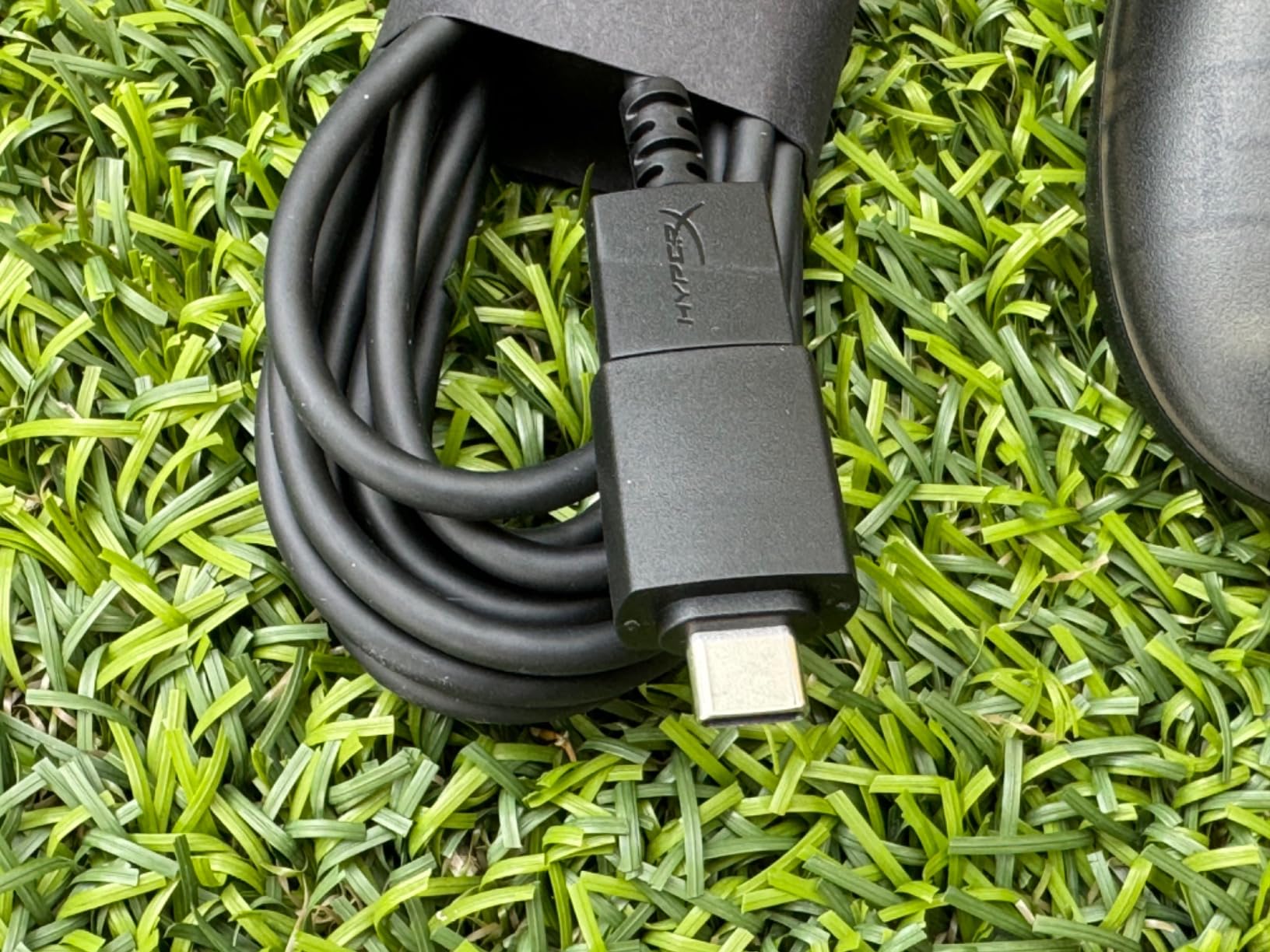
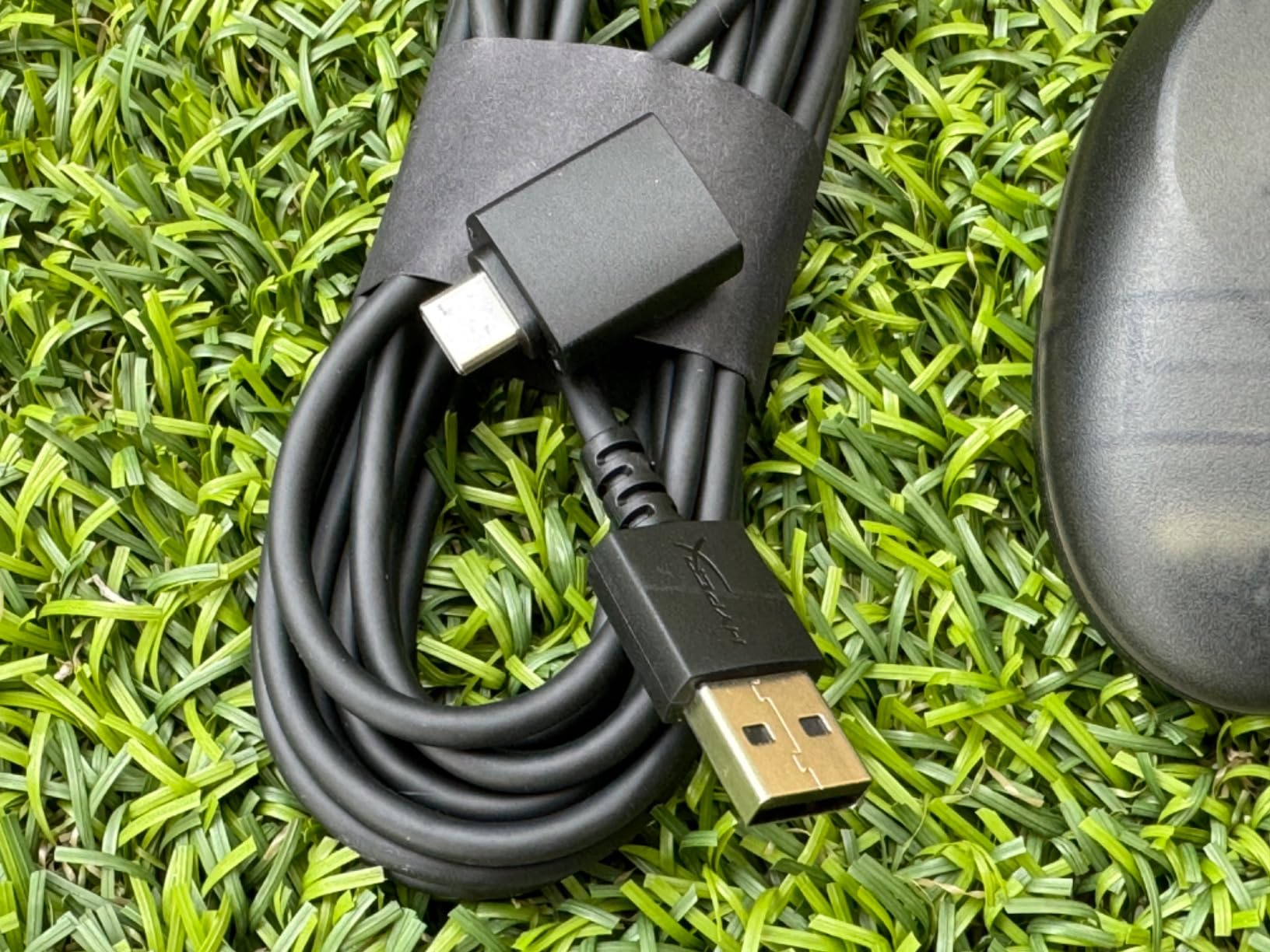
The package includes both a USB-A to USB-C adapter and a USB-C to USB-A cable, so it will connect to an older console or a modern one without a hunt for the right lead. It also works on PC and compatible Android devices, which makes it useful beyond the Xbox in the living room.
Best for Xbox Series X and S households with a child aged five to ten
There is very little competition here. Most small Xbox options are unlicensed and generic, and the official Xbox controller does not come in a small size at all. For a child on Xbox, this is the pick that is guaranteed to work and guaranteed to be allowed to keep working.
The 20 percent reduction is most noticeable in the grip length. A standard Xbox pad is the main reason a small-handed child ends up holding the controller with their fingertips only. Here, the grips end where the child’s palm ends.
Check this before buying: it is wired, and the sticks drift
There is no wireless version. A cable running across a living room floor is a trip hazard, and it rules out any use away from the console. If the child plays on a TV across the room, plan the cable route before the first session.
The analog sticks are conventional, which means they are susceptible to drift over time. That is a fair trade for a licensed, durable, warrantied controller – but expect a replacement discussion in a couple of years rather than five.
6. PowerA Nano Enhanced – licensed Switch artwork kids actually want
PowerA Nano Enhanced Wireless Controller for Nintendo Switch – Pokémon: Pikachu School Days, mini, portable, gamepad, motion controls, bluetooth
6.4 oz
5.12 x 3.74 x 1.97 inch
Bluetooth 5.0
20 hour battery
Pros
- Officially licensed for Switch Switch OLED and Switch Lite
- Compact ergonomic shell with standard sized buttons
- Internal battery up to 20 hours per charge
- Motion controls and mappable Advanced Gaming Buttons
Cons
- Not compatible with PC despite most Switch pads being
- No HD rumble
- A minority develop stick drift within weeks
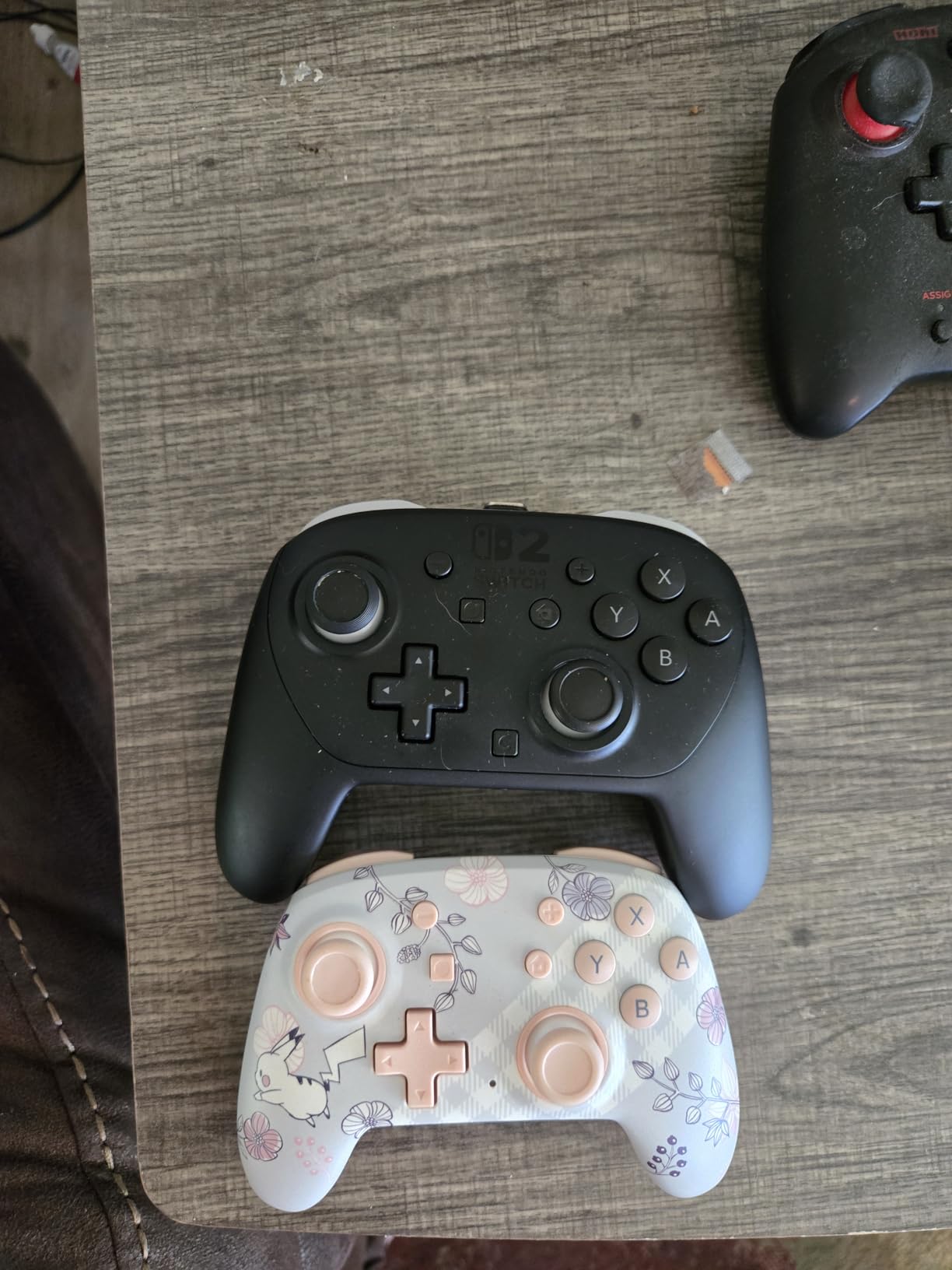
The PowerA Nano Enhanced takes a different route to the same problem. Rather than shrinking a full-size pad, it uses a compact ergonomic shell with standard-sized buttons, and it wraps it in licensed Pokemon artwork – the Pikachu School Days design here.
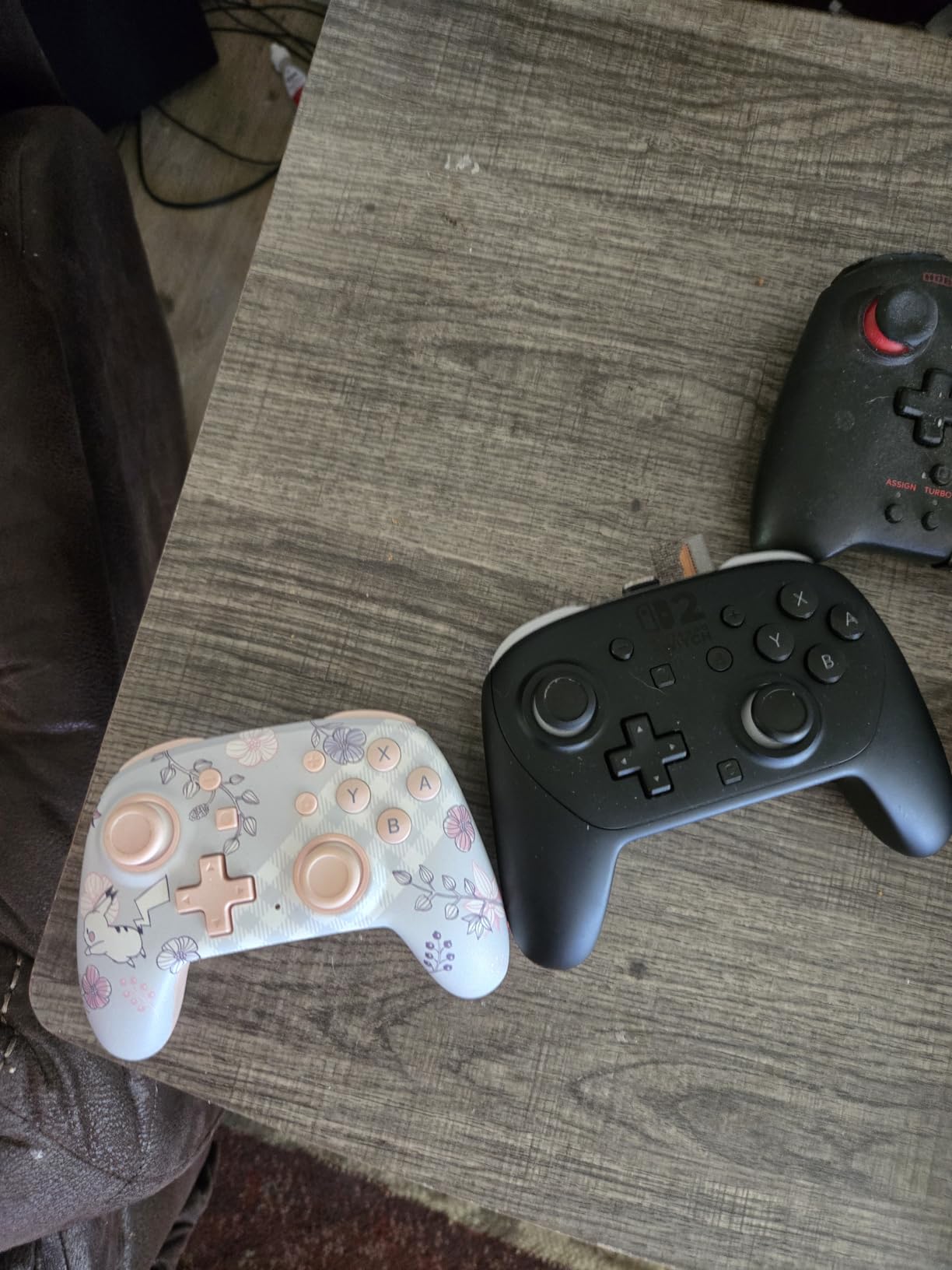
That artwork is not decoration for this audience. Parents report that a themed controller makes a four to seven year old treat the console as something special, and a child who is excited about a controller plays with it more willingly than one handed a generic black pad.
The technical case is solid. Bluetooth 5.0, motion controls, mappable Advanced Gaming Buttons, and LEDs for player number, button mapping and a low battery warning. The internal rechargeable battery runs up to 20 hours per charge with a six foot USB-C cable in the box, which is the best battery figure in this roundup and means a child will not interrupt a session to find a charger.
It is officially licensed for the Switch, the Switch OLED model and the Switch Lite, and it carries a two year limited warranty from PowerA.
Best for a Switch family who wants the licensed route
Choose this over a generic third-party pad if the console is new and you want a controller that cannot be blocked by a firmware update, and if your child responds to character artwork. It is the most child-friendly-looking officially licensed pad on the Switch.
The Advanced Gaming Buttons are the sleeper feature. On a younger child they can go unused, then be reassigned later to a shortcut or a second function as the child gets older, which extends the useful life of the controller.
Check this before buying: it will not work on a PC
PC support is absent, and that catches people out because most Switch controllers do work on PC through Bluetooth. If the same controller also needs to drive a laptop or a Steam Deck, this is not the one.
There is no HD rumble, so the tactile feedback is present but coarser than a Switch Pro pad. A minority of controllers report analog stick drift within weeks of heavy use, so check the stick behaviour early and know your return options.
7. GuliKit Elves 2 – the stick technology and D-pad to beat
GuliKit Elves 2 Bluetooth Game Controller for Switch/Switch 2,PC & Android
180 g
5.9 x 3.9 x 1.2 inch
Hall Effect sticks
800mAh 20 hour battery
Pros
- Hall Effect sticks with anti-drift rings at 2200 levels
- Excellent floating retro style D-pad
- First third party controller to support Switch 2 wake-up
- 800mAh battery for up to 20 hours with a case included
Cons
- Analog sticks sit close together and sit low
- Strong rumble cannot be switched off
- Some units report early L2 or L2 release and dropouts
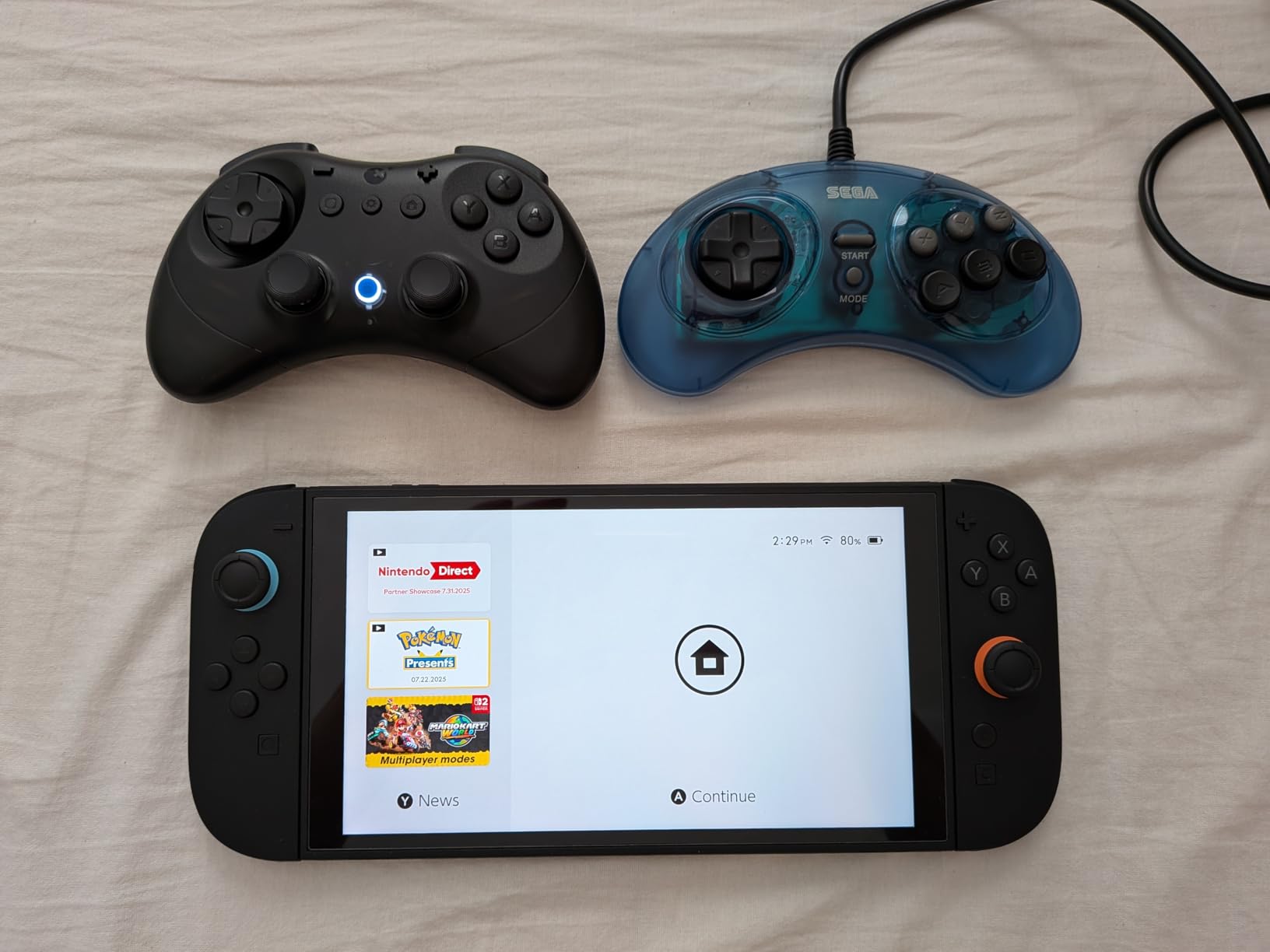
The GuliKit Elves 2 is the only controller here that is marketed specifically for small hands while still carrying modern stick hardware. At 180 grams and 5.9 by 3.9 inches, it is compact without being toy-like, and the body includes a protective case in the box – a detail that matters when a six-year-old owns it.
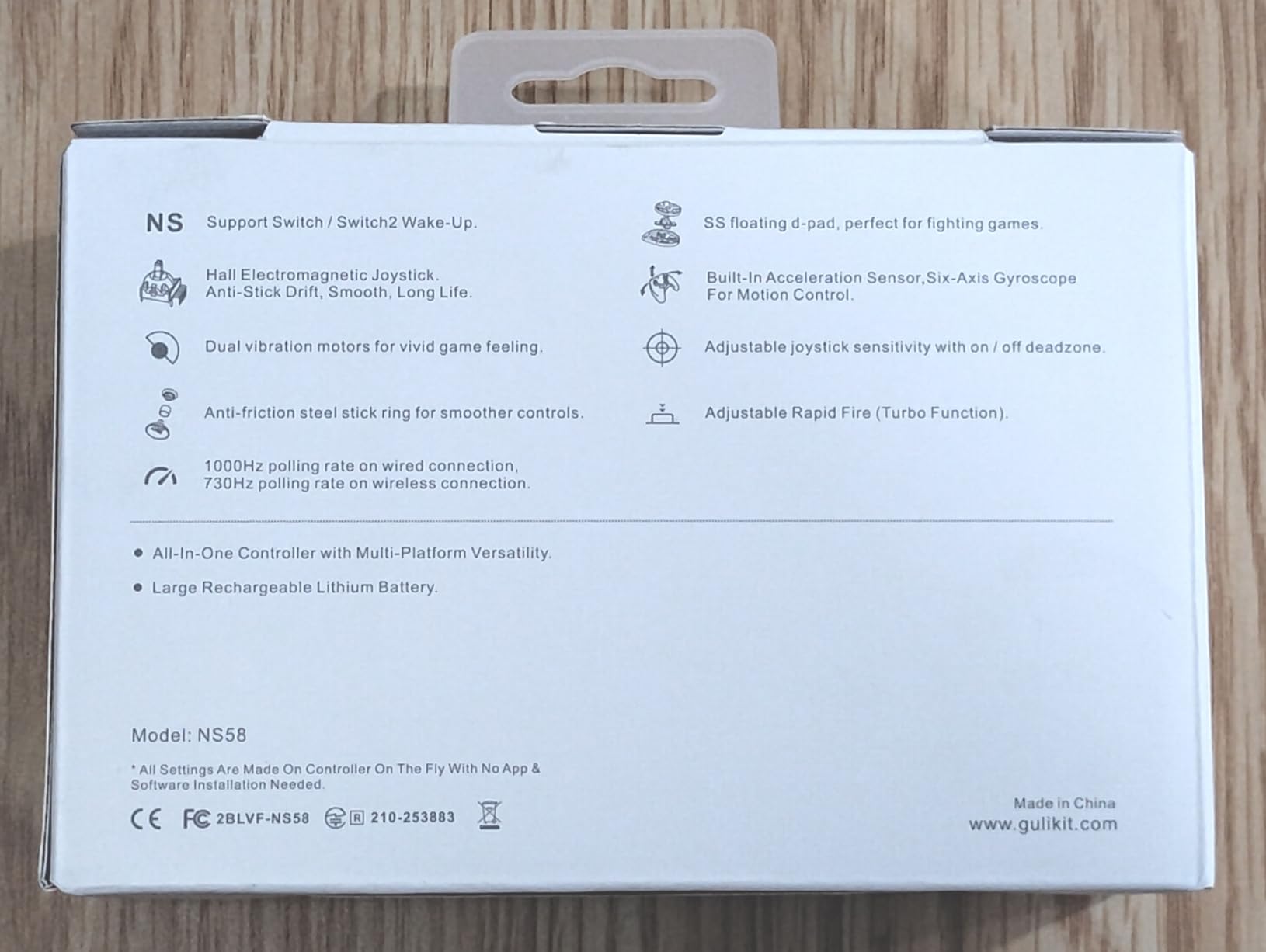
The dual Hall Effect joysticks use anti-friction stick rings and 2200 levels of precision, which is why the anti-drift claim is credible rather than marketing. Polling is 1000Hz over USB on PC and 730Hz over Bluetooth. For a child, the practical meaning is that the stick stays where it is put for years.
The D-pad is the other headline. It is a floating retro-style design praised by buyers for precision in platformers and fighting games, which are exactly the genres a young player gravitates toward first. Platform support is broad – Switch 2, Switch, Switch Lite, Switch OLED, Windows, iOS, Steam Deck, ROG Ally and Android – and it was the first third-party controller to support Switch 2 wake-up.
The wake-up support does have a catch: it requires a specific pairing procedure and the latest firmware. A parent who skips that step will conclude the feature is broken.
Best for a child who plays platformers and fighting games on Switch or PC
The Elves 2 is the strongest all-round pick in this roundup for a child aged six to twelve, because the D-pad rewards precision and the sticks do not drift. If the child will grow into it, the 800mAh battery’s 20 hour figure and the 1000Hz wired polling mean it will stay relevant for years.
The included case is a real practical win for a controller that will live in a backpack and get thrown into a car. It is also the only pad here with a stick deadzone on and off switch, which lets you tune it for a child who is still learning to walk with the stick.
Check this before buying: the stick spacing and the rumble
Two consistent ergonomic complaints. The analog sticks sit close together and sit low, which is uncomfortable for sustained two-stick play, and the wide wings mean larger hands can end up with wrist pain. Both are the cost of a small footprint, and both are worth trying in a shop if you can.
Rumble is strong and cannot be switched off – only adjusted between three levels. For a child who plays at high volume on a sofa, turn it down on the first night. A minority of controllers also report the L1 or L2 buttons releasing early, and occasional Bluetooth dropouts, so keep the return route in mind.
8. IINE Wireless Candy Pop – a small shell with more extras than expected
IINE Wireless Controller for Switch/PC/Android/IOS, Cute Gamepad with RGB Lights, Mini Pro Controller with Turbo/Macro/NFC Amiibo/Motion Sensor/Wake-Up/Rumble (Purple)
Small hands mini design
Bluetooth for Switch PC Android iOS
600mAh battery
NFC Amiibo
Pros
- Candy Pop form factor marketed for small hands
- Adjustable RGB lighting with colour and brightness
- Built in NFC Amiibo support
- Macro recording up to 252 steps and three turbo speeds
Cons
- RGB and macros add complexity a child does not need
- Minimalist button layout may feel bare
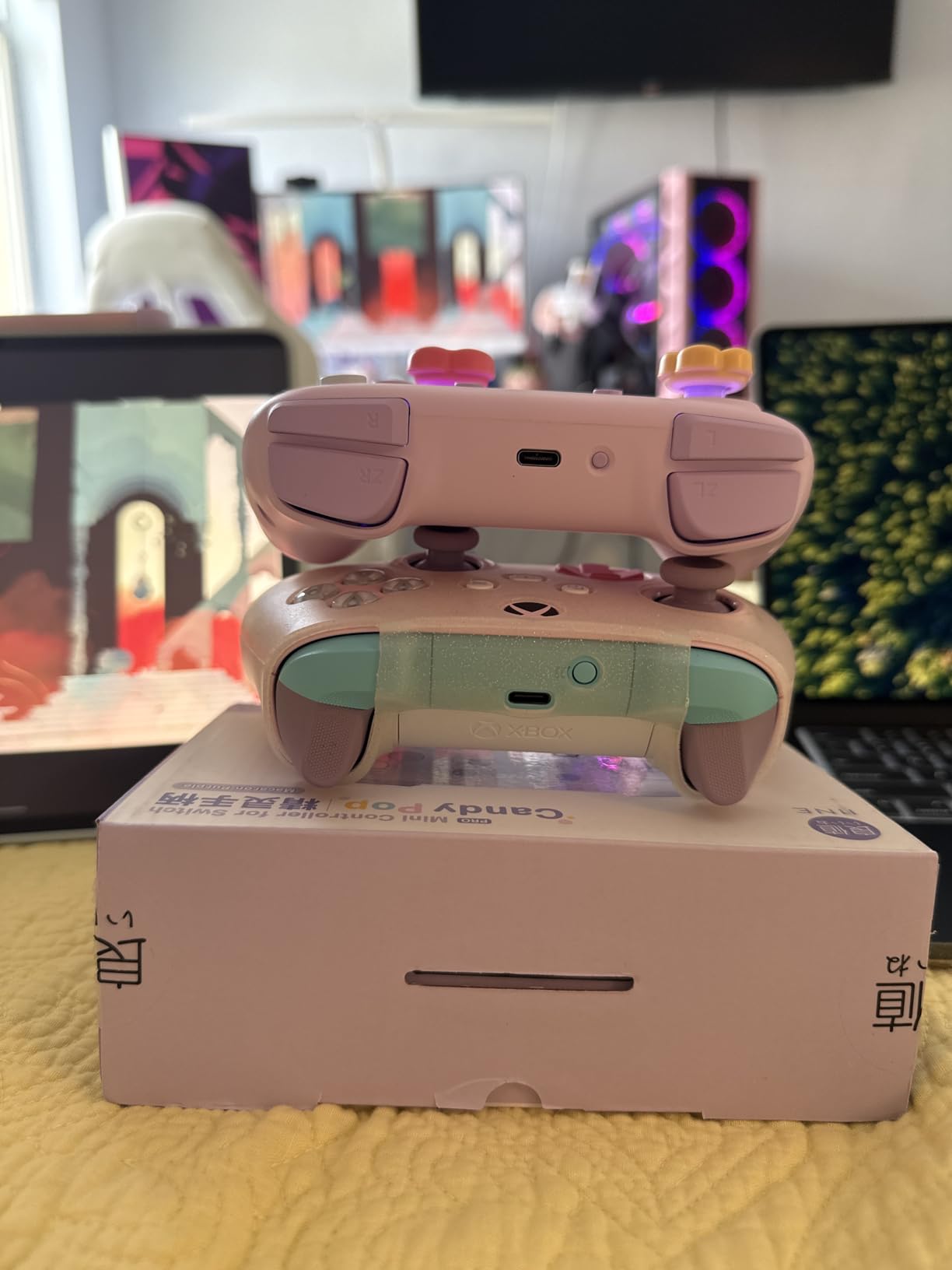
The IINE Candy Pop is built explicitly for gamers with small hands, and it packs a surprising amount of hardware into the shell. It works across the Switch, PC, Android and iOS over Bluetooth, with a 600mAh battery rated at 10 to 12 hours per charge.
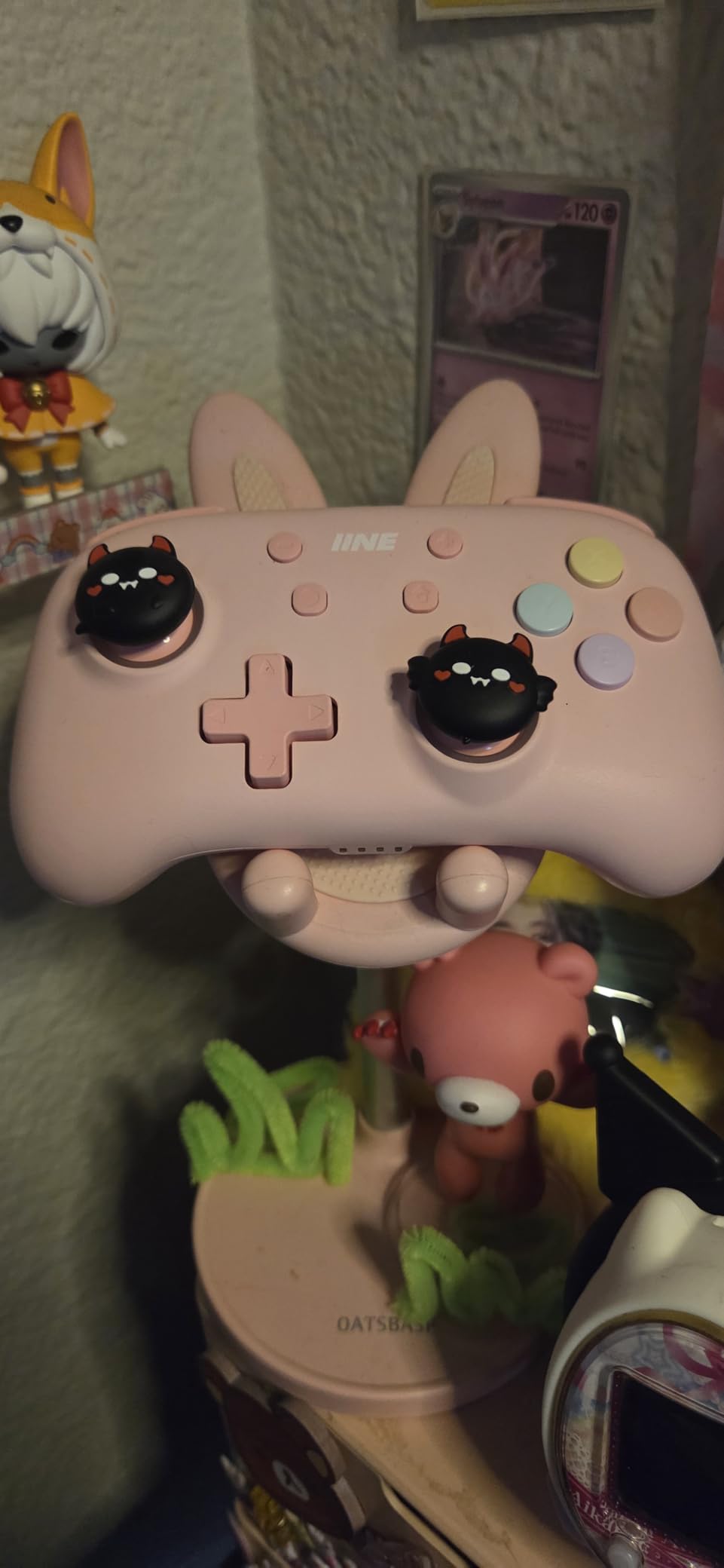
Two features set it apart. The NFC reader supports official and third-party Amiibo cards, which matters on a Switch for any game with collectible figures. And the macro system records sequences of up to 252 steps, with turbo at three rapid-fire speeds assignable to the usual buttons.
There is also a 6-axis gyro for motion control, a one-button screenshot function, and one-button Switch wake-up – the last of which is genuinely useful when a child is waiting for the console to be told to start without an adult walking over.
The RGB lighting is adjustable for colour, brightness and flashing mode. The manufacturer does not publish weight or dimensions on this listing, which is the one gap in the spec sheet and the reason we would handle it in person before buying for a very young child.
Best for a Switch child who collects Amiibo figures
Pick the Candy Pop if Amiibo support is the deciding factor – it is the only controller in this roundup with a built in NFC reader, and it works with third-party cards as well as official ones. It also suits a child who likes their controller to look a bit different, since the lighting and colourway are part of the appeal.
The one-button wake-up and screenshot functions are quietly the most useful things here for an eight-year-old who plays alone. They remove the two most common reasons a child has to call an adult over.
Check this before buying: the minimalist button layout
The layout is deliberately sparse, and reviewers note it can feel bare compared with a full-size pad. A child used to a console controller may need a week to find the buttons without looking down, and a younger child will not benefit at all from most of the extra features.
No weight and dimension figures are published for this controller, so the fit claim is a marketing statement rather than a measurement. If your child is at the youngest end of the range, buy something with published measurements you can compare.
9. AceGamer Wireless Pocket – sticks fold away for a school bag
AceGamer Wireless Pocket Controller for Nintendo Switch/Switch 2/Android/iOS/PC/Steam Deck/Phone,1000Hz Polling Rate, Bluetooth Controller with Lift-and-Lock Joysticks/6-Axis Gyroscope/Turbo/Vibration (Black)
94 g
4.7 x 2.6 x 1.2 inch
Bluetooth
Lift-and-lock joysticks
Pros
- Genuinely pocket sized at 4.7 by 2.6 inches and 3.3 oz
- Lift-and-lock joysticks protect the sticks in a pocket
- Works on Switch Switch 2 PC iOS Android Steam Deck and phones
- Back shell opens for battery replacement
Cons
- Trigger feel is cheap with limited travel
- Bluetooth pairing can be fiddly and drops on some Android phones
- Cannot wake the Switch 2 from sleep
The AceGamer Wireless Pocket solves a problem nothing else here does: how to carry a controller that has analog sticks. The lift-and-lock joystick design folds the sticks flat and clicks them back out when you are ready to play, so it sits in a pocket at 4.7 by 2.6 inches and 3.3 ounces without the sticks snapping off in a wash cycle.
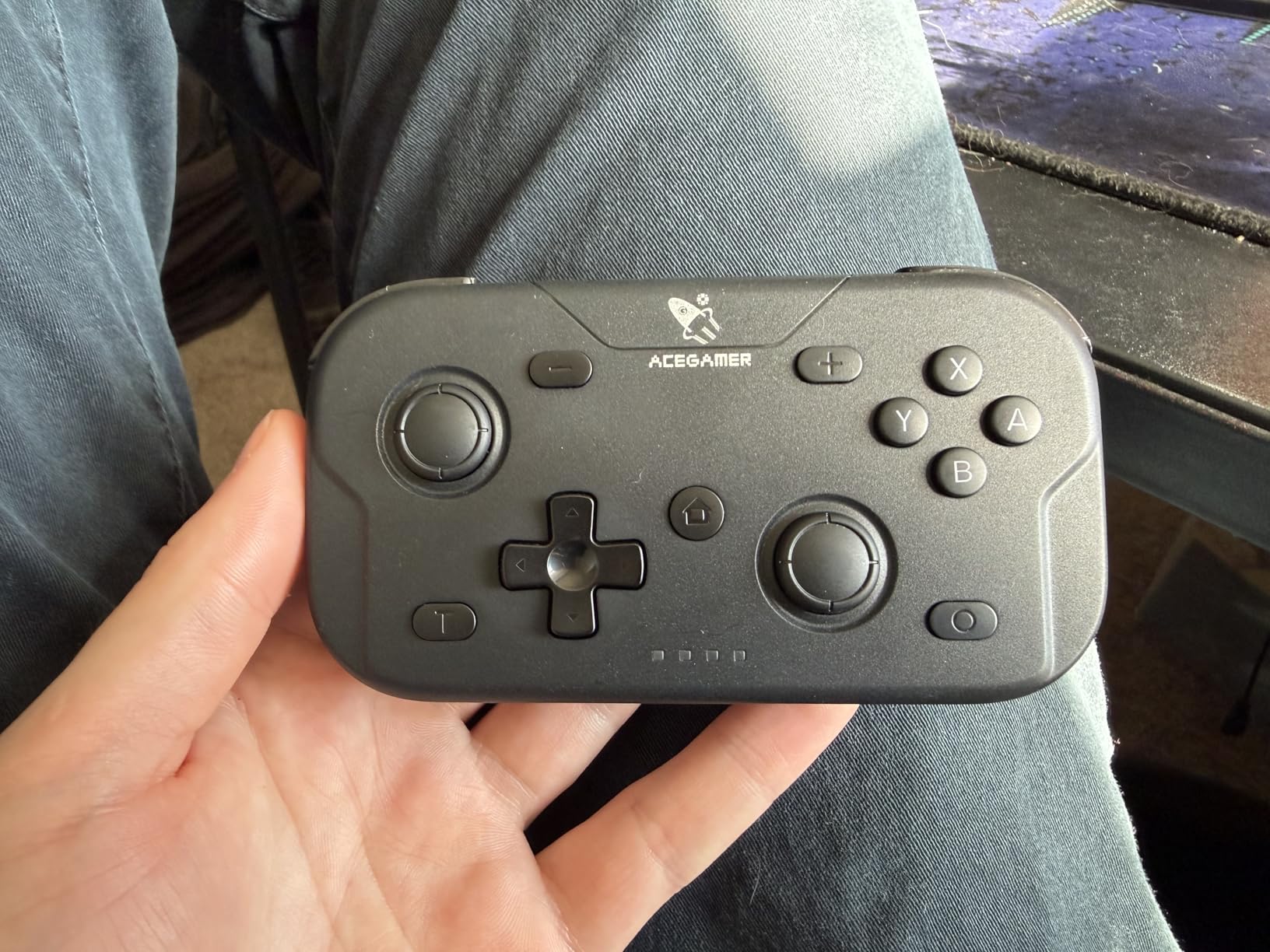
Platform support is the broadest in the roundup: Switch, Switch 2, Switch Lite, Switch OLED, PC, iOS, Android, Steam Deck, tablets and phones. It switches instantly between X-input mode for PC and Nintendo Switch mode, and it includes a 6-axis gyro, dual motor vibration, 360-degree analog sticks, and an advertised 1000Hz polling rate.
The repairable design is the detail most parents will care about most. The back shell opens for battery replacement, which means a controller that would otherwise go in the bin lives on with a new cell.
Turbo is assignable to any button with 5Hz, 12Hz or 20Hz cycling, which is more granular than most compact pads offer. The charging cable and manual are in the box.
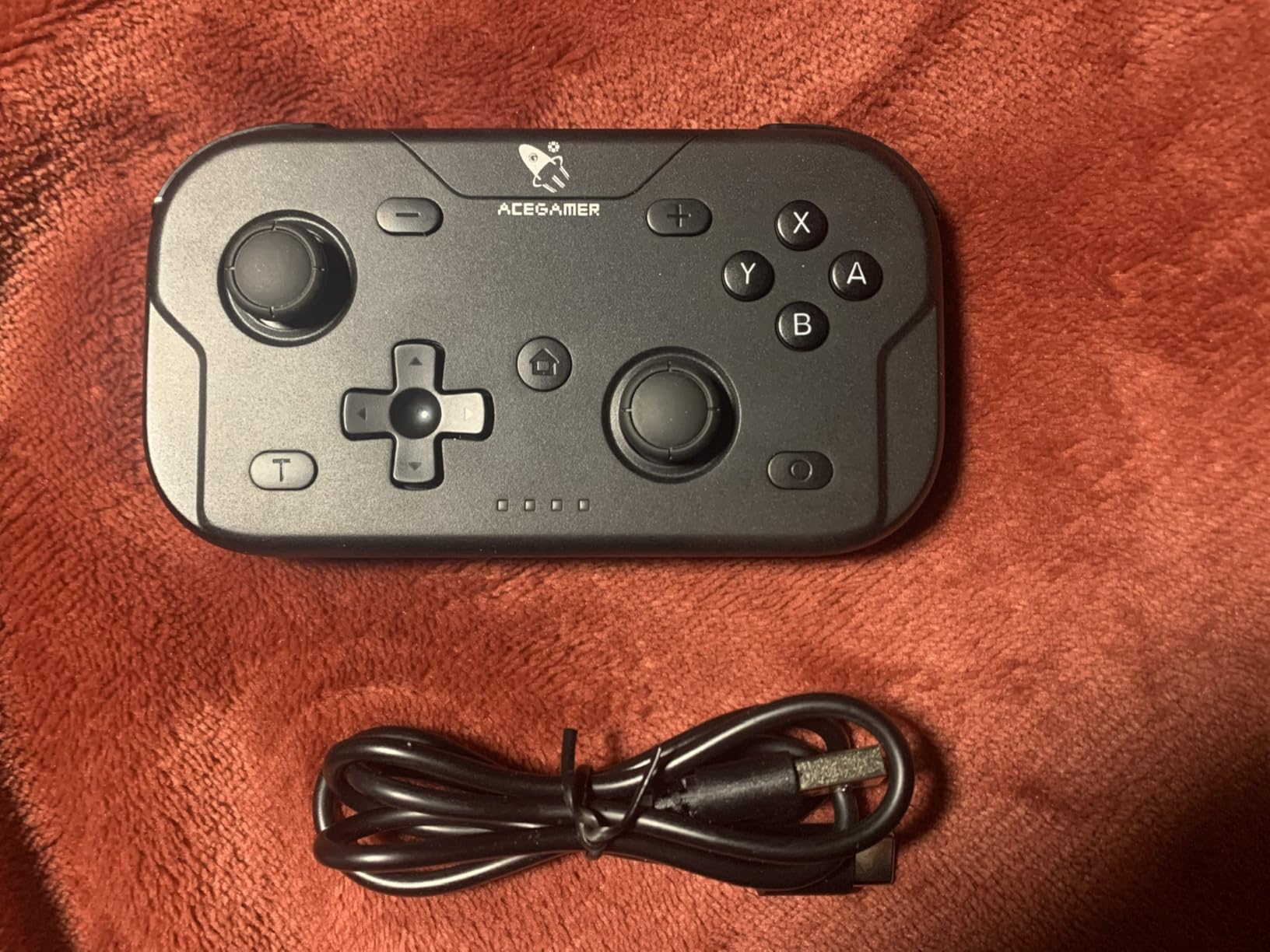
Best for a child who games on the move across several devices
This is the one to buy for school, travel, and a household with a Steam Deck or a tablet as well as a Switch. At 94 grams it is one of the lightest pads here that still has working analog sticks, and the fold-away sticks make it the only one that fits a coat pocket without a case.
It also works well as a second controller for a sibling pair playing on one console, since two of them cover Switch and PC without any pairing software.
Check this before buying: trigger feel and Android pairing
The triggers feel cheap and have limited travel at this size. For a platformer or a casual game that is unnoticeable; for a shooter or a racing game it is obvious, and the trigger is the first thing a child will mention as feeling cheap.
Bluetooth pairing is the weak point. Some users report connection drops on Android phones, and the ABXY interchange feature does not work on Android. It also cannot wake the Switch 2 from sleep, so the console has to be started first. Plan a few minutes of setup before handing it over.
10. ShanWan Keychain Mini – one-handed play in three modes
ShanWan Bluetooth Gamepad Keychain Sized Mini Controller for Switch, Windows, Android, iOS & PS4(Green)
30 g
72 x 40 x 14 mm
Bluetooth
Three input modes
Pros
- Palm sized at 30 grams and 72 by 40 by 14 mm
- Operates one-handed for genuinely tiny hands
- X S and P mode slider covers Android Switch and PS4
- Gyro haptics and a 180mAh battery rated at 5 hours
Cons
- No analog sticks by default so 3D games are unplayable
- PS4 pairing fails with a not compatible message on some units
- Charging takes 2 to 3 hours
The ShanWan Q36 is 30 grams and measures 72 by 40 by 14 mm, which is genuinely keychain-sized. It is one of the few controllers here a child can hold in a single hand, and the one-handed operation is what separates it from the other small pads.
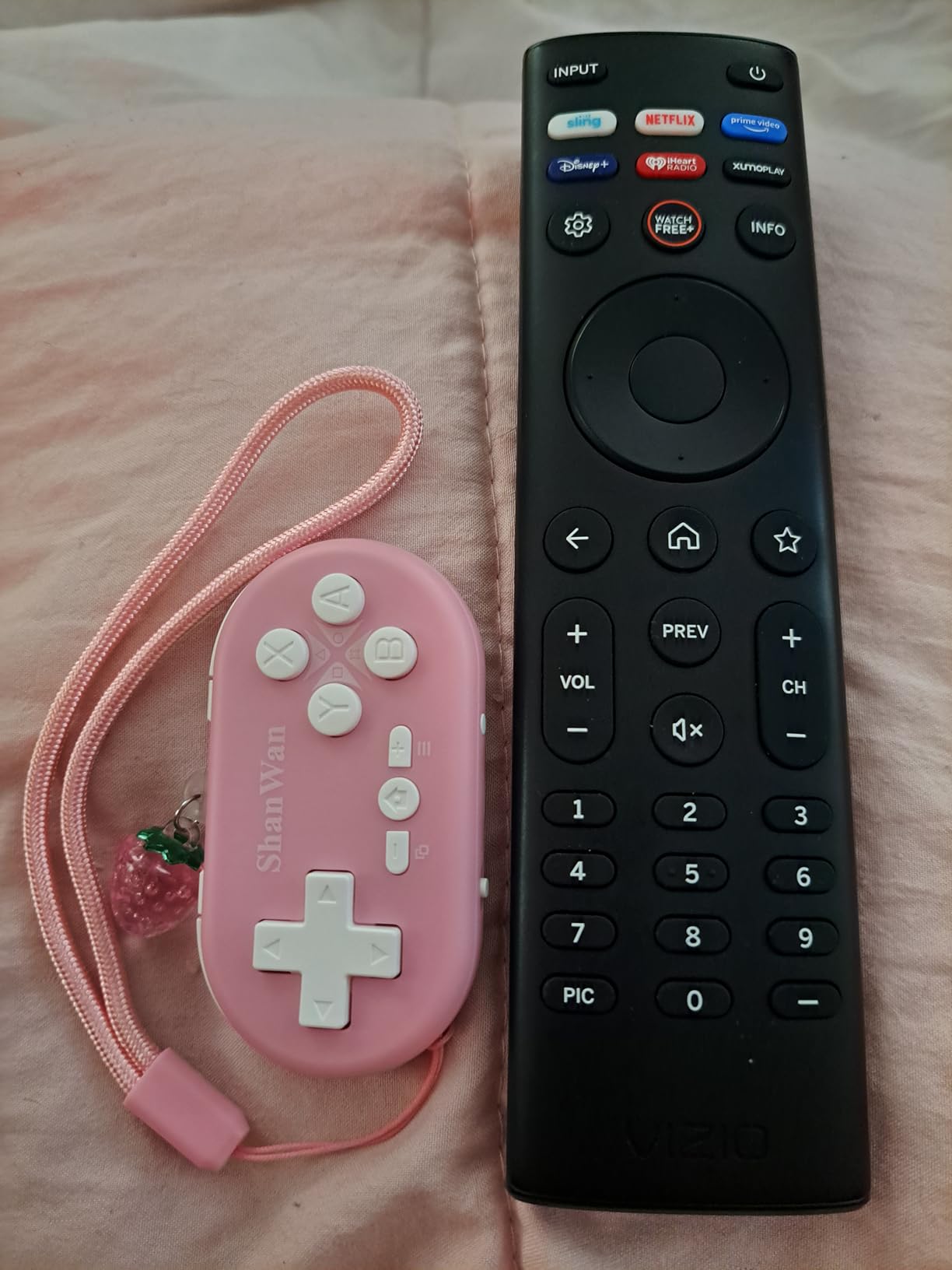
The slider on the bottom switches between three input modes. X mode covers Android, iOS and Windows. S mode pairs it with a Switch as a single Joy-Con. P mode targets PS3 and PS4 hardware, which is the closest thing in this roundup to a small PlayStation option and the only reason the controller appears here at all.
There is a 6-axis gyroscope, haptic feedback, and a 180mAh battery rated at five hours of play with up to 30 days standby. The key wake-up function reconnects with one press, which matters when a child has to do it alone.
A detail worth knowing: the D-pad and the joystick position can be swapped with a button combination, so a child who prefers one over the other can have it. That is unusual at this price and size.
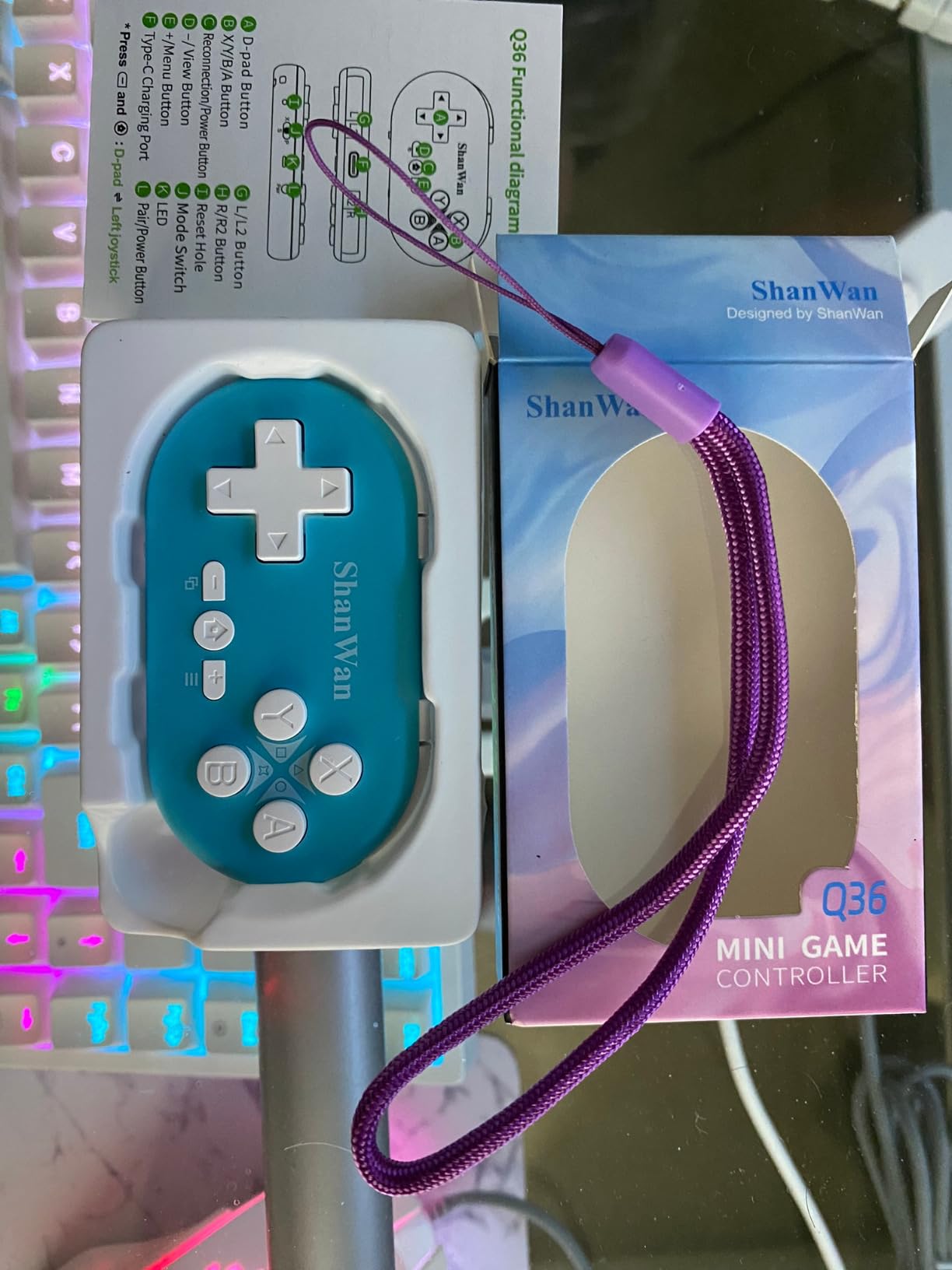
Best for the smallest hands and the smallest games
Buy the ShanWan for a child under six playing 2D games on a tablet, a phone, or a Switch in handheld mode. For visual novels, retro platformers, and mobile games, one-handed play is a real advantage rather than a gimmick.
It is also the most likely option here to be handed to a child who is not yet reading well, since every control is reachable with a thumb and the device is small enough that dropping it does no damage.
Check this before buying: the missing analog sticks and PS4 pairing
There are no analog sticks by default, which makes 3D console games unplayable on it. This is a 2D device and should be bought and treated as one.
PS4 pairing is the most common reported fault: some controllers fail with a not-compatible message, and a minority of buyers need to re-pair after every power-on. Charging also takes two to three hours in practice, well beyond the one hour the listing implies. If PlayStation is the main platform, choose a different controller.
11. Surge Wired Junior – a licensed Xbox pad on a cable
Wired Controller for Xbox Series X|S, Xbox One & Windows 10/11 PC – Junior Controller with LED Lighting, Non-Slip Grip, Rumble Feedback – Surge Livewire Microwatt (Blue)
0.33 kg
Wired USB
20 percent smaller
Official Xbox chipset
Pros
- Standard Xbox layout shrunk by 20 percent
- Officially licensed with the official Xbox chipset
- Textured anti-slip grips on triggers sticks and palms
- Detachable cable makes the small form easier to store
Cons
- Wired only so the child is tethered to the console
- LED lighting is decorative only
- 20 percent smaller still leaves some young hands struggling
The Surge is a second licensed option for Xbox, and it works the same way as the HyperX Tanto – a 20 percent smaller shell around the standard Xbox layout, with the official Xbox chipset inside. It is the pick if you want the licensed guarantee at a lower tier and do not mind the cable.
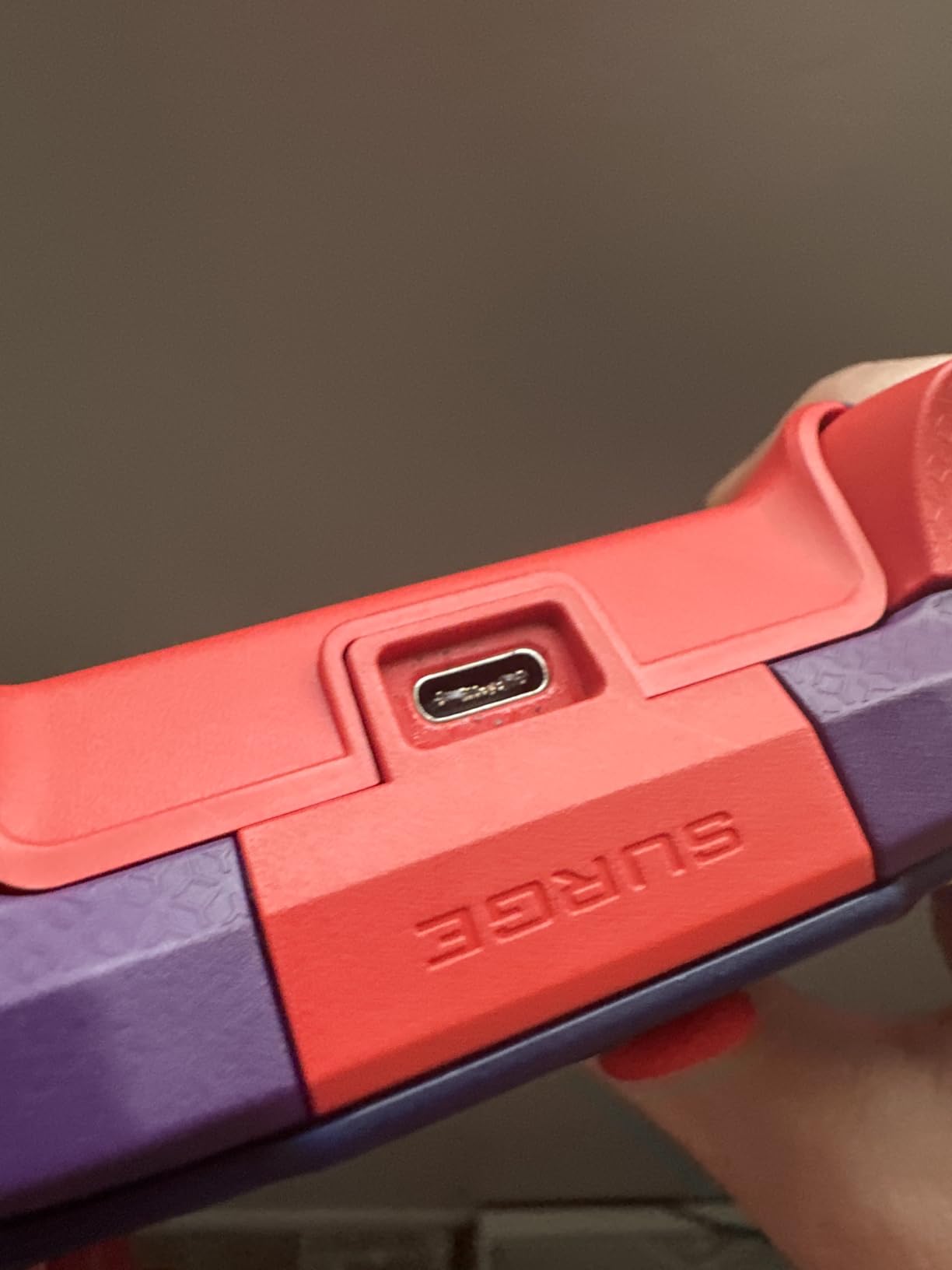
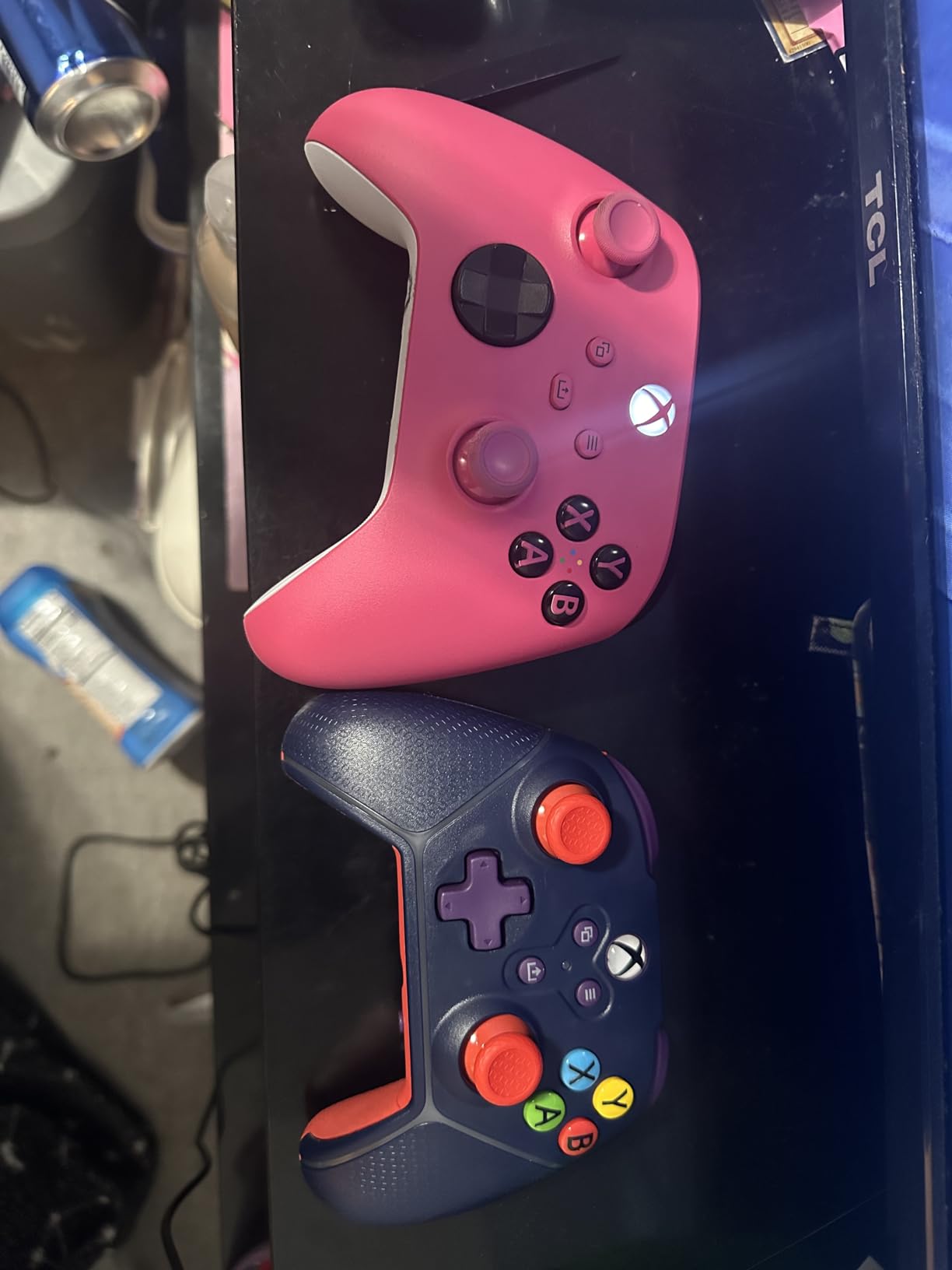
The textured anti-slip treatment on the triggers, thumbsticks and palm grips is the part that matters most for a child. A sweaty or slippery grip is what causes the dropping-and-breaking cycle that parents on r/Controller describe as the real cost: “Looking for cheap stuff that won’t hurt even if the kids break em by ‘accident’.” Texture reduces that risk more than any other feature at this level.
Dual rumble motors, a wired connection with no latency, and a detachable cable that makes the miniature form easier to store and travel with. The package also includes one month of Xbox Game Pass Ultimate.
Platform support covers Xbox Series S and X, Xbox One, and Windows 10 and 11 PCs, so the same controller covers a console and a desktop if the child uses both.
Best for a child aged eight or older on an Xbox console
Choose the Surge over the HyperX Tanto when the child is on the older end of the small-hands range, when storage space is tight, or when the detachable cable matters. For a younger child on Series X or S, the Clutch Tanto is the stronger pick because it is lighter and better reviewed.
It is one of the few licensed Xbox controllers that keeps the familiar standard layout, so nothing about it needs explaining. Any child who has used an adult’s Xbox pad will already know how it works.
Check this before buying: the cable and the size reduction
Wired only. The child is tethered to the console, which rules out a TV across the room and makes a mess of cable management in a busy house. Some parents like the constraint because it limits how far a session wanders; others find it constant.
Twenty percent smaller is a real reduction but not a dramatic one, and reviewers specifically note that some young hands still struggle. If the child is under seven, this is not small enough, and the LED lighting adds nothing functional to offset the size compromise.
12. GameSir X5 Lite – for phones and small tablets
GameSir X5 Lite Mobile Gaming Controller for Android,Hall Effect Joystick
135.4 g
Telescopic USB-C grip
Hall Effect sticks
Pass-through charging
Pros
- Telescopic Type-C connector fits phones and small tablets
- Hall Effect sticks for smooth 360 degree control
- Weighs 135.4 grams with textured laser-engraved grips
- Pass-through USB-C charging during play
Cons
- Wired USB-C only with no Bluetooth
- The companion app crashes frequently and wants aggressive permissions
- D-pad can trigger adjacent directions when pressed off-centre
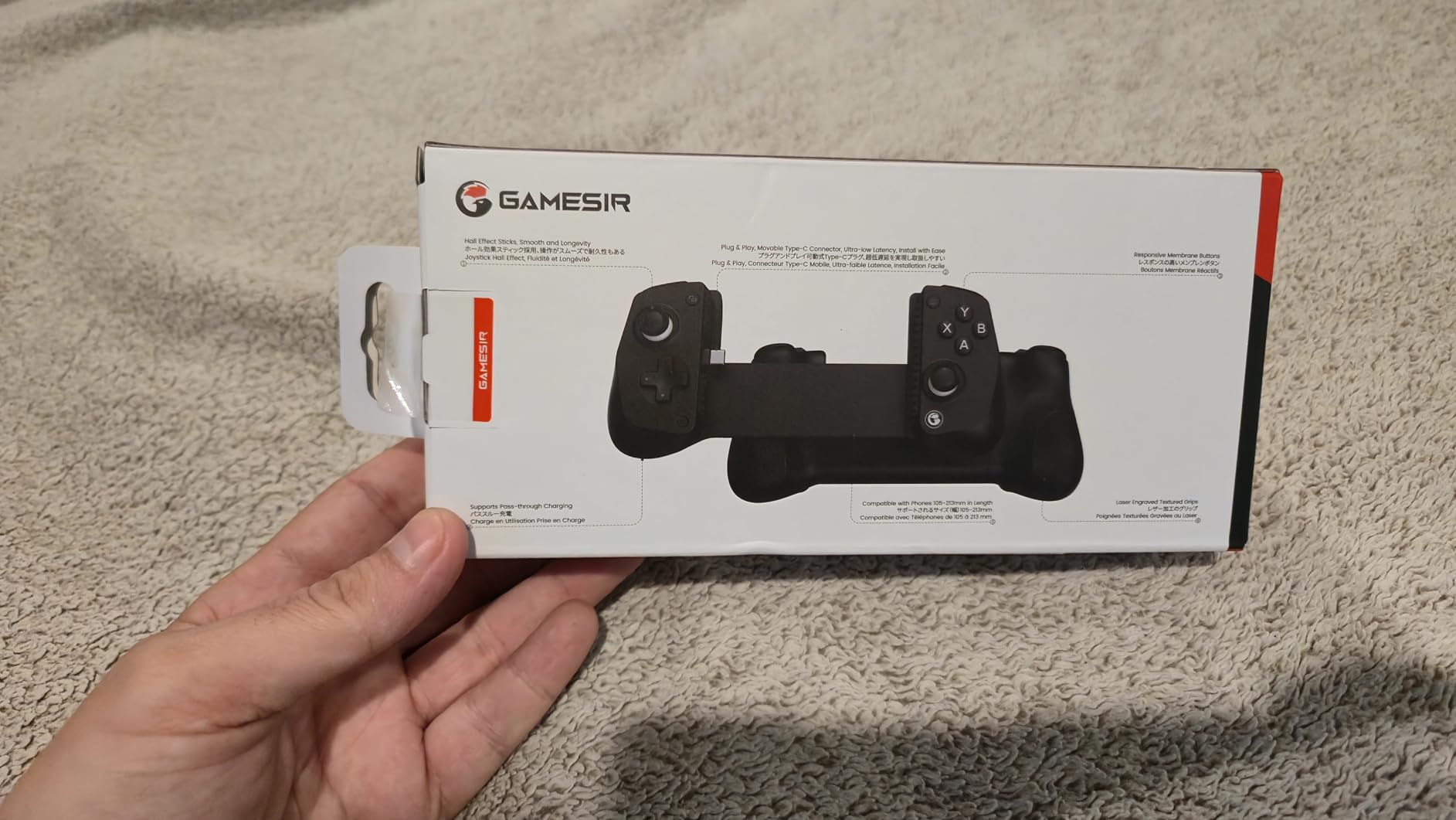
The X5 Lite is a phone and tablet controller, not a console one, and it is in this roundup because a growing share of children’s gaming now happens on a small screen. The telescopic USB-C connector stretches to handle devices up to 213mm wide, which covers current iPhone models, most Android phones, and small tablets including the iPad mini.
At 135.4 grams it is the lightest device here with a full complement of analog sticks and triggers, and the Hall Effect sticks give smooth 360-degree control without the drift that spoils a cheaper phone pad after a few months.
Two features make it practical for a child. The pass-through USB-C port charges the phone while the game runs, so the battery warning never ends a session. And the cushioned membrane buttons and triggers stay quiet, which matters on a train, in a car, or in a shared room.
It supports mobile, cloud and remote play – Xbox Game Pass via cloud, Steam Link, Moonlight and remote play from a console. Turbo is assignable to face and shoulder buttons, and a combination involving the M button switches the ABXY layout for Android games that use the wrong arrangement.
Best for a child gaming on a phone, iPad mini or small tablet
This is the answer to the question parents ask most on the tablet side of this topic. A small child holding a large tablet in landscape with their fingertips on the screen tires quickly, and the X5 Lite gives them something to hold while the pass-through charger keeps the tablet alive.
It is also the best-value option here for children who play games designed for touch but are uncomfortable with on-screen buttons. The laser-engraved textured grips and light weight make it comfortable for long mobile sessions in a way a heavier pad would not.
Check this before buying: no Bluetooth, and the app
It is wired USB-C only. There is no wireless mode, so the phone is physically attached while playing, and it cannot be used with a tablet that has no USB-C port.
The D-pad can register adjacent directions when pressed off-centre, which frustrates precise platformer control, and the GameSir companion app is the most common complaint in reviews – it crashes frequently and requests broad permissions. The controller works without it for standard play, so treat the app as optional rather than required.
How to Choose a Controller for Small Hands
1. Start with weight, not the size claim
Weight is the one number on a controller spec sheet that correlates directly with how a small hand copes. The controllers in this roundup run from 20 grams to 300 grams, and that spread is a better predictor of who can use what than any marketing language about “ergonomic” shells.
A rough guide: under 100 grams suits ages three to seven, 100 to 200 grams covers ages six to eleven, and anything above 200 grams is an adult or teenager pad. The GameSir Nova Lite at 300 grams is the clearest example – excellent hardware, wrong weight for a five-year-old.
2. Measure grip length against the child’s palm
A controller for small hands should end where the palm ends. If the child’s fingers have to curl around the front edge to hold it, the pad is too long regardless of what the listing claims, and this is the single most common parent mistake we see.
Published dimensions make the check possible. The Micro is 3.94 inches wide, the AceGamer is 4.7 inches, the Clutch Tanto is 5.1 inches. Compare those against the length of the child’s hand from wrist to fingertip – the widest of those three fits a child’s palm, the others do not.
3. Check the stick technology before the warranty does
Potentiometer sticks wear mechanically and eventually drift, usually showing up as a character walking on its own. Hall Effect sticks read position magnetically, have no moving contact, and do not drift. Three controllers in this roundup use Hall Effect sticks: the GameSir Nova Lite, the GuliKit Elves 2, and the GameSir X5 Lite, and the Nova Lite also applies the same sensing to its triggers.
On a controller a child will keep for years, this matters more than any other spec. A parent on r/Controller framed the whole buying problem as replaceability rather than longevity – buy cheap if it can be replaced easily – and Hall Effect is the feature that removes the replacement question altogether.
4. Decide between wired and wireless honestly
Wired is the lower-friction option for a young child. No charging, no pairing, no dead battery mid-game, and no latency. The Clutch Tanto and the Surge are both wired for that reason. The trade is cable length and the freedom of movement, and for a five-year-old in one room, cable management wins.
Wireless is better once a child is old enough to charge a controller without being asked. It also becomes the better choice if the console sits across the room. A parent’s real objection to wireless is rarely the controller – it is remembering to put it on charge.
5. Check whether the games need analog sticks
This is the most consequential decision and the easiest to get wrong. The Micro, the Zero 2 and the ShanWan all omit analog sticks, which makes them superb for 2D games and useless for anything with a camera. If the child plays 3D games at all, they need two sticks.
A parent on GameFAQs considered trimming an adult controller down to NES-style buttons for a toddler. That instinct is right for a three-year-old, and it is exactly what the smallest pads in this roundup already are.
6. Buy by age band, and expect to move up
For ages three to five, prioritise weight and one-handed size over features – the Micro or the ShanWan. For ages six to eight, you need analog sticks in a light body, which points to the Lite 2 or the GuliKit Elves 2. For ages nine to twelve, the Elves 2 and the Nova Lite both have the stick technology and battery life to keep going. From thirteen upward, a full-size pad is usually in reach and the small-shell problem ends.
Most children outgrow a mini pad between eight and eleven, and they usually grow out of it gradually rather than suddenly. The 2.4GHz dongle models like the Nova Lite survive that transition better than a Switch-specific pad, because they work on a PC when the child moves to PC gaming.
What to avoid for small hands
The DualSense and the standard Xbox controller are the two things to keep away from a child with small hands. Both are full-size, both are designed around an average adult hand, and both produce the fingertip grip that wrecks fine control. There is no small licensed PlayStation pad, so if the family is on PlayStation 5, the honest options are a full-size DualSense the child will grow into, or a third-party compact pad for 2D and handheld-style play.
Premium pro pads are the other category to skip. Paddle-equipped and swappable-stick models are built for enthusiast fingers, add back buttons a child will press by accident, and cost the most for features nobody under twelve will use.
Also avoid buying the smallest possible pad by default. A 20 gram keychain controller is delightful to a three-year-old and useless to an eight-year-old, and the forum consensus is clear that very small retro-style pads frustrate as much as oversized ones. Match the tier to the age, not to the word “small”.
Frequently Asked Questions
What is the best game controller for kids?
The 8BitDo Lite 2 is the best game controller for most kids. It weighs 80 grams, keeps real analog sticks, motion control and rumble, and works with the Switch, Switch Lite and Android. For a child under seven playing 2D games only, the 8BitDo Micro at 24.8 grams is smaller and easier to hold one-handed.
What controller is best for small hands?
The best controller for small hands is one whose grips end where the child’s palm ends. In this roundup that means the 8BitDo Micro at 3.94 inches wide, the AceGamer Wireless Pocket at 4.7 inches, and the HyperX Clutch Tanto at 5.1 inches. Weight matters just as much: anything under 100 grams suits ages three to seven.
What is the best Xbox controller for kids’ hands?
The HyperX Clutch Tanto is the best Xbox controller for kids’ hands. It is officially licensed for Xbox Series X and S, 20 percent smaller than a standard pad, weighs 165 grams and keeps every button plus both rumble motors, with a two year manufacturer warranty. The Surge Wired Junior is the lower-cost alternative, but it is wired and only slightly smaller.
Is a wired or wireless controller better for a child?
A wired controller is better for a young child because there is nothing to charge, pair or troubleshoot. Wireless is better once a child is old enough to plug a controller in after playing, or if the console sits across the room. The main downside of wired is cable length across a busy floor.
Will my child outgrow a mini controller?
Most children outgrow a mini pad between eight and eleven, usually gradually rather than overnight. Signs they have moved up are sliding their hands to the front edge of the grips and shifting their grip to reach the shoulder buttons. At that point move to a full-size pad or a compact pad with Hall Effect sticks such as the GuliKit Elves 2.
Conclusion: The Best Controllers for Kids Hands in 2026
The best controllers for kids hands come down to three picks, and each solves a different version of the same problem. The 8BitDo Micro is the smallest complete pad we trust, at 24.8 grams, for a child under seven playing 2D games. The 8BitDo Lite 2 is the all-round answer, with analog sticks, motion control and rumble in an 80 gram body. The HyperX Clutch Tanto is the pick for an Xbox household.
What the research across twelve controllers made clearest is that size is not a single scale. It is weight, grip length, stick presence, and platform support together, and the cheapest-looking pad on the shelf is often the wrong tier entirely. Check the weight, check whether the games need analog sticks, and choose for the age the child is now rather than the age they will be in two years.
If your child is already struggling on an oversized controller, the fix is usually one purchase away – and in most cases it will also make them play better, not just longer.