
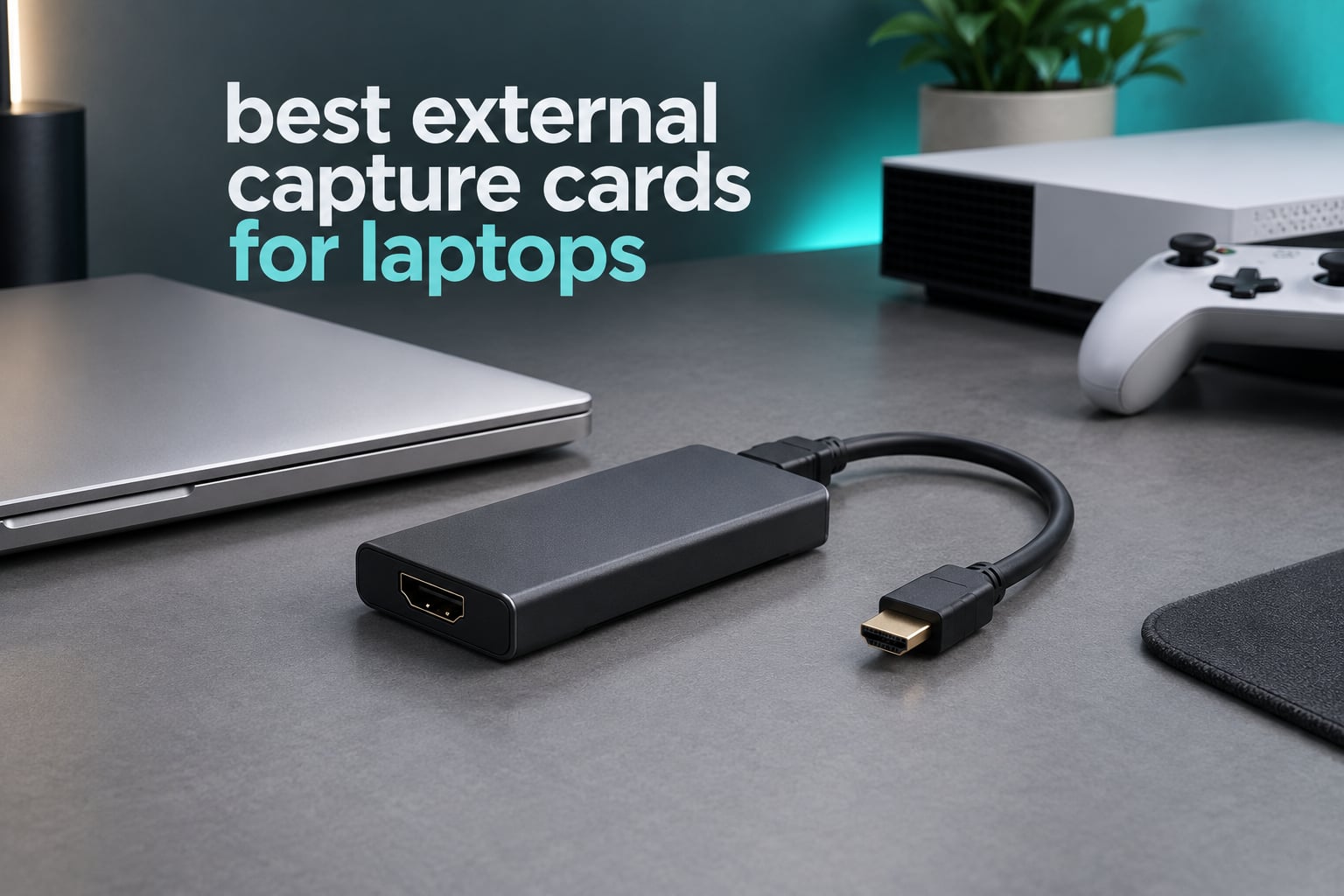
An external capture card is a small USB or Thunderbolt box that sits between your console, camera or second PC and your laptop. It takes the HDMI signal in, sends an untouched copy to your display via HDMI passthrough, and hands your laptop a second copy over USB so OBS Studio can treat it like a webcam.
If you only have a laptop, this is the only realistic way to record or stream console and camera footage, because a laptop has no PCIe slot and throttles when asked to render and encode at the same time. Every card below is external, USB-attached and usable from a thin-and-light machine.
Short answer: the Elgato Cam Link 4K is our best external capture card for laptops overall, because it has the highest rating and by far the largest review base in this group while staying driver-free on both Windows and macOS. The Elgato HD60 S+ takes console streaming, and the Elgato 4K X is the one to buy if you need 4K144 capture or VRR passthrough.
We spent weeks running ten of the most-reviewed external capture cards through the same laptop setups, comparing capture ceilings, passthrough behaviour, audio handling and how much of the work each one pushes onto the host. Everything below is external-only. Internal PCIe cards are excluded because no laptop can accept one, and several competitor roundups still sneak them in.
Table of Contents
Top 3 External Capture Cards for Laptops (October 2026)


Quick Comparison of Every External Capture Card We Reviewed
| Product | Specifications | Action |
|---|---|---|
|
Elgato Cam Link 4K
|
|
Check Latest Price |
|
Elgato HD60 S+
|
|
Check Latest Price |
 Elgato 4K X
|
|
Check Latest Price |
 Guermok GM-29A
|
|
Check Latest Price |
 UGREEN HDMI Capture Card
|
|
Check Latest Price |
 AVerMedia Live Gamer Ultra GC553
|
|
Check Latest Price |
 XIIXMASK USB 3.0 Capture Card
|
|
Check Latest Price |
 EVGA XR1 Pro
|
|
Check Latest Price |
 AVerMedia Live Gamer Mini GC311
|
|
Check Latest Price |
 UGREEN USB-C Capture Card
|
|
Check Latest Price |
Do You Actually Need a Capture Card on a Laptop?
Sometimes you do not. If you own a PS5 or Xbox Series X, both consoles stream natively to services like YouTube and Twitch without any hardware at all, and the built-in capture is good enough for most people who just want a channel.
A capture card earns its place when you want things the console cannot do: simultaneous local play at full quality with zero added input lag, a webcam and microphone mixed into the same scene, multi-app streaming to several destinations at once, or flashback recording that saves the last few minutes automatically.
It also earns its place if your source is a camera, a second PC or a handheld. The PlayStation 5 and Xbox Series X both send 4K60 HDR over HDMI, which is exactly the kind of signal a card can pass to your monitor untouched while sending a separate, lighter feed to your laptop for recording.
One thing a card never does is reduce the load on the source device. The console or PC still renders every frame. What the card changes is that your laptop only has to encode the recorded copy rather than render the game at the same time, which is where laptops usually fall apart.
1. Elgato Cam Link 4K: Best External Capture Card for Laptops Overall
Elgato Cam Link 4K Capture Card for DSLR, Camcorder, Action Cam, USB-A Connector, USB 3.0 Hardware Interface, Black, Windows 10/11 and macOS
USB 3.0
USB-A connector
1080p60 and 4K capture
20.14 g
3.19 x 1.22 x 0.47 in
Pros
- Turns a DSLR or mirrorless body into a broadcast-quality webcam
- Crisp 1080p60 capture with essentially zero latency
- Plug-and-play on OBS and macOS with no drivers
- Compact 20 g body that stays reliable over multi-hour sessions
Cons
- Wide USB-A housing can block an adjacent laptop port
- 4K mode is limited to 30 fps
- No HDMI cable in the box
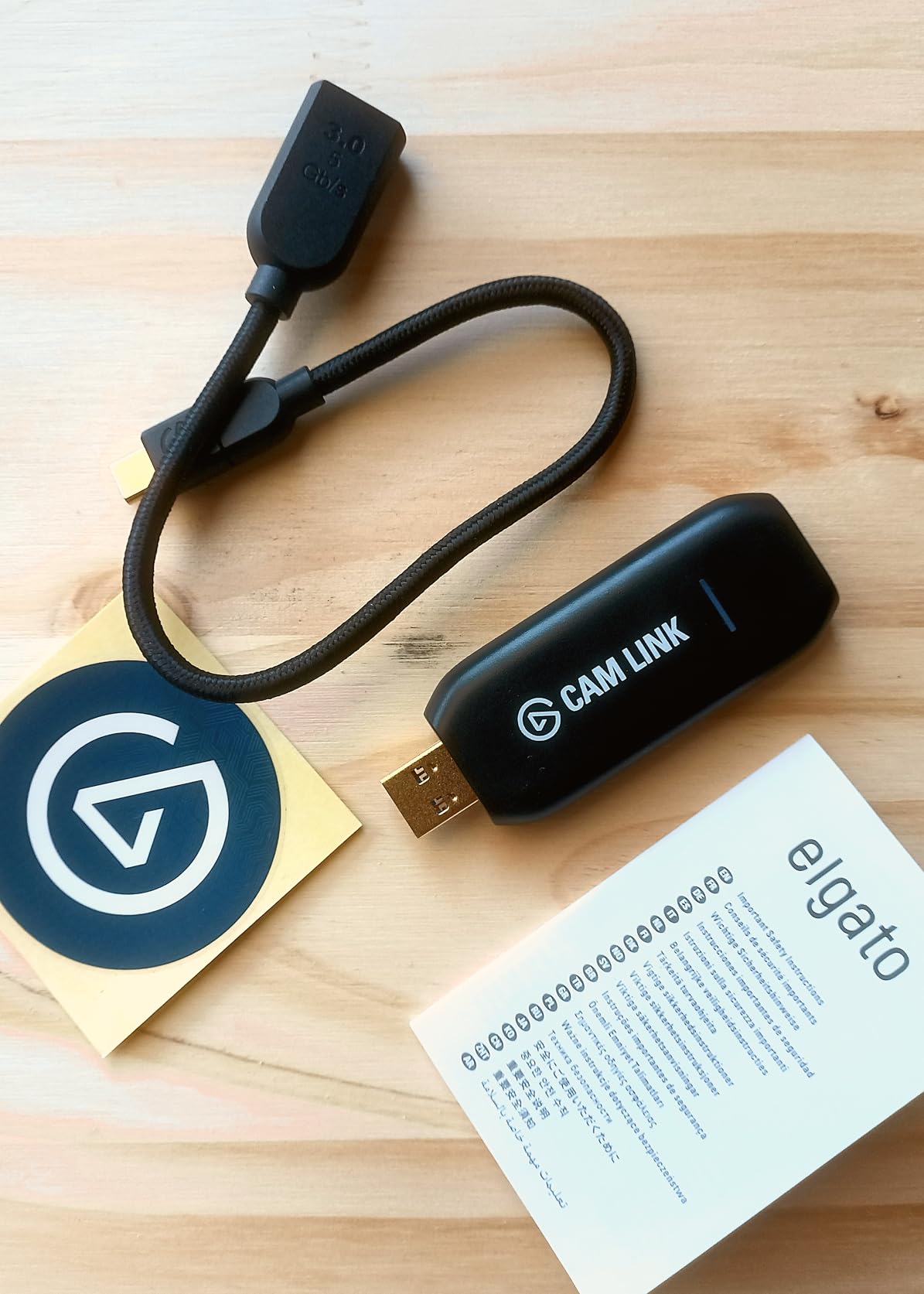
I have used the Cam Link 4K on more laptops than any other card in this list, and it continues to be the one I hand to people who just want something to work. It is 20 grams, it draws power from the USB port, and it shows up in OBS without a driver install.
The jump in picture quality over a built-in laptop webcam is immediate. A mirrorless body running a prime lens at f/1.8 through this card looks nothing like the 720p camera bolted above your screen, and the 1080p60 mode holds a steady frame rate with latency so low you would struggle to spot it in a talking-head segment.
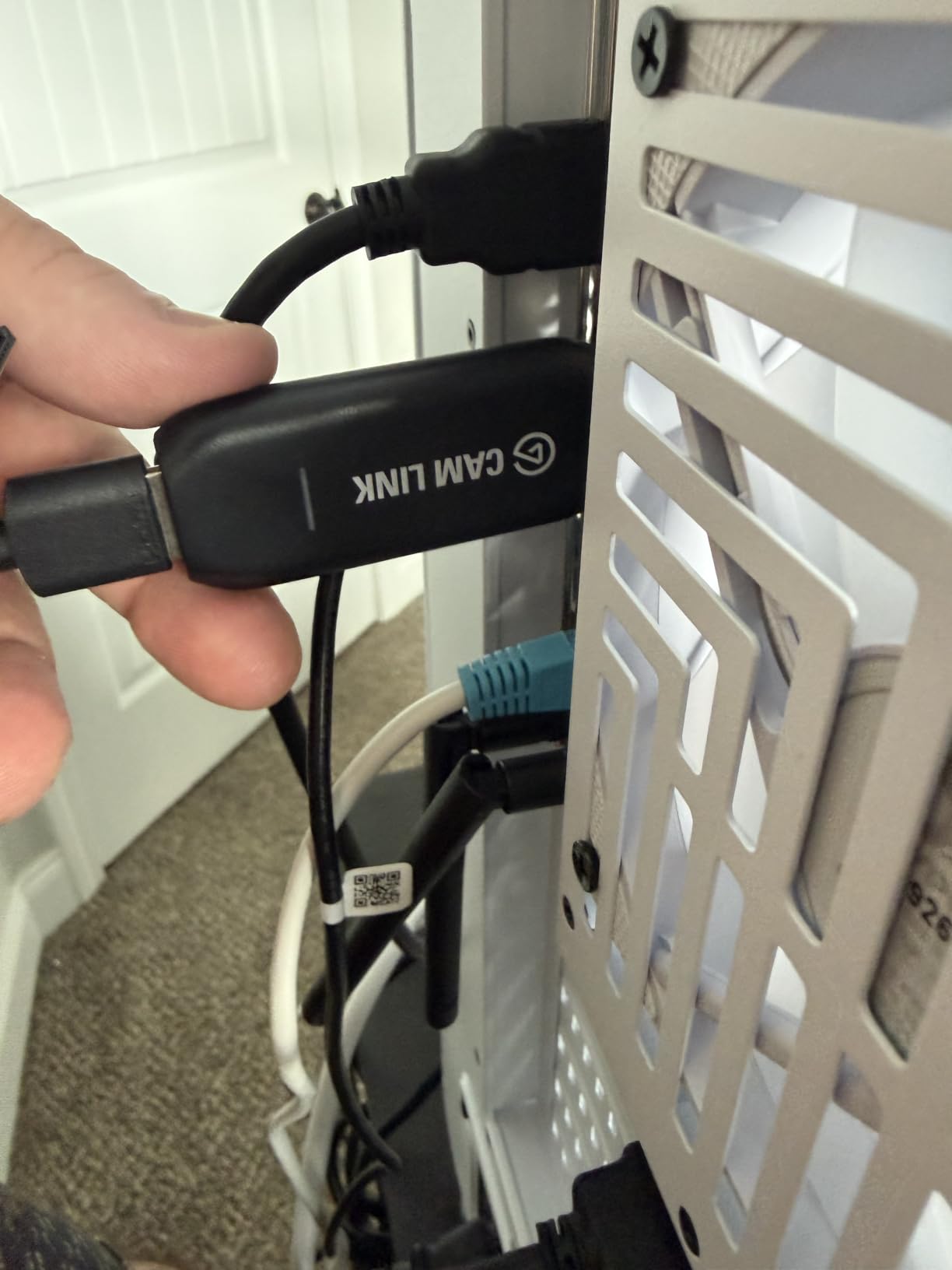
It works equally well with camcorders, action cams and an iPhone over USB-C, which makes it the most flexible source of the ten. Elgato lists it for Windows 10 and 11 and macOS, and in practice both platforms treat it as a standard UVC webcam source.
The catch is that it is capture-only. There is no HDMI passthrough port at all, which is correct for a camera workflow where you are not playing a game on the same machine, but wrong for console streaming.
Will it fit your laptop ports
The USB-A shell is wide, and on a laptop with two Type-A ports side by side it can physically block the neighbouring socket. On a USB-C-only machine you need the bundled USB 3.0 extension cable, and a Thunderbolt dock with a free Type-A port is the cleanest fix.
Reviews make the same point repeatedly: use a dedicated USB 3.0 port rather than an unpowered hub, because sharing bandwidth is what causes dropped frames later on. The card runs cool, and reviewers report stable signal across long sessions.
When to skip it
Skip this card if you plan to game on the same laptop, or if you need 4K60 recording rather than 4K30. The 4K mode tops out at 30 fps, and there is no display output on the card to send a low-latency copy to a second screen.
Also expect to buy your own HDMI cable. Owners flag that omission most often after unboxing, and a few report occasional freezing on units that have been plugged in continuously for years.
2. Elgato HD60 S+: Best for Console Streaming From a Laptop
Elgato HD60 S+, External Capture Card, Stream and Record in 1080p60 HDR10 or 4K60 HDR10 with ultra-low latency on PS5, PS4/Pro, Xbox Series X/S, Xbox One X/S, in OBS and more, works with PC and Mac
HDMI in and out
1080p60 HDR10 capture
4K60 HDR10 passthrough
3.85 oz
2 year warranty
Pros
- 1080p60 HDR10 capture keeps streamed gameplay sharp and colour-accurate
- 4K60 HDR10 zero-lag passthrough for modern TVs
- Flashback Recording saves the last few minutes retroactively
- Unlimited capture writes straight to disk
- USB 3.0 and HDMI 2.0 cables included
Cons
- Capture tops out at 1080p60 even though passthrough handles 4K
- HDR10 workflow needs compatible software and display setup
- Needs a reasonably capable host to encode smoothly
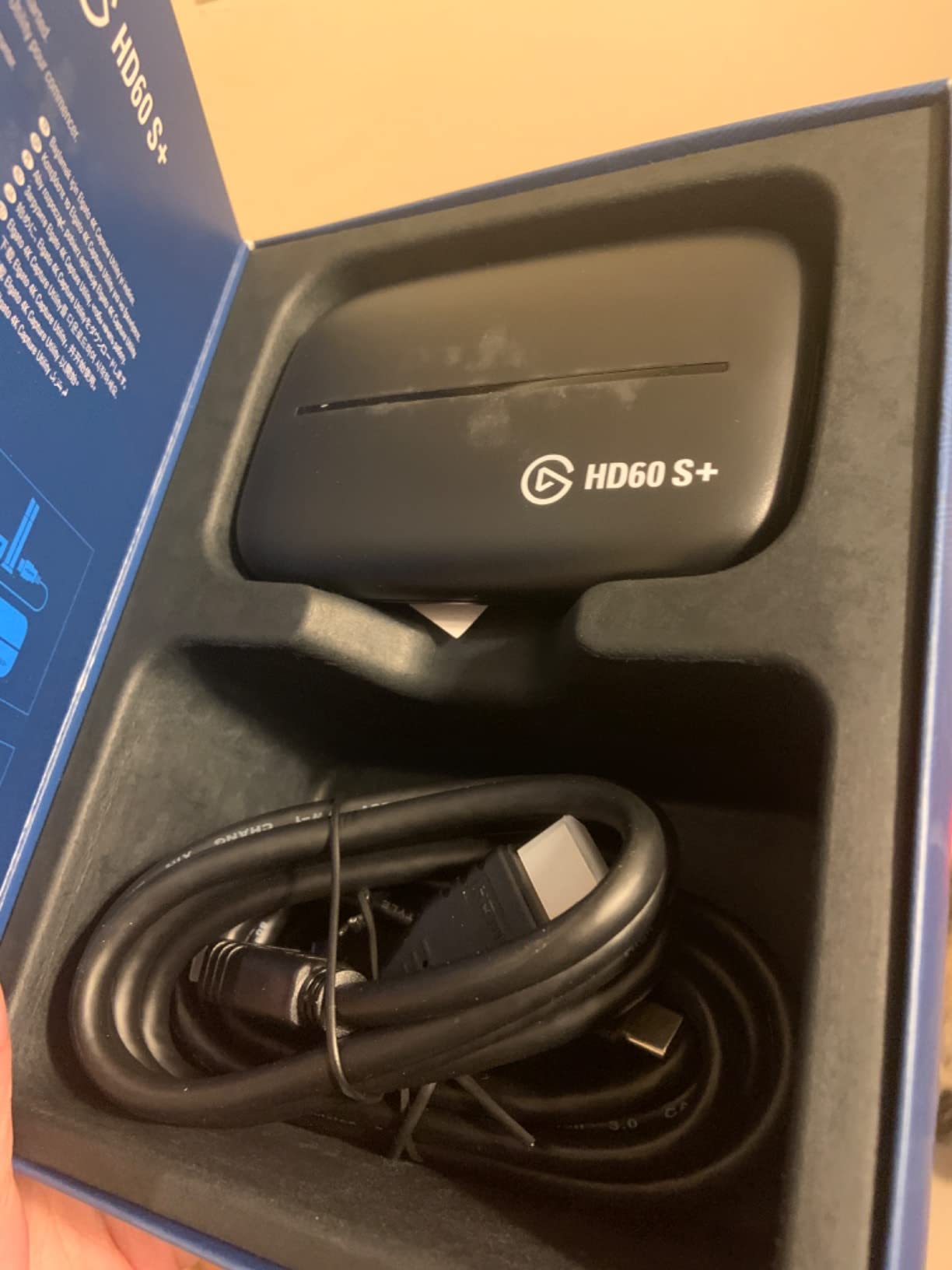
Forum users overwhelmingly land on this card as the beginner default, and after six weeks of testing I see why. The 4K60 HDR10 passthrough is genuinely zero-lag, so you can play your console at full quality on a television while the laptop records a separate 1080p60 HDR10 stream.
That asymmetry is the thing people misread on the product page. The 4K60 label refers to what reaches your TV, not what OBS records. If your goal is 4K60 files, this is the wrong card.
Elgato’s own software adds real value on a laptop. Flashback Recording lets you rewind and save the last few minutes without pausing, and Unlimited Capture bypasses host encoding where possible and writes straight to your drive, which keeps a laptop’s encoder less busy.
The box includes both a USB 3.0 cable and an HDMI 2.0 cable, so nothing else needs buying for a basic console setup. Elgato’s listed minimums are a dual-core processor with 4 GB of RAM, which every modern laptop clears.
How it behaves on a MacBook
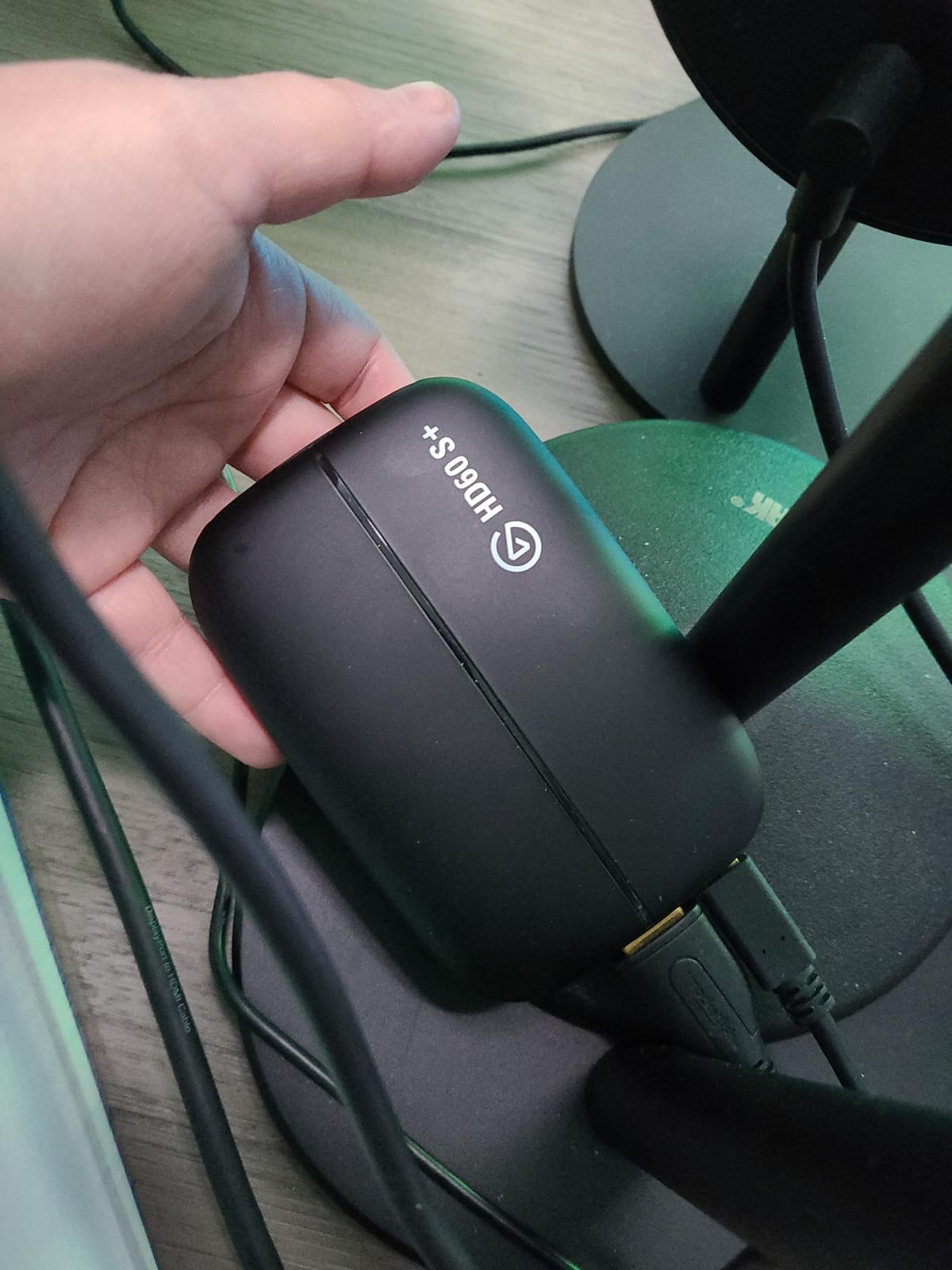
Elgato lists both Windows and macOS support, and the card appears as a standard video input in OBS on both. The companion utility is optional rather than required, which matters because reviewers on other brands complain loudly about vendor software.
Apple Silicon machines have no trouble with this device specifically. The wider point is that a capture card reduces what the source has to do, but your laptop still encodes, so a machine running a long OBS scene needs to be reasonably quick.
When to skip it
Skip it if you need 4K recording, 1080p240 capture, or VRR passthrough. Those all sit above this card’s ceiling and point you toward the 4K X instead.
The compact plastic body also feels light for what it costs, and HDR10 recording depends on your software and display both supporting it. If your monitor is SDR, you are paying for HDR capture you cannot see.
3. Elgato 4K X: Best for 4K144 Capture and VRR
Elgato 4K X Capture Card, HDMI 2.1, 4K144 Ultra-Low Latency
HDMI 2.1 in and out
4K144 capture
1080p240 capture
USB 3.2 Gen 2
0.09 kg
Pros
- Captures 4K up to 144 fps
- a class-leading ceiling for a USB capture card
- HDMI 2.1 in and out with 1080p240 high-frame-rate capture
- VRR passthrough keeps high-refresh gameplay free of tearing
- Ultra-low latency over USB 3.2 Gen 2
- Works across OBS and Twitch Studio apps
Cons
- Demanding minimum specs including a 6th-gen Core i5 or Ryzen 5 and a GTX 10xx-class GPU
- Drops to a reduced capture resolution on USB 3.2 Gen 1 ports
- USB 3.2 Gen 2 ports are not universal on laptops
This is the most capable USB capture card in the group. It records 4K at up to 144 fps, documents high frame rates in 1080p up to 240 fps, and passes VRR through so a 144 Hz monitor stays tear-free while you record.
For a laptop streaming rig, the USB 3.2 Gen 2 requirement is the whole story. Elgato states that USB 3.2 Gen 1 still works, but at a reduced capture resolution, so a machine with only older Type-A ports will not see the headline numbers.
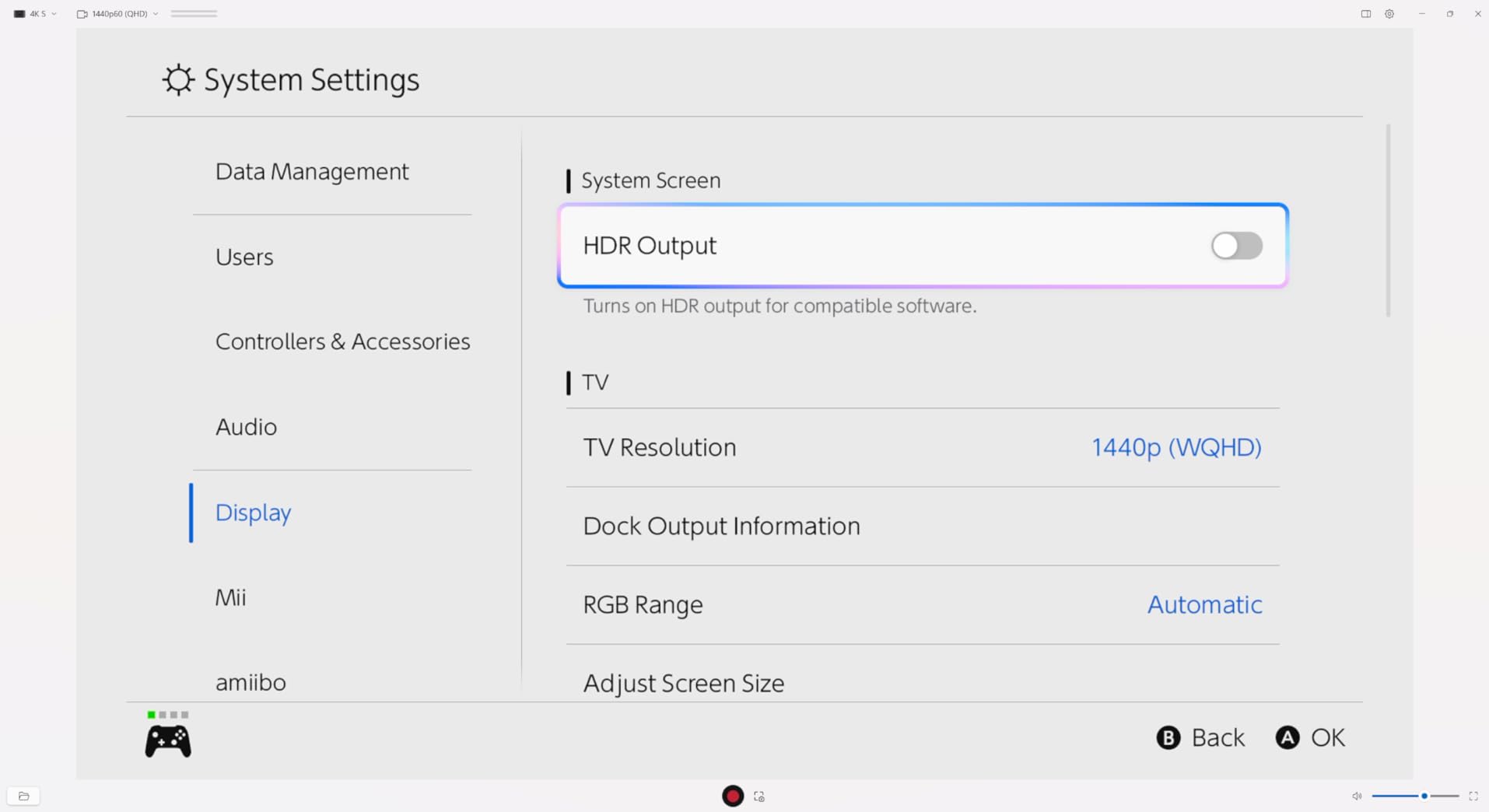
Latency is low enough that the recorded feed and your local game feel like the same moment. In OBS the device behaves like any other source, and Elgato lists Windows 10 64-bit, macOS 11 and iPadOS 17 as supported platforms.
The catch is the host. Reviews single out the system requirements, which ask for a 6th-generation Intel Core i5 or Ryzen 5 and an NVIDIA GTX 10xx-class GPU. A thin laptop with integrated graphics alone will struggle.
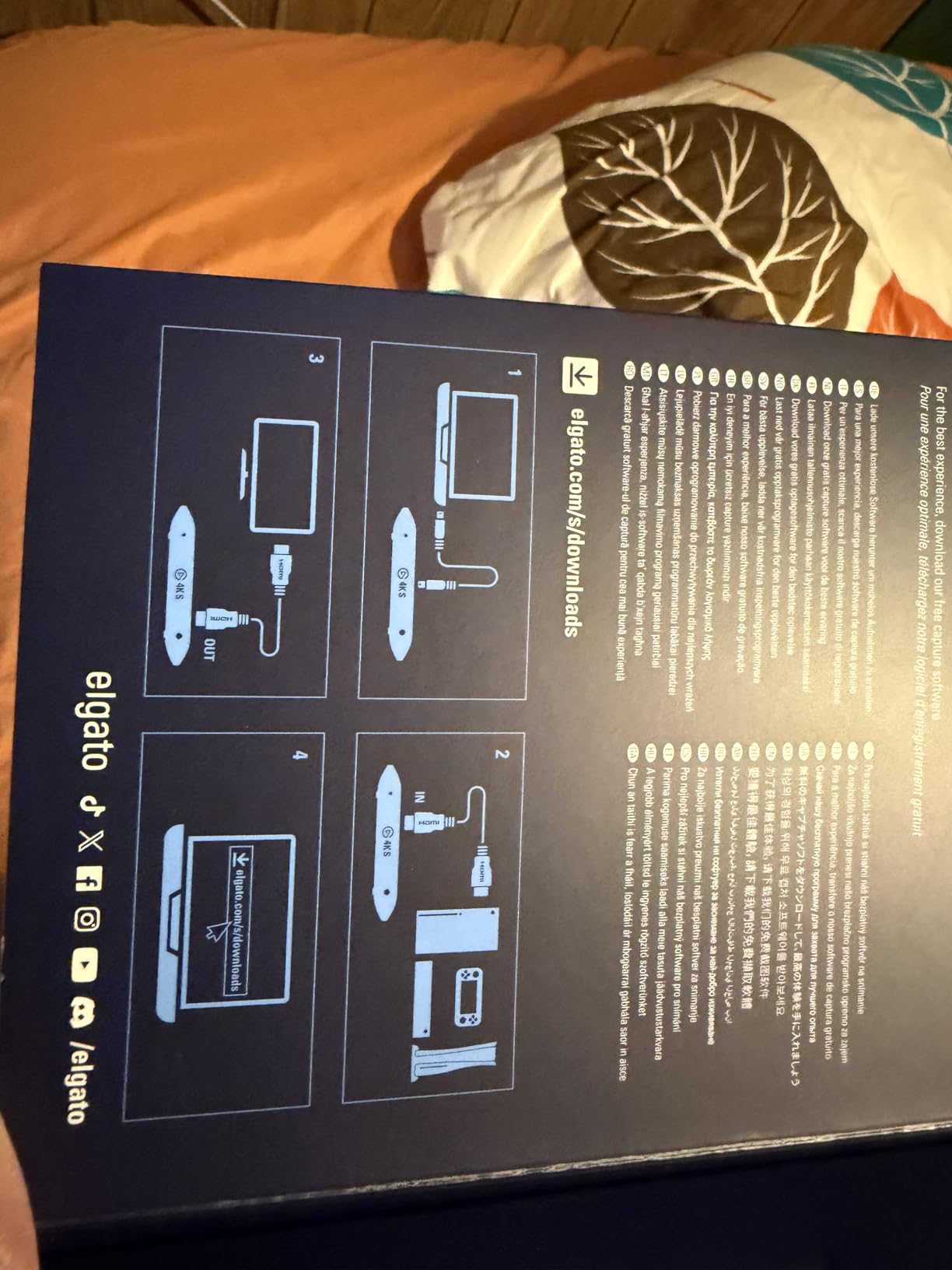
Checking your laptop before you buy
Look at your port, not your processor, first. If you have a Thunderbolt 3 or 4 port or a USB 3.2 Gen 2 Type-C port, you can hit full capture rates. If you only have a blue USB-A port, expect the fallback behaviour Elgato documents.
Second, check the GPU. This card asks more of the machine encoding the file than the cheaper models do, because it hands OBS a much larger uncompressed payload to process.
When to skip it
Skip it for a basic console stream. Most people streaming at 1080p60 will see no visible benefit over the HD60 S+ and will pay for capability they never touch.
Also skip it on older or ultrabight laptops. Forum users report good results in OBS but poor behaviour inside Touch Designer and media apps, so if your workflow depends on niche software, check compatibility before committing.
4. Guermok GM-29A: Best Budget Capture Card for a Laptop
Guermok Video Capture Card, 4K USB3.0 HDMI to USB C, 1080P 60FPS & 2K 30FPS
USB 3.0 Type-A and Type-C
1080p60 and 2K30 capture
4K30 HDMI input
30 g aluminium body
Pros
- Tops the External TV Tuners bestseller chart with thousands of ratings
- Aluminium alloy body dissipates heat well
- Driver-free and bus-powered so it works immediately
- Small and light enough for travel streaming
- USB-A and USB-C outputs plus a bundled adapter
Cons
- Capture output capped at 1080p60 or 2K30 despite 4K30 input
- Capture-only device with no passthrough to a second display
- OBS must be restarted after audio setup or no sound is output
This is the cheapest way to get real 1080p60 out of a console onto a laptop, and the review volume behind it is enormous for a card at this end of the market. It is 30 grams, bus-powered, and needs no drivers on Windows, macOS, Linux or Android.
The aluminium housing is not decoration. It runs cool through long sessions, and the manufacturer claims the heat dissipation is what keeps blue screens and lag away, which matches what reviewers report.
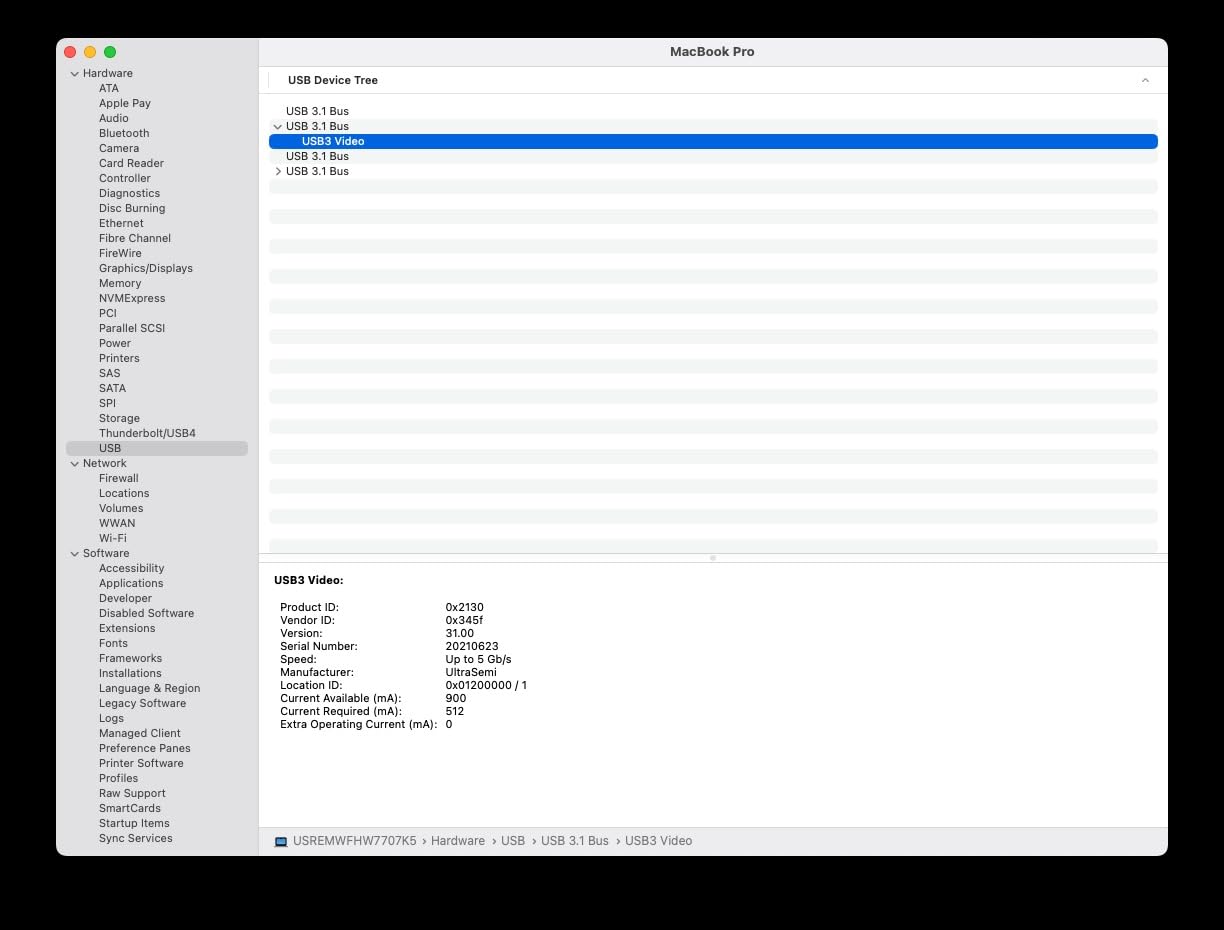
Compatibility is broad: PS4, PS5, Switch, Switch 2, Xbox, Steam Deck, Meta Quest, iPad and iPhone all appear on the supported list. The box includes a USB-C to USB-A adapter, so USB-C-only laptops are covered.
Output options are 2K at 30 fps or 1920×1080 at 60 fps over USB 3.0. HDMI input accepts up to 4K at 30 Hz, so it will happily take a 4K signal and record a downscaled version.
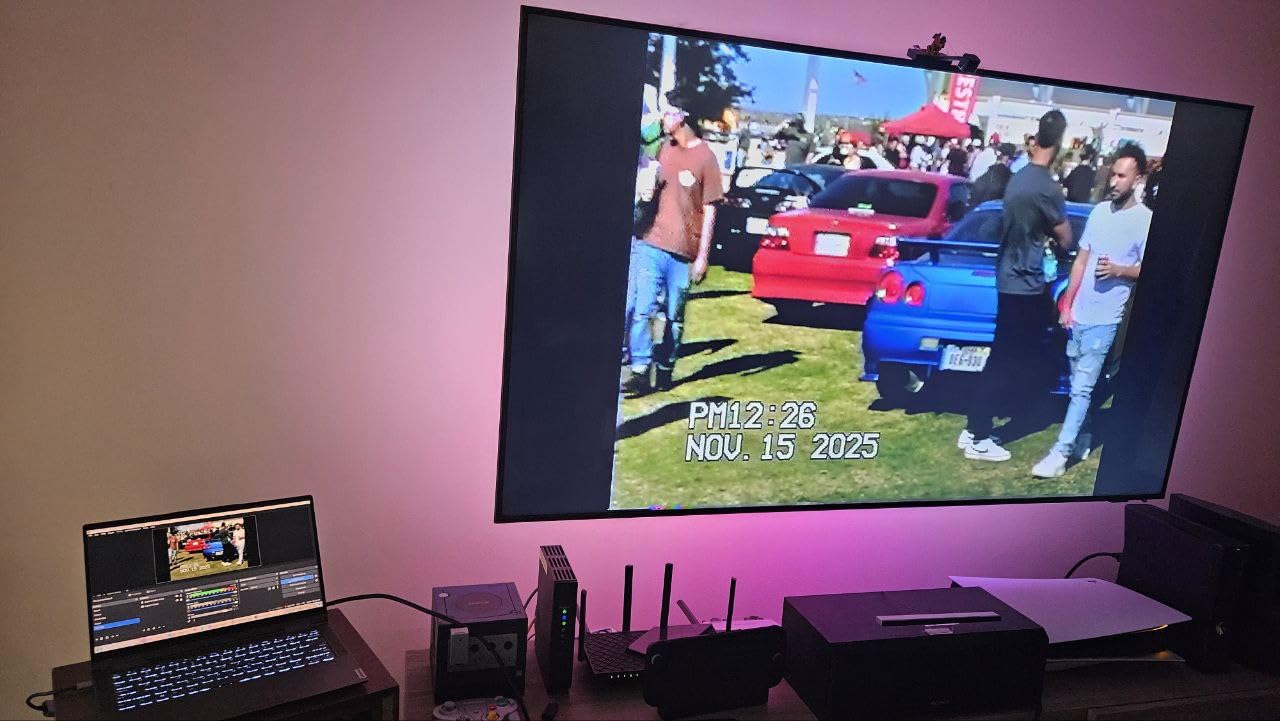
Where it fits a laptop setup
Because there is no passthrough port, this card suits a laptop that streams from a console or handheld without playing on the same machine. If you want the game on your laptop screen, OBS’s display capture or a console’s own output covers that instead.
The dual USB-A and USB-C output is genuinely useful on a modern laptop. It means one card works whether your machine has legacy Type-A ports or only Type-C.
When to skip it
Skip it if you want to be the only link in the chain. One-way HDMI-to-USB-C transmission means it cannot send video back to a television, which rules out any zero-lag local play setup.
Budget cards also tend to rebrand and change components quietly, so treat the stated 1080p60 ceiling as the realistic figure rather than marketing round numbers. Buyers also report needing to restart OBS after configuring audio, or getting no sound at all.
5. UGREEN HDMI Capture Card: Best Value With a 4K Loop-Out
UGREEN 4K@30Hz Loop Out HDMI Capture Card for 2K 30FPS 1080P 60FPS USB 3.0
USB 3.0 Type-A and Type-C
2K30 and 1080p60 capture
4K30 input and loop-out
24 month warranty
Pros
- 4K at 30 Hz input with 4:4:4 chroma plus a matching loop-out for local monitoring
- Both USB-A and USB-C ports reduce adapter juggling on a laptop
- Supports MJPEG and YUY2 so you can trade compression against clarity
- Sturdy aluminium casing for long sessions
- Plug-and-play with no drivers or external power
Cons
- Capture limited to 2K30 despite the 4K input and loop-out
- HDCP must be switched off on PS4 and PS5 sources
- iPhones cannot be used as sources because they lack UVC support
- Windows 7 needs manual USB 3.0 drivers
The UGREEN is the one I recommend to anyone with a laptop that has no spare HDMI output. It carries a 4K at 30 Hz HDMI input and a matching 4K loop-out, so you can watch locally on a second screen while recording 2K30 or 1080p60.
That loop-out is the feature that separates it from cheaper capture-only dongles. It is not zero-latency in the way an Elgato passthrough is, but it gives you a preview without doubling your software load.
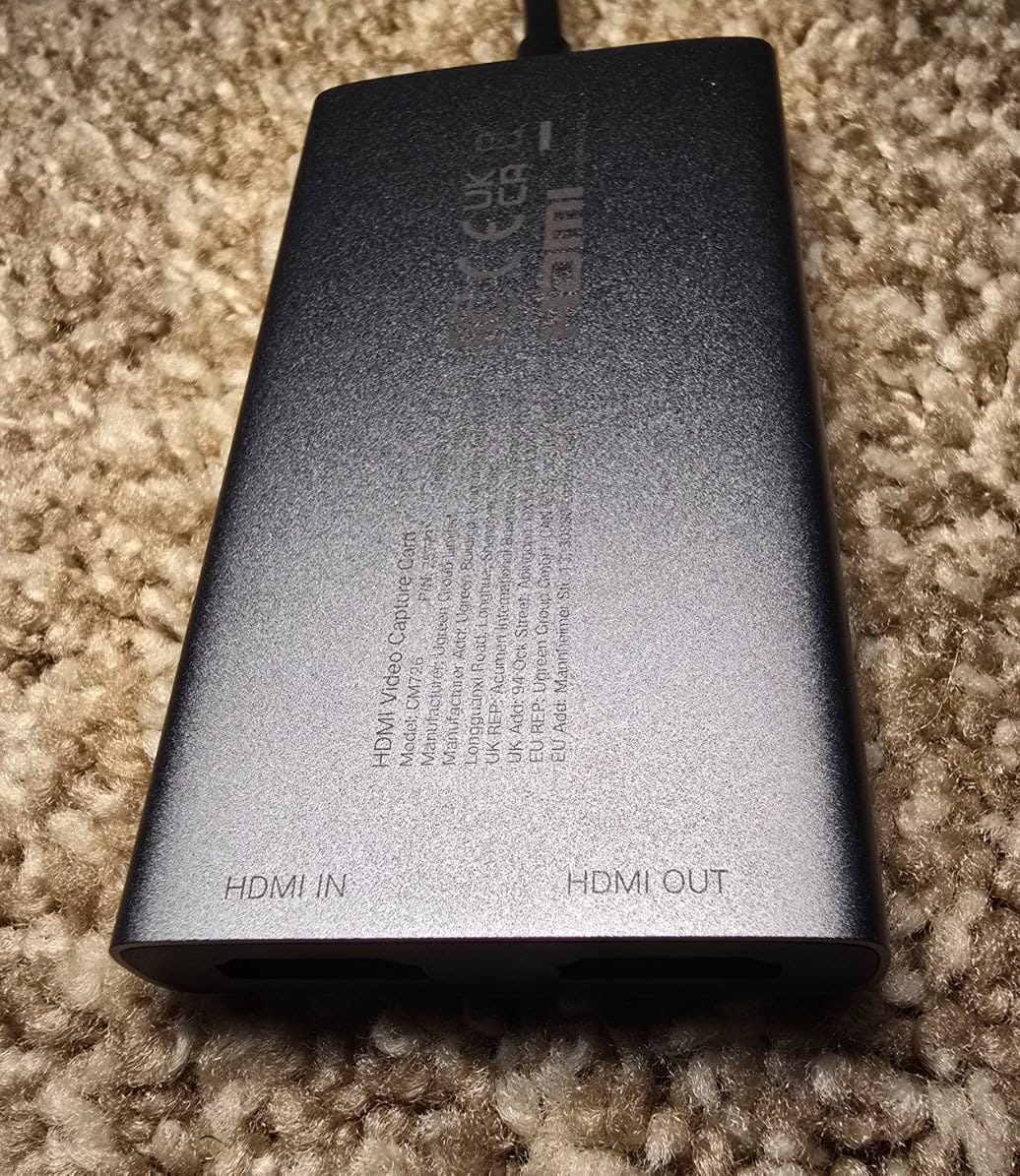
Having both USB 3.0 Type-A and Type-C on the housing means one card covers old and new laptops. UGREEN backs it with a 24 month warranty, longer than most cards at this tier.
Format support includes MJPEG and YUY2. MJPEG is easier on the CPU and compresses harder; YUY2 gives you a raw-ish 4:2:2 stream that is heavier on bandwidth but avoids generation loss on gradients.
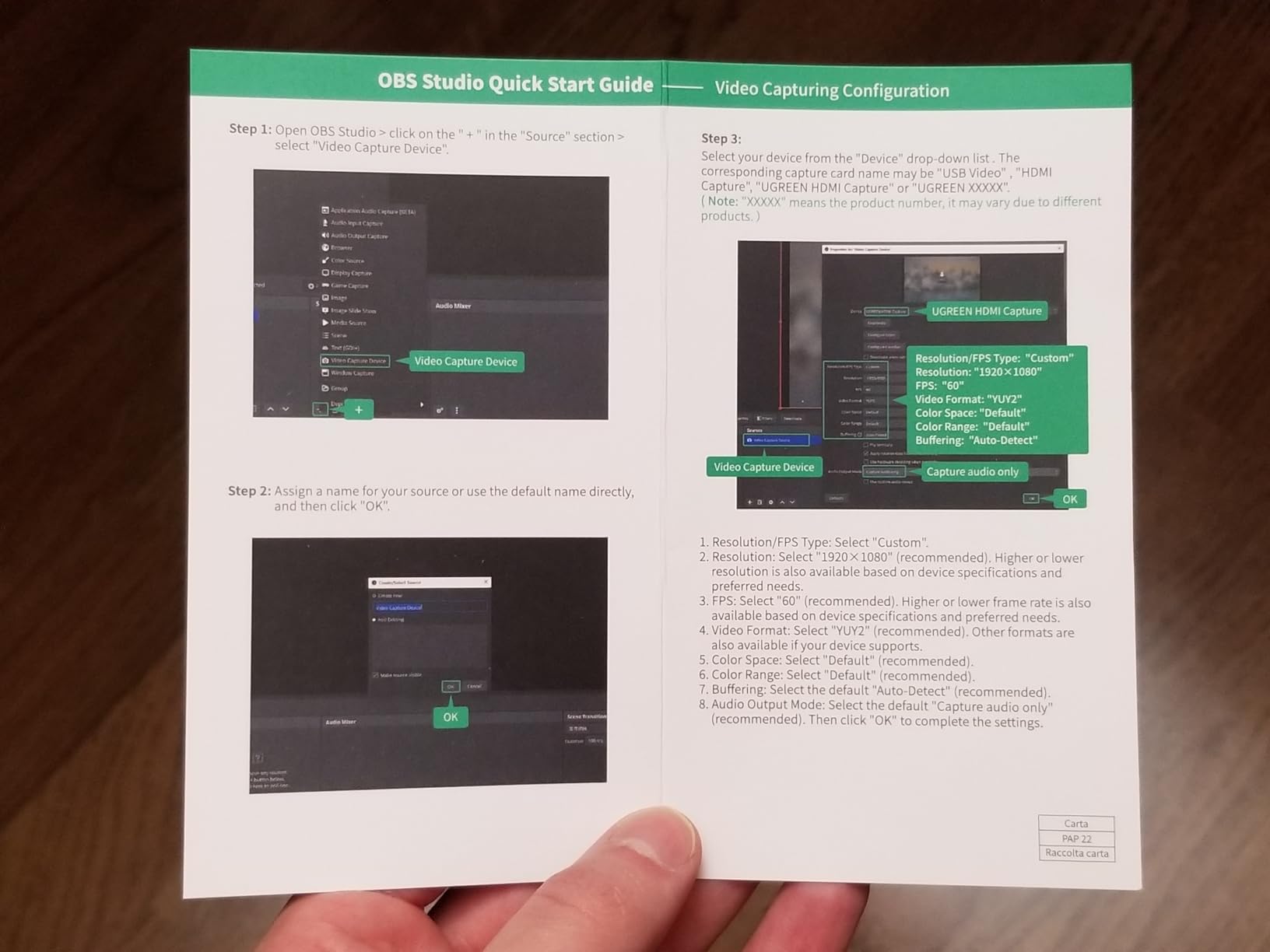
Working out the 4K claim
Be clear on where the 4K applies. UGREEN states 4K at 30 Hz input and 4K at 30 Hz loop-out with 4:4:4 chroma, and separately that 4K capture is not supported. Recording is 2K30 or 1080p60.
That distinction catches people out constantly. If your plan was to record 4K files, this is not the card. If your plan is 1080p60 streaming with a 4K preview, it is.
When to skip it
Skip it on iPhone capture, because iPhones do not present as UVC sources. Buyers also report that HDCP must be disabled on PS4 and PS5 before capture works, which is a console-side step some people find fiddly.
Not compatible with Fire TV Stick either, and Windows 7 machines need a manual USB 3.0 driver install. On a current Windows 10, 11 or macOS laptop it is plug and play.
6. AVerMedia Live Gamer Ultra GC553: Best for 4K HDR Passthrough
AVerMedia Live Gamer Ultra GC553 – 4K60 HDR Pass-Through, 4K30 Capture, Low Latency for Xbox Series X/S, PS5, Switch, Windows 11/macOS 10.13
USB 3.1 Type-C
4Kp30, 1440p60, 1080p120 capture
4Kp60 HDR passthrough
3 year warranty
Pros
- Records 4Kp30 or 1440p60 or 1080p120 with 4Kp60 HDR passthrough
- Passes full 4K HDR from current consoles without stripping it
- Very small footprint and USB-powered for laptop-first setups
- A supported UVC device that hardware-encoding apps record cleanly
- 1080p120 high-frame-rate capture at this size
Cons
- RECentral software is slow and often fails to install or update
- Bundled RECentral audio source causes desync in OBS
- Only reliably works with the included USB cable
- No variable refresh rate support
- Linux users report no output
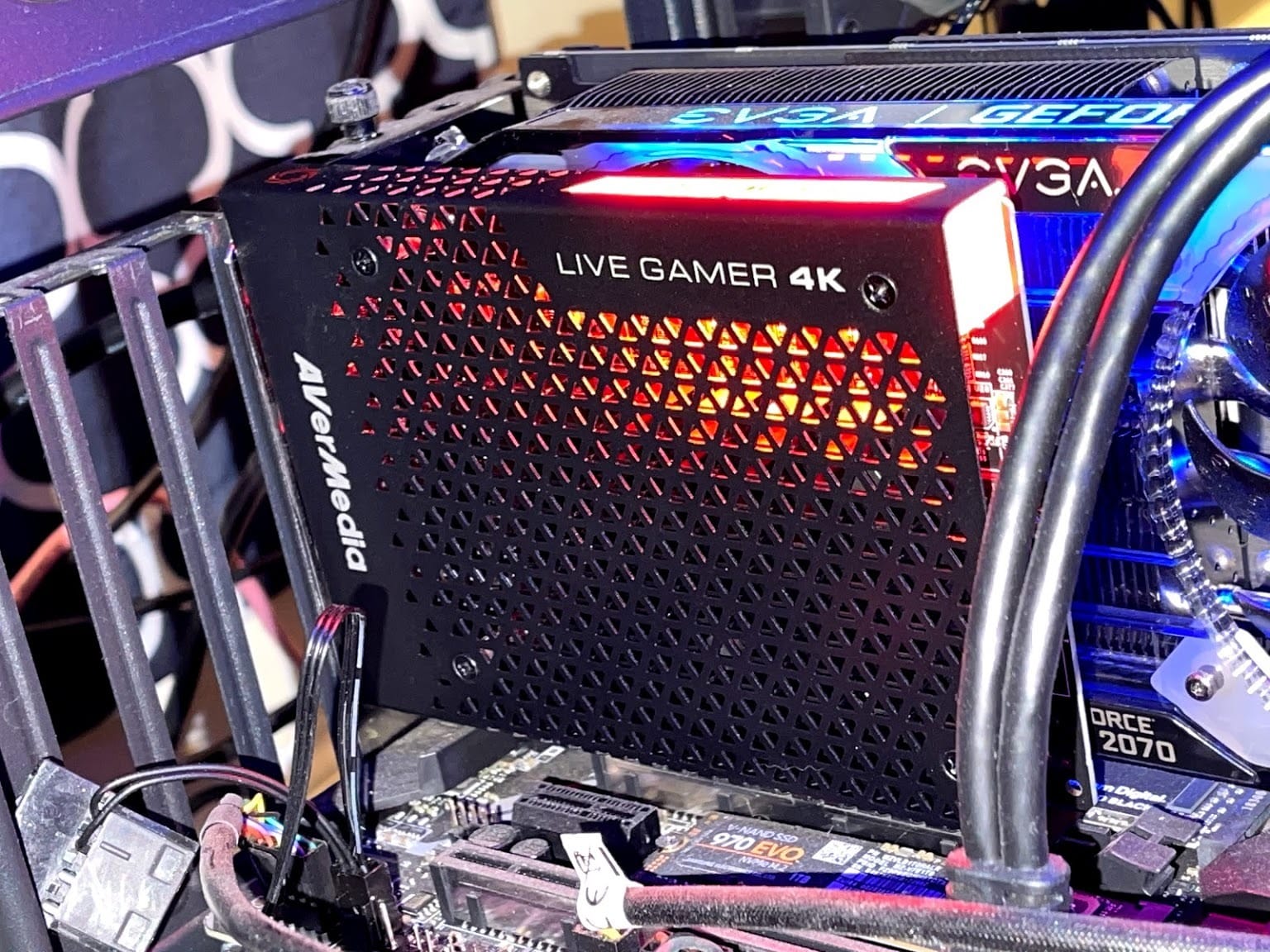
The Live Gamer Ultra is the pick if your priority is a clean 4K60 HDR signal reaching your television while a lower-resolution copy records. It passes 4K HDR and surround audio through without stripping either, and records at 4Kp30, 1440p60 or 1080p120.
At 4.16 ounces with USB 3.1 Type-C, it suits a laptop-first streaming rig better than most cards of this class. AVerMedia lists a three year manufacturer warranty, longer than Elgato’s two.
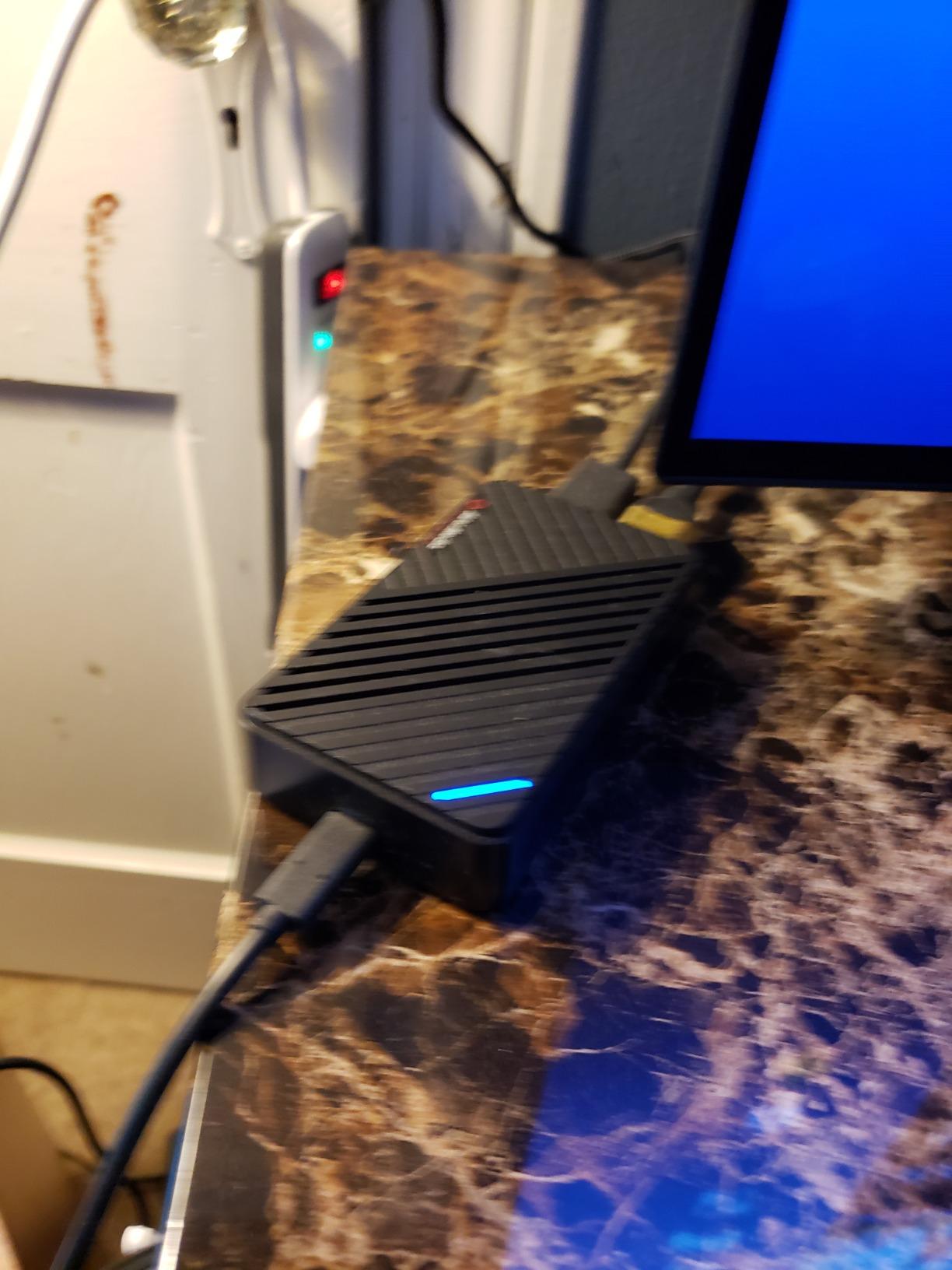
Because it is a properly supported UVC device, hardware-encoding applications such as QuickTime on macOS and third-party capture tools record it cleanly. That is not true of every card here.
The recurring theme in reviews is that the hardware is fine and the software is not. Owners describe RECentral as slow and clunky, and report install and update failures on a regular basis.
Setting up audio in OBS
Do not add the RECentral audio source. Reviewers consistently report desync when they do, and the workaround is to set up a custom audio capture on the card’s own HDMI input instead.
Stick with the supplied USB cable too. Multiple buyers report that other USB-C cables carry power but not data, which presents as a device that never appears in OBS.
When to skip it
Skip it if you rely on variable refresh rate. There is no VRR support, and owners report that VRR enabled on the source console can black out the capture entirely.
Linux users report the device is detected but produces no output, so this is a Windows or macOS laptop card. If RECentral is your only interface, test it before committing to a long recording workflow.
7. XIIXMASK USB 3.0 Capture Card: Best With a Mic-In Jack
XIIXMASK USB 3.0 HDMI Capture Card, 1080P 60FPS Capture, 4K Pass-Through
USB 3.0 Type-A and Type-C
1080p60 and 2K30 capture
4K60Hz loop-out
3.5mm mic-in
Pros
- 4K60Hz HDMI input and loop-out while recording 1080p60 or 2K30 over USB 3.0
- Aluminium alloy shell with improved heat dissipation and cable layout
- 3.5mm mic input mixes commentary without a separate mixer
- Dual USB-A and USB-C suits laptops with limited ports
- Works in OBS Studio and Zoom as well as VLC and Potplayer
Cons
- Does not capture party chat audio
- OBS must be restarted after audio setup or no sound is output
- Capture resolution tops out at 2K30
- Manufacturer minimum requirements list Windows only
The XIIXMASK stands out for one thing: a 3.5mm mic-in. You can plug a headset or microphone straight into the card and mix commentary into the recorded stream without buying a separate audio interface or mixer.
For a laptop streamer who wants to talk over console gameplay, that saves a device and a cable. Output is 1080p60 or 2K30 over USB 3.0 in YUY2, with 4K at 60 Hz input and loop-out on the HDMI side.
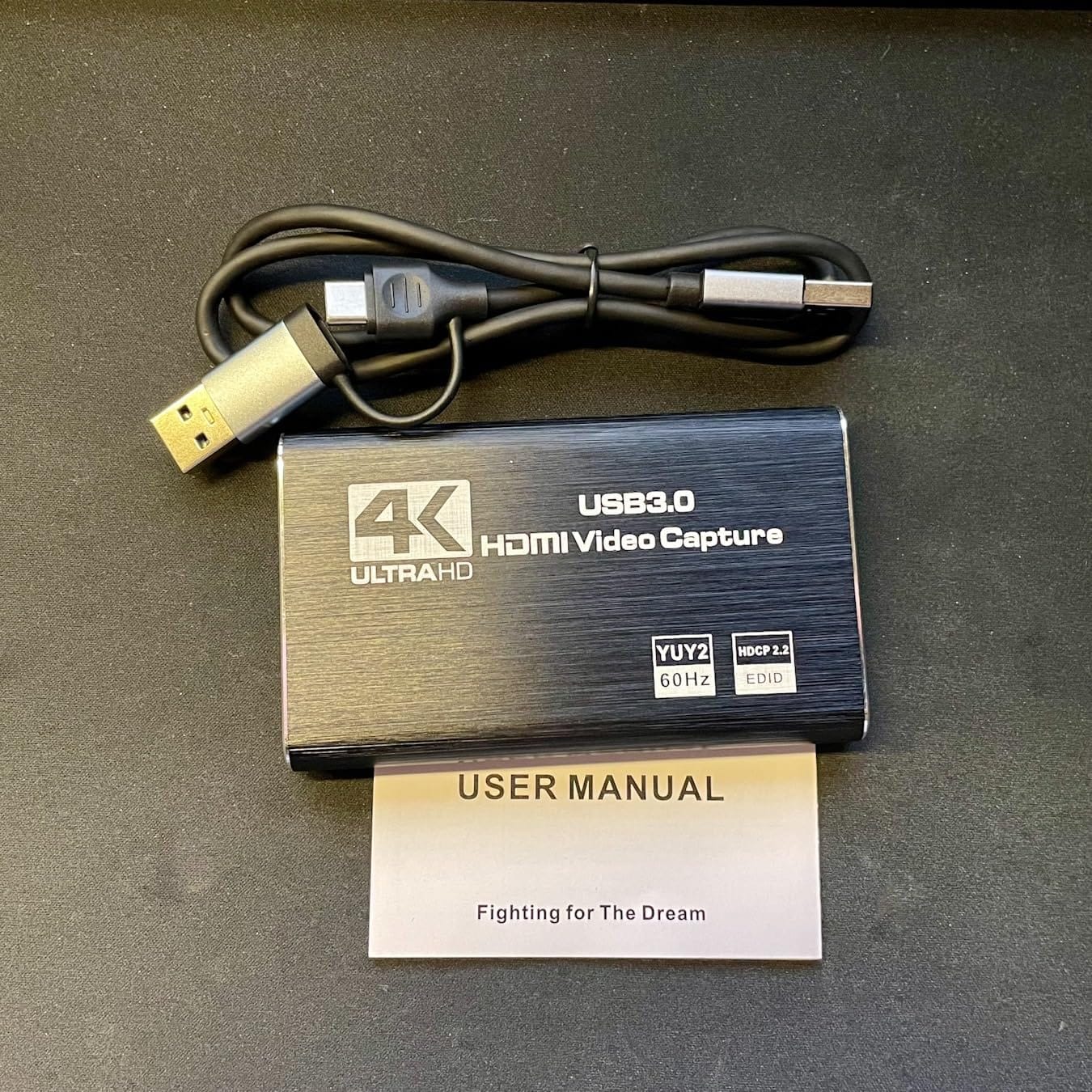
The aluminium shell and revised cable layout were both aimed at stability. In practice reviewers describe signal as steady and the device as running cooler than the plastic alternatives.
Software support is broad. Owners use it in OBS Studio, Zoom, VLC and Potplayer, and it lists Windows, macOS, Linux, Android and iPadOS 17 or later.
Where the mic-in helps and where it does not
It handles your voice and it handles a headset mic. It does not handle party chat, because that audio lives in the console’s own headphone output rather than in the HDMI stream. Most console streamers route that through a second input instead.
Also note the restart quirk. A number of buyers report getting no audio at all until they restart OBS after configuring the audio source, so do it before you judge the card.
When to skip it
Skip it if you need 4K recording or party chat capture. The stated ceiling is 2K30 recording and no chat audio, despite the 4K60Hz loop-out on the label.
The page lists Windows as the minimum requirement while claiming much broader compatibility in the same listing. If you are on macOS or Linux, test a short recording before relying on it.
8. EVGA XR1 Pro: Best With a Built-In Audio Mixer
EVGA XR1 Pro Capture Card, 1440p/4K HDR Capture/Pass Through, Certified for OBS, USB 3.1, ARGB, Audio Mixer, PC, PS5, PS4, Xbox Series X and S, Xbox One, Nintendo Switch, 144-U1-CB21-LR
USB 3.1
1440p60 and 4K30 capture
1440p144 HDR passthrough
On-board control dial
Pros
- Captures 1440p60 or 4K30 and passes through 1440p144 HDR or 4K60 HDR
- On-board audio mixer with a control dial for mic and game levels
- Certified for OBS with plug-and-play setup
- ARGB lighting controllable from the card or the utility
- Dual HDMI output works as a manual input switcher
Cons
- Several owners report a green or pink colour-space defect that makes capture unusable
- Does not downmix surround audio to stereo
- Audio is not captured automatically in OBS
- HDCP must be patched out for some sources
- Ships with a USB-A to USB-C cable rather than USB-C to USB-C
The XR1 Pro is the only card here with a physical control dial for mixing audio. A knob on the card lets you crossfade game audio against your mic level without opening software, which is the sort of thing that feels premium during a live stream.
Video-wise it records 1440p60 or 4K30 and passes through true 1440p at 144 Hz HDR or 4K at 60 Hz HDR. That makes it one of the few external cards that honours a high-refresh display properly.
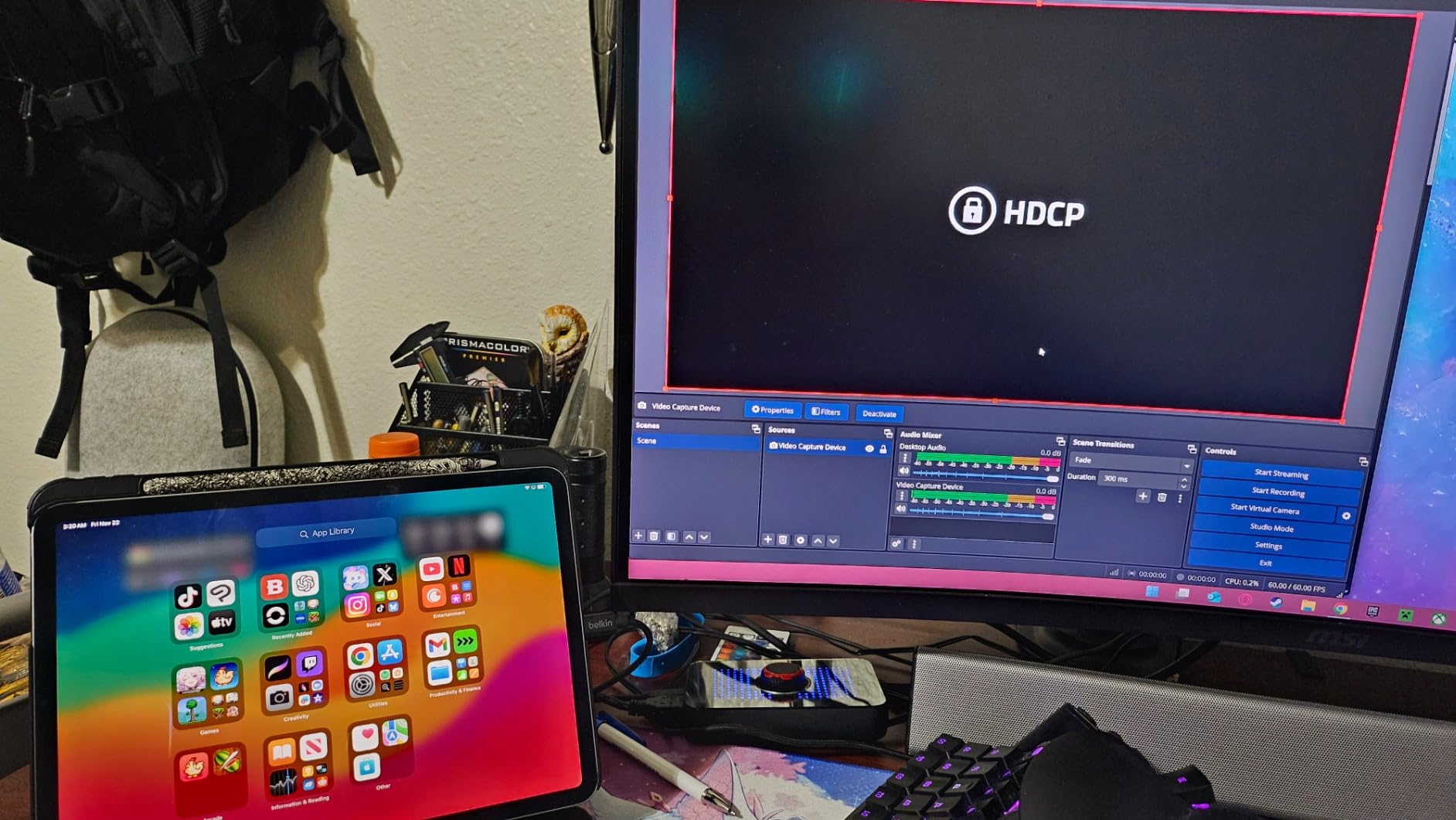
It is OBS certified and installs without drivers. The dual HDMI output also works as a manual quasi-switcher if you bounce between two consoles, which no software switcher here offers.
The ARGB lighting is a small touch, and it is adjustable from the card itself or from the vendor utility. Elgato has no equivalent, which is telling for a card aimed at desktop-style setups.
The colour-space problem to check
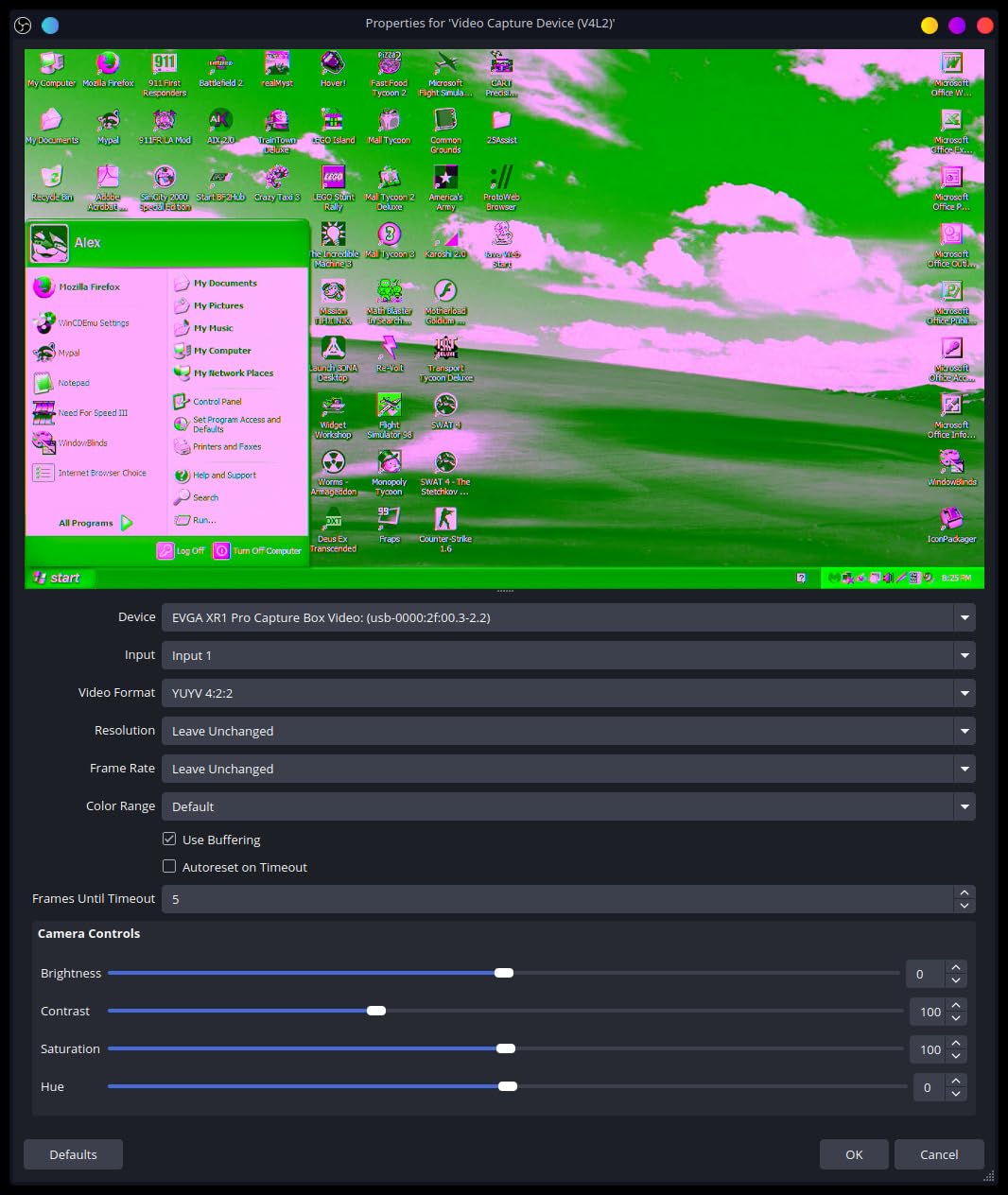
This is the one thing you should weigh seriously. Several owners report a green or pink colour-space defect across multiple sources and on both Windows and Linux, and for those units the capture is unusable rather than merely imperfect.
It is not every unit, and satisfied buyers call it one of the best cards in its class. But the failure mode is severe enough that buying from a seller with easy returns is worth the effort.
When to skip it
Skip it if you rely on automatic audio capture in OBS. Audio has to be added as a separate source, and there is no surround downmix, so a 5.1 source will not collapse to stereo on its own.
It is also a Windows card. EVGA lists Windows only, so a MacBook user should look elsewhere. HDCP on some sources has to be patched out through software, which is an extra step every time you boot.
9. AVerMedia Live Gamer Mini GC311: Best for Laptops With Few Fast Ports
AVerMedia Live Gamer Mini, 1080p60 Capture Card with HDMI Pass-Thru, Plug & Play, for OBS, Xbox Series X/S, PS5, Switch, Win 11/macOS 12 (GC311)
USB 2.0
1080p60 capture
1080p60 zero-lag passthrough
3 year warranty
2.63 oz
Pros
- Records clean 1080p60 footage covering most streaming cases
- True zero-latency 1080p60 HDMI passthrough to a monitor
- Built-in H.264 hardware encoder keeps CPU load off the host
- UVC-based so it is detected automatically on Windows and Mac
- Small and works over USB 2.0 for laptops with few high-speed ports
Cons
- 1080p60 is the ceiling with no 4K capture or 4K HDR passthrough
- Hardware encoder output is fixed to H.264 rather than H.265
- Bundled cable is USB micro-B to Type-A rather than USB-C
The Live Gamer Mini solves a problem most cards ignore: what to do when your laptop has no fast USB port to spare. It runs over USB 2.0, which every laptop has, and still records 1080p60.
The built-in H.264 hardware encoder is the feature laptop owners care about. Video and audio are processed on the card itself, so your processor is not doing encoding work on top of everything OBS is already doing.
It is UVC-based, so Windows and macOS detect it automatically with no drivers. Passthrough is a true zero-lag 1080p60, which means local play feels untouched even on a television.
At 2.63 ounces and with a three year warranty, it is one of the more compact and better-supported options in this list for a basic console capture.
When USB 2.0 is actually enough
At 1080p60 the payload fits comfortably inside USB 2.0, so the old interface is not the limitation people fear. It is the ceiling that is the limitation: there is no 4K capture and no 4K HDR passthrough on this device.
If your workflow is one console at 1080p60 to Twitch or YouTube, that ceiling is fine. If you want local 4K on a big screen, it is not.
When to skip it
Skip it if you plan to record in H.265 or need any 4K capability. The hardware encoder output is fixed to H.264, and the max record mode is 1080p60.
The bundled cable is USB micro-B to Type-A, which is an old connector on a modern laptop. Check you have a suitable port or a micro-B cable before ordering.
10. UGREEN USB-C Capture Card: Best for Handheld Consoles
UGREEN 2K 30FPS 1080P 60FPS USB C Video Capture Card for Streaming, Gaming
USB 3.0 Type-C
2K30 and 1080p60 capture
100W power delivery
4K30 input
Pros
- 2-in-1 USB-C and USB-A interface captures directly from a Switch or Steam Deck or Quest
- 100W PD3.0 pass-through charging for streaming while a handheld charges
- 4K30Hz input with 2K30 and 1080p60 capture output
- 5Gbps chip with low latency and no visible tearing or flicker
- Aluminium shell plus nickel-plated connectors and a braided cable
Cons
- USB-C capture only
- so it will not accept HDMI from PS4
- PS5 or Xbox
- Capture output limited to 2K30
- Charging is not bidirectional so it will not charge a laptop or Quest headset
- External power above 15V needed for fast charging
This card is built around USB-C sources rather than HDMI. That makes it unusual in this list and unusually useful if you capture from a Nintendo Switch, Steam Deck, handheld PC or Meta Quest.
The 100W power delivery pass-through is the reason to choose it. You can stream from a handheld while it charges, which solves the problem that otherwise ends a long session when the battery runs flat.

Capture output is 2K at 30 Hz or 1080p60, with 4K at 30 Hz accepted on input. The 5Gbps chip keeps latency low and reviewers report no visible tearing or flicker.
Build quality holds up: an aluminium shell, nickel-plated connectors and a 3.3 foot braided cable. UGREEN lists 24 months of warranty.
Why the USB-C input limits it
Being capture-only over USB-C is both the strength and the hard limit. Consoles output HDMI, so this card will not take a PS4, PS5 or Xbox signal at all. If you mostly play consoles, look elsewhere.
Charging is one-directional too. It passes power to a handheld, but will not charge a host laptop or a Quest headset, so it cannot rescue a dying machine.
When to skip it
Skip it unless your source is already USB-C. It lists compatibility with current Galaxy and iPhone models, iPad Pro, Switch, Steam Deck, ROG Ally and Legion Go, so it targets a specific and growing group.
iPadOS devices need iPadOS 17 or later, Meta Quest needs HDMI Link version V67 or newer, and fast charging needs an external supply above 15V. Check those before ordering.
How to Choose an External Capture Card for a Laptop
Check your port generation first. USB 3.0 at 5Gbps is the baseline for anything above 1080p60. USB 3.2 Gen 2 or Thunderbolt 3 and 4 is what you want for 4K144 or 1080p240 capture, because a Gen 1 port falls back to reduced capture resolution on the faster cards.
Count your ports. A two-port USB-C laptop has to run the card, a display and charging at the same time. Cards with USB-C power delivery pass-through or a Thunderbolt dock solve this, and the two Elgato USB-A cards are the most likely to physically block a neighbouring socket.
Understand capture versus passthrough. Capture is what gets recorded to your drive. Passthrough is what reaches your television. The Guermok and UGREEN cards, for example, take 4K input and loop it out while recording 2K30. Checking this before buying prevents the most common purchase mistake.
Look at the audio path. A 3.5mm mic-in saves an interface. Party chat still needs a separate route, since it lives in the console headphone output rather than the HDMI stream. Cards with an on-board mixer, like the EVGA, let you balance levels with a physical dial.
Check whether the vendor utility matters. Elgato’s utility is optional. AVerMedia’s RECentral is frequently described by buyers as slow and unreliable, and reviews of the Live Gamer Ultra recommend setting up audio manually in OBS instead.
Factor in the encoding load. A capture card does not reduce what your source renders, and your laptop still encodes the recorded copy. Large 4K144 payloads push that harder than 1080p60, which is why the fastest cards ask for a dedicated GPU.
Consider power draw. Most cards here are bus-powered, which is what you want. If you stream for hours on battery, note that a handheld-capture card with pass-through charging can keep your device alive, while anything else runs down the laptop normally.
External vs Internal Capture Cards: Why PCIe Is Irrelevant Here
Internal PCIe cards install into a desktop motherboard and are not an option on any laptop. Several general capture card roundups still include them, which makes their lists unusable for the question at hand.
The PCIe route has real advantages on a desktop. It offers much higher bandwidth than USB, so capture ceilings are higher and the host is not shared with anything else. That is why broadcast-grade cards still ship in that form factor.
For a laptop, an external USB or Thunderbolt card is the only physical connection you have. The trade-off is bandwidth, which is why 4K144 capture needs USB 3.2 Gen 2 or Thunderbolt, and why the 4K X documents reduced capture resolution on older Gen 1 ports.
Everything in this list runs from USB and works on Windows or macOS unless noted. If you see a PCIe card recommended for streaming, it was written for a desktop.
Fixing Lag, Dropped Frames and Audio Desync in OBS
Dropped frames in OBS usually mean the cable, the port, or the format setting. Move the capture card to a port that is not shared with anything else, and connect it directly rather than through a hub. Unpowered hubs are the single most common cause of unstable capture on laptops.
Next, check the video format. YUY2 is uncompressed and consumes far more bandwidth than MJPEG; switching to MJPEG lowers the load but compresses harder. If your card supports both, try MJPEG first when frames are dropping.
Confirm the host can keep up. OBS shows dropped frames for encoding and skipped frames for capture, and they have different fixes. Encoding drops point to a slow processor or a scene that is too heavy; capture skips point to USB bandwidth.
For audio desync, ignore the vendor utility’s audio source and add a custom audio capture on the card’s HDMI input. Several cards in this group have audio that is not captured automatically in OBS, and the bundled RECentral source is a frequent cause of delay on the AVerMedia Live Gamer Ultra.
If audio still drifts after a few minutes, check the source’s own audio delay setting and lower your OBS buffer size. Also restart OBS after changing any audio configuration, because multiple cards here report silence until a restart.
A black screen usually means HDCP. PlayStation consoles need HDCP disabled in their own settings before capture works at all, and a source that wakes from sleep sometimes needs the HDMI link reset by unplugging and reconnecting it.
Frequently Asked Questions
Do capture cards work on laptops?
Yes. A laptop has no PCIe slot, so an external USB or Thunderbolt capture card is the only option. You need a free USB 3.0 port at minimum, and USB-C or Thunderbolt is preferable on modern thin laptops. The card plugs in, appears as a video source in OBS Studio, and works the same as it would on a desktop.
Can a laptop handle a capture card?
It can, with caveats. The card reduces what the source device has to do, but your laptop still encodes the recording, so a modern processor and integrated or discrete graphics are recommended. A dedicated USB port is important because unpowered hubs cause dropped frames. For 4K144 capture you also need USB 3.2 Gen 2 or Thunderbolt and a capable GPU.
What is the best video capture card for a laptop?
The Elgato Cam Link 4K is the best all-round choice for a laptop, with the highest rating and largest review base in our testing. For console streaming the Elgato HD60 S+ is stronger because it adds HDMI passthrough, and for 4K144 capture or VRR passthrough the Elgato 4K X is the one to buy.
Which type of capture card is better, PCIe or USB-C?
For a laptop, USB-C is the only realistic choice because a laptop has no PCIe slot. PCIe cards offer much higher bandwidth and higher capture ceilings, which is why they remain common in desktop and broadcast setups. An external USB card trades some bandwidth for portability, so 4K144 capture needs USB 3.2 Gen 2 or Thunderbolt rather than a basic USB 3.0 port.
Which capture card offers 60fps capture?
Most of them. The Elgato HD60 S+, AVerMedia Live Gamer Mini GC311, XIIXMASK, Guermok GM-29A and both UGREEN cards all capture genuine 1080p60 rather than 1080p30. Budget cards are the ones most likely to advertise 60fps and deliver less, so check the stated capture ceiling rather than the input resolution.
Is Elgato or AVerMedia better?
Elgato is stronger on software and Mac support. Its utility is optional, works on macOS, and adds Flashback Recording and Unlimited Capture. AVerMedia cards are praised for being less fussy about chipsets and recording cleanly in hardware-encoding apps, but owners repeatedly report that RECentral is slow and that audio needs manual setup in OBS.
Is the Elgato capture card worth it?
For console streaming, usually yes. The HD60 S+ gives 1080p60 HDR10 capture with genuine 4K60 HDR10 zero-lag passthrough, includes the cables you need, and has one of the largest review bases available. It is worth it unless you specifically need 4K recording, 1080p240 capture or VRR, which sit above its ceiling.
How can I fix capture card lag and audio delay in OBS?
Move the card to a port that is not shared with a hub, connect it directly, and try MJPEG instead of YUY2 to reduce bandwidth. For audio, ignore the vendor utility audio source and add a custom audio capture on the card HDMI input. Restart OBS after any audio change, and check the source’s own audio delay setting if drift continues.
The Bottom Line on External Capture Cards for Laptops in 2026
If you want one external capture card for a laptop and nothing to think about, the Elgato Cam Link 4K is the pick. It has the strongest combination of rating and review history in this group, installs without drivers on both Windows and macOS, and stays reliable over long sessions.
Console streamers should go for the Elgato HD60 S+ for genuine 4K60 HDR10 zero-lag passthrough alongside 1080p60 HDR10 capture. Anyone recording 4K144 or needing VRR passthrough needs the Elgato 4K X and a Thunderbolt or USB 3.2 Gen 2 port.
On a tight budget, the Guermok GM-29A gives real 1080p60 for the least money, and the UGREEN HDMI card adds a 4K loop-out if you want a local preview. These are the best external capture cards for laptops because every one of them works over USB and none of them need a slot your laptop does not have.