
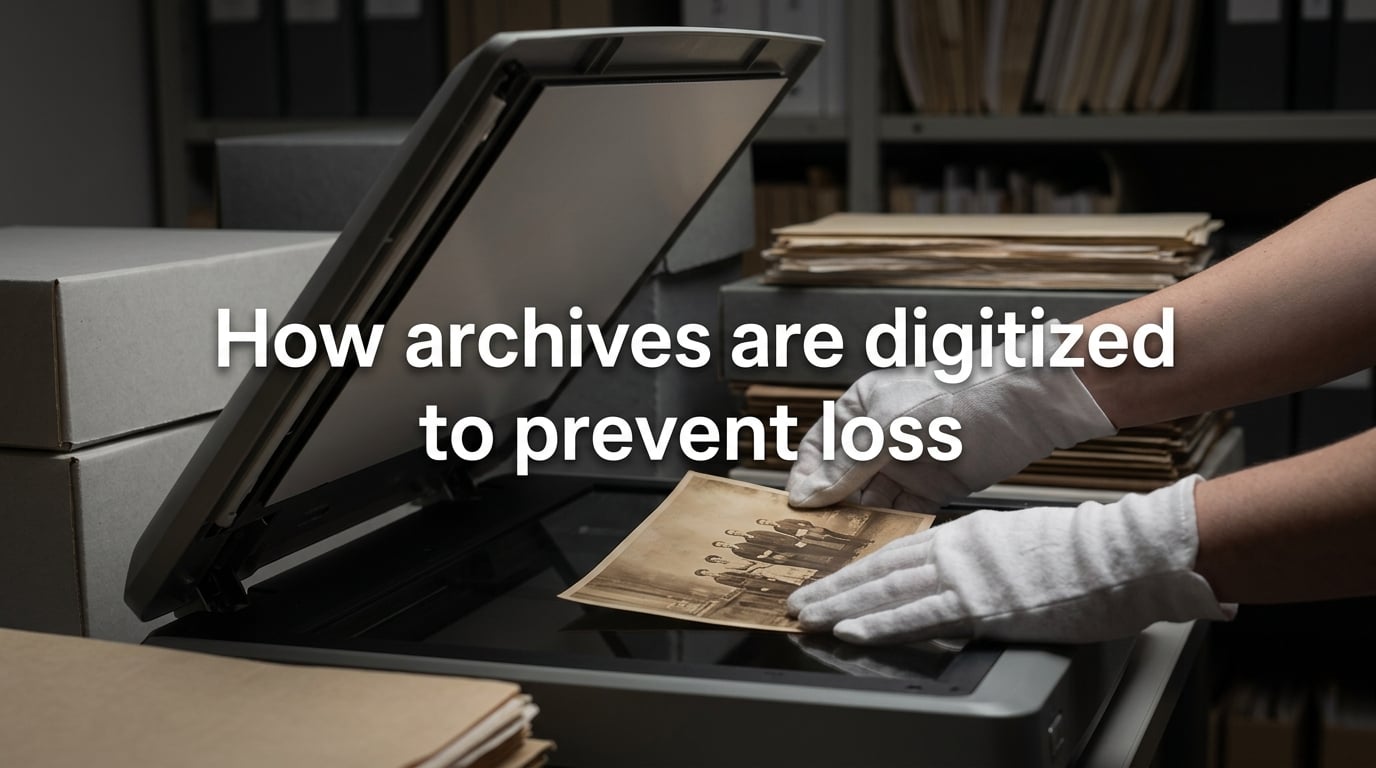
Every year, fires, floods, conflicts, and simple decay destroy archives that took centuries to build. In 2018, Brazil’s National Museum lost an estimated 90% of its 20 million items in a single night. Digitization is the primary defense against this kind of catastrophic loss. This guide explains how archives are digitized to prevent loss, covering the full process from planning and scanning through to long-term storage and backup.
Whether you manage a national collection, a university archive, or a box of family photographs, the principles are the same. The goal is not just to create digital copies but to build a system where those copies survive for decades and remain accessible to future generations.
Table of Contents
What Is Digitization in Archives?
Digitization in archives is the process of converting physical records — paper documents, photographs, film, audio recordings, and microfilm — into digital files. These digital copies can then be stored, searched, backed up, and accessed without further handling the originals, which reduces wear and protects fragile materials from accidental damage.
The practice gained urgency in the late 20th century as archivists realized that physical collections face inevitable deterioration. Paper yellows and crumbles. Film becomes brittle. Magnetic tape degrades. A single fire or flood can wipe out irreplaceable records in minutes.
Digitization does not replace the original item. It creates a surrogate copy — a digital stand-in that preserves the content even if the physical artifact is lost. When done correctly, a digitized archive can survive the destruction of its source material and continue serving researchers, communities, and the public.
The scope of what gets digitized varies by institution. National archives may prioritize government records and historical documents. Libraries may focus on rare books and manuscripts. Museums may digitize photographs, maps, and oral histories. Family historians may scan letters, photographs, and certificates. The methods differ, but the underlying process follows the same logic.
Digitization vs. Digital Preservation: Understanding the Difference
Many people use these terms interchangeably, but they describe different activities. Understanding the distinction is critical for anyone planning a preservation project.
Digitization is the act of converting a physical item into a digital file. It is a one-time capture event. You scan a photograph, record an audio transfer, or photograph a manuscript page. The output is a digital file.
Digital preservation is the ongoing work of maintaining those digital files over time. It includes backup, format migration, fixity checking, and ensuring continued access as technology changes. Digitization creates the file. Digital preservation keeps it alive.
A common mistake is assuming that once something is digitized, the preservation problem is solved. It is not. A digital file stored on a single hard drive with no backups is just as vulnerable as the original paper document sitting in a flood-prone basement. Digital preservation requires sustained effort, planning, and resources.
What Threatens Physical and Digital Archives
Understanding what can destroy archives helps explain why digitization matters. The threats fall into two categories: those that affect physical originals and those that affect digital copies.
Threats to Physical Archives
Fire is the most destructive single threat. The 2018 fire at Brazil’s National Museum destroyed 20 million artifacts. The 1966 Florence flood damaged priceless manuscripts. The 2023 conflict in Ukraine put thousands of archives at risk of shelling and occupation.
Water damage from flooding, burst pipes, or firefighting efforts can ruin paper records within hours. Even controlled humidity environments fail during extended power outages. Biological threats including mold, insects, and rodents attack organic materials constantly.
Physical decay is inevitable. Paper becomes brittle. Photographs fade. Magnetic tape loses signal. Microfilm deteriorates. Without intervention, every physical archive is slowly destroying itself.
Threats to Digital Archives
Digital files face their own hazards. Storage media fails. Hard drives crash. Optical discs degrade. Cloud providers go out of business or change their terms of service.
Format obsolescence is a creeping threat. Files saved in proprietary formats may become unreadable when the software that created them is discontinued. Floppy disks, Zip drives, and even early CD-ROMs are now difficult to access without specialized equipment.
Cyberattacks including ransomware can encrypt entire collections, making them inaccessible. Bit rot — the gradual degradation of data on storage media — corrupts files silently over time if fixity checks are not performed regularly.
How Archives Are Digitized to Prevent Loss: The 7-Step Process
This is the core workflow that professional archives follow. Each step builds on the previous one, and skipping any step increases the risk of creating digital files that are incomplete, inaccessible, or unreliable.
Step 1: Selection and Prioritization
Most archives cannot digitize everything at once. Selection involves identifying which materials are most at risk, most requested, or most valuable. Fragile items, unique records with no backup copies, and materials in high demand typically get priority.
Archivists assess the condition of physical items, the availability of metadata, and the potential research or public access value. A prioritization framework prevents wasted effort on materials that are stable and well-protected while neglecting those in immediate danger.
Step 2: Condition Assessment and Preparation
Before scanning, each item needs a physical assessment. Torn pages may need repair. Brittle documents may require careful handling protocols. Photographs stuck together need separation with appropriate solvents. Audio tapes may need baking to temporarily restore playability.
This step is labor-intensive but essential. Damaging a fragile original during scanning defeats the purpose of digitization for preservation. Proper preparation also improves scan quality, reducing the need for rescanning.
Step 3: Capture (Scanning or Transfer)
The actual digitization happens here. The method depends on the material type. Paper documents and photographs go through flatbed or overhead scanners. Film and negatives require specialized transparency scanners. Audio and video tapes need playback equipment connected to digital capture devices.
Resolution and file format choices made at this stage affect the file’s long-term viability. Preservation-grade scans typically use uncompressed or losslessly compressed formats at high resolution. The goal is to capture as much detail as possible, even beyond current needs, because rescanning may not be possible later.
Step 4: Optical Character Recognition and Metadata
Scanned images of text documents are just pictures of words — they cannot be searched or copied. Optical character recognition (OCR) software converts these images into searchable text. While OCR is not perfect, especially with handwriting, degraded type, or non-Latin scripts, it dramatically improves access.
Metadata — descriptive information about each file — is attached during or after capture. This includes the item’s title, date, creator, physical description, and any relevant subject terms. Metadata makes digital collections discoverable and usable. Without it, a digital archive is just a pile of image files with no context.
Step 5: Quality Control
Every digitized file needs review. Scanning errors, missing pages, incorrect color calibration, and OCR mistakes are common. Quality control staff compare digital files against the originals, checking for completeness, accuracy, and technical quality.
This step catches problems before the originals are returned to storage. Rescanning a document that has already been refiled in a deep storage facility is expensive and time-consuming. Thorough quality control at the point of capture saves significant effort later.
Step 6: Storage and Backup
Once files pass quality control, they must be stored securely with multiple backup copies. This is where the 3-2-1 backup rule applies, which I will cover in detail in the next section. The storage infrastructure must support long-term access and regular integrity checks.
Step 7: Ongoing Monitoring and Migration
Digital preservation is not a one-time event. File integrity must be verified regularly through fixity checks — comparisons of file checksums to detect corruption. Storage media must be replaced before it fails. File formats may need migration to current standards as older formats become obsolete.
Archives that skip this step eventually discover that their carefully digitized files have become unreadable. Monitoring is the ongoing commitment that separates digitization from true digital preservation.
Digitization Methods and When to Use Each
Different materials require different capture equipment. Choosing the right method affects both quality and efficiency.
Flatbed scanners work well for bound documents, photographs, and other flat materials up to tabloid size. They offer consistent lighting and high resolution. Most office and library digitization uses flatbed scanners as the primary tool.
Overhead book scanners capture bound volumes without opening them flat, which protects the spine. They use a V-shaped cradle and cameras mounted above each page. This is the standard for rare book digitization.
Bulk-feed scanners handle large volumes of loose, uniform documents quickly. They are not suitable for fragile or irregularly sized materials but can process thousands of pages per day for modern records digitization.
DSLR camera setups offer flexibility for oversized materials like maps, blueprints, and posters. They can also photograph three-dimensional objects. Resolution depends on the camera and lens configuration.
Film and slide scanners are specialized devices for photographic negatives, transparencies, and motion picture film. They illuminate the material from behind and capture at very high resolution to extract maximum detail from small originals.
Audio and video transfer equipment connects legacy playback machines (reel-to-reel, cassette, VHS, Betacam) to digital capture devices. This process is real-time — a 60-minute tape takes at least 60 minutes to transfer — which makes it particularly labor-intensive.
Backup and Redundancy Strategies
The single most important principle in digital preservation is redundancy. A digital file that exists in only one location is not preserved — it is waiting to be lost.
The 3-2-1 Backup Rule
The 3-2-1 rule is the industry standard for backup strategy. It states:
Keep at least 3 copies of your data. Store them on at least 2 different types of media (for example, a hard drive and optical disc, or a local server and cloud storage). Keep at least 1 copy offsite, geographically separated from the others.
This rule protects against the most common failure scenarios. A hard drive crash destroys one copy, but the other two survive. A building fire destroys local copies, but the offsite copy remains. A cloud provider shuts down, but local copies are intact.
For large institutional archives, the 3-2-1 rule is often extended to 3-2-2 or beyond, with multiple offsite copies in different geographic regions and different cloud providers to reduce dependency on any single vendor.
Geographic Distribution
Storing backup copies in the same building as the originals provides minimal protection against fire, flood, or other building-wide disasters. Real-world examples demonstrate the risk: when the Norwich archive burned in 1994, all materials in that building were lost. If digitized copies had been stored only on local servers in the same facility, the digital surrogates would have burned too.
Geographic distribution means placing backup copies far enough away that a single regional event — earthquake, hurricane, conflict — cannot reach all copies simultaneously. Cloud storage simplifies this, but archives should verify where their cloud provider physically stores data and whether that location introduces its own risks.
Storage Infrastructure and Long-Term Integrity
Storage choices affect how long digital files survive and how easily they can be accessed. There is no single best solution — most archives use a combination of approaches.
Storage Options
Local network storage (NAS or SAN) provides fast access for daily operations. It is the primary working copy for most archives. However, local storage is vulnerable to the same building-level threats as the physical originals.
Cloud storage offers geographic separation and scalability. Providers like AWS, Azure, and Google Cloud replicate data across multiple data centers automatically. The trade-off is ongoing subscription costs and dependency on the provider’s long-term viability.
Offsite tape storage remains a cost-effective option for large volumes of data that do not need frequent access. LTO magnetic tape has a rated lifespan of 30 years or more when stored properly. Many national archives use tape as their deep-storage medium.
Optical disc archives (M-DISC, Blu-ray) offer another long-term option with rated lifespans exceeding 100 years under ideal conditions. They are slower to access than hard drives but resistant to magnetic fields and many environmental hazards.
Fixity and Checksums
Fixity is the assurance that a file has not changed since it was last verified. The primary tool for fixity checking is the cryptographic checksum — a mathematical fingerprint of the file’s contents. If even a single bit changes, the checksum changes, alerting archivists to corruption.
Common checksum algorithms include MD5, SHA-1, and SHA-256. Archives generate checksums when files are first ingested and verify them at regular intervals. Any file that fails a fixity check is replaced from a backup copy before the corruption spreads further.
File Format Selection
The choice of file format affects long-term accessibility. Open, well-documented formats are preferred over proprietary ones. For images, TIFF is the archival standard — it is uncompressed, widely supported, and has been stable for decades. PDF/A is the archival variant of PDF for text documents.
For audio, WAVE (uncompressed) and FLAC (losslessly compressed) are standard. For video, lossless or near-lossless codecs in open containers are preferred. The key principle is that the format should be readable without dependence on any single vendor’s software.
Format migration — converting files from obsolete formats to current ones — is an ongoing preservation activity. Archives monitor format risk and plan migrations before their current formats become unreadable.
Real-World Archives Lost and Saved
History provides both cautionary tales and proof that digitization works. These cases show what happens when archives are — and are not — protected.
Brazil’s National Museum (2018)
On September 2, 2018, a fire destroyed most of Brazil’s National Museum in Rio de Janeiro. The collection of 20 million items included the oldest human fossil found in the Americas, Egyptian mummies, and indigenous artifacts with no duplicates anywhere in the world. Estimates suggest 90% of the collection was lost.
Some materials had been partially digitized by researchers for their own projects, but there was no comprehensive digitization program. The fire demonstrated that physical collections without digital surrogates are permanently vulnerable. In the aftermath, the museum launched an emergency digitization effort to preserve whatever survived.
Norwich Archive Fire (1994)
A fire at the Norwich Central Library in England destroyed the Norfolk Record Office’s collection — over 100,000 volumes spanning 800 years of local history. The loss included medieval charters, parish records, and estate papers that documented centuries of community life.
Unlike the Brazil fire, Norwich had no digital preservation technology available at the time. Today, many of the surviving fragments are being digitized by other institutions that hold copies or related materials. The fire accelerated awareness in the UK archive community about the need for offsite backup and digitization.
Ukraine Cultural Heritage (2022–Present)
Since the beginning of the conflict in Ukraine, volunteers and institutions have been racing to digitize archives, libraries, and cultural collections in at-risk areas. Organizations have backed up over 50 TB of cultural data, including manuscripts, photographs, and audio recordings.
This effort demonstrates both the urgency and the feasibility of emergency digitization. Community-led preservation projects, supported by international partners, have created digital surrogates for collections that might otherwise have been destroyed by shelling or occupation.
Florence Flood (1966)
The Arno River flood of November 1966 damaged or destroyed millions of books, manuscripts, and artworks in Florence’s libraries and archives. The Biblioteca Nazionale Centrale lost hundreds of thousands of volumes. Mud, oil, and sewage contaminated materials that had survived for centuries.
The international response to the Florence flood — involving volunteers from around the world — launched the modern conservation and preservation movement. While digital technology was decades away, the disaster established the principle that cultural heritage requires proactive international cooperation to protect.
Toy Story 2 (Near-Loss)
Though not a traditional archive, the near-loss of Toy Story 2’s digital files is widely cited in preservation circles. A server error and corrupted backups nearly deleted the entire film during production. The backup system that was supposed to protect the data had itself been failing silently for weeks. Only a copy that an employee had on a home computer saved the project.
This case illustrates the importance of verifying backups — not just creating them. A backup that has not been tested is not a backup. It is a hope.
Why Archivists Can’t Digitize Everything
A common question is why archives do not simply digitize all their holdings. The answer involves practical constraints that every preservation project must navigate.
Cost. Professional-grade digitization is expensive. Scanning a single page at preservation quality can cost several dollars when you include preparation, capture, metadata creation, quality control, and storage. For a collection of millions of items, the cost reaches tens of millions of dollars. Most archives operate on budgets that do not cover this scale of work.
Time. Even with dedicated staff and equipment, digitization is slow. A single operator may process 50 to 200 pages per day depending on the material’s condition and complexity. Audio and video transfer happens in real time. A large collection may take decades to digitize completely.
Physical limitations. Some materials are too fragile to scan safely. Bound volumes with tight spines, crumbling parchment, and deteriorating nitrate film require specialized handling that slows the process further. Some items may need conservation treatment before they can be digitized at all.
Copyright and access restrictions. Not everything in an archive can be freely digitized and shared. Copyright restrictions, donor agreements, and privacy concerns limit what can be made publicly accessible. Some materials can be digitized for preservation purposes but cannot be published online.
This is why prioritization frameworks matter. The question is not whether to digitize everything, but how to allocate limited resources to protect the materials most at risk of permanent loss.
Frequently Asked Questions
What is digitization in archives?
Digitization in archives is the process of converting physical records — paper documents, photographs, film, audio, and microfilm — into digital files. These digital copies preserve the content of the originals without further handling, protecting fragile materials from wear and enabling backup, search, and remote access.
Why don’t archivists digitize everything?
Cost, time, physical limitations, and copyright restrictions prevent complete digitization. Professional scanning can cost several dollars per page, audio and video transfer happens in real time, and some materials are too fragile to scan safely. Archives prioritize the most at-risk and most-requested materials first.
What is the 3-2-1 rule for digital preservation?
The 3-2-1 rule means keeping at least 3 copies of your data, stored on at least 2 different types of media, with at least 1 copy kept offsite in a geographically separate location. This protects against hardware failure, building-level disasters, and regional events.
Are archivists being replaced by AI?
No. AI assists with tasks like OCR, metadata generation, and pattern recognition, but archivists make the judgment calls that require professional expertise — selecting what to preserve, assessing physical condition, applying ethical standards, and interpreting cultural context. AI is a tool that supports archivists, not a replacement.
How archives are digitized to prevent loss in library settings?
Libraries digitize by selecting at-risk materials, scanning with flatbed or overhead book scanners at preservation-grade resolution, running OCR for searchability, attaching metadata, performing quality control, and storing files with redundant backups following the 3-2-1 rule. The process protects fragile originals from handling while creating searchable digital surrogates.
How long do digital archives last?
Digital files last indefinitely if actively preserved — meaning regular integrity checks, format migrations, and media replacements are performed. No storage medium lasts forever without maintenance. Hard drives fail within 5 to 10 years, magnetic tape within 30 years, and optical discs within 50 to 100 years. Active preservation extends the life of digital content beyond any single medium’s lifespan.
Conclusion
Digitization is the most effective strategy available for preventing the permanent loss of archival materials. The process — from selection and scanning through metadata, quality control, and redundant backup — creates digital surrogates that survive when originals are lost to fire, flood, conflict, or decay.
The key principles are straightforward: prioritize at-risk materials, capture at preservation quality, attach thorough metadata, and follow the 3-2-1 backup rule with geographic distribution. These steps do not require unlimited budgets. They require planning and sustained commitment.
Understanding how archives are digitized to prevent loss is not just an institutional concern. Anyone with irreplaceable family photographs, documents, or recordings can apply these principles on a smaller scale. The disasters that have destroyed national collections — from Florence in 1966 to Brazil in 2018 — are reminders that physical materials are always at risk. Digitization before disaster strikes is the only reliable defense.