
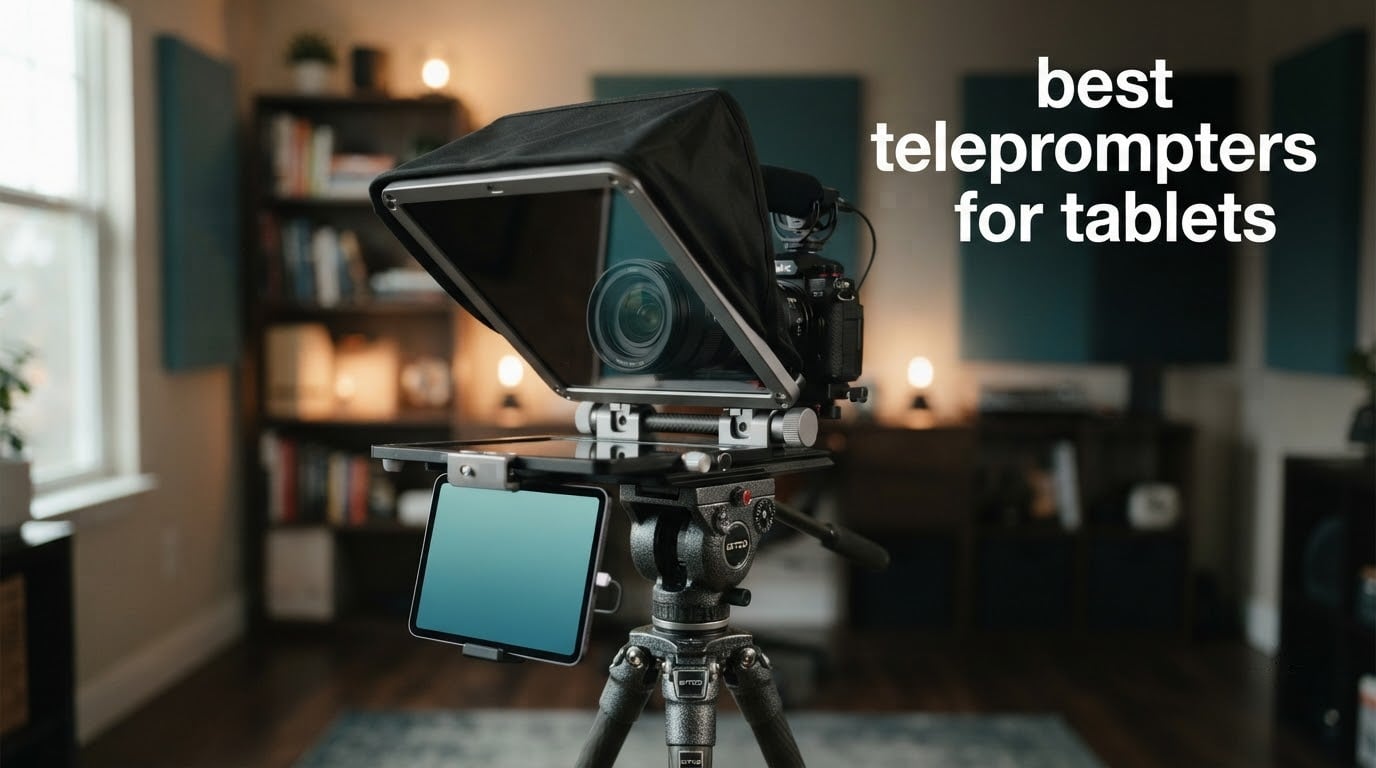
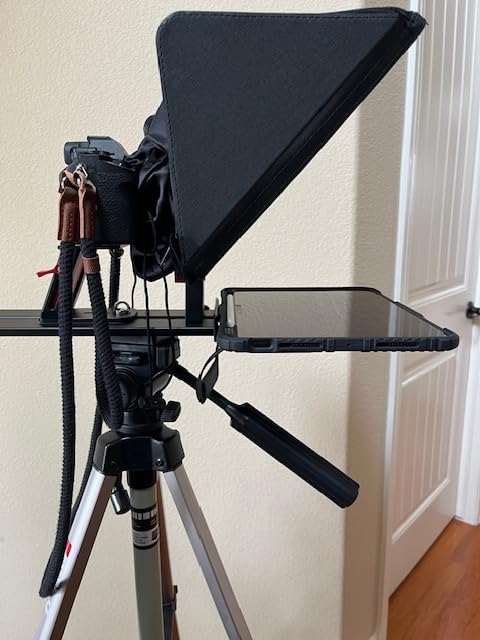
A tablet teleprompter is a rig built around a sheet of coated glass angled in front of your camera lens, with your tablet lying flat underneath it. You read the mirrored reflection of your script while the lens looks straight through the glass and records nothing but your face. That is the whole trick, and it is the difference between a presenter who looks at the camera and one who looks just past it.
Yes, you can use your tablet as a teleprompter. Three things have to line up: your prompting app needs a mirror mode so the text flips horizontally, the screen needs to be bright enough to punch through the glass, and you need a hood or flag over the top or you will fight glare for the whole take. Every rig below covers those three, so the buying decision comes down to one question: will your exact tablet physically fit?
That is where most roundups go wrong. A 12-inch prompter body with a device bay that stops at 8.6 inches is not a 12-inch prompter for most people. We read every spec listing and every review theme in the group, then ranked the ten best teleprompters for tablets on three tablet-specific criteria: cradle width against your device, whether the camera genuinely sits behind the glass, and how far back you can read before the text turns to mush.
One more thing before the picks. Beam splitter glass is not free optically, and users on r/videography report losing around 1.5 stops through some rigs. Open your aperture, raise ISO or drop a neutral density filter, and check it before a client call rather than at the shoot. Last updated September 2026.
Table of Contents
Our Top 3 Tablet Teleprompters (September 2026)

NEEWER Basics X12B
- No-assembly fold-flat aluminum
- 75% transmittance coated glass
- RT113 Bluetooth remote
- Readable to 10ft

iLight PRO 12 inch
- 4mm 60/40 beam splitter glass
- Tilt-to-frame angle adjustment
- Remote and app included
- 1.7 kg
Glide Gear TMP 750
- 17 inch glass readable to 15ft
- 15mm rail system
- Fits iPad Pro 12.9
- Hard case included
All 10 Tablet Teleprompters Compared in 2026
| Product | Specifications | Action |
|---|---|---|
|
NEEWER Basics X12B
|
|
Check Latest Price |
|
iLight PRO 12 inch Autocue
|
|
Check Latest Price |
|
Glide Gear TMP 750
|
|
Check Latest Price |
 SMALLRIG 3646 Teleprompter
|
|
Check Latest Price |
 Desview P13 13 inch
|
|
Check Latest Price |
 iLight PRO 14 inch
|
|
Check Latest Price |
 Desview T5
|
|
Check Latest Price |
 LENSGO TC7 9.7 inch
|
|
Check Latest Price |
 Desview T3
|
|
Check Latest Price |
 GVM 12 inch Teleprompter
|
|
Check Latest Price |
How a Tablet Teleprompter Actually Works
Step one is optics. The glass is a beam splitter, coated so it reflects a slice of light back toward your eyes while passing the rest to the camera. Because you are reading a reflection rather than the screen itself, the script has to be mirrored left to right, which is a one-tap setting in any decent prompting app.
Step two is geometry. The glass sits at roughly 45 degrees, the tablet lies flat beneath it, and the camera shoots down through the same glass so the lens axis and your eye line end up on top of each other. That shared axis is what produces eye contact. Rigs that push the camera too far off the glass axis throw off exactly the gaze you paid for the rig to fix.
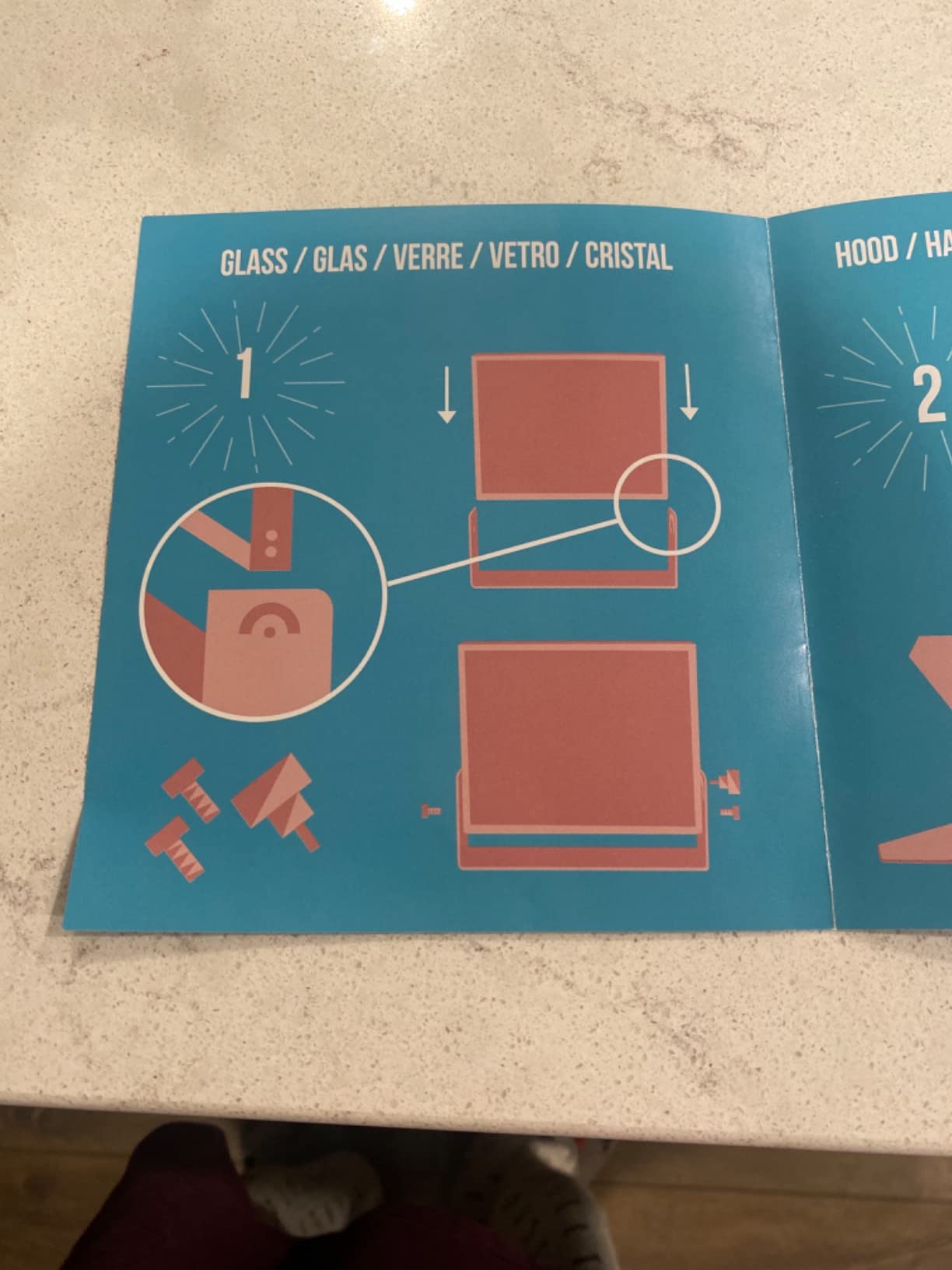
Step three is light control. Glass costs you light, and the coatings differ: 70/30 splits favour a brighter reflection for the reader, while 60/40 passes more to the camera at the cost of dimmer text. The hood or sunhood above the glass is not decoration. It is the part that keeps ambient light from washing out your reflection in daylight, and a black flag or cinefoil does the same job on a rig that ships without one.
Reading distance is set by glass size, not tablet size. A bigger pane means bigger reflected text and more room to stand back, which matters if you present three metres from the camera or need to see the next line without fixating. Buyers on r/videography describe the practical ceiling of small glass clearly: roughly 10 feet for a 12-inch pane, 15 feet for the 17-inch models.
1. NEEWER Basics X12B – The Best All-Round Tablet Teleprompter
NEEWER Basics X12B Aluminum Alloy Teleprompter 12″ for Tablet DSLR Camera
12 inch glass
75% transmittance coating
Folds to 12x12x2 inches
0.25 kg
Pros
- No-assembly fold-flat aluminum alloy design
- 72% of reviews are five-star
- Coated glass keeps text readable to 10ft
- RT113 Bluetooth remote plus NEEWER Teleprompter App
- Folds flat into the included carry case
Cons
- Not a monitor
- so no on-screen self-view during recording
- RT113 remote needs AAA batteries that are not included
- Reading distance tops out around 10ft
The Basics X12B is the rig we keep coming back to. It opens flat with no assembly, which matters more than it sounds when you are setting up in a car park between takes, and at 0.25 kg it is the one we would actually carry up a hill. The 12-inch glass with a 75% transmittance coating gave us a reflection that stayed readable in a bright room without maxing the tablet.
Control is straightforward: the RT113 Bluetooth remote handles scroll and playback, and the NEEWER Teleprompter App does mirror mode, font sizing and speed. Pairing worked the first time on both an iPad and an Android tablet, and the adjustable hood plus liftable platform kept the lens centred without fiddling.
What you give up is the monitor function. This is a prompter only, so there is no self-view feed on the glass while recording, which means you need a second screen or a second phone to check framing. Reviewers also point out that the listing is not intended for phone shooting even though smartphones appear in the compatible devices list.
The other real limit is reading distance. Text stays comfortable to about 10 feet, so if you present from further back than that, or you want to deliver a long corporate script at a relaxed pace, you are better served by a 17-inch pane. Within three metres, though, it is hard to argue with.
Who this rig suits
Solo creators, teachers and video podcasters filming a single camera at close range who want something that assembles in seconds and disappears into a backpack. If your tablet is a standard iPad or iPad Air sized device, the fit is straightforward and the cradle holds without fuss.
It is also the safest first rig. The review profile is deep, the five-star share is the strongest in the group, and the failure modes are documented rather than mysterious.
Who should skip it
Skip it if you need on-screen self-view while recording, if you present beyond 10 feet, or if your only camera is a phone. For phone work the cradle geometry fights you, and for long-range delivery the text gets small fast.
2. iLight PRO 12 Inch – Best Value Tablet Teleprompter
TELEPROMPTER PAD iLight PRO 12″ Autocue teleprompter iPad Tablet – Kit teleprompter for Video with Remote Control, APP & Carry Bag, Beam Splitter Prompter DSLR, iPhone, APP for Apple Android Mac Win
4mm 60/40 glass
Fits up to 20 x 26 cm
1.7 kg
1 year warranty
Pros
- Professional HD 60/40 beam splitter glass at 4mm thick
- Tilt-to-frame angle adjustment
- Collapsible aluminum construction
- Remote and multi-language app included
- Works with DSLR and camcorder bodies
Cons
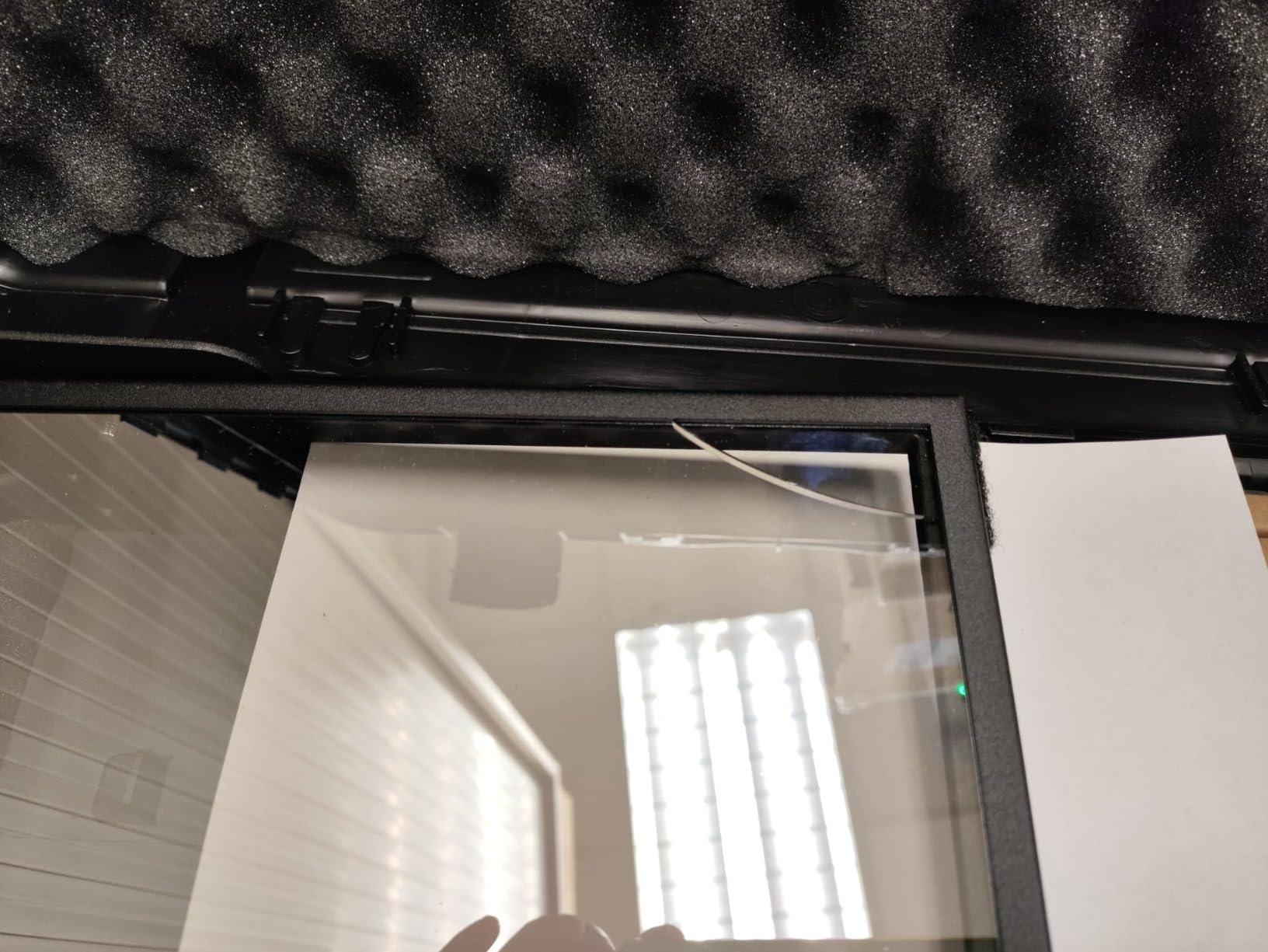
- Glass can crack if dropped or bumped in transit
- Folding frame can rest metal on the glass
- Hood zippers reported as cheap and fiddly
- Soft case is thin for frequent travel
With more than a thousand reviews behind it, the iLight PRO 12 is the most battle-tested rig here and the one that answers the r/videography complaint that generic tablet prompters feel disposable. The 4mm 60/40 glass is thicker than most of the field and the reflection stays sharp even when you push the tablet brightness down.
The tilt-to-frame system is genuinely clever. Instead of loosening a knob and repositioning, you tilt the whole glass frame until your face sits where you want it in the reflection, then lock it. On a one-person shoot that saves the minute of fiddling you always lose at the start of a take.
Compatibility covers iPad 10, 10.2, Air 10.5, Pro 11 and mini, plus phones, and any handheld camera body on a video or photo tripod. The app and remote work across Apple, Android, Mac and Windows, which is unusual at this level and means the same kit serves a desktop-based presenter and a mobile one.
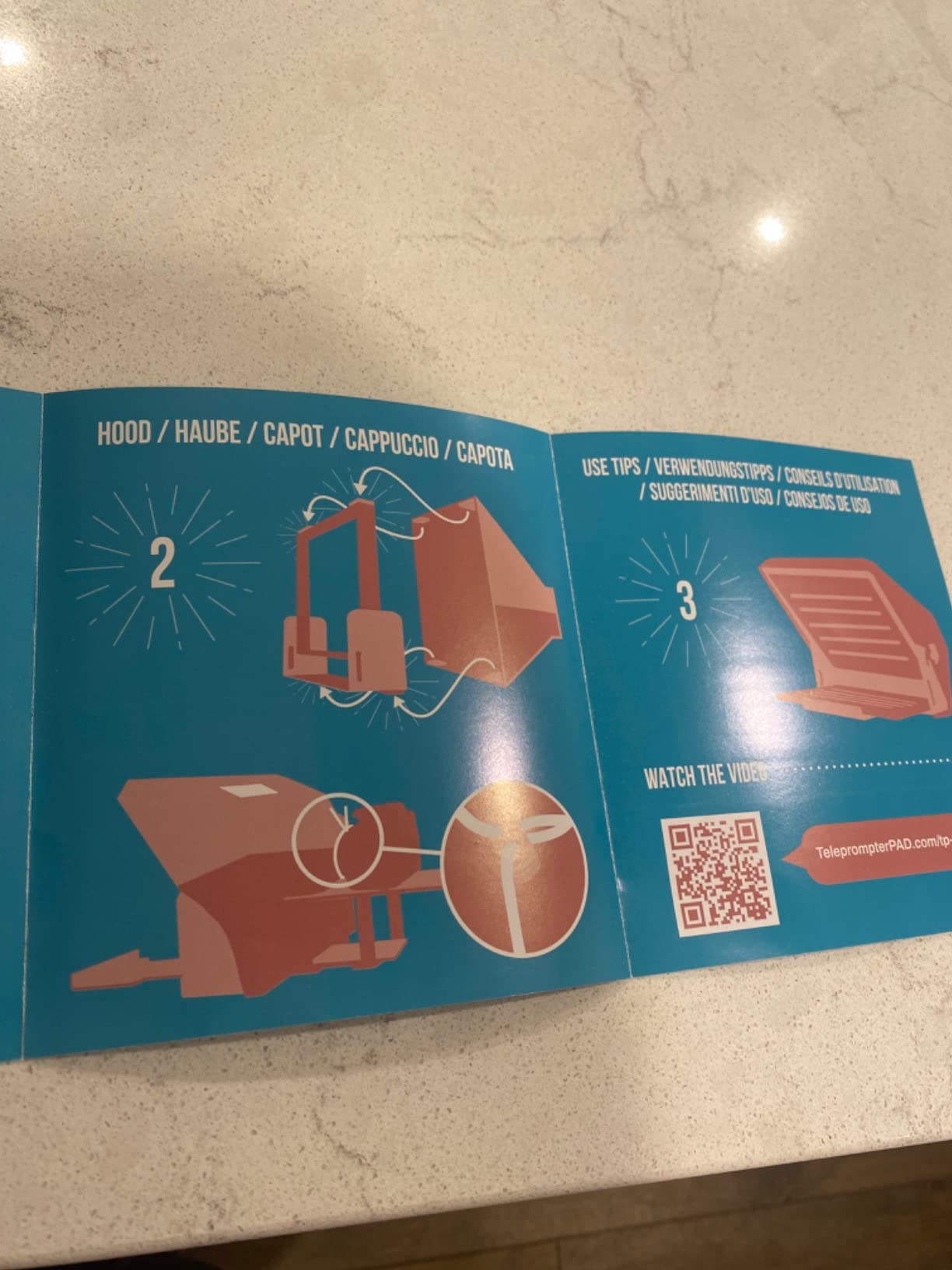
The honest weakness is the transport story. The glass is the fragile part of any prompter, and this one folds, which means a metal part can come to rest against the glass in the bag. The included soft case does not solve that. If you shoot on the road, treat the fold with care or add a rigid insert.
Who this rig suits
Anyone who wants one kit to cover phone, tablet and camera work, and who shoots in more than one place. The multi-platform app and remote mean one habit transfers between an iPad at the office and a Windows laptop at home.
It is also the value anchor of the roundup: the glass specification here would cost more than several complete kits elsewhere on this list.
Who should skip it
Skip it if you are rough with gear and expect to throw it in a car unprotected, or if you need the largest tablet sizes. The stated fit is up to 20 by 26 centimetres, which covers 11-inch-class devices but not the biggest prosumer slabs.
3. Glide Gear TMP 750 – Best for Long-Range Reading
Glide Gear TMP 750 Teleprompter – All Camera & Smartphones, Tablets – 17″ Glass, Hard Case, No Assembly
17 inch class glass
Readable to 15ft
15mm rail system
8 pounds
Pros
- Largest glass in the group
- readable to 15 feet
- 15mm rail system accepts standard cheese plates
- Fits an iPad Pro 12.9 or a field monitor
- Collapsible with hard case included
Cons
- Hard case latches are weak for travel
- Adjustable glass has no retaining stop
- Single camera knob has little thread engagement
- 8 lb is heavy for a desk setup
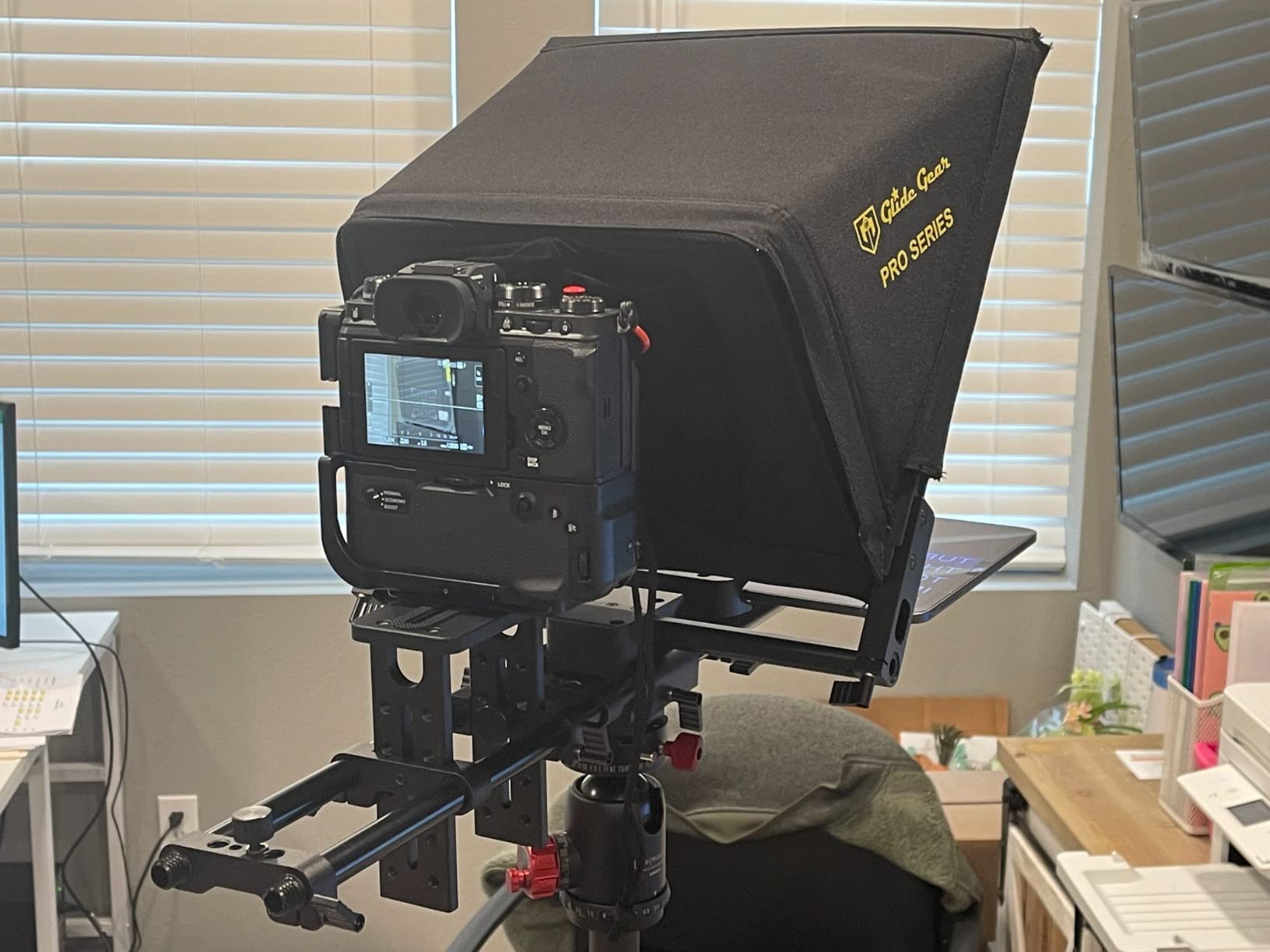
The TMP 750 is the only rig here that solves the standing-presenter problem outright. Its 17-inch class glass gives you a reflection you can read from 15 feet away, so a presenter walking two or three metres from the camera can deliver a long script at a natural pace without anchoring their gaze on a small block of text.
It is also the most modular. The 15mm rail system accepts the cheese plates and rail hardware most rigs already use, so the prompter drops into an existing camera cage rather than demanding its own support. That is what separates it from the fold-flat consumer designs.
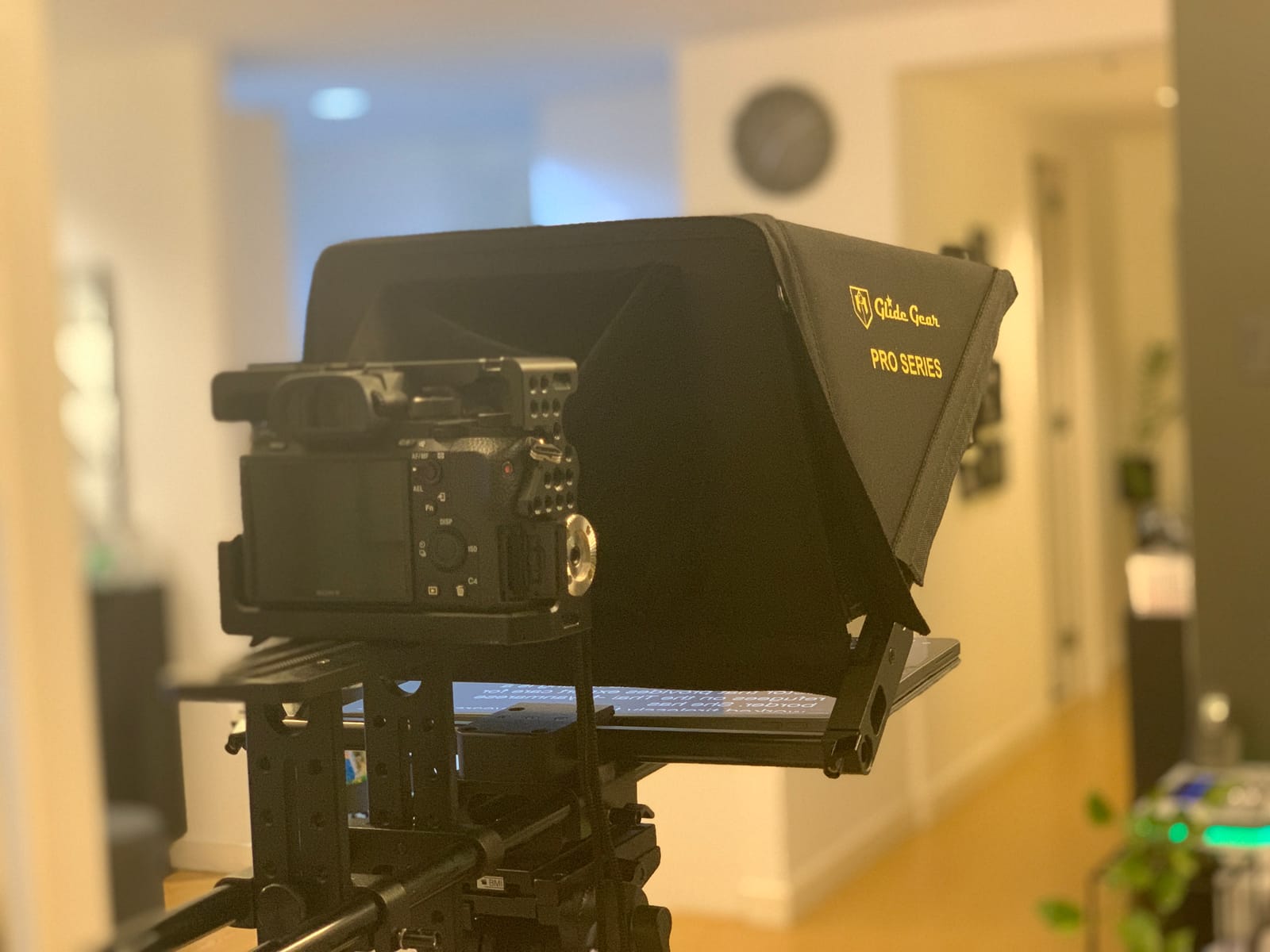
For teaching, corporate and broadcast work, the combination of a large pane, a rigid hood and rails is close to what a rental house would hand you, minus the awkward size. The hard case is included, which is unusual at this level and matters more than it sounds when the rig lives in a van.
The complaints are mostly about the accessories rather than the prompter. The case latches are described as unreliable, the adjustable glass has no positive stop so it can fall onto a device, and the single knurled camera knob engages very little thread. Wide-angle lenses will not work because the tablet sits close to the glass, and the instructions are thin.
Who this rig suits
Presenters who stand well back from the lens, studio and classroom setups, and operators who already own 15mm rail gear and want the prompter to join that ecosystem. It is the pick for a fixed location rather than a location shoot.
At 8 pounds with the case, it is a two-person carry. We would not hand it to a solo run-and-gun shooter.
Who should skip it
Skip it if you shoot handheld, travel light or work with wide lenses. A 17-inch pane and a tablet parked close to the glass is the wrong shape for a 24mm look, and the weight tells you early that it is a studio tool.
4. SMALLRIG 3646 – Best for Mirrorless Camera Rigs
SMALLRIG Teleprompter for iPad Tablet up to 11 inch, NOT for Smartphone
Tablets up to 11 inch
49-95mm lens range
898 g
4 x 5.65 filter tray
Pros
- Widest lens support in the group at 49-95mm
- No vignetting at 22mm or wider
- 15mm rail mount installs in seconds
- Filter adapter doubles as a matte box
- App reads PDF and Word scripts
Cons
- No smartphone support despite the spec listing
- 15mm baseplate sold separately
- Bundled iPad holder less secure than a third-party mount
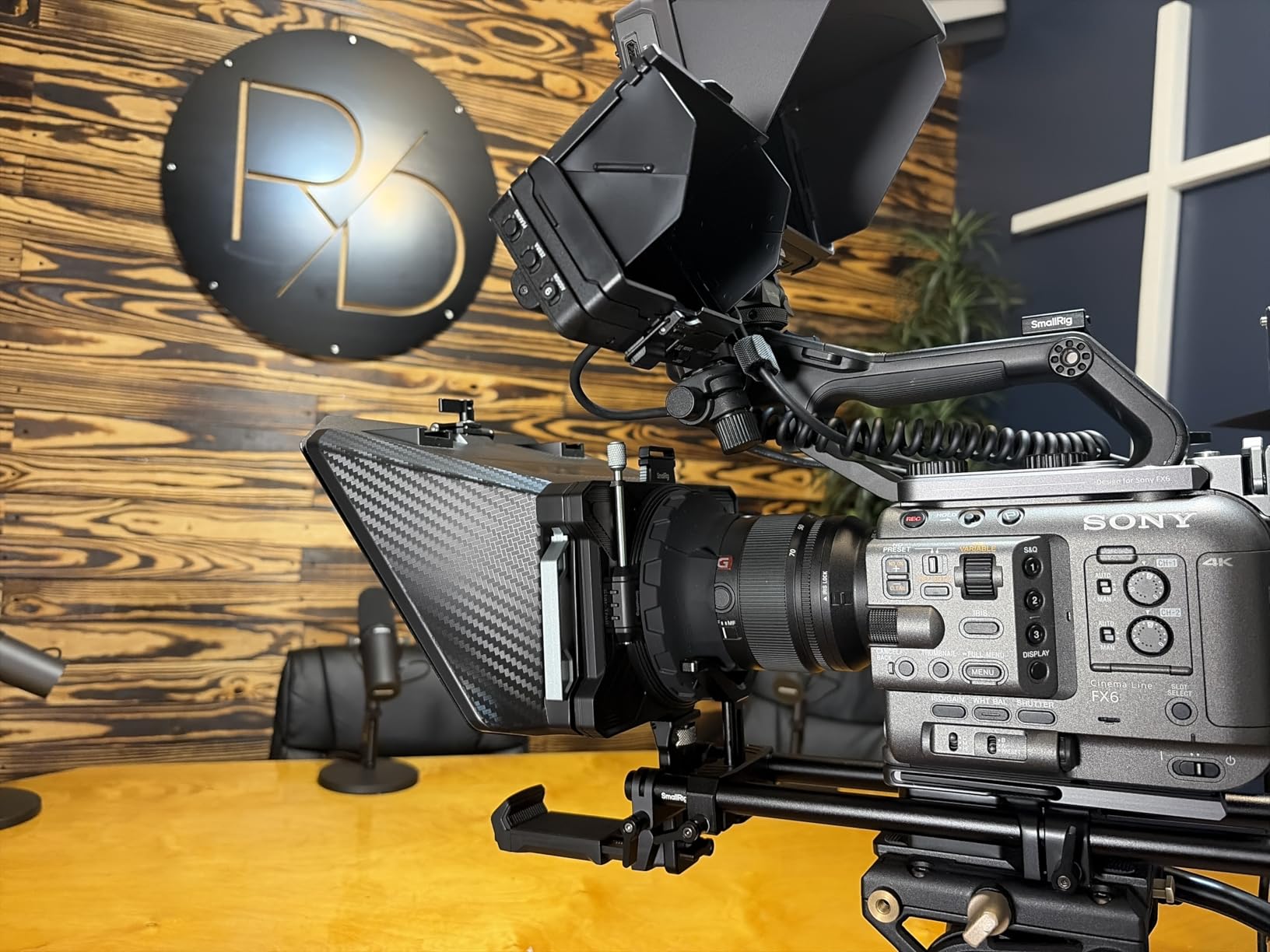
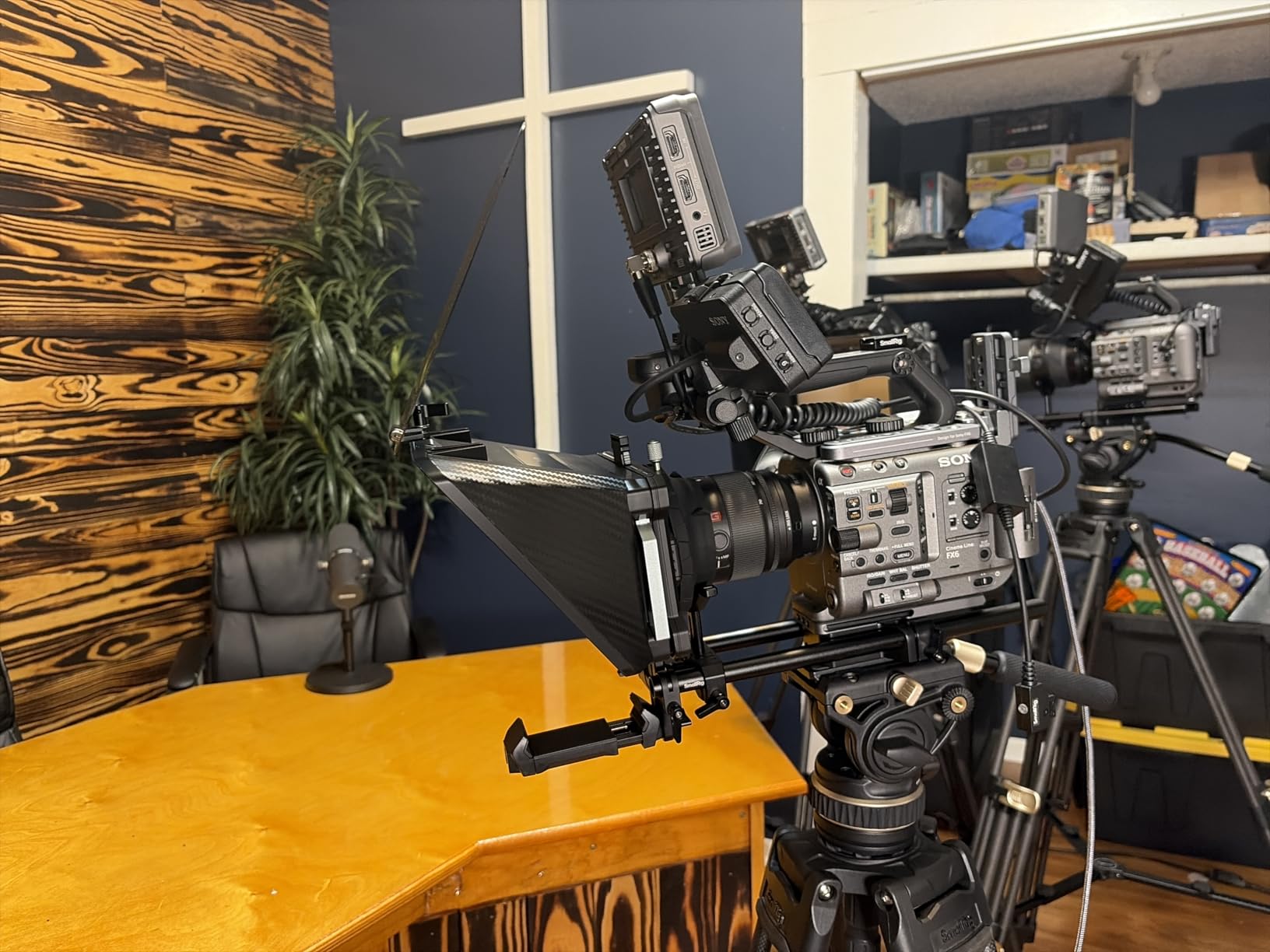
The SMALLRIG 3646 is the most optically generous rig in the group. The silicone lens mount stretches across 49mm to 95mm diameters, which covers an enormous share of mirrorless and cine glass without adapter hunting, and reviewers report clean edges even on anamorphic lenses at 22mm and wider.
It is built for a rig, not a tripod. The rail mount takes seconds to install or remove on a 15mm LWS baseplate, so you can drop the prompter into an existing cage, shoot handheld without it, and put it back. The small filter tray is a quiet bonus that turns the front of the rig into a serviceable matte box.
The app is unusually capable for a prompter. It extracts text from PDFs, images, Word documents and plain text, which removes the reformatting step that ruins most teleprompting sessions. Reading distance is quoted to within 5 metres, a sensible figure for a rig this size.
Two things to plan for. The 15mm baseplate is not included, so budget for it, and some units have arrived without the iPad base plate in the box, so check the contents on delivery. The bundled holder is also considered less secure than a third-party cradle.
Who this rig suits
Mirrorless shooters who already live on 15mm rails, anyone running a small cinema kit, and operators who shoot wide and care more about clean edges than portability. The lens range removes the single most common cause of dark corners in a prompter shot.
It is the pick here for a rig-first workflow where the prompter is one component among many rather than a standalone box.
Who should skip it
Skip it for phone shooting, which this model does not support, and for anyone who wants a grab-and-go tabletop prompter with nothing else to buy. The extra baseplate purchase puts it out of reach as a first rig on a tight budget.
5. Desview P13 – Best for iPad Pro 12.9 Owners
Desview P13 Teleprompter 13 Inch Aluminum Alloy with High Definition Glass, Compatible with iPad Tablet Phone DSLR, Portable No-Assembly Design for Video Recording
13 inch glass
7H hardness 70/30 glass
1.7 kg
Detachable sun hood
Pros
- 13 inch glass with 7H hardness
- Accepts any iPad or tablet up to 13 inch
- Aluminum alloy body with no-assembly setup
- Detachable sun hood and Oxford carry bag
- Bluetooth remote and free app
Cons
- Wide-angle needs 35mm or longer
- Supplied camera mount does not fit phones
- Mounting directly to the lens can affect focus
- Setup instructions are limited
If you own a large iPad, the P13 is the straightforward answer. The 13-inch viewing area takes any tablet up to 13 inches, which removes the single most common fit complaint in this category without pushing you into a 17-inch rig that weighs twice as much.
The 70/30 glass with 7H hardness reads clearly in bright outdoor light, which is the condition that defeats cheaper rigs. The detachable sun hood is a real component rather than a strip of fabric, and the no-assembly aluminum body means you are not reading a diagram at the roadside.
Wide-angle is the compromise. To keep the prompter edges out of frame you want 35mm or longer horizontally or vertically, so ultrawide looks and tight vlogging framings are out of reach. A few users also report focus trouble when mounting directly to the lens and prefer a light stand instead, which is a reasonable habit regardless of model.
The bundled camera mount does not suit phones, so phone shooters need a separate mount. Pairing the Bluetooth remote with an older 10-inch tablet works cleanly, and the Oxford bag included is adequate for a car boot rather than an airline hold.
Who this rig suits
Owners of a 12.9-inch or 13-inch tablet who have already hit the wall with smaller cradles, and outdoor shooters who need a hood and hard glass to hold up in daylight. The size-to-price balance here is the best in the roundup.
It also suits anyone filming at 35mm or longer who wants one rig to cover phone, tablet and camera.
Who should skip it
Skip it for ultrawide work and for phone-only shooting without buying another mount. If your glass is 24mm or shorter, the prompter edges will show and no amount of adjustment hides them.
6. iLight PRO 14 Inch – Best for Hard-Case Travel
TELEPROMPTER PAD iLight PRO 14″ iPad 12.9 Tablet Prompter for Apple Android Windows Mac – Kit with Remote Control Hardcase APP, Large Screen Professional Autocue Multicam Beamsplitter Glass Made in EU
14 inch HD glass
Accepts 12.2 x 9 inch devices
2.9 kg
Hard case included
Pros
- Large 14 inch HD beam splitter glass
- Accepts tablets up to 12.2 by 9 inches including iPad Pro 12.9
- Hard case included unlike most kits in this range
- App and remote work on iOS Android Windows and Mac
- Leak-proof hood with silent Velcro
Cons
- Lowest average rating in the group
- Listing fit details are inconsistent
- Will not take large desktop monitors
- Foot pedal sold separately
This is the 12-inch iLight PRO grown up, and the addition that matters is the hard case. Every other rig in this group asks you to protect the glass with a soft bag or your own judgement, and the glass is the part that breaks. Shipping a 14-inch prompter in a proper case removes the main travel risk entirely.
The optical claim is a 14-inch HD beam splitter with an adjustable angle, and it is a satisfying upgrade over the 12-inch model for anyone who delivers longer passages. The device bay accepts tablets up to 12.2 by 9 inches, so the large iPad Pro fits with room to spare.
The app and remote cover iOS, Android, Windows and Mac, and the improved hood uses silent Velcro so you are not fighting zip noise on a take. It works with DSLRs, webcams and both 1/4-inch and 3/8-inch tripod threads, which covers most webcam-based streaming setups.
It is the lowest-rated product we tested here, at 4.0 from over two hundred reviews, with about 9% one-star feedback. The recurring gripes are inconsistent fit details in the listing, no bundled foot pedal, and no support for large desktop monitors. Buy it for the case and the size, not for the rating.
Who this rig suits
Presenters who travel to locations rather than shoot from a desk, and owners of the largest tablets who want room around the device. If you move between sites regularly, the included hard case justifies the step up on its own.
The multi-platform app also makes it a good shared kit for a small team with mixed devices.
Who should skip it
Skip it if your tablet is a large desktop monitor rather than a tablet, if you need a foot pedal and refuse to buy one, or if the lowest rating in the group makes you uneasy. At 2.9 kg it is not a one-bag solution either.
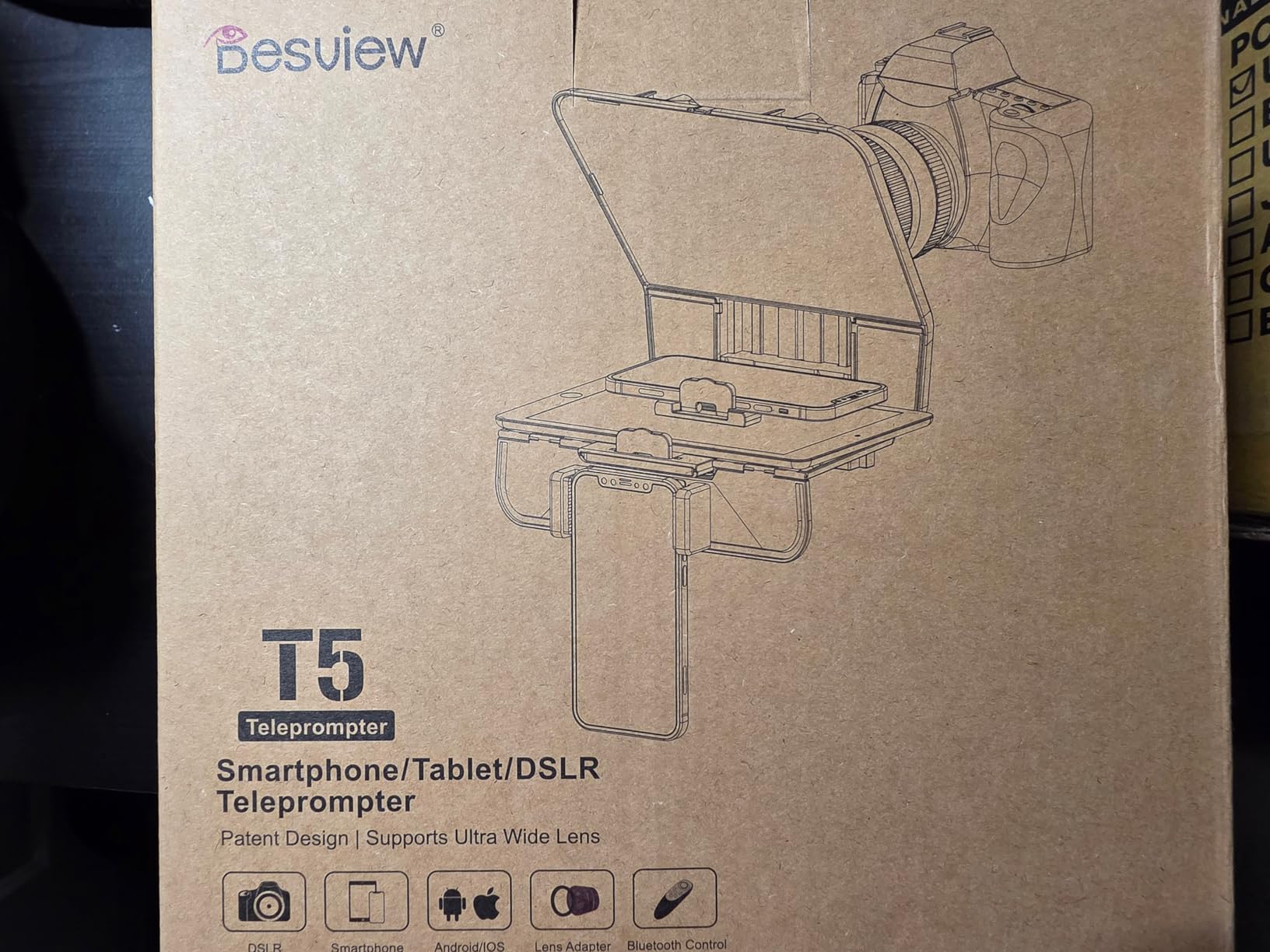
7. Desview T5 – Best All-In-One Kit
Desview T5 Teleprompter for Smartphone & Tablet, Video Recording | Compatible with DSLR Cameras. Includes 49-82mm Adapter Rings, Coated Glass, Bluetooth Remote, Free App for Streaming
Phones and tablets under 11 inch
49-82mm adapter rings
0.52 kg
Foam cushion and light seal
Pros
- One kit covers phones tablets and DSLRs
- Free app imports txt and docx scripts
- Remote with auto-sleep after idle periods
- Foam cushion and light-seal foam cut glare
- Self-check mode previews the shot
Cons
- Phone holder blocks buttons on recent iPhone Pro models
- Phone hood is very shallow
- App layout can sit outside the viewing area on some tablets
- Adapter rings do not cover every lens
The T5 is the most complete box on the list. It takes phones, tablets under 11 inches and DSLRs, and it includes nine adapter rings from 49mm to 82mm plus a device holder, so the only thing you have to solve separately is your support.
The free app is the strongest in the group for script handling. It imports txt and docx files and lets you change font, colour, background, mirror state, rotation and a countdown timer, which covers most production workflows without a subscription.
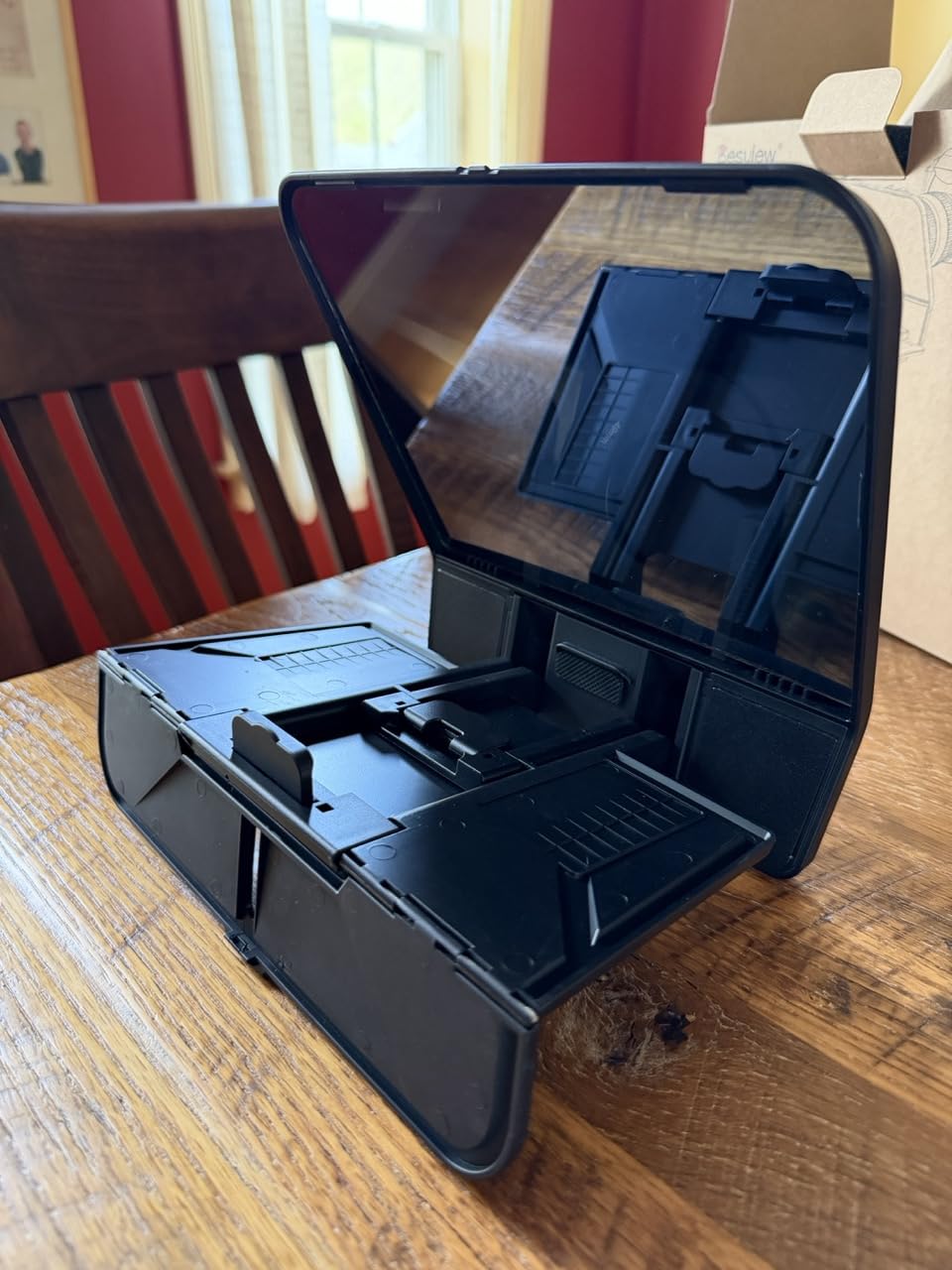
Two details reward attention. Foam cushioning and a light seal genuinely cut stray light and reflections, which is the cheapest glare fix available. The self-check mode also lets a second phone preview the frame, a practical stand-in for a monitor on a budget kit.
The version-specific complaints are real. The phone holder interferes with side buttons on recent iPhone Pro models, the phone hood is very shallow, and on some tablets the app layout falls partly outside the prompter viewing area so you need to set side margins. Not every lens diameter is covered by the ring set.
Who this rig suits
Creators who move between phone, tablet and camera work and want one box rather than three. It is also a strong pick for anyone who records scripts in Word or plain text and wants the formatting controls without paying for a subscription.
At 0.52 kg it is easy to carry, and the light-seal foam makes it a good choice for interior shoots with uncontrolled lighting.
Who should skip it
Skip it if you film on a recent iPhone Pro and cannot live with the button clash, or if your tablet is 11 inches or larger. The 11-inch ceiling is the hard limit here.
8. LENSGO TC7 – Best for Carry-On Shoots
LENSGO 9.7” Teleprompter for Camera iPad Tablet Smartphone w/Remote Control, APP Compatible with iOS & Android System for Online Teaching Vlogger Live Streaming Interview, Fold in One Sec
9.7 inch glass
450 g
Folds in one second
17mm wide lens support
Pros
- Folds flat in one second and weighs 450 g
- Supports 17mm lenses without vignetting
- Glass locks at 45 degrees for steady reading
- Multiple cold shoes for mic tripod or light
- Remote and eight adapter rings included
Cons
- Device window fits devices under 9.7 inches only
- App can need updating before it works reliably
- Script import is plain TXT only
- Image scripts cannot be resized
The TC7 is the one we would put in a carry-on. It folds flat in about a second and weighs 450 grams, so it genuinely disappears into a bag between shoots rather than becoming another case to check in. The glass locks at 45 degrees, which means the reflection does not drift mid-take.
Wide-angle support down to 17mm is better than most rigs in this roundup, so a phone or compact camera in a tight vlogging setup still avoids vignetting. Multiple cold shoes let you hang a microphone, a light or a small tripod off the frame.
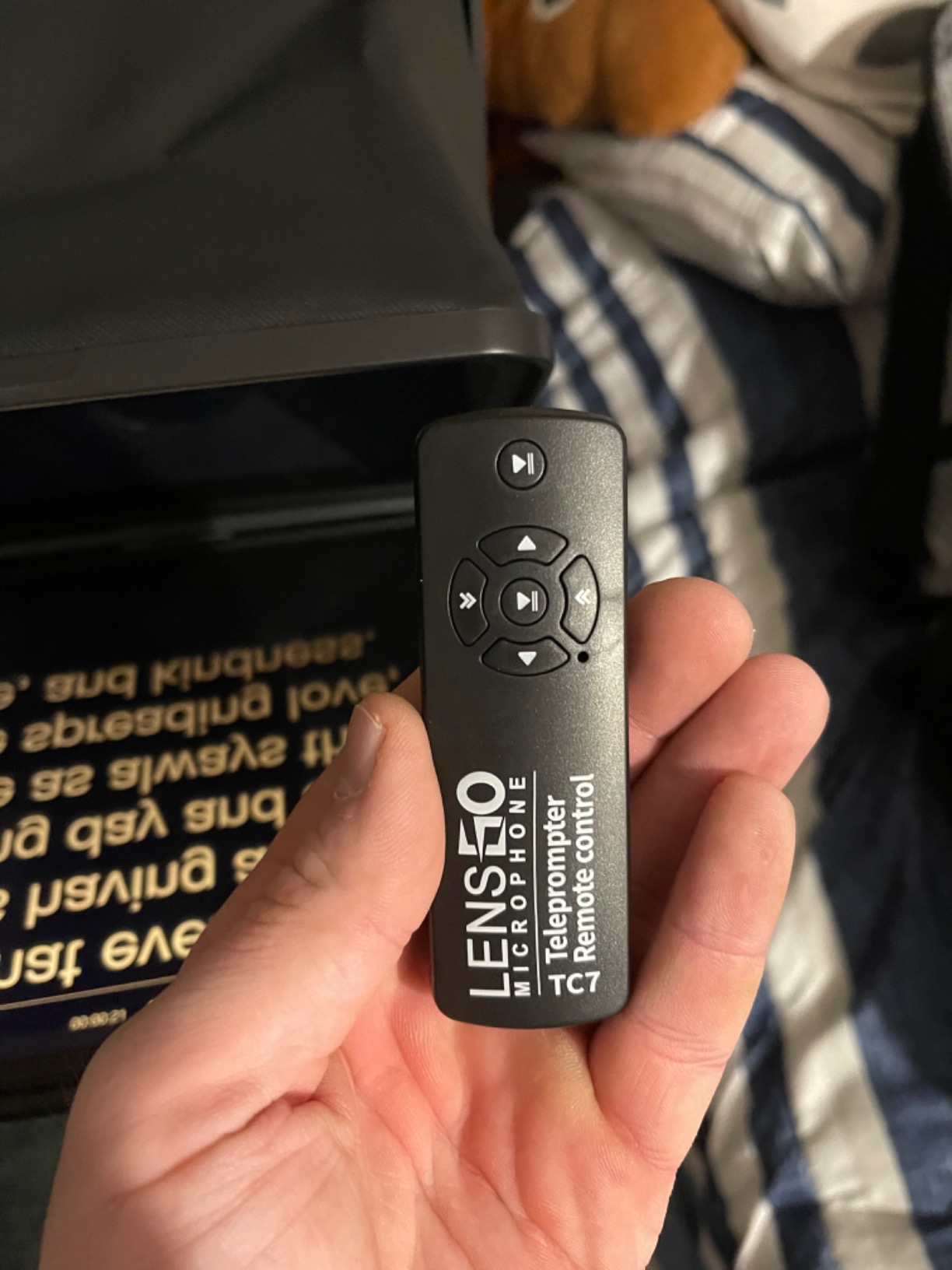
The accessory kit is generous for the size: eight camera lens adapter rings, phone shade rings, a phone clip and a remote all ship in the box. The glass is coated and the 45-degree lock is the mechanical detail that makes it feel considered rather than assembled from parts.
The ceiling is size and software polish. The device window accepts only devices under 9.7 inches, so a 10-inch or larger tablet is out, and owners of larger tablets are pointed at a different model. The free TCQI app occasionally needs an update before it behaves, and script import is plain TXT with no resizing for image-based scripts.
Who this rig suits
Travel shooters, run-and-gun vloggers and anyone filming with a phone or a compact camera who values packing weight over reading size. If your device is under 9.7 inches, this is a genuinely portable tool rather than a compromise.
The 17mm support also makes it a good fit for tight handheld framings where a larger prompter would show its edges.
Who should skip it
Skip it for any tablet of 10 inches or more, and skip it if you build scripts in Word or need image pages. The app workflow is the simplest here, which is a virtue for some and a limit for others.
9. Desview T3 – Budget Pick
Desview T3 Teleprompter for Camera & Smartphone – Supports iPad/Tablet up to 10″ – Beam Splitter Glass with Bluetooth Remote – Wide Angle Support for YouTube, TikTok & Live Streaming
Devices up to 10 inch
70/30 glass at 97% transmittance
2.2 lb
Wide-angle from 24mm
Pros
- Lowest cost full-featured rig in the group
- 26-layer coating delivers up to 97% transmittance
- Wide-angle support from 24mm avoids dark corners
- Nine adapter rings plus a phone clamp
- Free app and Bluetooth remote included
Cons
- Tablet support caps at 10 inch width
- Plastic body needs a screwdriver to disassemble
- Holder locking nut is described as weak
- Shots wider than 24mm can show the frame
Answering the r/videography question of whether cheap tablet prompters can be any good: sometimes. The T3 pairs a 70/30 beam splitter with a 26-layer optical coating rated up to 97% transmittance and 7H hardness, which is glass specification you would expect to pay several times more for. On image quality alone it punches above its tier.
Wide-angle support starts at 24mm, so as long as you stay at that focal length or longer you will not pick up dark corners from the prompter frame. Nine adapter rings from 49mm to 82mm mean most camera bodies mount without a trip to a camera shop.
The free Desview app and Bluetooth remote handle scrolling, play and pause and speed, which is everything most single-camera shoots need. For a first rig, a first podcast or a classroom setup, the feature list is genuinely complete.
The compromises are physical. Tablet support stops at a 10-inch width, so larger iPads do not fit at all, the body is plastic and the device holder unscrews for packing, and the locking nut is described as barely enough to hold a heavier tablet. Reviewers also report a 12% one-star share, higher than the better-built kits here.
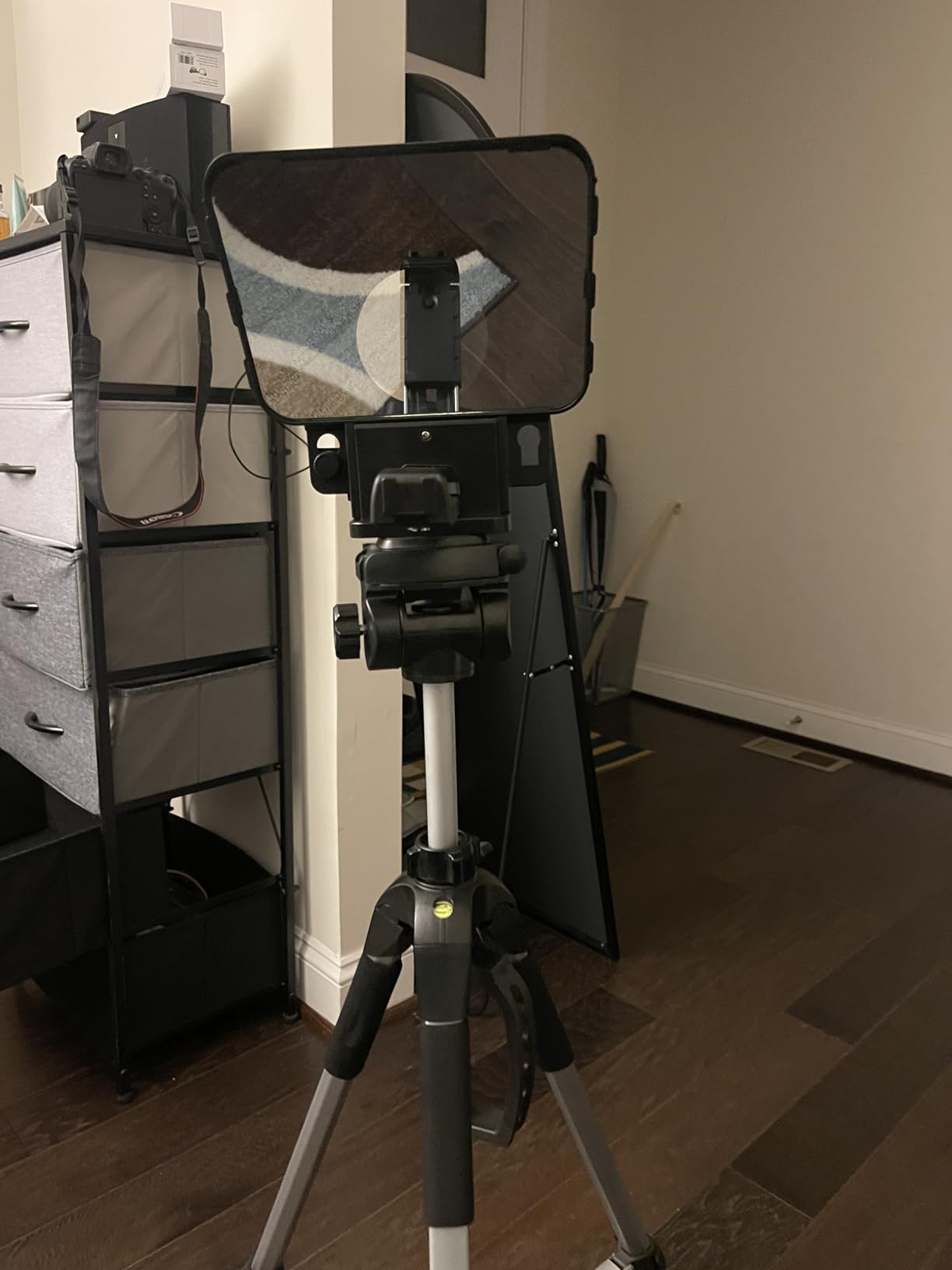
Who this rig suits
First-time buyers, students and anyone setting up a classroom or a small studio who needs a working prompter without a large outlay. The glass quality means the image does not look like the budget it is.
It is also a sensible second rig for a different device, so one shoots phone and tablet without a second purchase.
Who should skip it
Skip it for tablets larger than 10 inches, for travel where the unscrew-to-pack mechanism is a nuisance, and for anyone who needs a rigid metal body that survives a van. The plastic and the weak holder are the reasons to step up rather than sideways.
10. GVM 12 Inch – Best for DSLR Work
GVM 12″ Teleprompter for iPad Tablet Phone DSLR Camera, Collapsible Teleprompter Kit with Installation Free Design, HD Refective Display, APP Remote Control, Carry Case, for Video Recording
12 inch glass
Readable to 15ft
5.68 lb
1/4-20 and 3/8 threads
Pros
- Installation-free collapsible aluminum design
- 12 inch anti-reflective glass readable to 15ft
- Supports 1/4-20 and 3/8 mounting screws
- Bluetooth remote and app on iOS and Android
- Folds into the included carry bag
Cons
- Device bay only fits tablets up to 8.6 inches
- Heavier than comparable 12 inch models
- No tripod head or mounting hardware included
- Warranty and support vary across the range
The GVM is the sturdiest-feeling 12-inch rig in the group, and the spec that makes it interesting is the reading distance. A 12-inch pane readable to 15 feet is unusual, because most kits of this size stop around 10. That matters if you present at a distance or want a generous viewing area for a long script.
It mounts to DSLRs, mirrorless bodies and video recorders through both 1/4-20 and 3/8-inch screws, so the thread you already have will work. The installation-free collapsible aluminium design goes straight onto a tripod with no tools, and the carry bag is included.
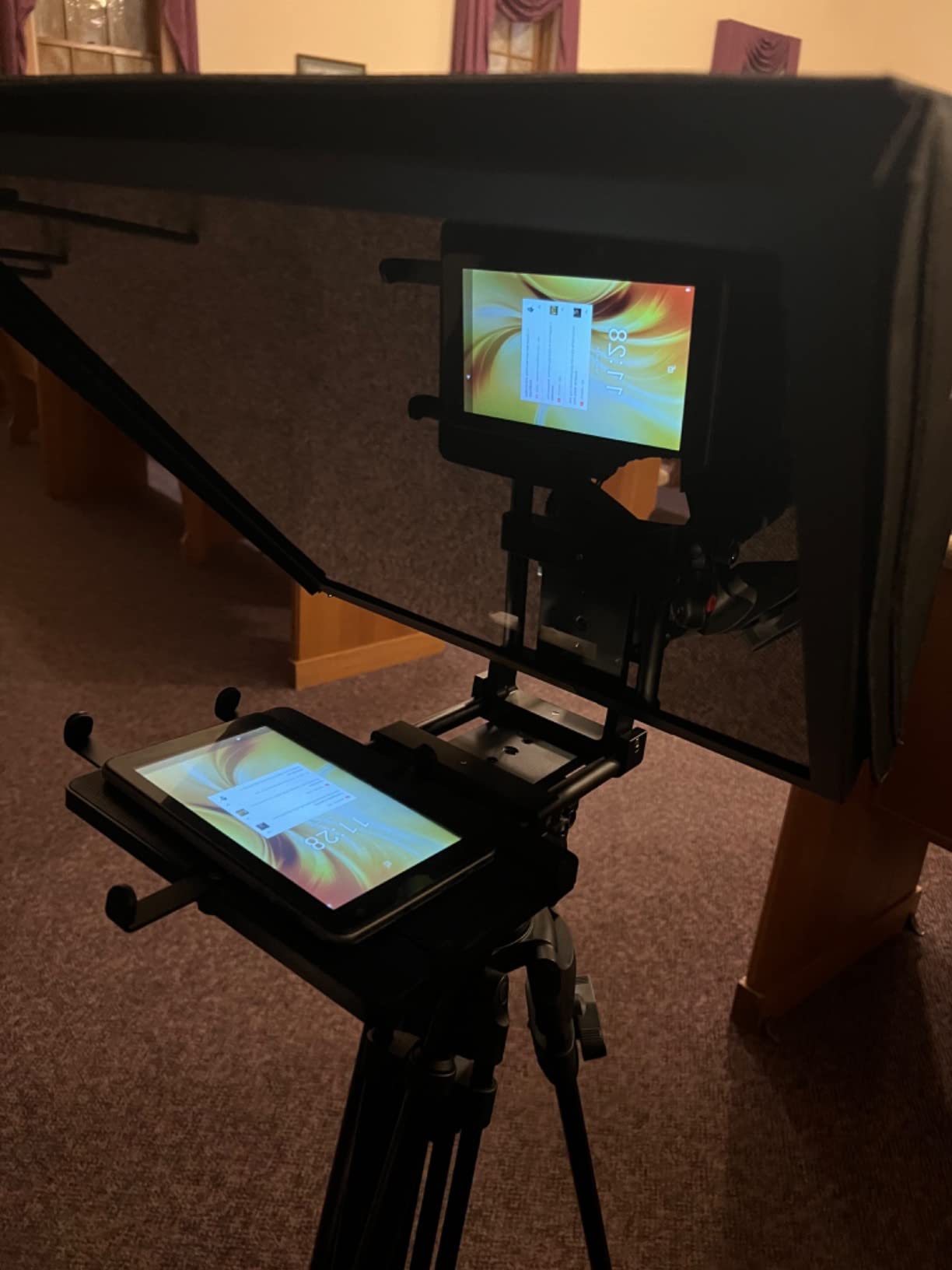
Buyers describe it as strong and built to last, and the anti-reflective coating is the right call for bright rooms. The remote plus GVM Teleprompter App covers play, pause, speed and font size on both iOS and Android, which is everything a single-camera shoot requires.
There is one significant catch, and it is the device bay. It fits phones and tablets up to 8.6 inches, so a larger iPad will not go in despite the 12-inch glass. At 5.68 pounds it is heavy for its size, no mounting hardware or tripod head is included, and support responses vary across the range.
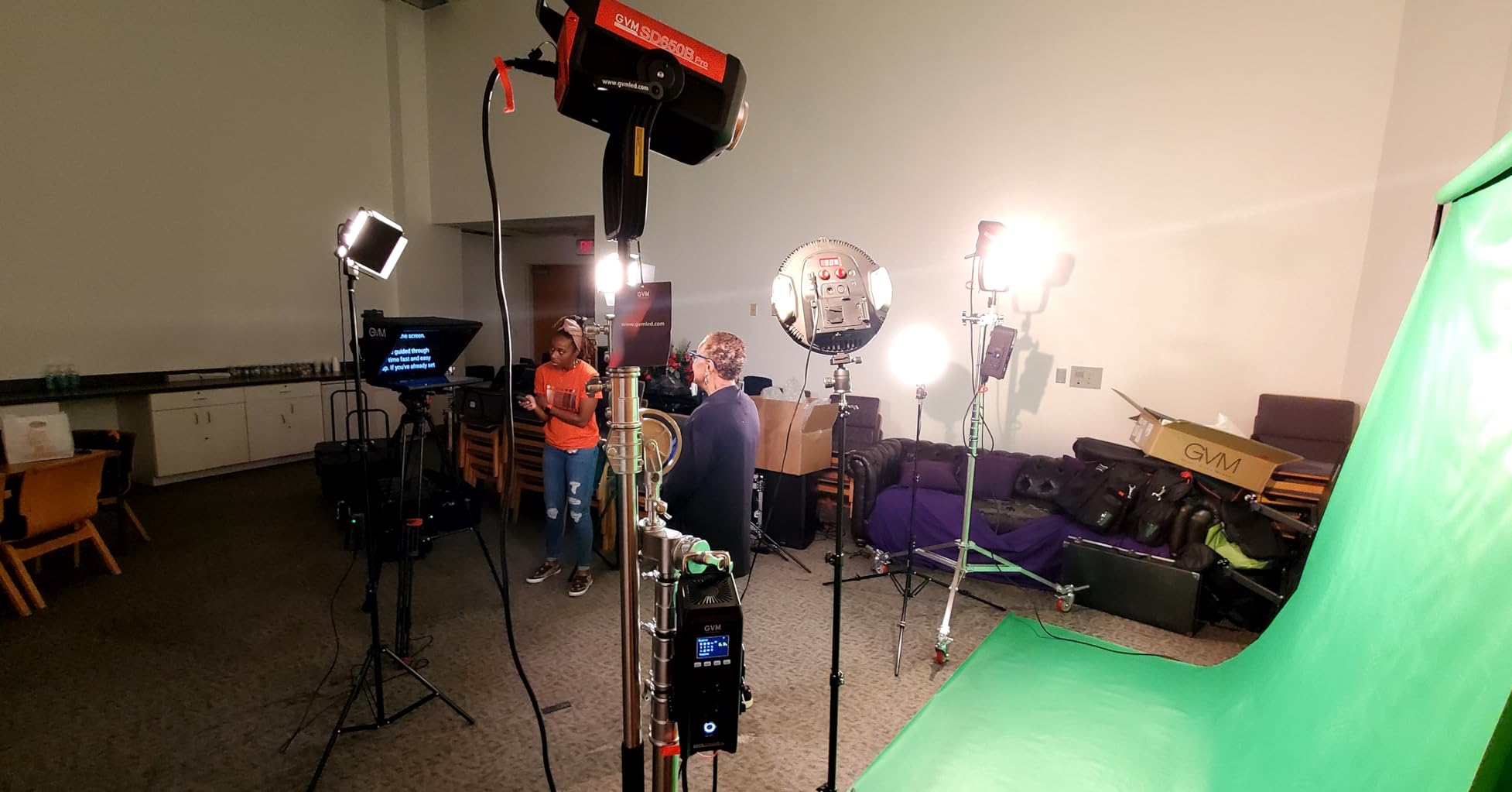
Who this rig suits
DSLR and mirrorless shooters working with a 9 to 10.5-inch tablet who want long reading distance from a compact body. If you already own a tripod and the thread, the missing hardware is a non-issue.
The reading distance makes it a good fit for presenters who stand back from the camera without needing a 17-inch studio pane.
Who should skip it
Skip it if your tablet is larger than 8.6 inches, which rules out most modern prosumer iPads, and skip it if you need a self-contained kit with a tripod head. Check the warranty position before a commercial commitment.
How to Choose a Tablet Teleprompter in 2026
1. Measure your tablet before you measure anything else. Compare the width of the device in inches against the stated device bay limit, not the glass size. A 12-inch rig with a 10-inch bay will not hold an 11-inch tablet, and this is the number one fit complaint we found in the forums. The Glide Gear TMP 750 and iLight PRO 14 inch take the largest tablets; the GVM and LENSGO take the smallest.
2. Check that the camera really sits behind the glass. Look for an adjustable platform and a stated lens diameter range. Rigs with a narrow range force adapter rings, and ultrawide lenses need a prompter with either a very wide mount or a tablet positioned further from the glass, as on the SMALLRIG.
3. Work out your reading distance before you fall for a number. Glass size drives text size, and text size drives how far back you can stand. Roughly 10 feet for a 12-inch pane, 15 feet for the 17-inch class. If you present at two or three metres, the mid-size kits will feel cramped and you should be looking at the 17-inch option.
4. Decide who presses play. Bluetooth remotes ship with most of these kits and handle scroll, play, pause and speed. Voice-activated scrolling and foot-pedal control are the next step up, and some kits here require a foot pedal bought separately. Whichever you pick, your app needs a mirror mode, adjustable font size, a speed control and a scroll that keeps pace with a natural speaking rhythm. Routines like the one repeatedly named in iPad prompter discussions come with a remote and handle mirror mode and speed well.
5. Account for weight and front-heaviness. A prompter puts glass, tablet and camera all in front of your tripod head, which pushes the centre of gravity forward. On a light tripod the head will want to tip, so keep the pan bar counterweighted or move the legs forward. This is the least-covered problem in the category and the one that bites hardest in the field.
For iPad versus Android, the hardware rarely decides it. The Desview, GVM, NEEWER and LENSGO apps all cover both platforms, and mirror mode exists everywhere worth using. What differs is screen brightness and colour, and the practical advice from the forums is to max tablet brightness and carry black fabric or cinefoil for outdoor work.
On light loss, expect to lose roughly 1.5 stops through some rigs. Compensate by opening the aperture, raising ISO or adding a neutral density filter, and test the exposure before you shoot rather than after. A glass that looks fine in the reflection can still underexpose the camera, and the two are not always balanced by the same amount.
Frequently Asked Questions
Can I use my tablet as a teleprompter?
Yes. Your tablet becomes the screen, and a sheet of beam splitter glass angled in front of the lens reflects the script back to you while the camera sees only your face. You need three things: a prompting app with mirror mode, a rig whose device bay fits your tablet, and a hood or flag over the glass to control glare.
What is the best teleprompter for iPad?
The NEEWER Basics X12B is the best all-round iPad teleprompter in this roundup: a fold-flat aluminium body, a 75% transmittance coated 12-inch glass and a Bluetooth remote, with the strongest five-star share in the group. If you own a 12.9-inch iPad Pro, the Desview P13 or iLight PRO 14 inch fits the larger device.
What is the best teleprompter device?
The best device depends on your tablet size and your camera. Small tablets under 9.7 inches suit the LENSGO TC7, standard iPads suit the NEEWER X12B, large 12.9-inch iPad Pro models need the Desview P13 or iLight PRO 14 inch, and presenting more than three metres from the lens calls for the 17-inch Glide Gear TMP 750.
Can my iPad work as a teleprompter?
Yes, and it is the most common setup. Any iPad listed in a rig’s compatible devices will work, and the app handles the mirrored text. Confirm the device bay width first, because most fit complaints come from a tablet exceeding the cradle limit rather than from anything the iPad cannot do.
What is the best teleprompter app for iPad?
Look for mirror mode, adjustable font size, scroll speed control and script import, and check whether the app is a one-time purchase or a subscription. The Desview and NEEWER apps included with the kits above cover import, mirror, font and speed, and users on Reddit frequently hunt for one-time-purchase options rather than subscriptions.
The Verdict
The NEEWER Basics X12B is our pick for the best teleprompters for tablets overall, because it opens flat, weighs a quarter of a kilo and holds a clean reflection to about 10 feet. Buy the Desview P13 or iLight PRO 14 inch if you own a 12.9-inch iPad Pro, and step up to the Glide Gear TMP 750 if you present further back than three metres.
Match the device bay to your tablet before anything else, keep the hood on in daylight, and set your exposure for light the glass takes away. Get those three right and any of these ten will give you real eye contact instead of the looking-just-past-the-lens look. Updated September 2026.