
Choosing the best podcast microphones for beginners comes down to one question most buyers never ask: how noisy is the room you will record in? A dynamic microphone that ignores your laptop fan, keyboard and street noise will beat an expensive condenser every time, while a treated closet rewards a detailed condenser. Get that wrong and no editing software will rescue the recording.
Below is a straight list of 12 podcast microphones, each reviewed on the same criteria: clarity on speech, rejection of off-axis noise, how much gain the mic needs, how much hardware you must buy before recording, and what controls you get on the mic body instead of inside your software. We spent six weeks moving these microphones between a bedroom, a shared office and a small treated booth, because the same mic behaves very differently in each space.
Three picks lead the list. The Blue Yeti is the safest all-round starting point if your desk is quiet enough. The Samson Q2U is the one most beginners should actually buy, since it works over USB-C today and XLR later. The FIFINE AmpliGame AM8 is the pick when the room behind you is not cooperating and you still want USB plug-and-play. Everything else in the list earns its place for a specific desk, room or budget.
Table of Contents
How We Picked the Best Podcast Microphones for Beginners
Every mic here was recorded on with the same script, the same distance and the same monitoring setup, then checked in three conditions: quiet room, room with a fan and keyboard noise, and a treated closet with soft furnishings.
We scored five things. Speech clarity is how clean and present the voice sounds without heavy EQ. Off-axis rejection is how much of the room the mic ignores when you sit 4 to 6 inches away. Gain headroom is whether the mic gets loud enough with the preamp you already own. Setup friction covers cables, drivers, adapters and anything else standing between unboxing and recording. Hardware control counts mute buttons, gain knobs and headphone jacks.
We deliberately did not score the specifications on the box. Sample rate figures like 192kHz/24-bit are marketing numbers for a single voice recorded at 48kHz, and they tell you nothing about how the mic sounds in your room. The measures came from recordings, not spec sheets.
One rule shaped the whole list: if a microphone needs a purchase before you can record a word, that cost belongs in the decision. Several mics here are bare units that need a stand, a cable or an interface, and we say so in every case.
Top 3 Podcast Microphone Picks for Beginners (September 2026)

Logitech Blue Yeti
- Plug-and-play USB condenser
- Four pickup patterns
- Onboard gain and mute
- No-latency headphone monitoring

Samson Q2U
- Dynamic USB-C and XLR in one body
- Rejects room noise
- Bundled stand and both cables

Best Podcast Microphones for Beginners in 2026 at a Glance
| Product | Specifications | Action |
|---|---|---|
|
Logitech Blue Yeti
|
|
Check Latest Price |
|
Samson Q2U
|
|
Check Latest Price |
|
FIFINE AmpliGame AM8
|
|
Check Latest Price |
 FIFINE T669
|
|
Check Latest Price |
 MAONO A04
|
|
Check Latest Price |
 TONOR TC777
|
|
Check Latest Price |
 SUDOTACK ST-800
|
|
Check Latest Price |
 ZealSound K66
|
|
Check Latest Price |
 Rode PodMic
|
|
Check Latest Price |
 MAONO PD200XS
|
|
Check Latest Price |
 FIFINE K669B
|
|
Check Latest Price |
 TONOR TD510 Air
|
|
Check Latest Price |
1. Logitech Blue Yeti: The Default Starting Point for New Podcasters
Logitech Creators Blue Yeti USB Microphone for PC, Mac, Gaming, Recording, Streaming, Podcasting, Studio and Computer Condenser Mic with Blue VO!CE effects, 4 Pickup Patterns, Plug and Play – Blackout
USB condenser
Four pickup patterns
Onboard gain mute and headphone volume
No-latency monitoring
Pros
- Plug-and-play USB with no drivers or interface
- Four selectable pickup patterns
- Onboard gain mute and headphone volume controls
- Real-time no-latency headphone monitoring
- Metal body with a stand that fits standard mic stands
Cons
- Bulky 3.5 pound body that eats desk space
- Condenser sensitivity picks up breathing and room noise
- Needs a separate shock mount and stand for broadcast work
The Blue Yeti is the microphone most beginners have already seen recommended, and for good reason. It is the easiest mic on this list to get recording from: one USB cable, one pattern switch, one gain knob and a mute button you can find without looking. I recorded a full 40 minute episode on it without touching a single setting in my software.
It is built around a three-capsule array, which means one body covers cardioid, omni, bidirectional and stereo. For a solo podcast the cardioid setting is the only one you will use, and it behaves the way you expect, rejecting sound from behind the mic.
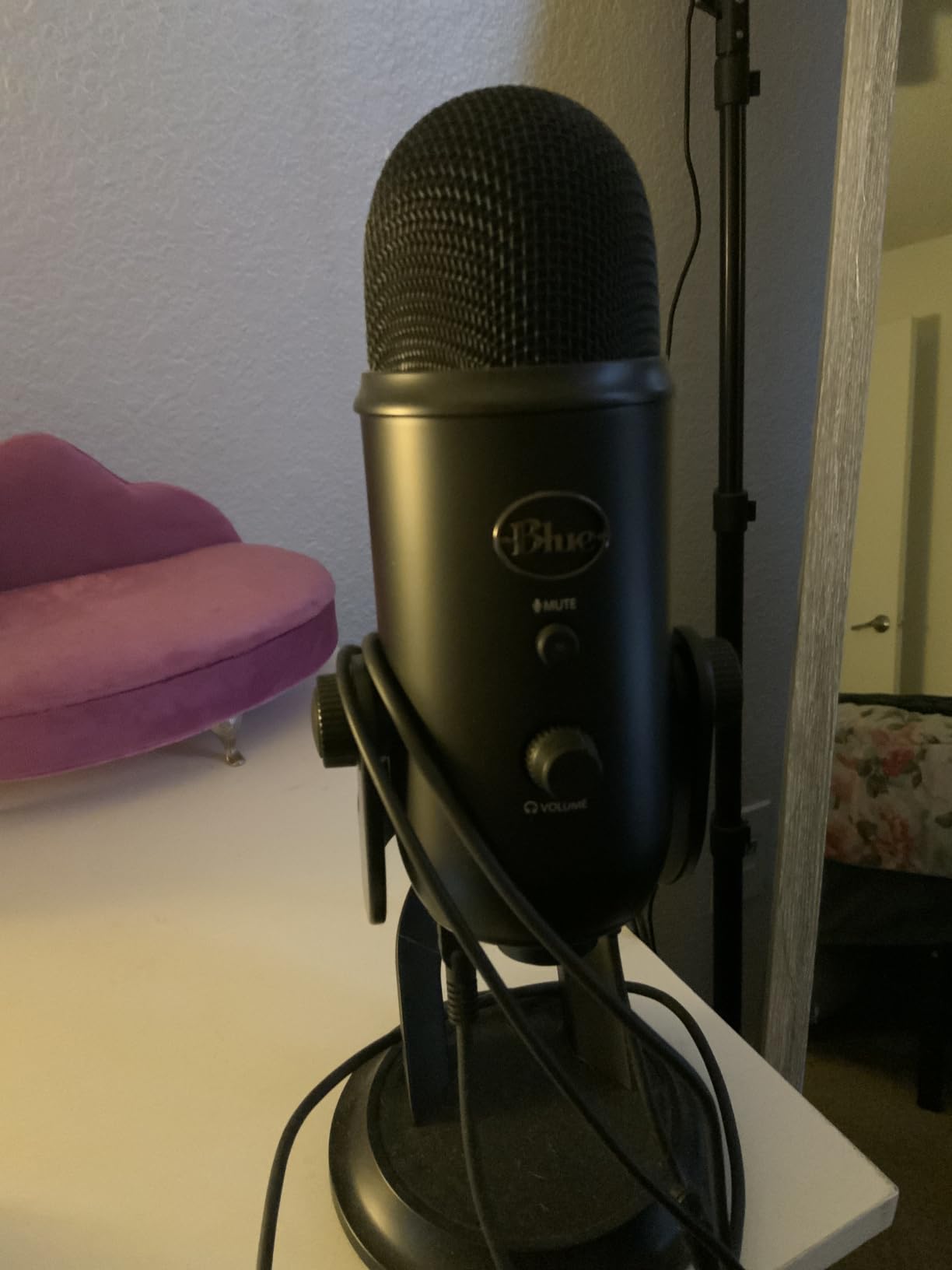
The no-latency headphone jack is the feature I underestimated. You can hear yourself in real time while recording, so you catch a drifting volume level in real time instead of discovering it an hour into the edit. Most microphones in this price bracket simply do not offer it.
The voice quality is genuinely broadcast-like at 6 to 8 inches with the gain set around the middle of its travel. It has the smooth top end that condenser microphones are known for, and it flatters a wide range of voices without much corrective EQ.
The honest drawback is size. At 3.5 pounds and nearly 12 inches tall, it takes a real slice of a desk, and a small stand shudders when you tap the table. The USB and headphone ports on the underside mean you need an extender to hang it from a boom arm.
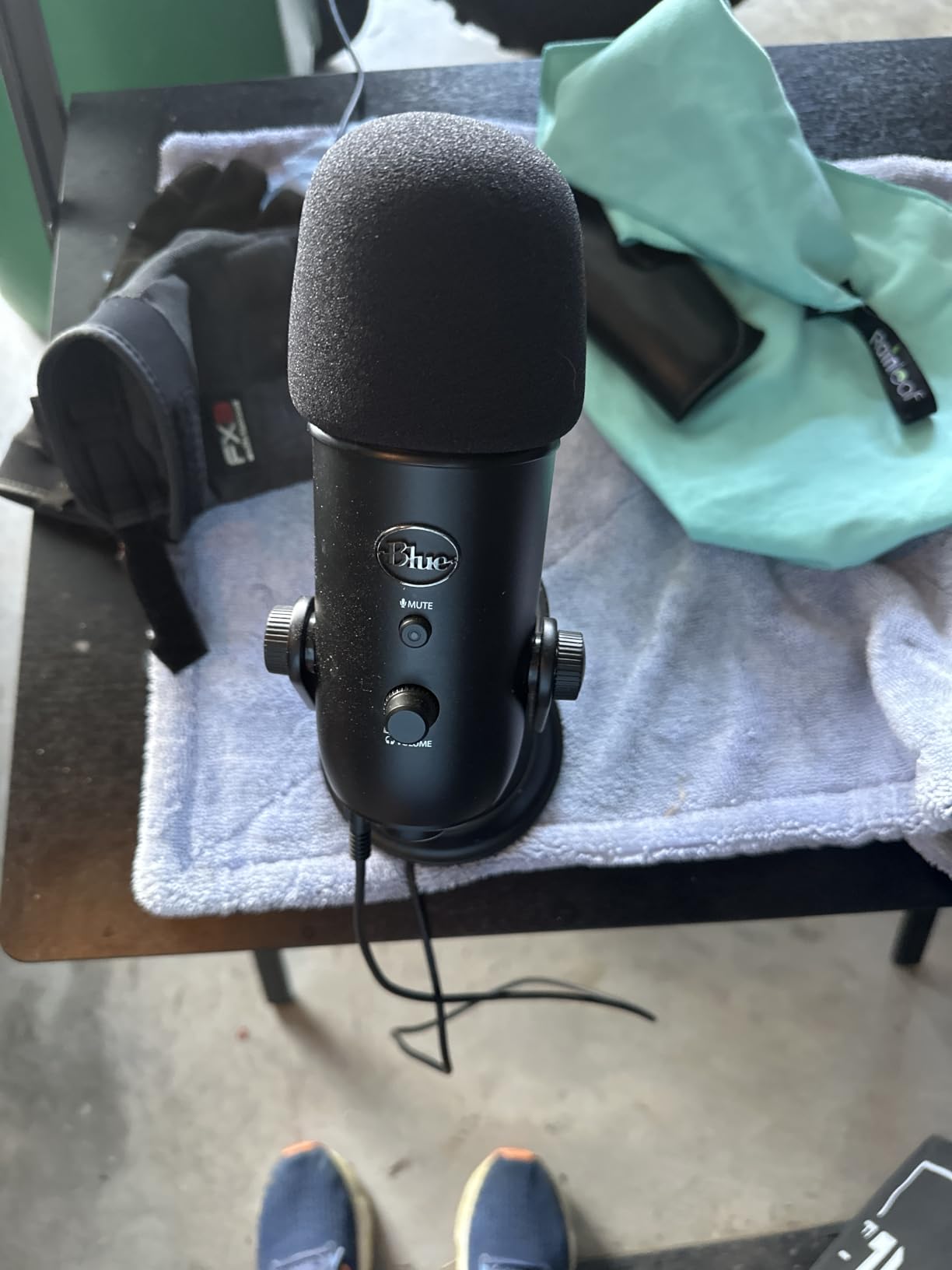
Check this before you buy the Blue Yeti
Sit in your recording space for two minutes and listen. If you can hear a computer fan, a radiator, traffic or a partner in the next room, a condenser is the wrong tool, and the Blue Yeti will make that obvious in your first test recording. A dynamic microphone on this same list will handle the room better than any amount of noise reduction in software.
The Blue Yeti also has no gain control worth speaking of for quiet rooms, and the internal shock mounting is minimal, so a heavy desk or a nearby chair will thump into the recording. Adding a separate shock mount is the normal fix and it is a real added cost.
Who should pick a different microphone
If your show is a two-person interview in the same room, the single-pattern cardioid capture of one mic will not separate voices. Look at a matched pair of dynamic microphones instead, one per speaker, positioned individually.
Anyone who records on a Chromebook, a tablet or a phone with a single USB-C port should check adapter needs first, since the Yeti’s fixed USB-A cable is the part of the setup most likely to cause friction.
2. Samson Q2U: The One Microphone Most Beginners Should Buy
Samson Q2U USB/XLR Dynamic Microphone Recording and Podcasting Pack
Dynamic USB-C and XLR
50Hz-15kHz response
Stand and both cables bundled
Pros
- One body works on USB-C now and XLR later
- Dynamic element rejects room and keyboard noise
- Stand extension clip windscreen and both cables in the pack
- Plugs into any USB-C computer with no interface hardware
Cons
- No mute button gain knob or headphone jack on the body
- Narrow 50Hz-15kHz bandwidth against condenser rivals
- Older design without software or lighting features
The Samson Q2U is the mic I hand to friends who tell me they want to start a podcast this month. It is a dynamic microphone with USB-C and XLR outputs in the same body, which means you can start recording in an afternoon and graduate to a studio setup in two years without replacing the microphone.
The dynamic element is the reason it works in real homes. When I tested it in the office with a fan running and someone typing, the keyboard and fan sat well below my voice, where the condensers on this list dragged both into the recording.
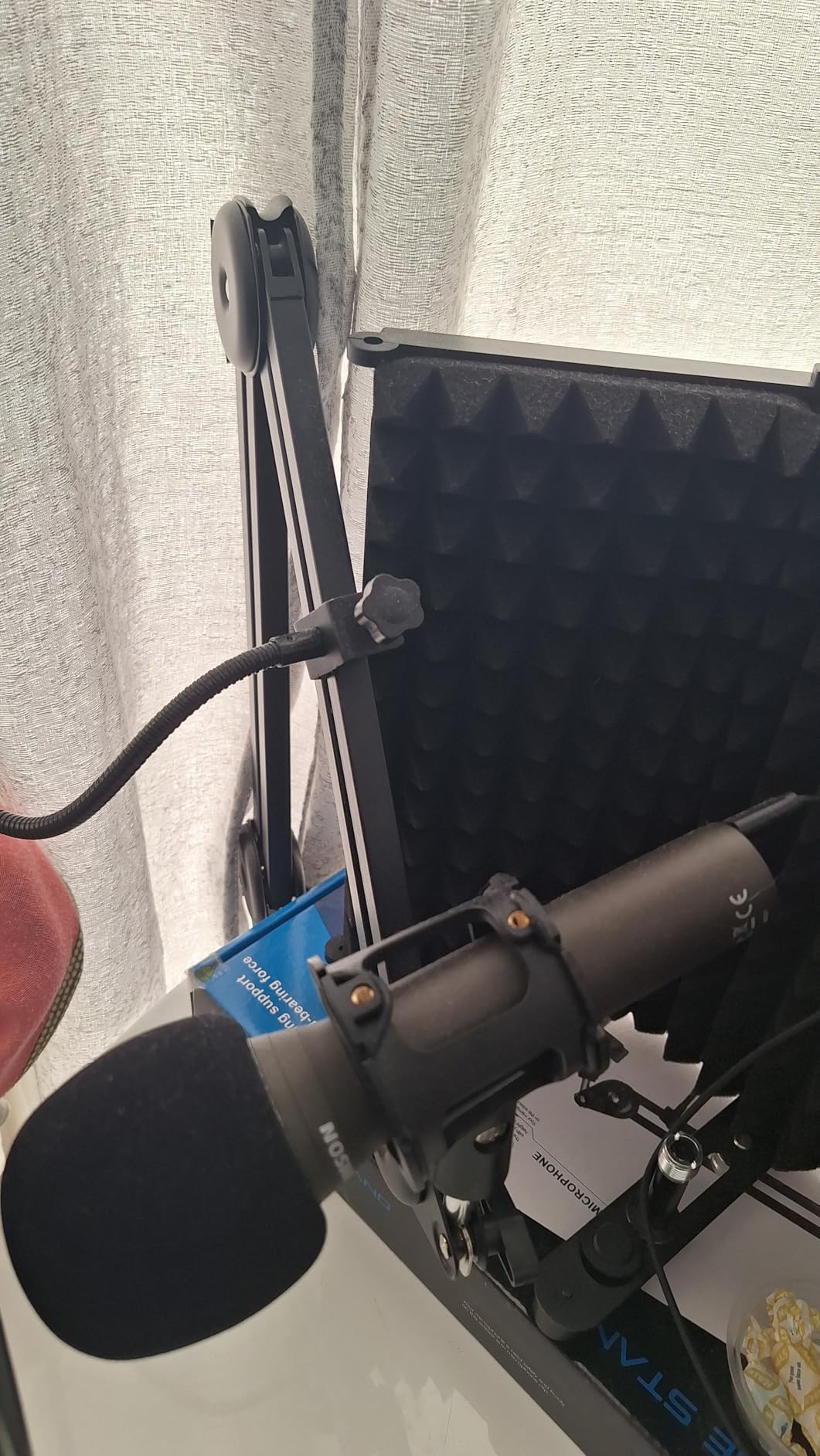
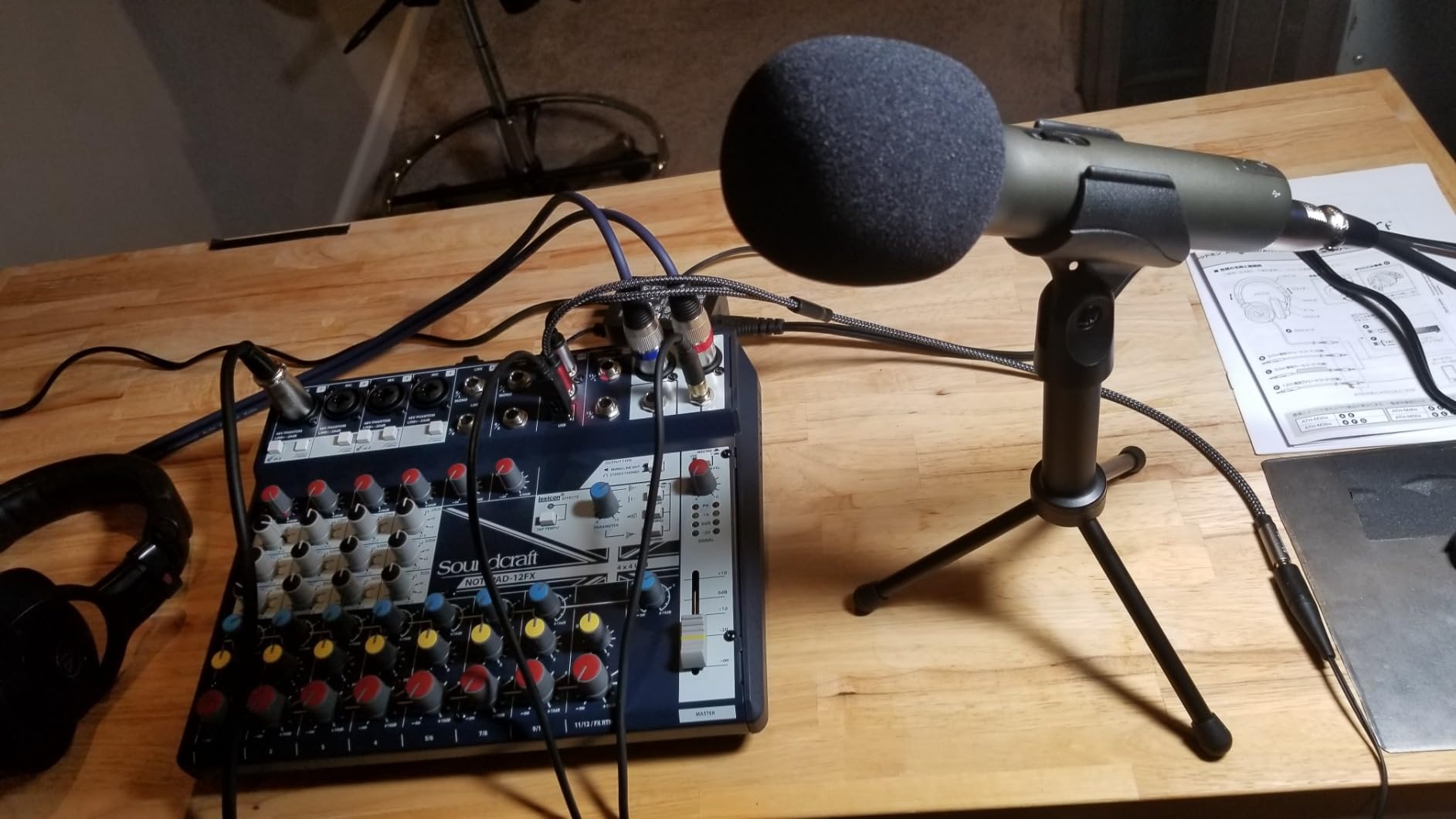
The pack is the quiet hero. You get a tripod desktop stand, a tripod extension, a mic clip, a windscreen, a USB-C cable and an XLR cable, so there is nothing to buy before your first recording. That is unusual at this tier, where most competitors ship a bare microphone.
Tone is warm and slightly compressed compared with a condenser, which many beginners prefer because it leaves more headroom in editing. The 50Hz-15kHz range is narrower than the alternatives here, so it will not capture the airy top end that some voices need, but spoken word rarely needs it.
All control happens in software or on your mixer. There is no mute button, no gain knob and no headphone jack on the body, so you cannot hear yourself while recording unless your computer supports input monitoring. Check that before you commit.
Check this before you buy the Samson Q2U
This is a handheld microphone, and that shape is deliberate. It works well on a desk stand or a short arm for a fixed desk show, and it travels easily if you record in different rooms. If you want a mic on a long boom arm at mouth height, expect to buy an adapter because the shape is not a standard studio body.
Buy a pair if you plan a two-person show in the same room. Two identical dynamics keep the tone matched, which makes editing far cleaner than mixing a dynamic with a condenser.
Who should pick a different microphone
Anyone who wants real-time headphone monitoring while recording, or who wants a physical mute button, should look at the FIFINE AmpliGame AM8 or the MAONO PD200XS, which put both on the mic body.
If your voice is very high-pitched or sibilant, a dynamic with a narrower bandwidth can make sibilance more obvious. A condenser or a dynamic with more top-end control may serve you better.
3. FIFINE AmpliGame AM8: Best Dynamic for a Noisy Room on a USB Budget
FIFINE AmpliGame AM8 USB/XLR Dynamic Microphone for Gaming Streaming
Dynamic USB and XLR
Tap-to-mute with LED
Headphone jack and gain knob
Pros
- Dynamic cardioid element rejects keyboard and room noise
- USB and XLR outputs give a clean upgrade path
- Tap-to-mute works independently of computer software
- Headphone jack with monitoring volume and gain knob
- Standard 3/8 and 5/8 threads for boom arms
Cons
- RGB ring is dim and can cut out if the cable is jostled
- Body is largely plastic rather than metal
- XLR cable and boom arm are not included
The AM8 answers the most common beginner complaint about dynamics: that you need studio gear to use one. It is a dynamic microphone that plugs into a USB port, carries a gain knob and a headphone jack, and still keeps an XLR output for the day you buy an interface.
Off-axis rejection is the headline. In my shared-office test, the keyboard, the desk fan and a conversation two rooms away all sat low enough that noise reduction in software was barely needed. That is the same class of rejection the Rode PodMic delivers through a more expensive signal chain.
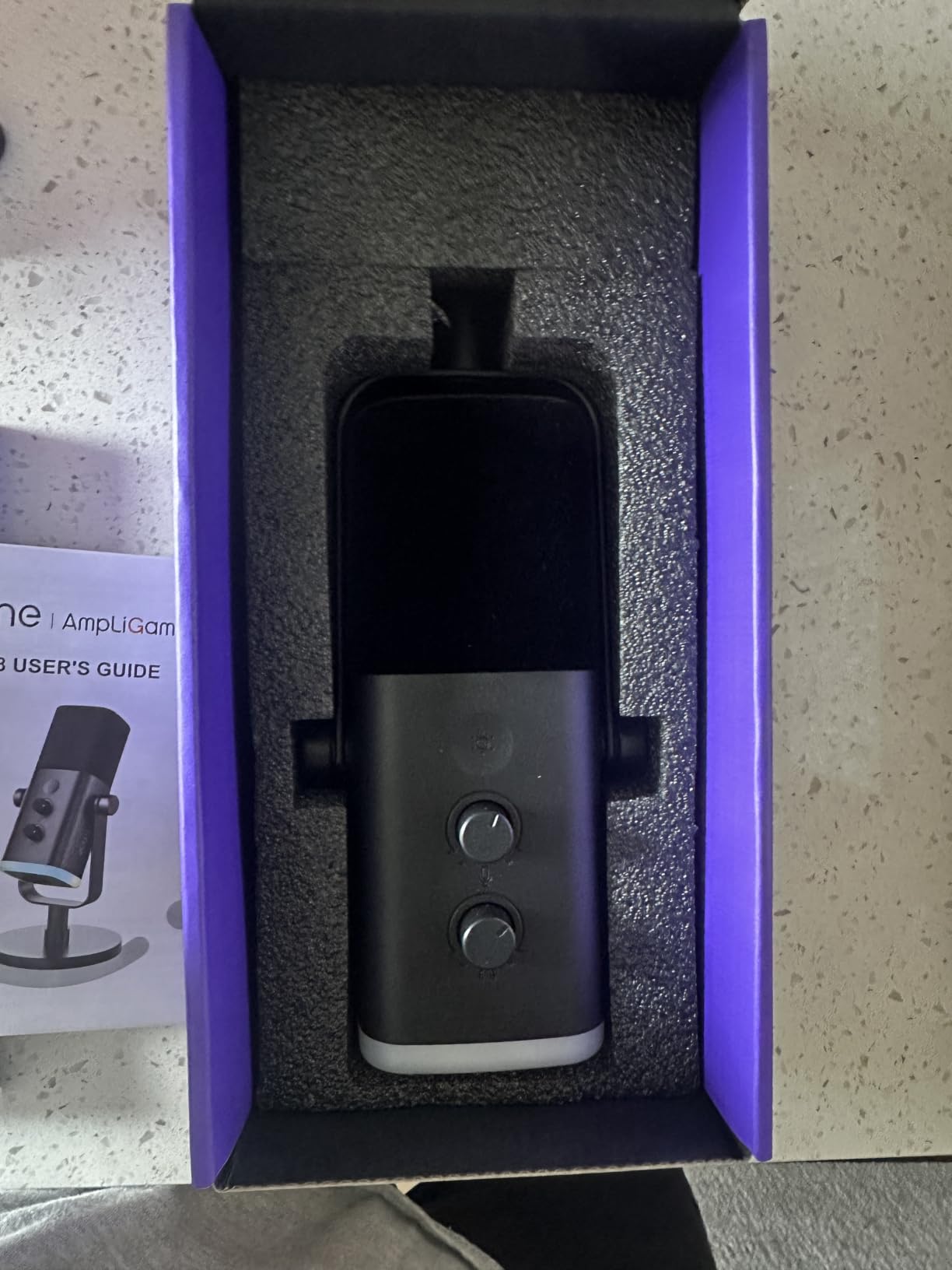
The tap-to-mute control works independently of your recording software, with an LED that stays lit so you always know the mic is live. Several owners on r/podcasting treat that as the feature that stops them shipping a clip with a cough in it.
Tone is warm and slightly dark, which suits deeper voices and forgives a room that is not perfect. It will not capture the fine breath and sibilance detail of a condenser, so if you narrate audiobooks or want an airy vocal, a condenser is the better tool.
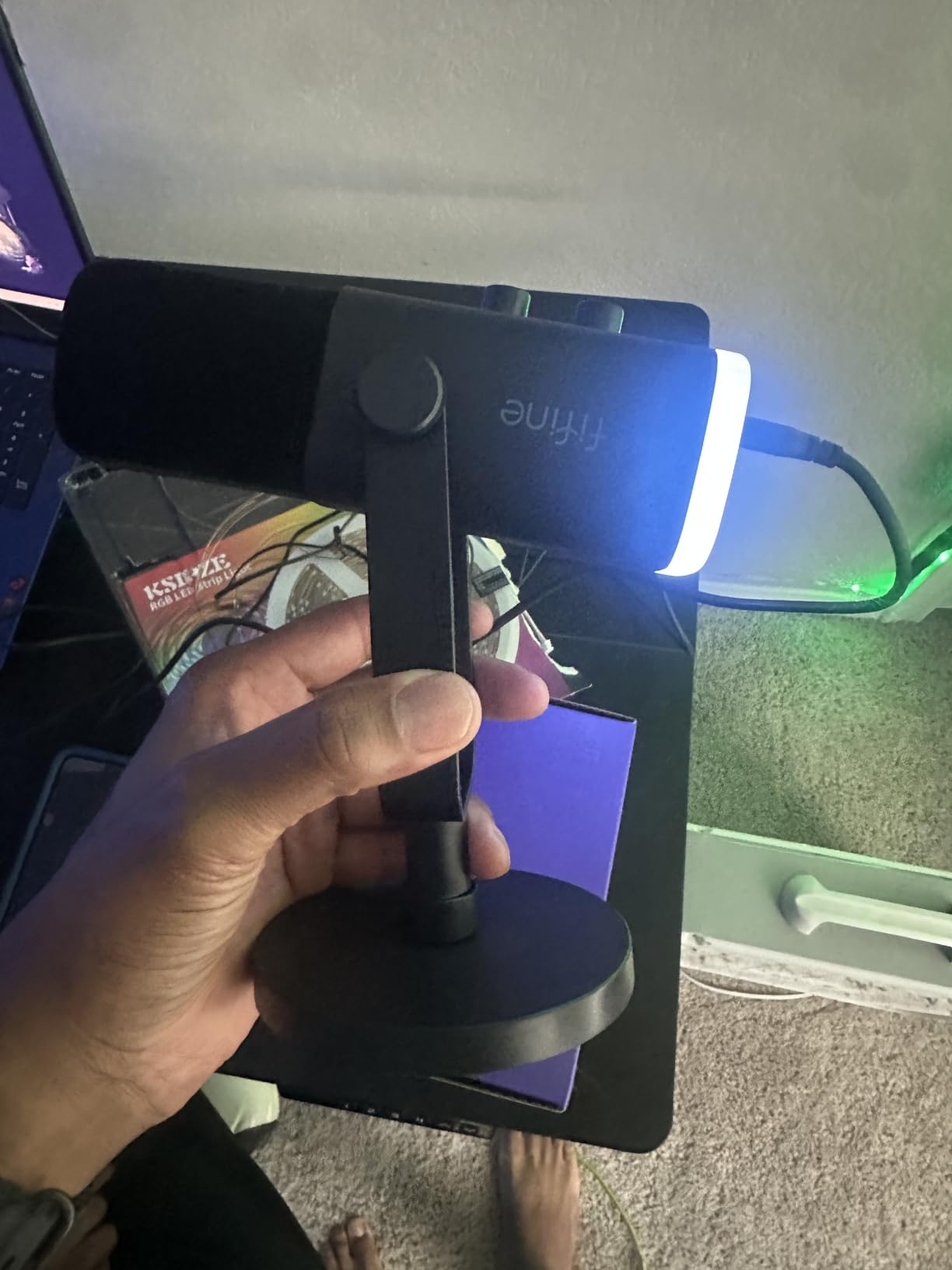
The RGB ring is decorative. It offers three modes and more than ten colors with a memory function, and in practice it is dim and will cut out if the cable gets jostled. The body is plastic and metal rather than solid metal, which is a fair trade at this level.
Check this before you buy the FIFINE AM8
The XLR cable is not included, and neither is a boom arm. If you plan to start in USB mode that costs you nothing today, but budget for a cable the day you move to an interface. The included 6.5 foot USB-C to USB-A cable handles both connector styles on most laptops.
The lighting and function key go inactive in XLR mode, so if you bought this expecting the software features to follow you to the studio, they will not. Everything you rely on is the capsule, the gain and the pattern.
Who should pick a different microphone
Video creators who need the mic to look good on camera should note the plastic body and the visible light ring. A plain metal microphone reads better in a talking-head shot and lasts longer in a shared bag.
Anyone recording in a genuinely quiet, treated space will hear less sparkle from this dynamic than from a condenser, and may find the darker tone slightly dull on a bright female voice.
4. FIFINE T669: The Best All-in-One Kit for a Complete Desk Setup
FIFINE T669 Studio Condenser USB Microphone for Recording Podcasting
USB condenser with boom arm
Double pop filter
8.2 foot USB cable
Pros
- Boom arm shock mount double pop filter and cable all included
- Warm clear tone at 6 to 10 inches
- Steel scissor arm holds position without sagging
- Plug-and-play with OBS Studio and other recorders
- FIFINE customer service replaced faulty units
Cons
- Pop filter grip uses weak glue and slips on the arm
- Boom arm reach is too short for a wide desk
- C-clamp pad can slip on rounded desks
Beginners often buy a microphone and then discover they also need a stand, a shock mount, a pop filter and a long cable. The FIFINE T669 removes that second purchase, which is why it appears so high on this list despite a mid-range rating.
Everything is in the box: an adjustable steel scissor arm with a C-clamp and desktop mount, a studio shock mount, a double pop filter and an 8.2 foot USB-B to USB-A or USB-C cable. Setup takes about five minutes and involves no drivers.
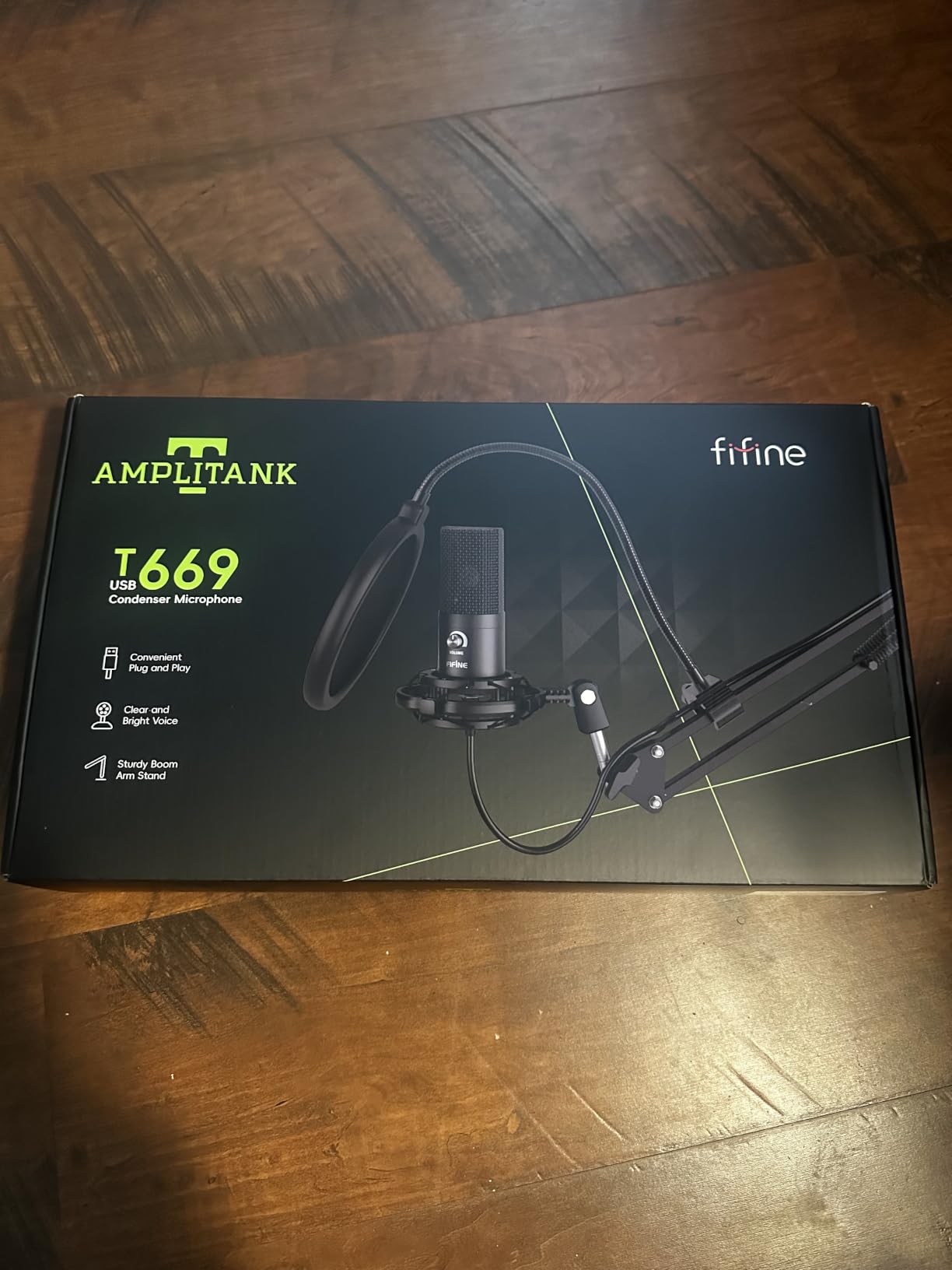
The voice is warm and clear at the 6 to 10 inch distances the arm naturally allows, and it holds up against built-in laptop microphones by a wide margin. The wide frequency response is smoother than most kit microphones because the capsule is not fighting a very small housing.
It works directly with OBS Studio and standard recording software, and the cardioid pattern keeps the focus on your mouth at that distance. For a solo desk podcast with a fixed position, the included arm gets the mic closer than a desktop stand ever would.
The accessories are the weak point. The pop filter is held on with glue that owners report slipping or twisting, and the scissor arm has roughly 30 inches of reach, which is not enough to swing across a wide desk. On a rounded-edge table the C-clamp pad can creep.
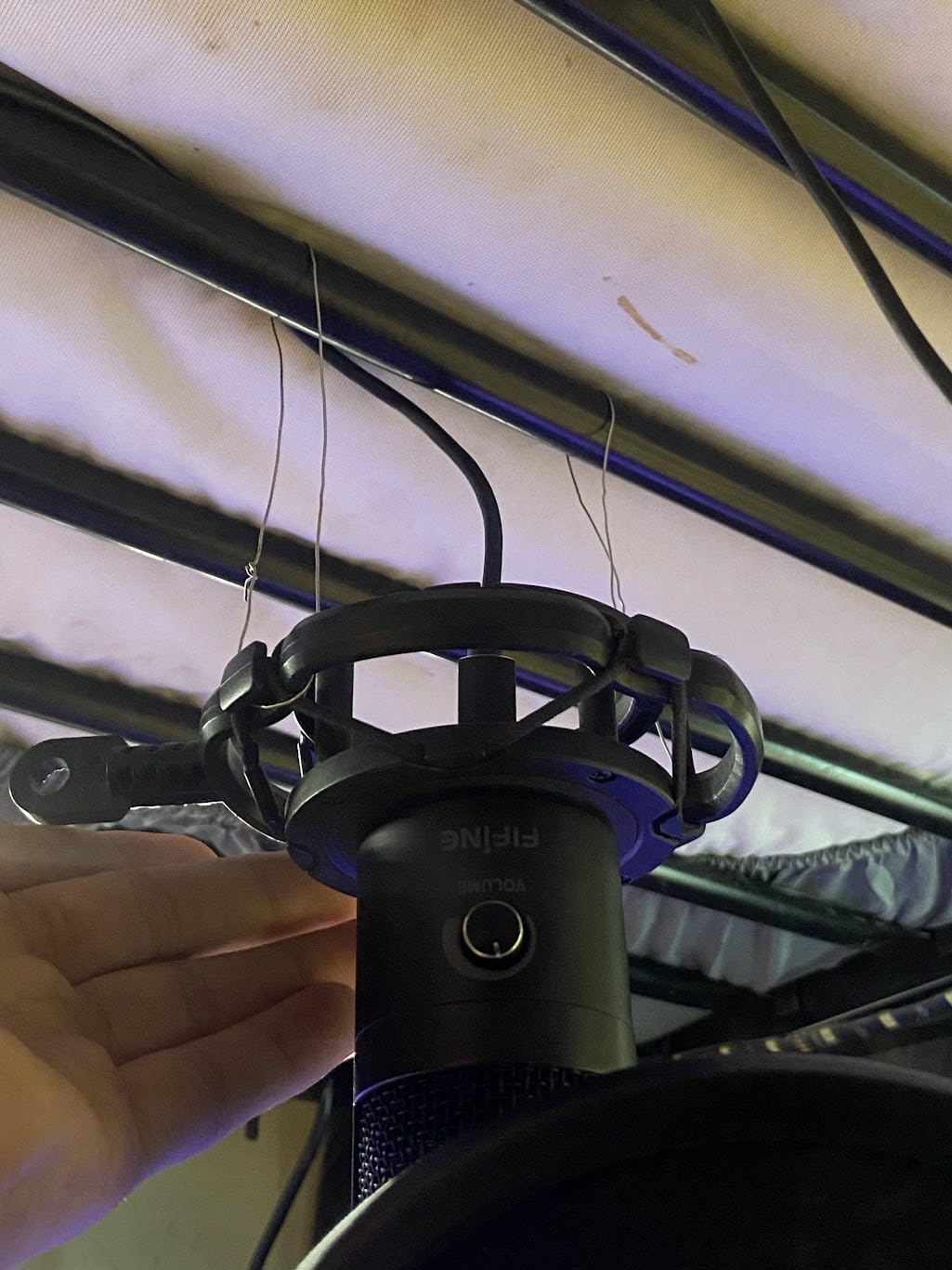
Check this before you buy the FIFINE T669
Measure your desk and the distance from your chair to where the mic would sit. If the mic lands more than a foot from your mouth, the included pop filter will not fix the resulting thin, roomy sound. In that case a desk stand and a closer position work better than a longer arm.
This is a condenser, so the same room warning applies. It captures fans, keyboards and street noise, and it will not forgive an untreated space the way the Samson Q2U or the FIFINE AM8 will.
Who should pick a different microphone
Anyone moving between locations should skip it. The full kit is heavy and awkward to pack, and the foldable arm does not collapse flat enough for a small bag.
If you already own a boom arm, a shock mount and a pop filter, paying for a bundle that duplicates them is wasted money. A smaller standalone condenser such as the FIFINE K669B is the smarter buy in that case.
5. MAONO A04: Warm Detail With Everything Included
MAONO A04 USB Microphone, 192kHz/24Bit Condenser Mic Kit for PC Podcast
USB condenser
192kHz/24-bit chipset
Best range 2 to 6 inches
Pros
- Rich warm tone with real detail from the sound chipset
- All-metal build on the mic arm and mounts
- Complete kit with arm shock mount pop filter and windscreen
- Sets up in about five minutes with no drivers
- Cardioid pattern rejects side and rear sound
Cons
- No headphone jack for zero-latency monitoring
- Boom arm base bent and sagged for some owners
- Picks up room noise in a poor acoustic space
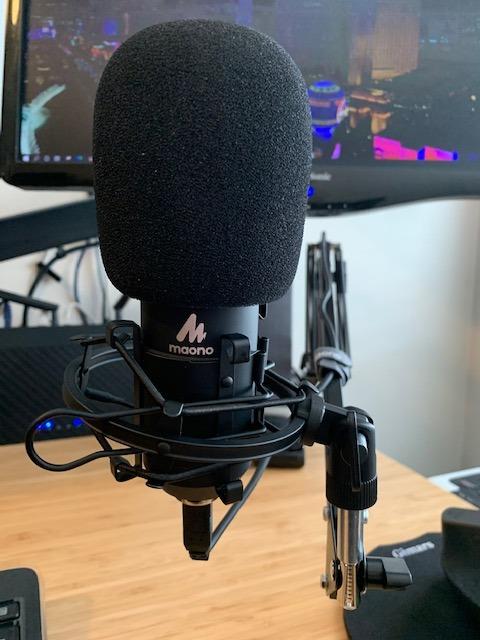
The MAONO A04 is the mic I recommend when a beginner tells me their voice sounds thin and lifeless on a laptop microphone. A 16mm electret condenser with strong bass response gives it a warmth that the small kit condensers cannot reach, and the manufacturers rate it best at 2 to 6 inches.
At that close working distance the proximity effect works in your favour, adding body to a thin voice. Move back to 10 inches and you get a more neutral tone, which is the right choice for most two-person formats.
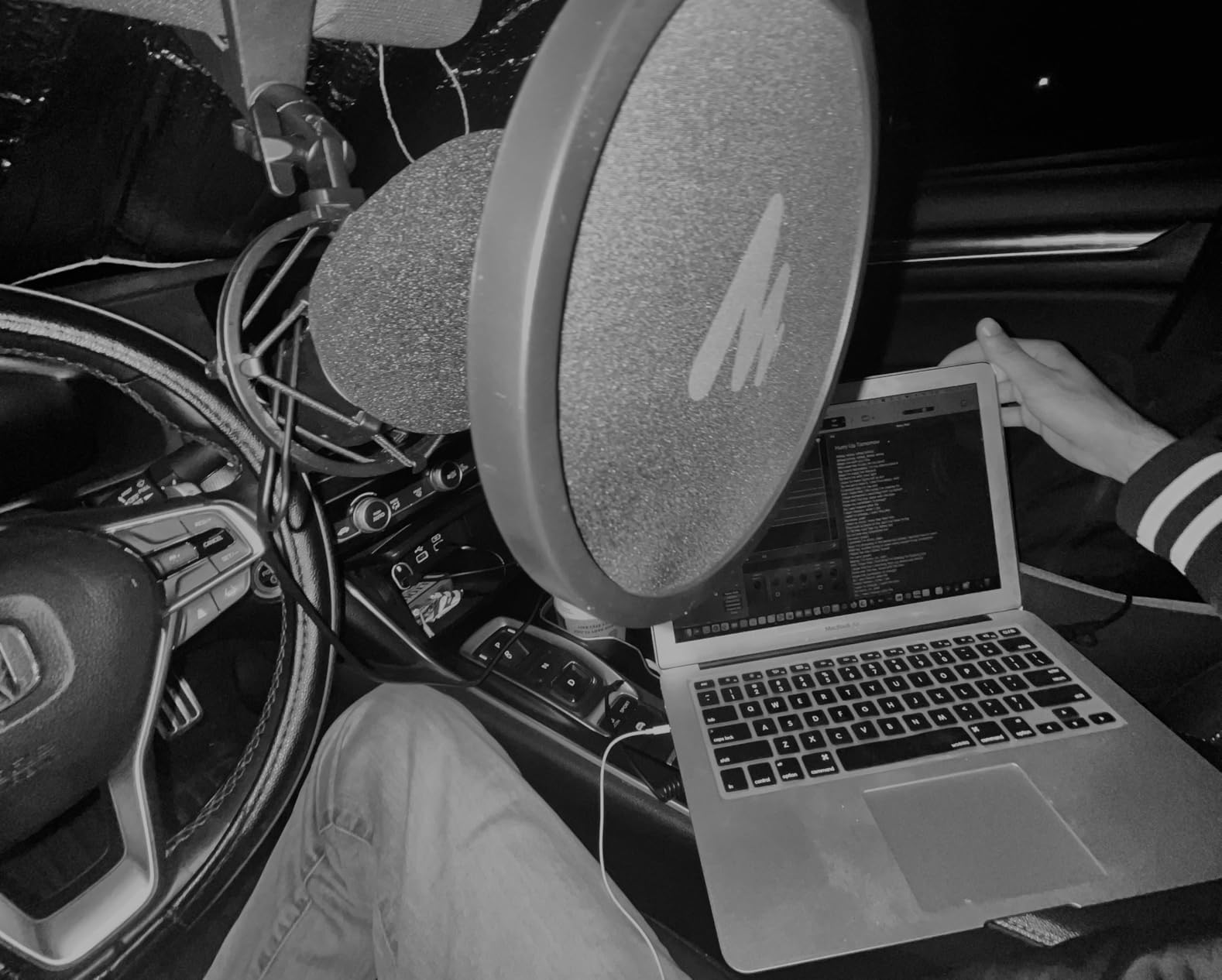
The bundle matches the FIFINE T669 in spirit: scissor arm, shock mount, pop filter, foam windscreen and a USB cable, all metal, all included. It works on Windows, Mac, PS4 and PS5 with no drivers, so a console creator can use the same setup.
There is one notable omission for a podcast microphone: no headphone jack. You cannot monitor yourself in real time, which means you find out about a level problem during editing rather than during the take. Software input monitoring can cover the gap if your recording app supports it.
Some owners report the boom arm base deforming under its own weight over months, and the foam windscreen gooseneck is the flimsiest part of the kit. Neither ruins the microphone, but both are reasons to support the arm rather than rely on it indefinitely.
Check this before you buy the MAONO A04
The C-clamp is designed for desktops under 2.1 inches thick. Check your desk thickness before ordering, and check whether the edge is straight enough to clamp, because a curved edge will let the arm drift.
Decide whether you need live monitoring. If you record long solo episodes and want to catch yourself drifting in volume, the missing headphone jack is a real daily annoyance, and a dynamic with monitoring such as the FIFINE AM8 serves you better.
Who should pick a different microphone
Anyone recording in a noisy or untreated room should choose a dynamic. This capsule picks up distant sound, and no bundle of accessories fixes a room problem.
Traveling creators should skip it for the same reason as the T669. The all-metal kit is heavy, and a compact desktop microphone such as the FIFINE K669B is easier to move between locations.
6. TONOR TC777: A Complete Setup Worth Testing First
TONOR Podcast Microphone, USB Computer Mic, Cardioid Condenser PC Microfono
USB cardioid condenser
Unidirectional pickup
345 g body
Pros
- Cardioid pickup focuses on the speaker and suppresses background noise
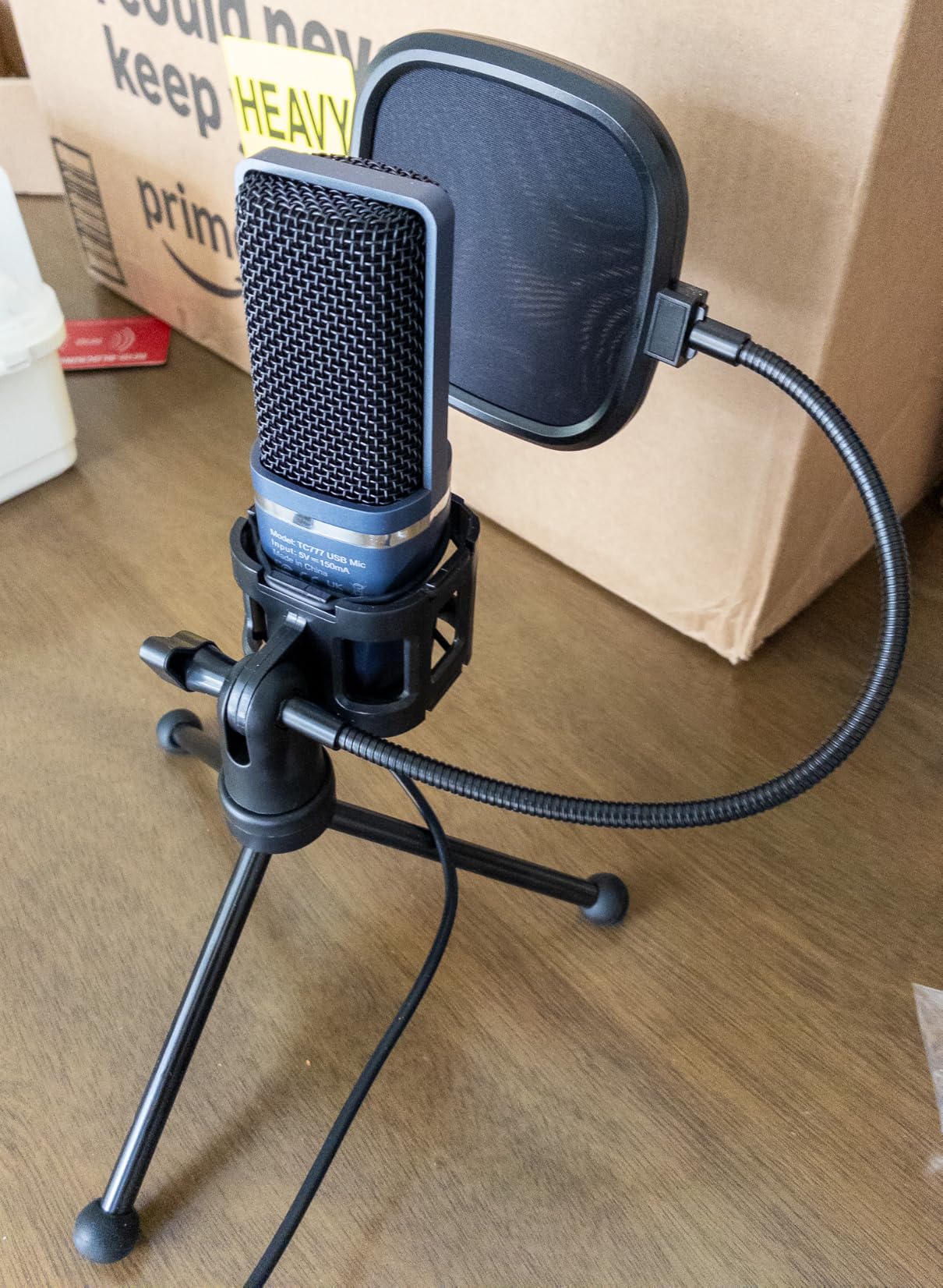
- Shock mount pop filter and foldable tripod included
- One-click mute and volume control
- Recognized immediately by Zoom Skype and Discord
Cons
- Lightweight PVC body feels less solid than metal
- Lower clarity and presence than metal condensers at this level
- No gain control so level must be set in software
The TONOR TC777 arrives as a complete setup in one box: microphone, shock mount, pop filter and folding tripod, at 345 grams. For a first test recording before committing to anything larger, it removes every reason to wait.
It is a unidirectional cardioid condenser with an 80 dB signal-to-noise ratio, which is a fair specification for the money. Talkers on r/podcasting consistently recommend it for gaming chat and first attempts rather than for a show that has to sound excellent immediately.
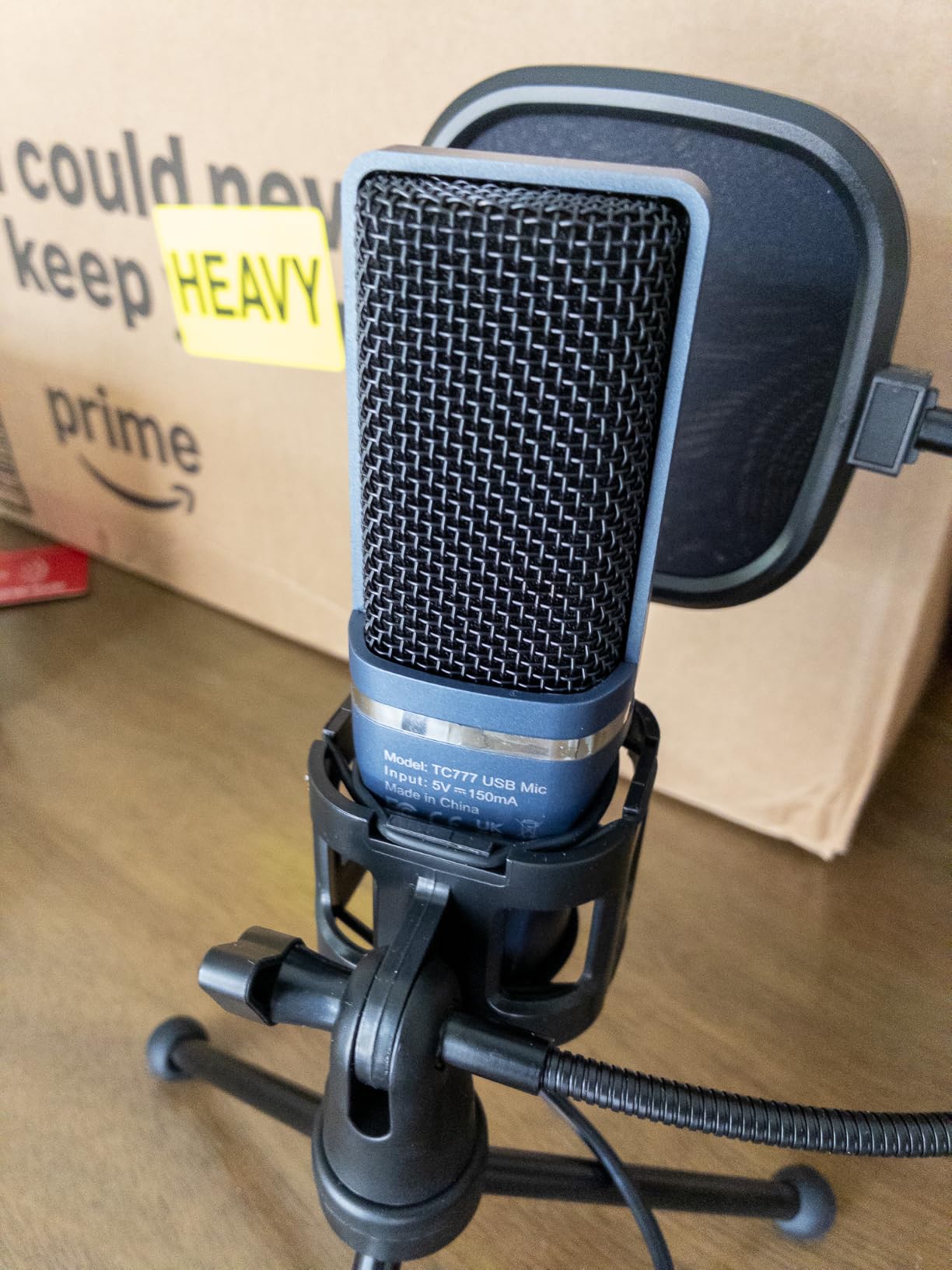
Setup is one USB plug. It is recognized straight away by Zoom, Skype and Discord on Windows and Mac, and it also works on PS4 and PS5. The one-click mute and volume control on the body are the most useful hardware features at this level.
Realistic expectations matter here. The plastic housing makes the body less solid, and the voice is noticeably less present than the metal-bodied FIFINE K669B or the Blue Yeti. Post-production noise reduction helps more with this microphone than with most of the others.
There is no gain control, so your level lives entirely in your software. That is workable, and it is also the point where beginners with quiet voices run out of headroom on quiet recordings.
Check this before you buy the TONOR TC777
Know what you are buying. This is a starting tool for a first episode, a trial run or a secondary machine, not a microphone for a show with sponsors. If your budget stretches to the FIFINE K669B, that is the better long-term purchase at a similar simplicity.
Also check your device. The listing is explicit that it is not compatible with Xbox, and it uses a USB Type-A connection, so a USB-C-only laptop or a Chromebook needs an adapter.
Who should pick a different microphone
Anyone who records in a room with real ambient noise should pick a dynamic. A cardioid condenser at this level will capture the room along with the voice.
If your desk is very small, the foldable tripod footprint is genuinely tiny, and this microphone stays where it is put. That is its real strength and worth choosing it for.
7. SUDOTACK ST-800: High-Resolution Capture With a Foldable Arm
SUDOTACK ST-800 Podcast Microphone Kit, 192kHz/24bit USB Condenser PC Mic
USB condenser
192kHz/24-bit sampling
30Hz-16kHz response
Pros
- High-resolution sampling across a 30Hz-16kHz range
- Metal build with a foldable scissor arm and tension knob
- Shock mount table clamp foam cap and pop filter included
- Plug and play on Mac and Windows with no drivers
- Cardioid pattern suppresses off-axis noise
Cons
- No onboard gain mute or headphone monitoring jack
- Condenser sensitivity captures room and keyboard noise
- Smaller review base than the best-known budget mics
The SUDOTACK ST-800 is a condenser kit built around a 192kHz/24-bit sampling chipset and a 30Hz to 16kHz response, which gives it more recorded bandwidth than most entry condensers. In a treated room the result is a clean, detailed voice with real low end.
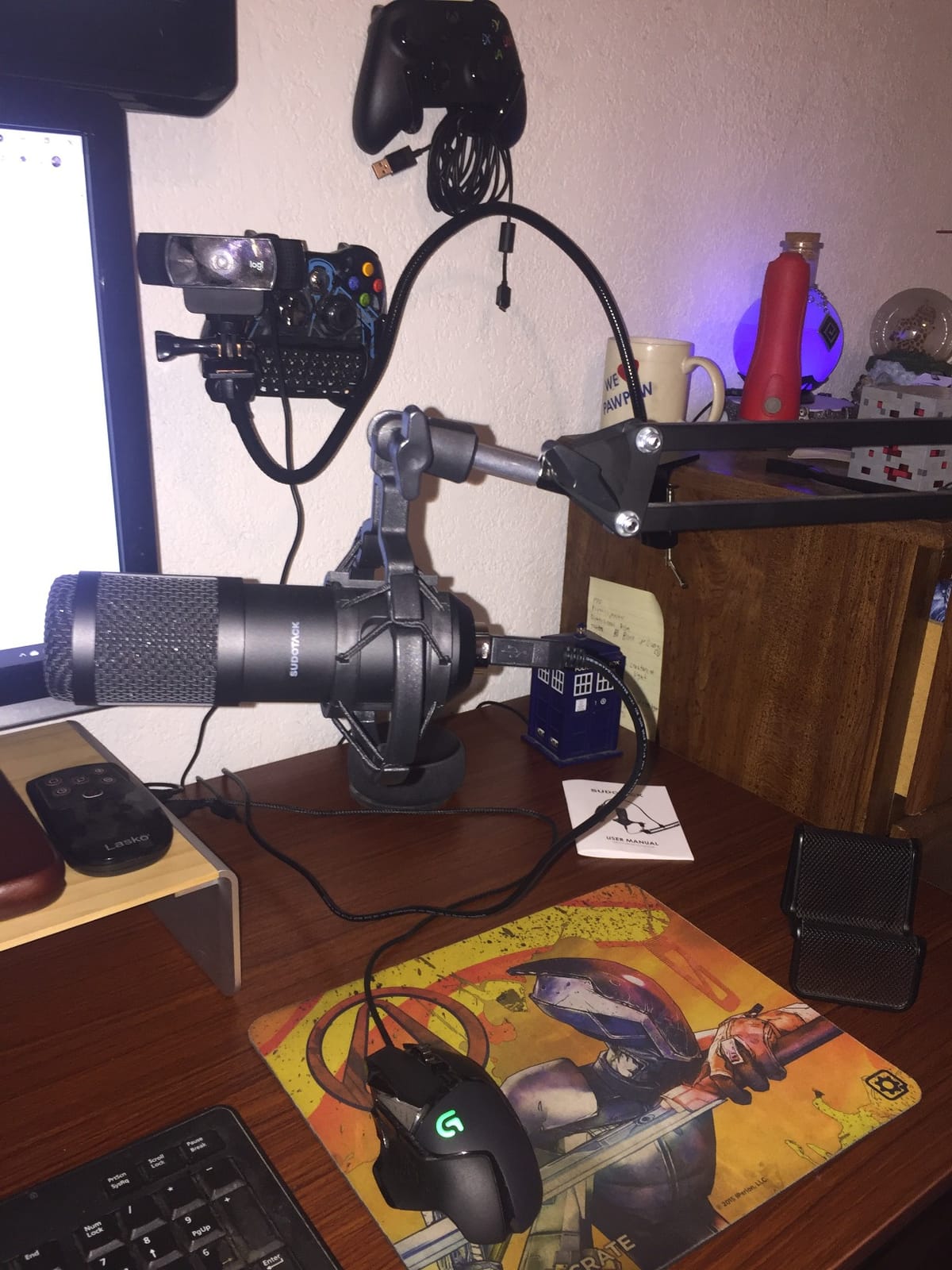
The included scissor arm folds, has its own tension knob and extends 135 degrees horizontally and 180 degrees vertically, so it can be angled to reach a corner desk. The shock mount, table clamp, foam cap and pop filter are all in the box.
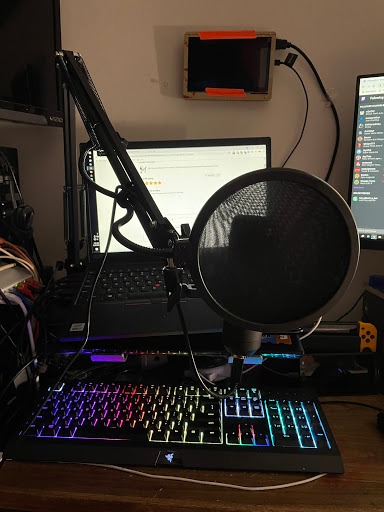
It is plug and play on Mac and Windows with no drivers, and it is recognized by the usual recording and chat applications. If you record voice-over alongside podcast episodes, the same microphone handles both.
The main limitation is on-body control. There is no gain knob, no mute button and no headphone jack, so level and monitoring both live in software. That is workable for an experienced editor and frustrating for a beginner who wants to check their own level while talking.
It is also a condenser, so untreated rooms are its weakness. Fans, keyboards and traffic all arrive with the voice, and the cardioid pattern only helps with sound arriving from the sides.
Check this before you buy the SUDOTACK ST-800
Ask yourself whether your recording software supports input monitoring. If it does, the missing headphone jack stops mattering. If you plan to record in a one-take interview format where you cannot stop, it matters a great deal.
The clamp is worth testing on your desk edge before you commit, especially on a rounded or laminate edge. A weighted base is a safer option if your desk cannot take a clamp.
Who should pick a different microphone
Podcasters in noisy rooms should choose a dynamic such as the TONOR TD510 Air or the Samson Q2U, both of which ignore more of the room than this capsule will.
Anyone who wants a solid upgrade path should note this is a USB-only unit. When you outgrow it, the microphone is a dead end rather than a stepping stone to a studio signal chain.
8. ZealSound K66: The Most Hardware Controls at the Budget Level
ZealSound Podcast Microphone for PC, Noise Cancellation USB Mic with Gain, Volume Adjustment & Mute Button, Monitoring & Echo, for YouTube, TikTok, Podcasting, Streaming, iPhone, iPad, Android, Mac
USB condenser with gain and monitoring
Zero-latency monitoring
Noise reduction mode
Pros
- Built-in noise reduction mode triggered by holding the mute button
- Real gain headphone volume and echo knobs
- True zero-latency 3.5mm headphone monitoring
- One-press mute with red LED status
- Works on PC Mac PS4 PS5 and phones with included adapters
Cons
- Two people speaking at once produces robotic cross-talk
- Noise reduction can cut off parts of speech
- Picks up AC hum and traffic in a small apartment
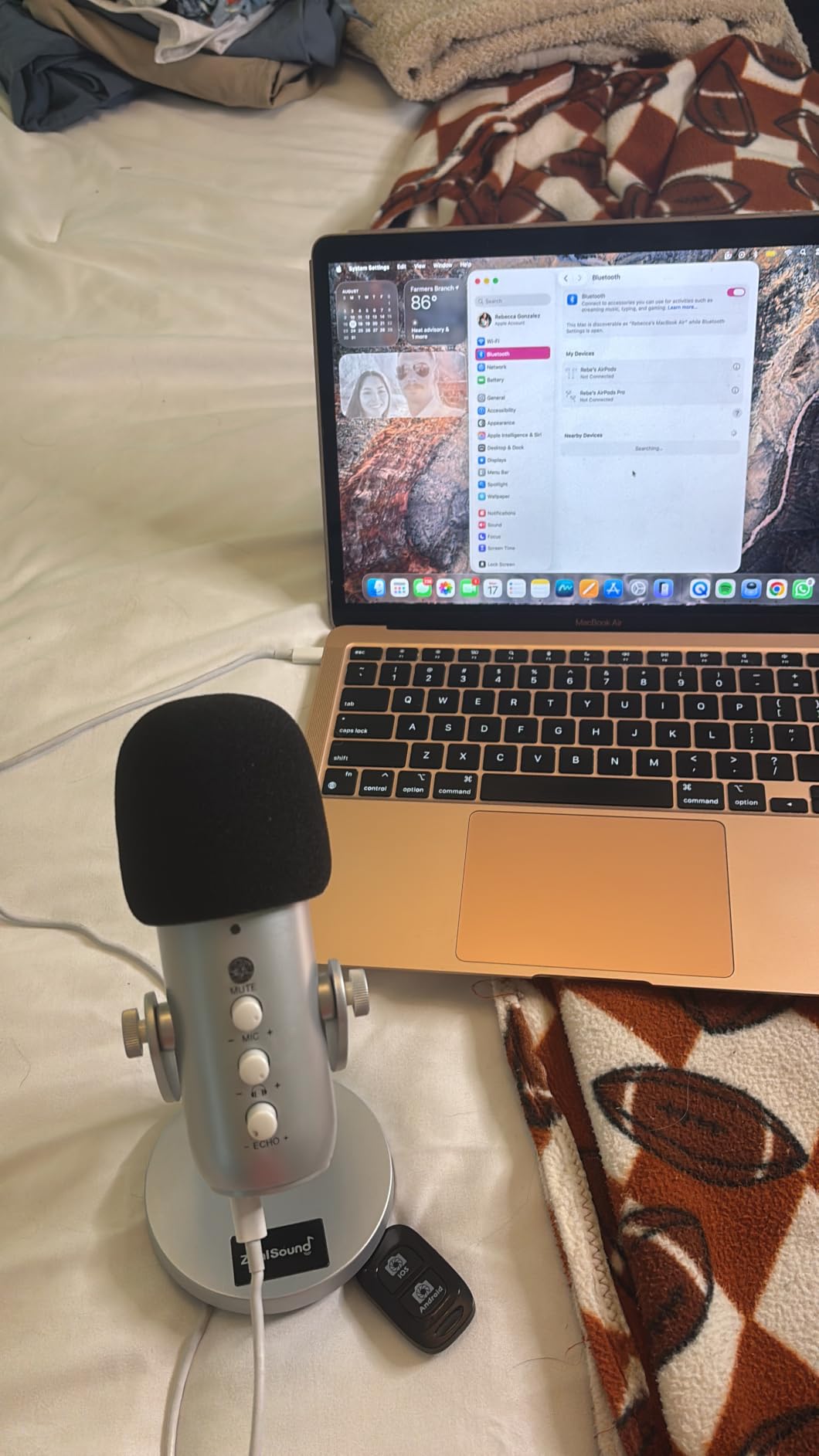
The ZealSound K66 packs more physical controls into a budget microphone than anything else here. You get a real gain knob, a headphone volume knob, an echo adjustment, a one-press mute with a red LED and a genuine zero-latency headphone jack.
That hardware matters more than it sounds. Most budget microphones force you to find out whether you were too quiet only after the take, and this one lets you check your own level in real time with headphones on.
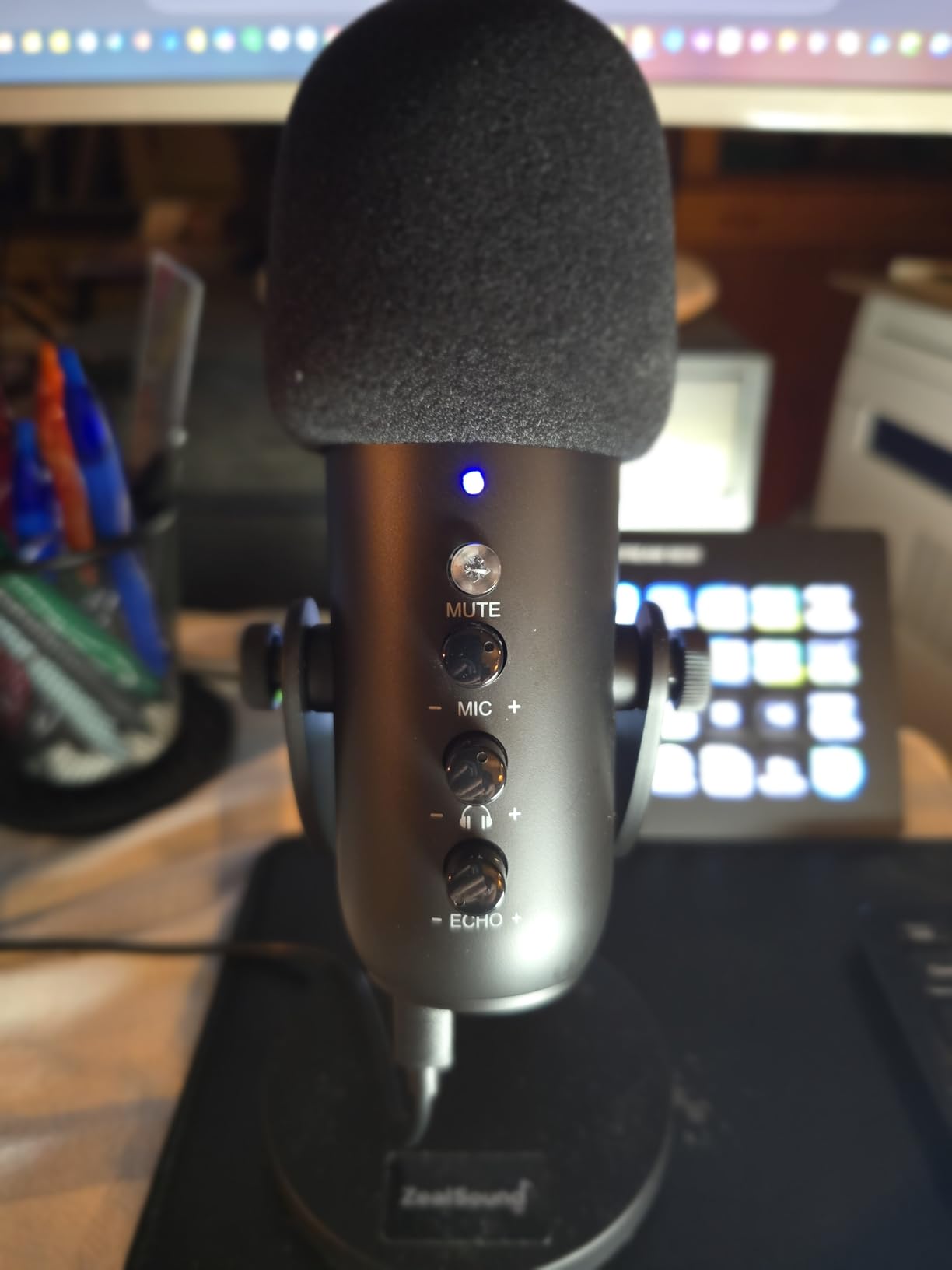
Holding the mute button engages a noise reduction mode, indicated by a blue light, aimed at keyboard clicks, fan noise and chatter. It is genuinely useful in a shared room, though it is a processing tool rather than a fix, and it can clip the ends of words.
Connectivity is the quiet strength. The 70.87 inch cable, a USB-C adapter and a Lightning adapter are included, so the same microphone works on a laptop, a Chromebook, an iPhone or an iPad. The 360 degree rotatable top-addressed body on a weighted metal base makes phone and tablet positioning simple.
It is built for one voice. When two people speak at once on the same microphone, the result is cross-talk rather than clean separate voices, which makes it a poor choice for an in-person two-person show.
Check this before you buy the ZealSound K66
Decide whether you want the processing on. The noise reduction mode and the echo control are always available but not required, and some listeners prefer the raw signal, particularly on a warm voice where the processing can dull the top end.
If your voice is sibilant, be ready to apply a de-esser in software. Owners report sharper sibilance on this microphone than on the smoother condensers, which is a small edit rather than a dealbreaker.
Who should pick a different microphone
Two-person in-room shows should skip it and buy a matched pair of dynamics instead, one per speaker, so each voice gets its own capsule and its own position.
Anyone wanting the cleanest possible recording should note that it also picks up mains hum and traffic in a small apartment. A dynamic in the same room will reject both more effectively.
9. Rode PodMic: The Broadcast Voice If You Already Own an Interface
RØDE PodMic Cardioid Dynamic Broadcast Microphone, XLR
XLR dynamic cardioid
20Hz-20kHz response
Internal pop filter
Pros
- Highest average rating on this list across more than 7000 reviews
- Broadcast dynamic capsule tuned for speech
- Internal pop filter and internal shock mounting
- All-metal body that survives daily handling
- Warm rich tone that flatters deeper voices
Cons
- Requires an audio interface or mixer with XLR input
- Low output so entry interfaces can add hiss or struggle
- XLR cable and extra stand not included
The Rode PodMic is the only microphone on this list with an audio interface in the equation, and that changes the calculation completely. If you do not own an interface already, add that purchase to the total before deciding this is a beginner microphone.
When I recorded with it through a competent interface, the voice was the most consistently excellent on this list. The broadcast dynamic capsule is tuned for speech, the full 20Hz-20kHz response captures more air and detail than the narrower budget dynamics, and the warm character flatters deeper voices.
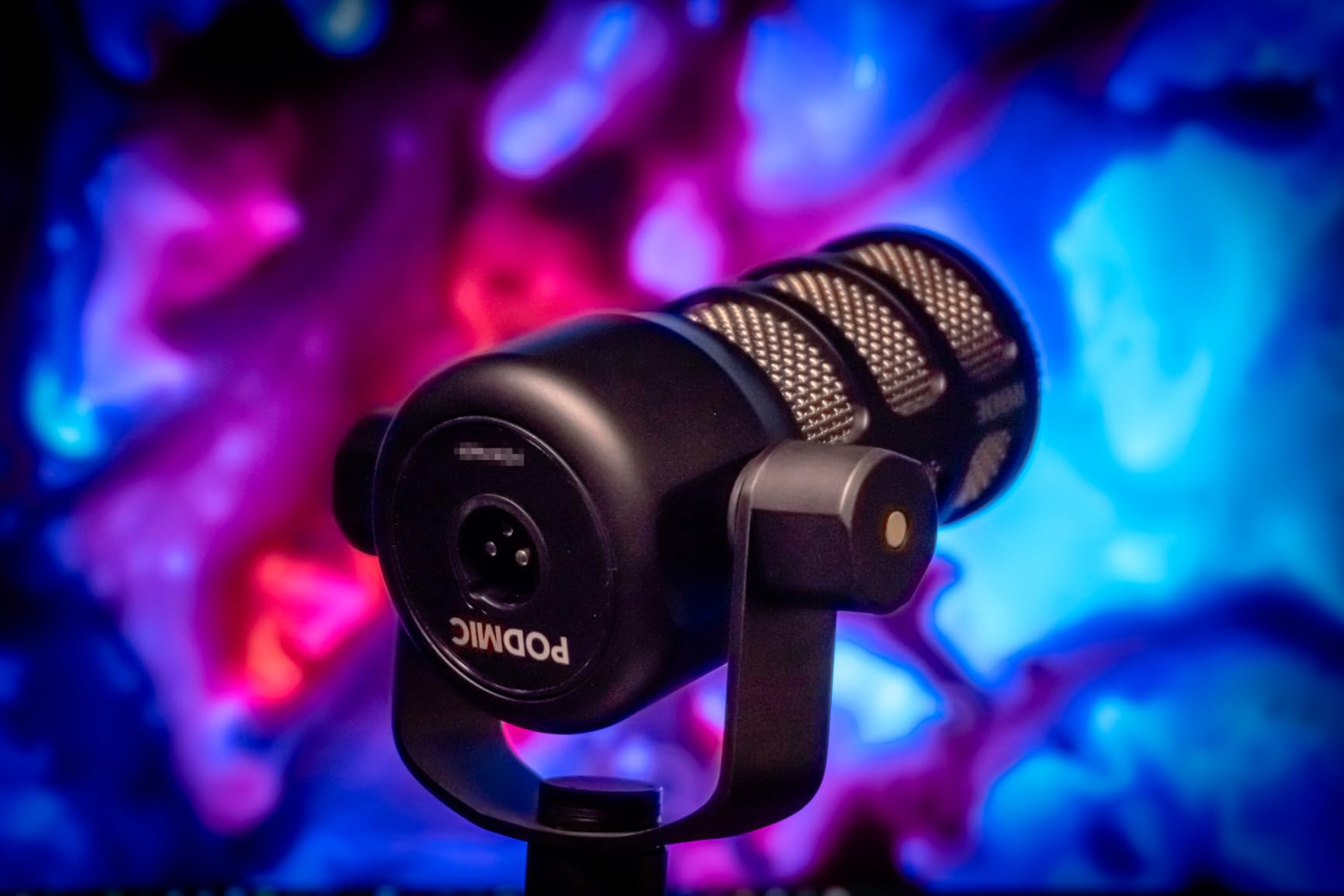
It also solves two accessory problems internally. There is a built-in pop filter, so plosives are handled without a separate accessory, and internal shock mounting absorbs desk thumps. Owners on r/audioengineering repeatedly name it as the microphone that finally captured their voice correctly in a home setup.
The 4.8 average across more than 7,000 reviews is the highest rating in this group, and the 88 percent five-star share is the strongest too. That consistency matches what I heard: the tone does not change much with vocalists or rooms.
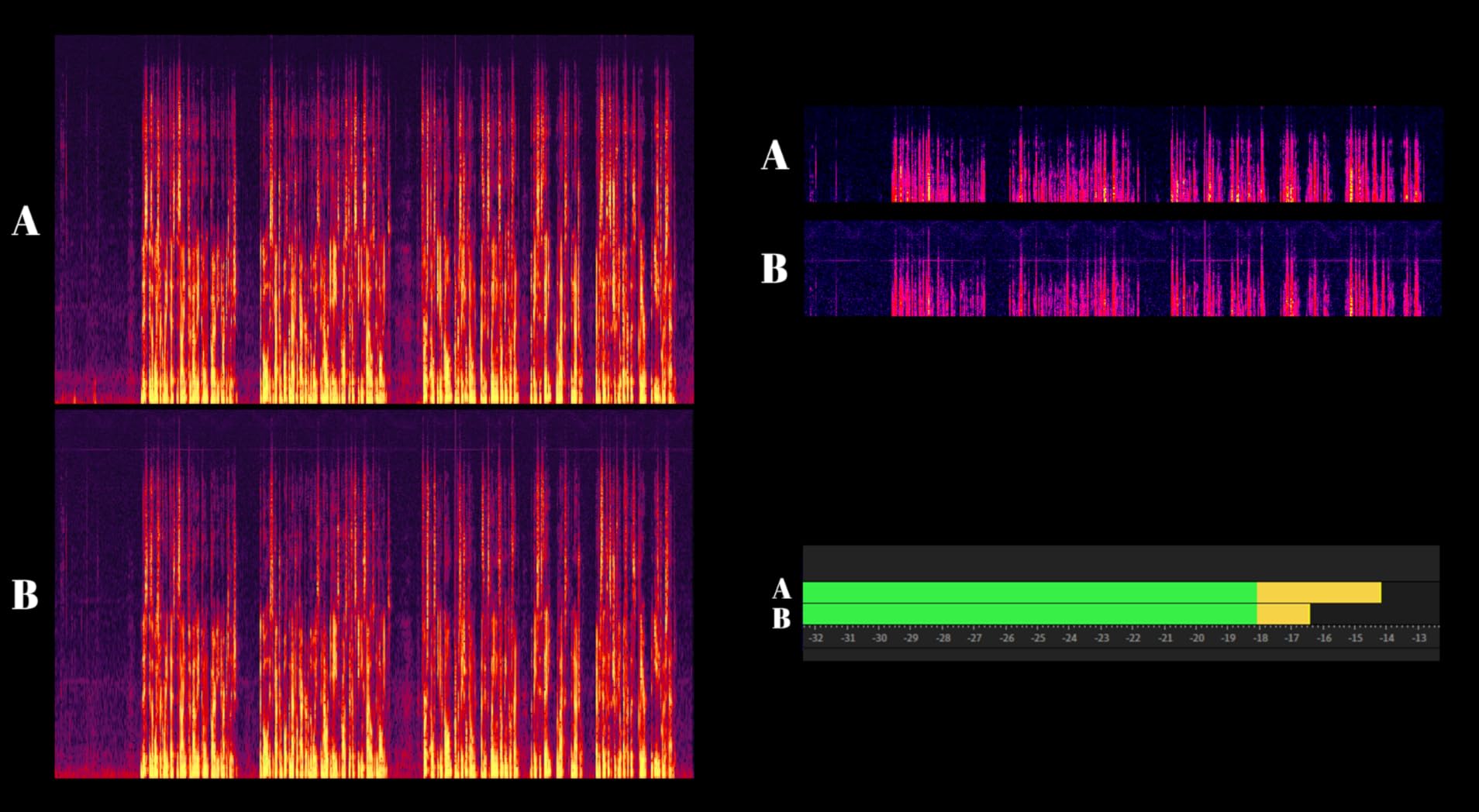
The catch is gain. This is a low-output dynamic, and if your interface has a modest preamp you will either turn up gain until you hear hiss or you will record a thin, quiet signal. Several buyers added an inline booster to solve exactly that, which adds another cost to a setup that is already the most involved here.
Check this before you buy the Rode PodMic
Confirm your interface has real gain. A cheap interface with a noisy preamp is the single most common reason a good dynamic microphone sounds bad, and adding a cloudlifter-type booster later is a normal and accepted fix among owners.
You also need an XLR cable and a stand, since neither is included. The supplied swing mount is useful but limited, and at 937 grams this microphone will pull a lightweight boom arm down over time.
Who should pick a different microphone
Anyone who wants to record this week with nothing but a laptop should choose a USB microphone instead. The interface, the cable and the possible booster turn a single purchase into a three-part project.
If you have no audio interface but want a broadcast-style dynamic, the Samson Q2U or the FIFINE AM8 give you the same rejection in a simpler package.
10. MAONO PD200XS: Dynamic With Software Processing and Monitoring
MAONO PD200XS XLR/USB Dynamic Microphone Kit, RGB Gaming Mic with Software
Dynamic USB and XLR
40Hz-16kHz response
Headphone jack and smart knob
Pros
- Dynamic cardioid capsule with a warm 40Hz-16kHz response
- USB and XLR for plug-and-play now and studio later
- Software adds EQ limiter and compressor in USB mode
- Two-in-one knob for mic gain and headphone volume
- One-click mute with LED plus 3.5mm headphone jack
Cons
- XLR cable not included
- Software tuning only works in USB mode
- Smaller base of owner reviews than established rivals
The MAONO PD200XS is a dynamic microphone with a software layer attached, which makes it the most interesting option here for a creator who also livestreams. MAONO Link for Windows, Mac and Android gives you EQ, a limiter and a compressor before the signal reaches your recorder.
That matters for beginners. Compressing as you record keeps peaks under control so a raised voice does not distort, and a limiter stops an accidental spike from ruining a take. Doing it in software means you are not hunting for it later in a waveform.
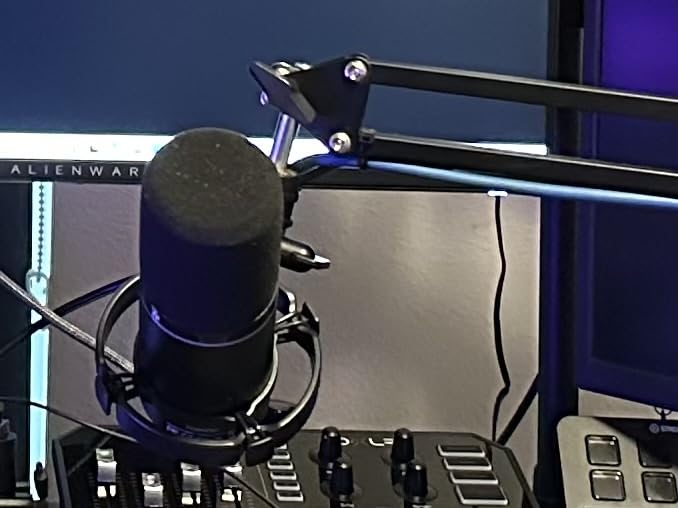
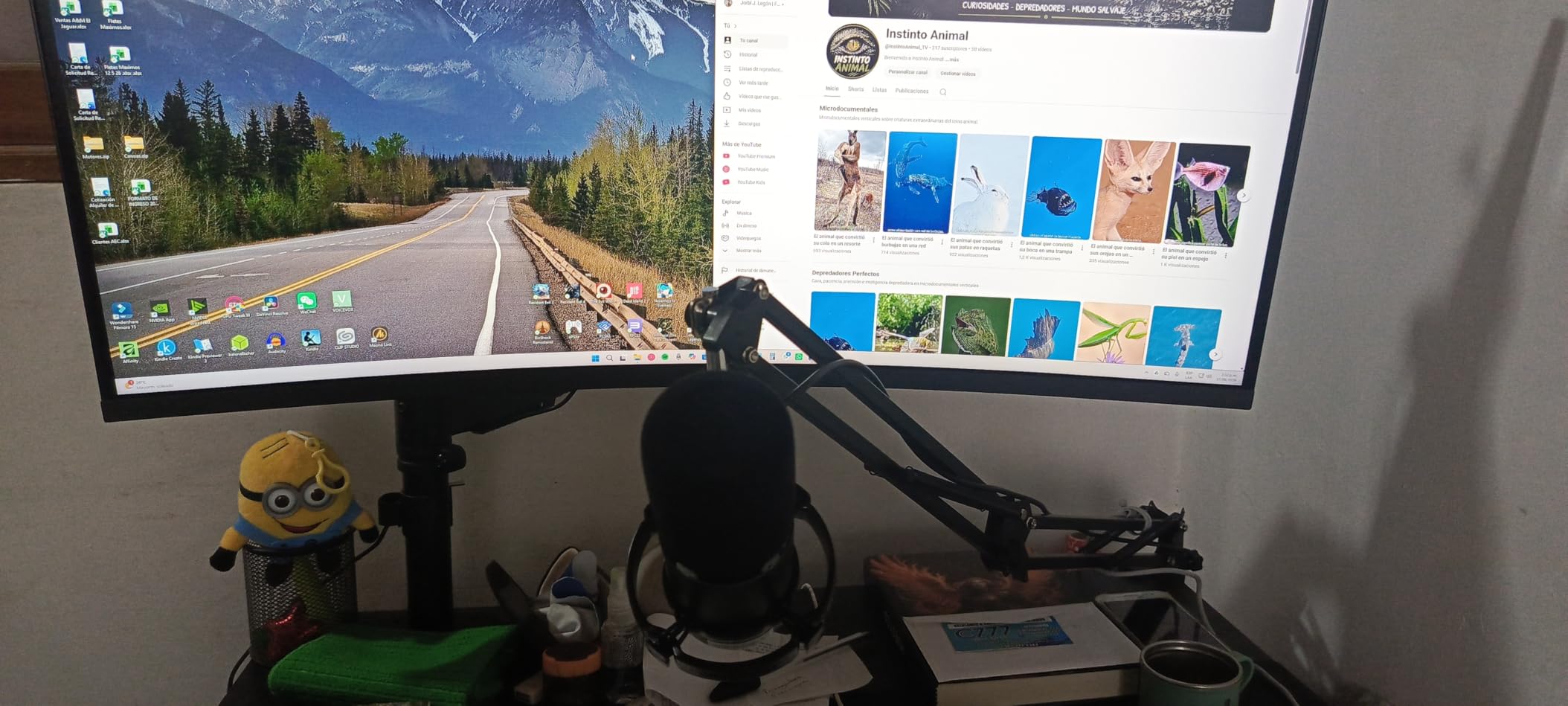
The hardware is unusually complete. A single smart knob handles both mic gain and headphone volume, a one-click mute has an LED indicator, and a 3.5mm headphone jack allows simultaneous recording and monitoring. An adjustable boom arm, shock mount and a thread adapter are in the box.
The capsule is a warm 40Hz-16kHz dynamic with a cardioid pattern, so it handles a noisy room much better than any condenser here. Connect over USB-C for plug-and-play, or move to XLR later without changing microphones.
Two things to know before you commit. The XLR cable is not included, so that transition costs extra. And every software feature, including the RGB color control, stops working the moment you switch to XLR mode.
Check this before you buy the MAONO PD200XS
Decide now whether you are a USB or an XLR person. This microphone is far stronger in USB mode, and moving to an interface means giving up the software processing that justified part of the purchase.
Its review history is shorter than the older budget condensers on this list, so long-term reliability data is thinner. The 18 month manufacturer warranty is also shorter than the two years offered by the Blue Yeti, the Samson Q2U and the Rode PodMic.
Who should pick a different microphone
Anyone who never livestreams or records to video has no use for the RGB and the limiter, and can put the same money toward a microphone with a wider review history.
If you want a simple dynamic with no software at all, the Samson Q2U is the cleaner choice, and the Rode PodMic remains the best-sounding option once an interface is already part of your setup.
11. FIFINE K669B: Smallest Metal Condenser With a Real Volume Knob
FIFINE K669B USB Microphone, Condenser Recording Mic for Vocals, Meeting
Compact USB condenser
Metal body
5.6 ounces
Pros
- Compact all-metal body with a very small desk footprint
- Cardioid capture with clear smooth crisp voice audio
- On-body volume knob that turns to zero to mute
- Plug-and-play with a 5.9 foot USB cable and no drivers
- Metal body at a fraction of the weight of larger condensers
Cons
- No dedicated mute button so you turn the volume knob to zero
- No noise cancellation so it picks up room sound
- Cardioid pattern only with no omni or stereo option
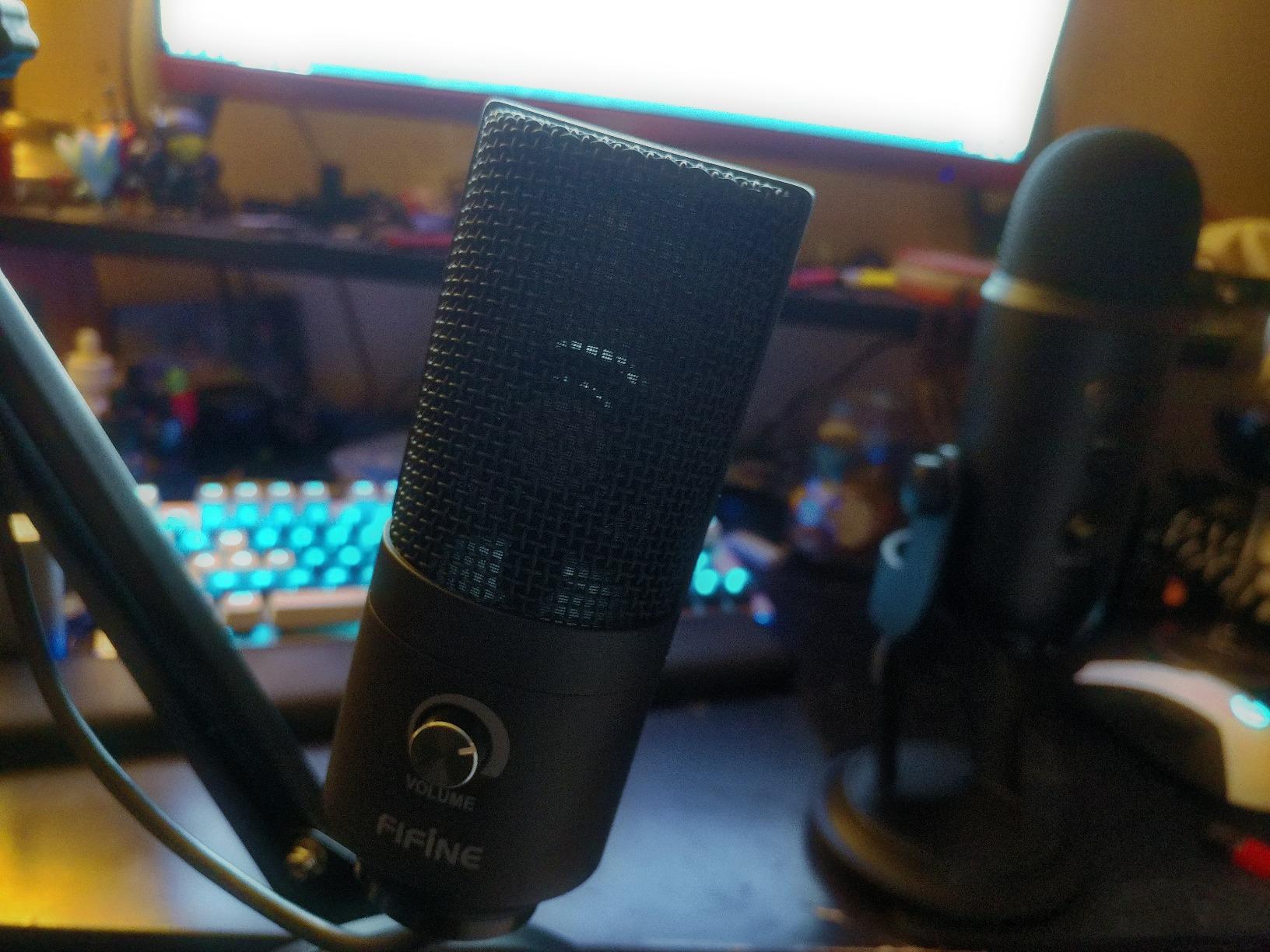
The FIFINE K669B is the most compact microphone in this roundup at 5.6 ounces, and it is also the one that most often surprises people. Owners including experienced vocalists report it holding up against USB condensers several times its cost in cardioid mode.
Because it is small, it also sits close to the desk, which is where the included tripod is most stable. The metal body does not shift, and there is a single volume knob you can turn to zero to mute when you are not recording.
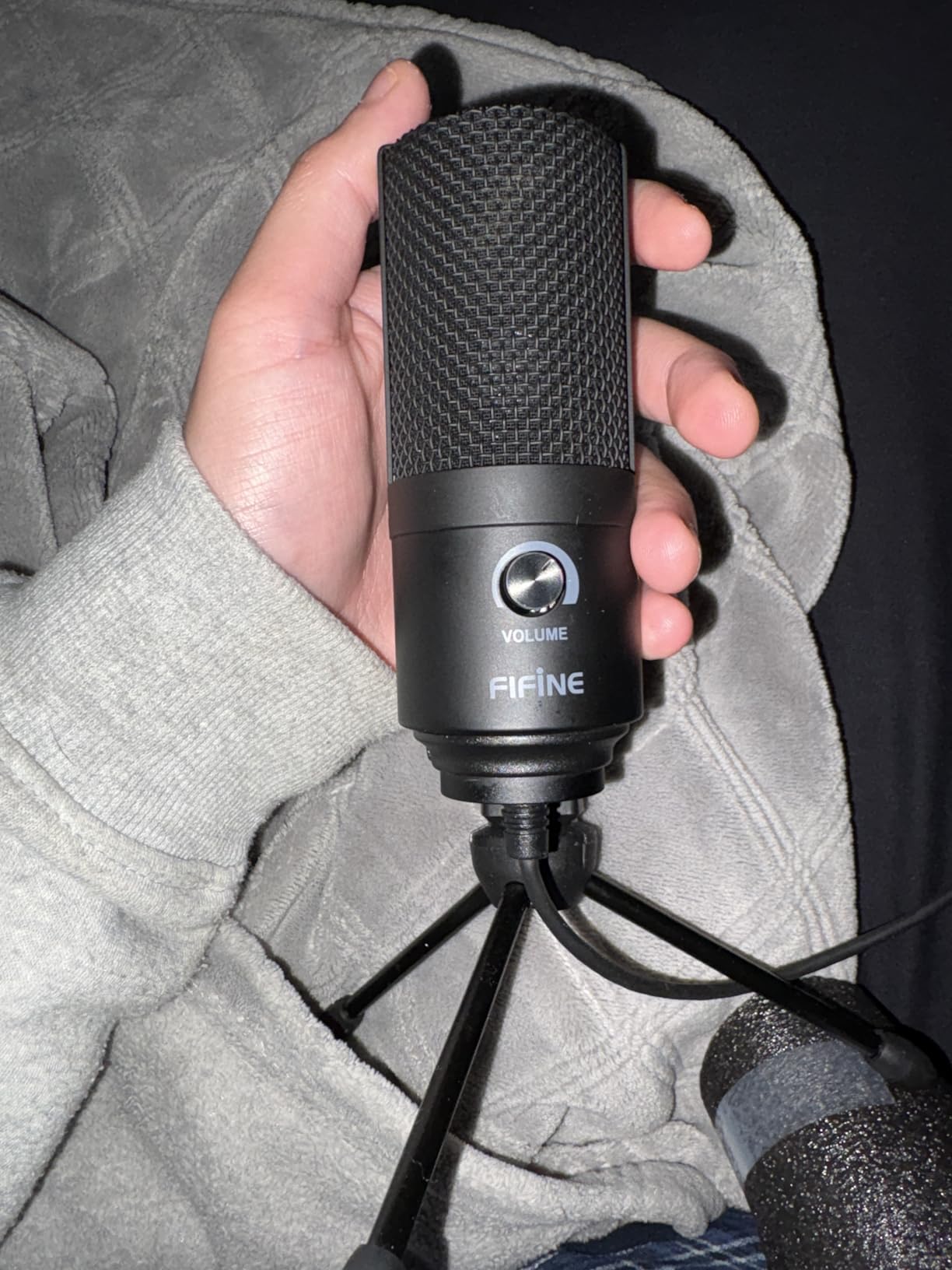
It includes a 5.9 foot USB-B to USB-A or USB-C cable, so it connects to older and newer laptops without an adapter, and it needs no drivers. It is USB-powered, so there is no phantom power to think about, and it is recognized by Discord, OBS, Teamspeak, Twitch, Zoom and Audacity.
There is no hardware mute button, only the knob, and no noise cancellation of any kind, so room sound and distant voices come in with your own. There is one pickup pattern, cardioid, so nothing to switch when you add a second host.
Six color options are available, and the 20Hz-20kHz response and 78 dB signal-to-noise ratio are respectable for the class. Treat it as a quiet, close-range desktop microphone rather than a room microphone.
Check this before you buy the FIFINE K669B
Confirm you record on a laptop or desktop rather than a console. It works on PS4 and PS5, but the listing is explicit that phones and Xbox are not supported, so mobile creators need a different option.
Position matters more with a microphone this small. Keep it 6 to 8 inches from your mouth and slightly off-axis, about 20 degrees, and you will cut plosives without a pop filter. Speak into it from a normal voice and the 78 dB noise floor is workable.
Who should pick a different microphone
Anyone in a noisy room should choose a dynamic. A small cardioid condenser has no mechanism for rejecting the environment, and this one has no noise reduction to fall back on.
If you record on a phone or tablet, the ZealSound K66 includes USB-C and Lightning adapters out of the box, which saves you the adapter purchase entirely.
12. TONOR TD510 Air: Dynamic With Built-In EQ and Noise Reduction
TONOR Dynamic Podcast Microphone for Content Creators, Cardioid XLR/USB Mic
Dynamic USB and XLR
Three EQ modes
AI noise reduction
Pros
- Dynamic cardioid design limits room and keyboard pickup
- Three selectable EQ modes for different rooms
- AI noise reduction filters low-frequency background noise
- Dual USB and XLR outputs for a later upgrade
- Tap mute plus 3.5mm headphone jack with separate volume controls
Cons
- XLR cable not included with the kit
- On-board EQ and noise reduction can add processing artifacts
- Not compatible with Xbox
The TONOR TD510 Air is a dynamic microphone for beginners who want help rather than a blank signal. It offers three audio enhancement modes, Bass Roll-off, Vocal Clarity and Mid-Range Emphasis, plus an AI noise reduction mode aimed at low-frequency background noise.
That is a meaningful difference from other dynamics here. A room with a hum or rumble will not be fixed by distance alone, and the Bass Roll-off mode is the right first tool for it. Vocal Clarity suits a thin voice in a reflective room.
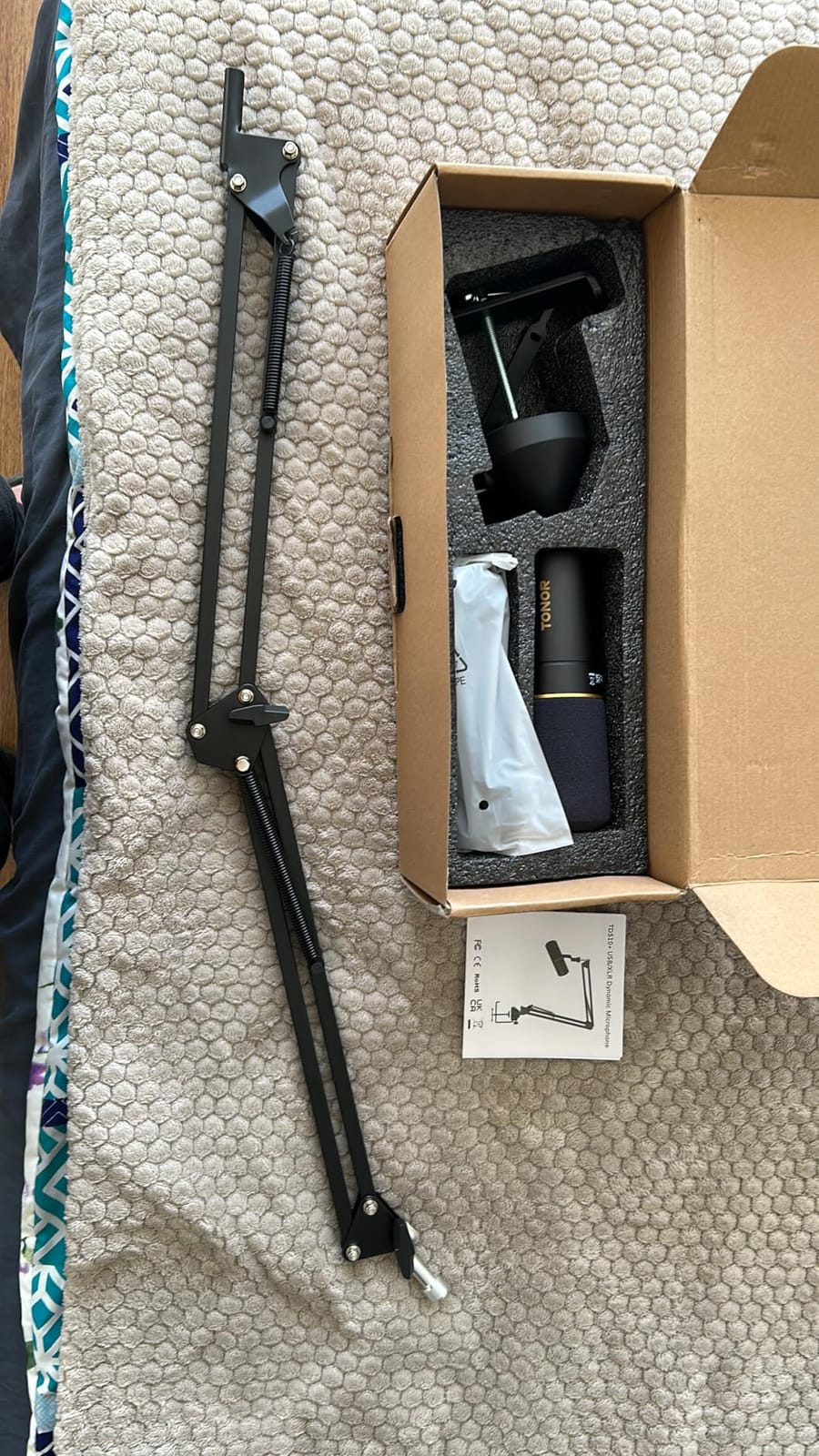
It has tap-to-mute, a 3.5mm headphone jack and separate microphone and headphone volume controls, plus a desktop stand in the box. Connect over USB directly to a computer, PS4 or PS5, and the same microphone moves to an XLR interface later without being replaced.
Owners who prefer an unprocessed signal report turning the enhancement modes off, and that the processing can leave audible artifacts on a quiet voice. For podcasting, a light touch is better than a heavy setting.
It is a dynamic, so the base rejection is good before any processing is applied. The two-year warranty is among the better ones in this group, though the review history is shorter than that of the established budget condensers.
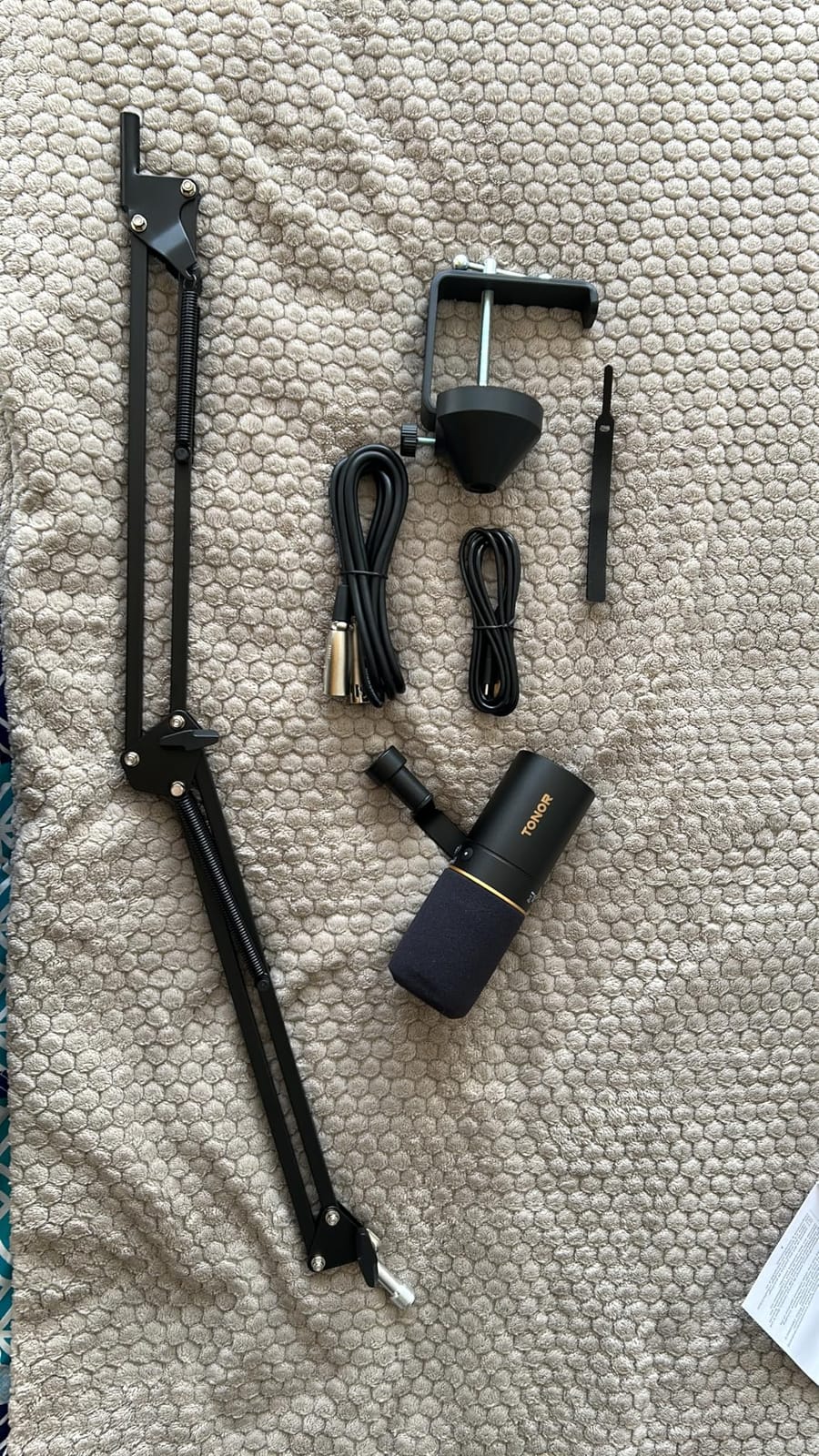
Check this before you buy the TONOR TD510 Air
Try the EQ modes in your own room before you settle. Bass Roll-off will help in a room with a fridge or a fan, and Vocal Clarity will not help in a room with heavy echo, so testing takes ten minutes and saves an argument later.
The XLR cable is not included, so the studio upgrade costs an extra purchase. Over USB it is complete, and for most beginners that path is the only one they will use in the first year.
Who should pick a different microphone
Anyone who wants the best possible unprocessed voice should choose the Rode PodMic with an interface, or a condenser such as the Blue Yeti in a treated room, rather than a microphone that shapes your tone by default.
Console creators on Xbox should look elsewhere, since this microphone is not compatible with Xbox, while PS4 and PS5 work over USB.
Dynamic vs Condenser: Buy a Dynamic Unless Your Room Is Treated
A dynamic microphone uses a moving coil to convert sound, while a condenser uses a thin diaphragm held near a charged backplate. That difference is the single most important decision a beginner makes, and it matters more than any feature list.
Dynamics are less sensitive. They pick up your voice strongly and everything else weakly, which is why a dynamic in an untreated bedroom can sound better than a far more expensive condenser. They also need more preamp gain, so a quiet interface can hiss.
Condensers are far more sensitive and detailed. They capture breath, sibilance and the fine top end that gives a voice a polished studio feel. The cost is that they capture your laptop fan, your keyboard, your monitor and the street with equal enthusiasm.
The practical rule: if you record in a closet full of clothes, behind a heavy curtain, or in any space with soft furnishings, a condenser rewards you. If you record at a normal desk in a normal room, a dynamic is the safer purchase, and the Blue Yeti is a condenser that new podcasters can still get away with because of its onboard controls and range of patterns.
Voice type matters too. A deep voice usually sounds better on a dynamic that will not choke on low frequencies. A bright, sibilant voice often prefers a condenser with a smoother top end. If you are unsure, record thirty seconds on each and listen with headphones.
USB vs XLR: Do You Need an Audio Interface?
You need an audio interface only if you buy an XLR-only microphone. USB microphones contain their own preamp and connect straight to your computer, which means no hardware, no drivers and no gain troubleshooting. That is why every microphone here except the Rode PodMic is USB.
XLR is a balanced connection that runs to a mixer or interface, and it is the format studios use. It matters when you record two people at once into separate inputs, when you need hardware monitoring, or when your show eventually moves to a professional room.
The trap for beginners is underestimating the full XLR cost. A microphone like the Rode PodMic needs an interface with real gain, an XLR cable, a stand, and sometimes an inline booster to drive a low-output dynamic properly. Four purchases, not one, and the interface is where beginners choose something too thin.
Four channels on this list avoid the trap: the Samson Q2U, the FIFINE AM8, the MAONO PD200XS and the TONOR TD510 Air carry both connections, so you start on USB and move to XLR without changing microphones. That is the upgrade path we look for first.
For a beginner starting today, USB is the correct answer. The microphones at the top of this list plug in, appear in your software and record. Everything else is a decision you can make later, once you know what your show actually needs.
Mic Technique: Distance, Angle and the 3-to-1 Rule
Microphone technique changes the recording more than the microphone does. Three habits fix most beginner problems: get closer, angle off-axis, and record in the smallest softest room you can find.
Distance. Sit 4 to 6 inches from a dynamic and 6 to 8 inches from a condenser. Closer means a stronger signal, less room sound and more presence. The manufacturers of the MAONO A04 rate it best at 2 to 6 inches for the same reason.
Angle. Point a cardioid microphone straight at your mouth and you will hear plosives on every P and B. Turn the mic about 20 degrees off-axis, or speak past its edge rather than into its face, and the plosives mostly disappear without a pop filter.
The 3-to-1 rule. This is a mixing rule from the recording world, not a distance rule. If one microphone is picking up a sound, every other microphone should be at least three times farther from that sound than the closest one is. It solves bleed when two microphones share a room, which is why it matters for two-person shows recorded in one space.
Gain staging. If you hear hiss, turn the preamp down rather than up. A quiet recording with a low noise floor is recoverable in software. A loud recording with hiss baked in is not, and the hiss becomes the loudest thing in the file.
Record ten seconds and listen back before you record anything else. Most beginners record an entire episode with a problem they could have caught in ten seconds.
Free Room Treatment to Do Before You Buy Better Gear
Experts working in audio engineering agree more often than they disagree on one point: room treatment changes the recording more than microphone price does. And most of it costs nothing.
Record in a closet. Clothes on every surface act as broadband absorption. It costs nothing and it improves any microphone in this guide.
Hang thick fabric. A heavy duvet or a large thick curtain behind your monitor and to the side of the mic reduces reflections that make a voice sound thin and echoey.
Kill desk vibration. Do not record a heavy keyboard tap directly on the same desk as an unmounted microphone. A shock mount or the included one in a kit microphone solves it, and so does resting the mic body on a foam pad.
Turn off what you can. Fans, air conditioners, chargers and LED-lit devices all sit in the room tone. Switching them off for the take costs nothing and removes noise that no plugin removes cleanly.
Record at the quietest hour. Traffic, neighbours and delivery noise follow a daily pattern. A small change of schedule can beat a better microphone.
Do all of this before deciding your microphone failed. In our testing, the same microphone moved from a bare office desk into a treated closet went from unusable to genuinely broadcast, with no hardware change at all.
The Beginner Starter Kit Beyond the Microphone
A microphone is most of the cost and the least of the setup. This is what a working beginner kit looks like around it.
A stand or arm. A weighted desk stand is the minimum. A boom arm gets the microphone to mouth height, which matters more for tone than most beginners expect. Several kits on this list include an arm already.
A pop filter. A fabric or mesh filter on a clamp solves plosives permanently. The FIFINE T669, the MAONO A04, the SUDOTACK ST-800 and the TONOR TC777 all include one.
Closed-back headphones. Monitoring your own voice is the fastest way to learn. The FIFINE AM8, the MAONO PD200XS and the TONOR TD510 Air all have a headphone jack on the mic itself.
The right cable. This is where beginners get caught. Check whether your computer has USB-A, USB-C or both, and whether it is a Chromebook or a tablet. The FIFINE K669B, the SUDOTACK ST-800 and the ZealSound K66 cover both connector styles, and the ZealSound also includes USB-C and Lightning adapters.
Recording software. Audacity is free and does everything a beginner needs. Descript edits audio by editing text, which shortens the learning curve considerably for people who do not want to read waveforms. A browser-based enhancer such as Adobe Podcast handles noise reduction and leveling in one pass, though it cannot replace a better microphone or a better room.
XLR extras. If you take the interface path, budget for the interface, a cable, a stand, and a spare inline booster for low-output dynamics. Users on r/podcasting repeatedly point out that the booster is what saves an otherwise thin recording.
Microphones and Setups to Skip
Some purchases are wrong for most beginners regardless of budget. These are the ones we see most often.
A large condenser in an untreated room. This is the single most common disappointment, and the Blue Yeti is the microphone most often blamed for it. A condenser in a reflective room sounds thin, echoey and full of keyboard noise, and no amount of noise reduction fixes it properly. Choose a dynamic instead, or treat the room first.
An XLR microphone as a first purchase. A low-output dynamic plus a thin interface is how beginners end up with a noisy recording and the wrong conclusion about the microphone. Either start on USB, or buy the interface as a considered second step.
A bare bundle with no stand, cable or filter. The microphone is the visible part of the purchase, and the accessories are what stop you recording on day one. A kit that includes an arm, a shock mount and a pop filter gets you to a finished episode faster.
A lavaliere for a stationary solo show. Clip-on mics are made for video and for movement. For a fixed desk podcast they sit further from the mouth, pick up clothing and chair movement, and produce a thinner voice than a desk microphone on a stand.
Cheap wireless kits for a two-person show in one room. Wireless solves distance, and distance is not the problem you have. Two mismatched voices recorded on two different wireless mics are harder to edit than two identical dynamics on stands.
Frequently Asked Questions
What type of microphone is best for a beginner podcaster?
A dynamic microphone is the best starting point for most beginners because it picks up your voice strongly while ignoring room noise, fans and keyboards. A condenser microphone sounds more detailed and polished, but only in a treated or very soft room. If you are unsure, record on a dynamic first and treat the room later.
Which microphone is best for podcasts?
For most beginners the Logitech Blue Yeti is the safest all-round choice because it is plug-and-play with onboard gain, mute and headphone monitoring. The Samson Q2U is the better buy in an untreated room because it is a dynamic with both USB-C and XLR, and the FIFINE AmpliGame AM8 is the choice when the room is noisy and you want USB convenience.
What is the 3 to 1 rule for microphones?
The 3-to-1 rule is a mixing guideline, not a distance rule. If one microphone is the closest to a sound source, every other microphone should sit at least three times farther from that same source. This reduces bleed between microphones when two people record in one room.
Do I need an audio interface to podcast?
No, not if you use a USB microphone, which contains its own preamp and connects straight to your computer. You only need an interface for XLR-only microphones such as the Rode PodMic. A microphone with both USB and XLR, like the Samson Q2U, lets you start without an interface and add one later.
What is the difference between a dynamic and condenser mic?
A dynamic mic uses a moving coil and is less sensitive, so it rejects room noise and needs more preamp gain. A condenser mic uses a thin diaphragm and is far more sensitive and detailed, capturing breath and sibilance along with every sound in the room. Beginners in untreated rooms should start with a dynamic.
How close should I be to my podcast mic?
Sit 4 to 6 inches from a dynamic microphone and 6 to 8 inches from a condenser. A closer position gives a stronger signal with less room sound. Angle the microphone about 20 degrees off-axis and speak past its front edge rather than directly into it, which reduces plosives without needing a pop filter.
The Best Podcast Microphone for Beginners Is the One You Will Actually Use
After six weeks of recording with all twelve of these microphones, the pattern was consistent. The best podcast microphones for beginners are not the most expensive ones, and they are rarely the ones with the longest specification list.
Start with the room. If you can record in a closet or behind heavy fabric, the Logitech Blue Yeti is the smoothest first purchase, with onboard gain, mute, four patterns and real-time headphone monitoring on a microphone you can unbox and record from in five minutes.
If your room sounds like a room, buy the Samson Q2U. It is a dynamic with USB-C and XLR in the same body, the stand and both cables are in the box, and the same microphone will still make sense when you outgrow your first setup. If you want headphone monitoring and a gain knob on the mic body, the FIFINE AmpliGame AM8 covers both without an interface.
Do the free room work before the purchase, keep the microphone four to six inches away and slightly off-axis, and record ten seconds before you record anything else. That combination will improve your audio more than any other purchase on this list.