
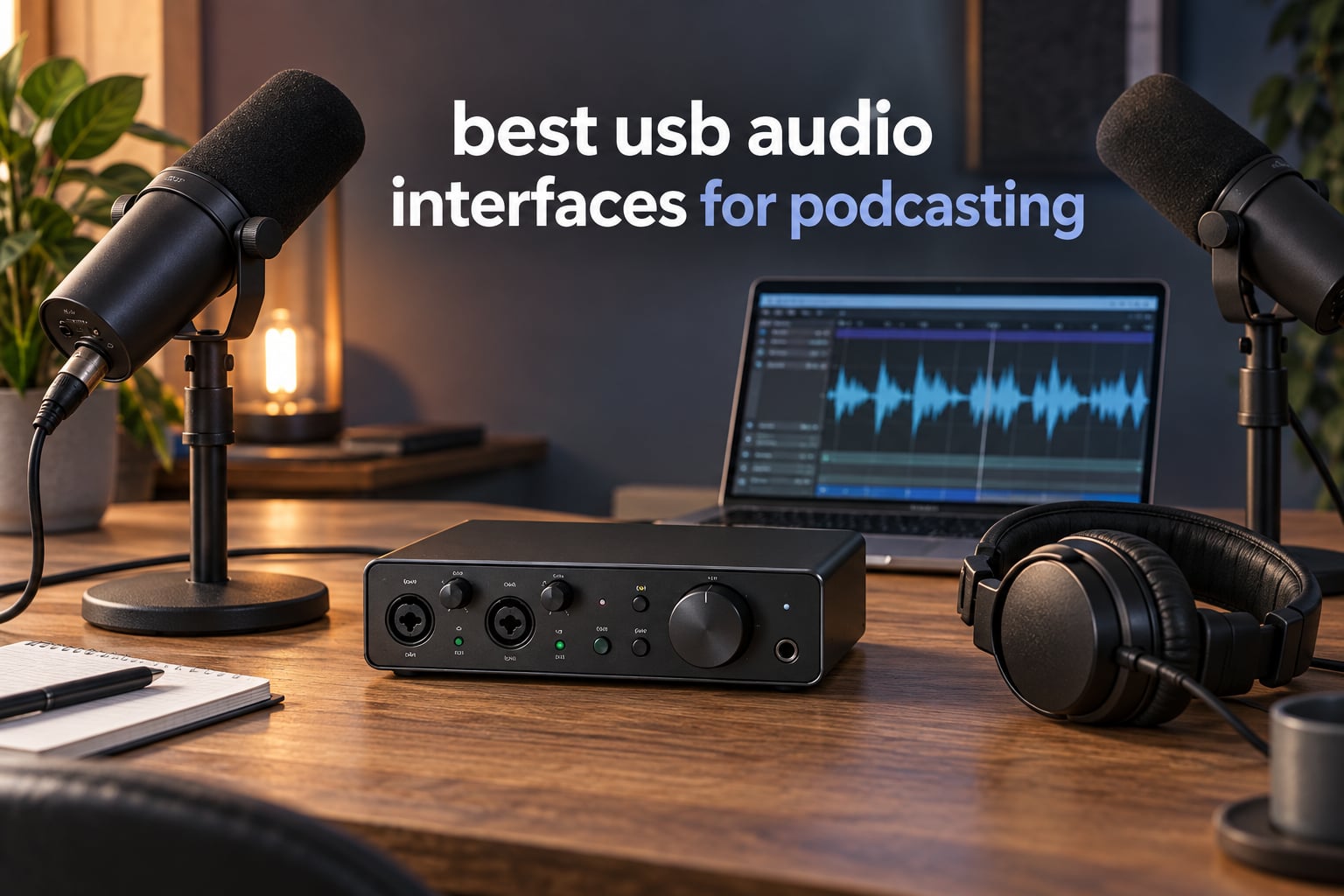
Short answer: the Behringer UMC22 is the best USB audio interface for podcasting for most people starting out, the Focusrite Scarlett Solo 4th Gen is the premium pick for a single host who wants the cleanest conversion, and the Zoom PodTrak P4 is the right tool the moment three or four people are speaking in the same room.
I have spent the last few months moving between these boxes with the same routine: plug in two dynamic mics, set gains, record a host and a co-host talking for twenty minutes, pull the files into a DAW and listen for noise, clipping and headphone delay. Ten interfaces later, the differences that matter to a podcaster are almost never the ones printed on the box. Input count, gain range, monitoring behaviour and driver stability decide whether a show is easy or painful to make.
That is the axis this guide is built on: how many people are recording at the same time. A solo host with one microphone and a good room needs almost nothing. A two-host show needs two real XLR inputs and two sets of headphones. A roundtable needs four inputs, four headphone outputs, and ideally a phone-caller input so a remote guest is not routed through the laptop.
One piece of honesty before we start. Experienced podcasters repeatedly report recording hundreds of remote episodes with a plain USB dynamic microphone in a room they had treated with blankets and moving. A better microphone and a better room will improve your show far more than a better box. The interface matters most once you have more than one person in the chain.
Everything below reflects the 2026 firmware and software landscape as of September 2026, and prices move constantly, so use the buttons rather than any number you remember.
Table of Contents
What Is a USB Audio Interface for Podcasting?
A USB audio interface is a small box that sits between your microphones and your computer. Your mic sends an analog signal into an XLR input, a preamp inside the box raises that signal to a usable level, an analog-to-digital converter turns it into numbers, and the interface streams those numbers to your recording software over USB. The same box sends your monitoring mix back to your headphones, usually with no perceptible delay.
For podcasting specifically, three things decide whether a box works. The number of mic inputs tells you how many people you can record at once. The preamp gain range tells you whether a quiet dynamic microphone can reach a healthy level without adding hiss. Monitoring tells you whether you can hear yourself the way a listener will. Everything else is a bonus.
Top 3 Picks for Podcasting (September 2026)
Three boxes cover most situations. The UMC22 wins on proven reliability and low cost of entry, the Scarlett Solo wins on conversion quality for a solo host, and the M-Track Duo wins when you need two inputs at the smallest outlay.


Quick Overview: All 10 USB Audio Interfaces Compared
Every box below is included in this roundup with its own review further down. Read the table for the shape of the decision, then jump to the section that matches how many people you record with.
| Product | Specifications | Action |
|---|---|---|
|
Behringer UMC22
|
|
Check Latest Price |
 M-Audio M-Track Duo
|
|
Check Latest Price |
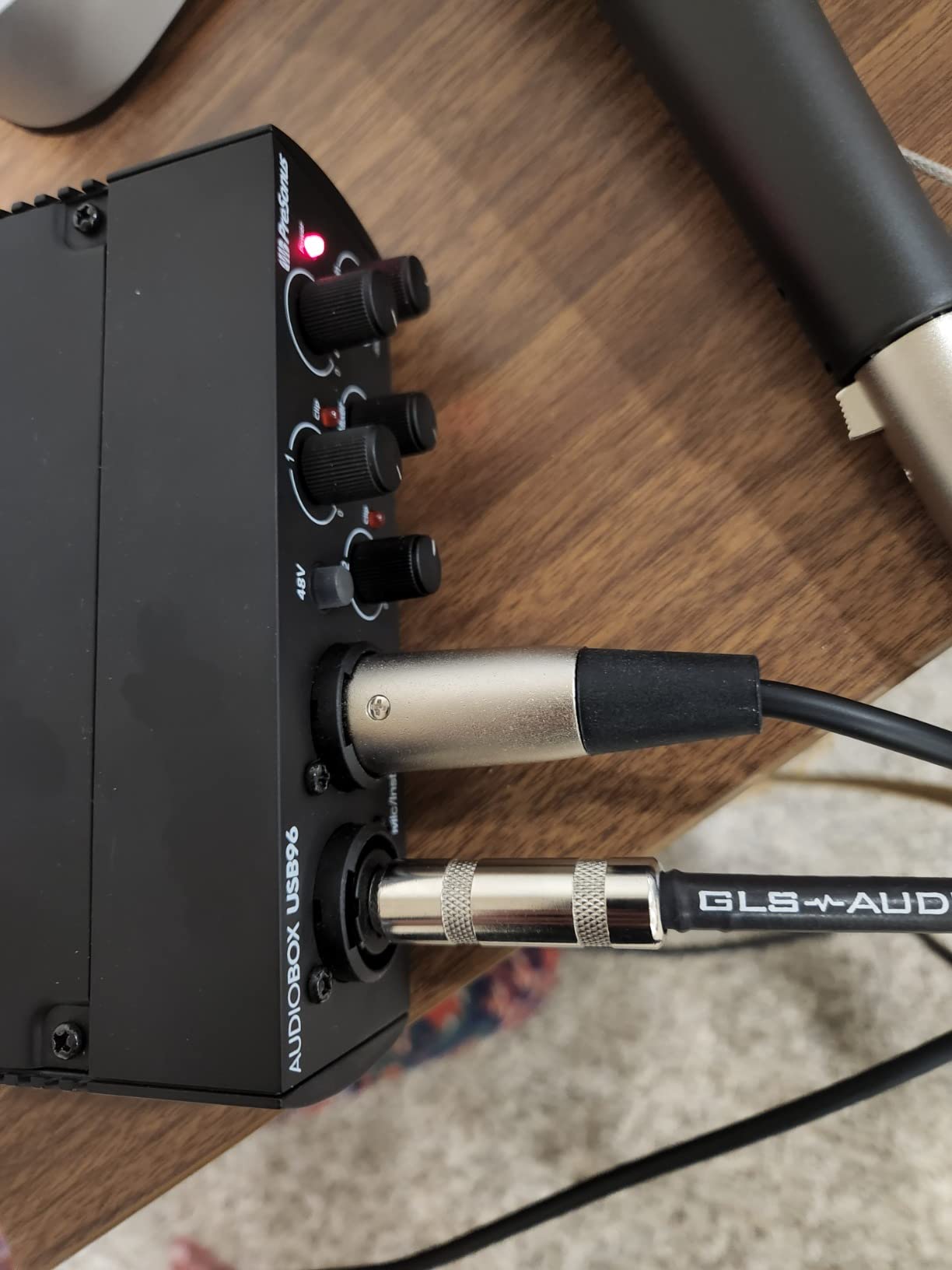
 PreSonus AudioBox USB 96 25th Anniversary
|
|
Check Latest Price |
 Behringer UMC202HD
|
|
Check Latest Price |
|
Focusrite Scarlett Solo 4th Gen
|
|
Check Latest Price |
 Zoom PodTrak P4
|
|
Check Latest Price |
 Audient EVO 4
|
|
Check Latest Price |
 Shure MVX2U Gen 2
|
|
Check Latest Price |
 MAONO AME2
|
|
Check Latest Price |
 Focusrite Vocaster One
|
|
Check Latest Price |
1. Behringer UMC22 Audio Interface – Editor’s Choice for First-Time Podcasters
Behringer UMC22 Audiophile 2×2, 48 kHz USB Audio Interface with Midas Mic Preamplifier | For Recording Microphones and Instruments
2 combo inputs
24-bit/96 kHz
Midas preamp
Direct monitor switch
Bus-powered
Pros
- Proven Midas preamp at the entry level of the roundup
- Midas-designed preamp captures clean vocals
- Direct monitor switch for zero-latency monitoring
- Bus-powered and compact
- Works with Pro Tools
- Ableton Live and Cubase
Cons
- Only two input channels
- 96 kHz ceiling rather than 192 kHz
- Entry-level converters
This is the box I keep reaching for when someone asks what to buy first. The UMC22 has been in continuous production for years and carries 12.7k+ reviews at a 4.5 average, which tells you a great deal about how few surprises it produces. Two combo inputs accept balanced XLR or quarter-inch, and the Midas-designed preamp in each channel is the reason the recordings do not hiss at sensible gain settings.
Set-up is genuinely trivial. Bus power comes from the USB cable, so there is no adapter to find, and the direct monitor select gives you hardware-level headphone monitoring with no round trip through your computer. I recorded a two-host conversation on this for a full episode without touching driver settings once.
What you give up is headroom on paper. Maximum sample rate is 96 kHz, which is well above what voice recording needs, and the converters are entry-level rather than premium. In practice, on spoken word at a normal speaking distance, I could not hear a meaningful quality difference against the 192 kHz boxes further down this list.
The harder limit is the channel count. Two inputs means a host and one guest. The moment a third person speaks, you are adding a second interface or running a USB microphone into a laptop input alongside it, which is where setup friction starts.
Who the UMC22 suits
It suits anyone recording a solo show or a two-host interview who wants a known-good result without reading a manual. If you are on a treated-room budget, spending here is a safe, unglamorous choice. It is also the interface I would put in front of someone who has never opened a recording application, because nothing about it is going to break.
Where the UMC22 falls short
It falls short for roundtables, for anyone who needs 192 kHz converters, and for people who want per-channel headphone monitoring for two people. It also has no loopback routing of its own, so capturing computer audio means routing through Windows WDM loopback or a virtual audio tool such as VoiceMeeter.
2. M-Audio M-Track Duo Audio Interface – Best Value for a Two-Host Show
M-AUDIO M-Track Duo USB Audio Interface
2 combo XLR/line/instrument
48 kHz/16-bit
USB/Direct switch
1 megohm preamp
Headphone out
Pros
- Two real XLR inputs at a budget price
- Clean low-noise headphone monitoring
- True zero-latency monitoring via USB/Direct switch
- Works on Mac
- Windows
- iOS and Android
- Includes MPC Beats
Cons
- Gain pot taper is abrupt near the top
- All-plastic chassis slides on the desk
- 48 kHz/16-bit conversion only
The M-Track Duo gives you two genuine XLR inputs for very little money, and for a two-host show that is the entire requirement. Reviewers consistently describe the preamps as transparent with no audible hiss, which is the thing budget interfaces usually get wrong.
Monitoring is handled by a USB/Direct switch. In direct position you hear the hardware path with no delay, which is what you want while recording. Switch it to USB when you want to monitor playback from your computer. That single switch is the entire monitoring philosophy, and it works.
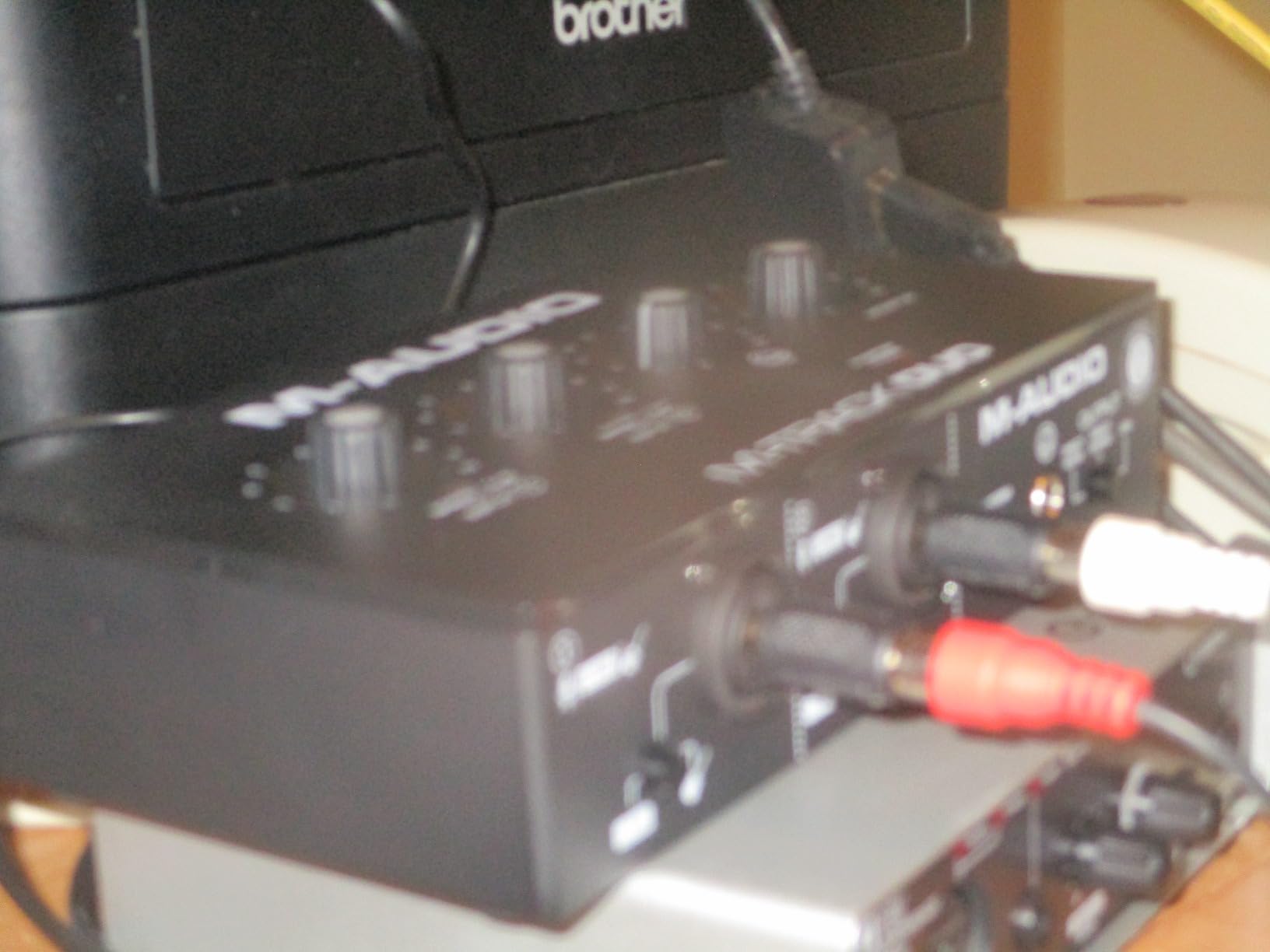
The mechanical complaints are the honest ones. The gain pot taper is badly shaped, jumping sharply across the top of its travel, so it is easy to clip a loud speaker by accident. The chassis is light plastic with foam feet, and it slides across a desk when you reach for a cable.
Conversion is 48 kHz and 16-bit. That is below the resolution of the other picks, and reviewers note the headphone output colours computer playback slightly. Neither issue spoiled a spoken-word recording in my sessions, but neither is nothing.
Who the M-Track Duo suits
It suits a new podcaster with a host and one guest who wants two real mic inputs for the smallest outlay here. It also works as a second interface for a roundtable, because a second box recording a second pair of speakers into separate tracks is a legitimate way around a four-input limit.
Where the M-Track Duo falls short
It falls short for condenser microphones, because reviewers report the phantom power circuit feeling under-driven on some of them. It also suits nobody who needs higher-resolution capture, and the gain taper means you should check levels before each take rather than trusting the knob position.
3. PreSonus AudioBox USB 96 25th Anniversary Interface – Best for Your First Recorded Episodes
PreSonus AudioBox 96 25th Anniversary USB Audio Interface
2 Class-A mic preamps
24-bit/96 kHz
Monitor blend
MIDI in and out
Bus-powered
Pros
- Class-A preamps capture vocals with plenty of headroom
- 24-bit/96 kHz converters exceed most budget rivals
- Monitor blend mixes inputs and playback with no delay
- MIDI I/O is unusual at this level
- Bus-powered for portable use
Cons
- Only two inputs
- Software delivered by registration rather than in the box
- 96 kHz ceiling
Two Class-A mic preamps is the headline, and for voice it matters more than sample rate. The headroom means a dynamic microphone sits comfortably in the sweet spot without a booster, and reviewers repeatedly single out the preamp quality for the money as the reason to buy it.
The monitor blend control is the feature I use most. It lets you blend the direct input path with computer playback into one headphone mix at no latency, which means you can hear a music bed under yourself without the delay of a software monitor. For a solo host adding intros and outros, that is a genuinely useful control rather than a gimmick.
It is bus-powered over USB 2.0, so it runs off a laptop with no separate supply, and it is small enough for mobile recording. A three-year manufacturer warranty is longer than most in this group.
The software story is the quiet catch. Studio One Artist, Ableton Live Lite and the Studio Magic plug-in suite are all included, but the licences arrive by registration rather than sitting in the box, and some owners would prefer a metal enclosure. Both are small inconveniences rather than deal-breakers.
Who the AudioBox USB 96 suits
It suits a beginner who wants a quiet preamp, no-latency monitoring with playback, and a full recording application without a second purchase. If you plan to record a solo show with music beds and stingers, the blend control is the reason to choose it over cheaper two-channel boxes.
Where the AudioBox USB 96 falls short
It falls short for anything beyond two speakers, and the registration-only software delivery can be a barrier if you are not comfortable signing up for accounts on three different sites. It also cannot expand, so a roundtable means replacing the box rather than adding to it.
4. Behringer UMC202HD Audio Interface – Best for High-Resolution Converters on a Budget
Behringer UMC202HD Audiophile 2×2, 24-Bit/192 kHz USB Audio Interface with Midas Mic Preamplifiers | For Recording Microphones and Instruments
2 Midas preamps
24-bit/192 kHz
Metal chassis
Direct monitor with level
48V phantom
Pros
- 24-bit/192 kHz conversion
- Two Midas-designed mic preamplifiers
- Impact-resistant metal chassis
- Direct monitor select with separate level control
- Works with Pro Tools
- Ableton Live and Cubase
Cons
- Only two mic preamps
- Headphone output is adequate rather than powerful
- Bundled software is minimal
This is one of the two highest-rated boxes in the roundup, sitting at 4.6 across 3.3k+ reviews. Reviewers describe it as the step up from plastic-bodied budget interfaces, and they are right about why: the metal chassis feels like it will survive being moved between setups, and the Midas preamps give a more open recording.
Direct monitor comes with its own level control, which is unusual at this level and genuinely useful when your headphones are loud. Phantom power is present, so condenser microphones are on the table if you decide you need one.
Here is the honest truth about the marketing: 192 kHz conversion is a specification, not a sonic upgrade for speech. A voice recording at 48 kHz and 24-bit captures everything a podcast ever needs. The UMC202HD is worth choosing because the preamps and the chassis are better, not because the number on the box is larger.
Two preamps means two microphones. Bundled software is minimal, so most users will need to buy a DAW, and the headphone output is described by reviewers as adequate rather than unusually powerful.
Who the UMC202HD suits
It suits a two-host show that wants a durable box, strong preamps and a hardware level control on the headphones. If you already own a recording application and just need clean, reliable conversion with no surprises, it delivers that.
Where the UMC202HD falls short
It falls short for group conversations, and for anyone who wants a single box to also handle loopback capture, since it has no native loopback routing. It is also not the place to look for a beginner-friendly experience; the controls are simple but undemanding rather than guiding.
5. Focusrite Scarlett Solo 4th Gen Audio Interface – Most Versatile for a Single Host
Focusrite Scarlett Solo 4th Gen USB-C Audio Interface
1 XLR plus Hi-Z
120 dB dynamic range
24-bit/192 kHz
Air mode
Loopback
Pros
- 120 dB dynamic range converters
- Preamp clarity and warmth for the tier
- Air mode adds presence with one button
- Strong clean headphone amp
- Works with PC
- Mac and iPad
Cons
- Only one mic input
- Focusrite Control can reduce input level for quiet dynamic mics on Windows
- Includes a USB A-to-C cable rather than C-to-C
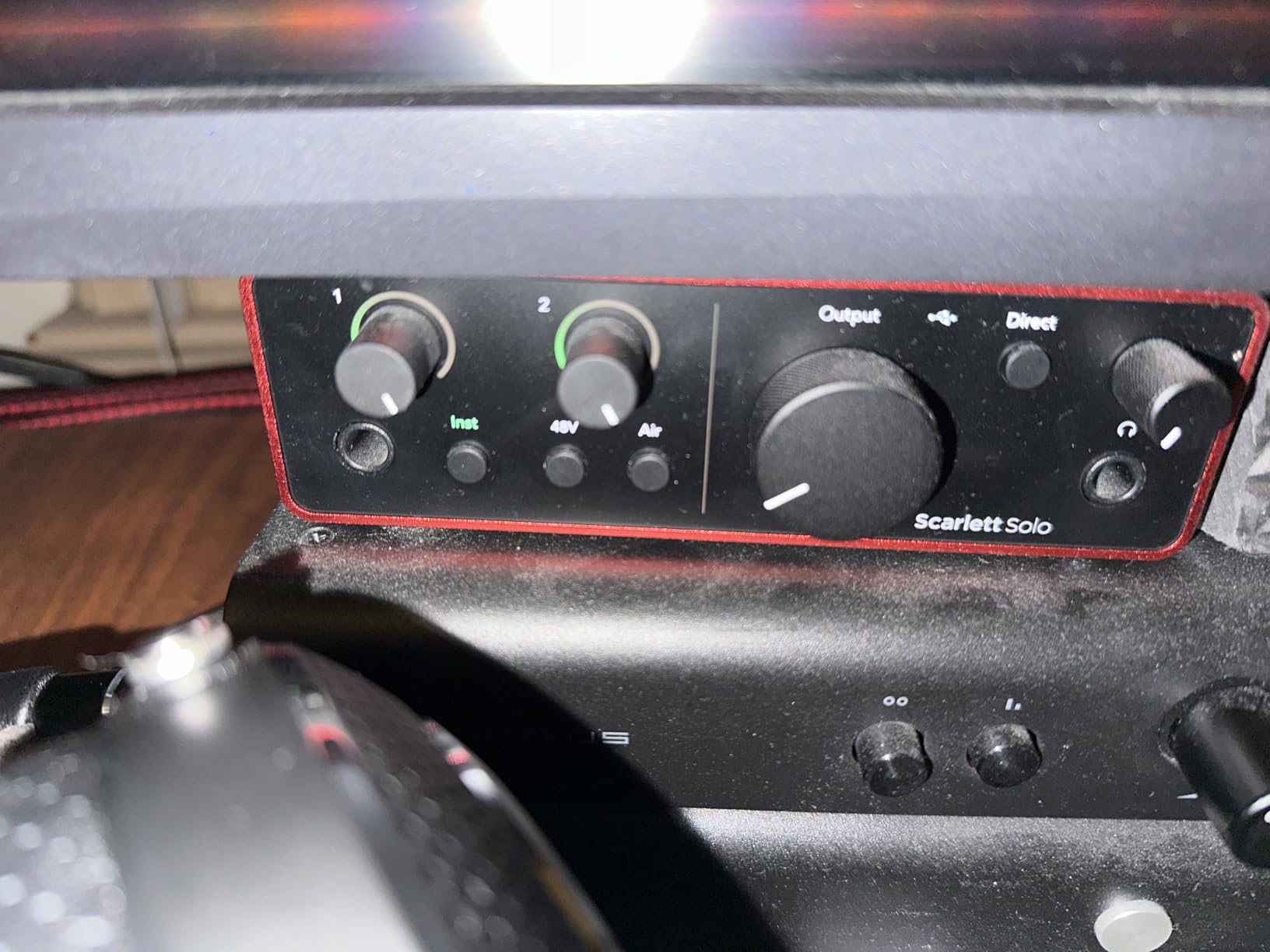
When one person is talking and you care about how clean the file is, this is the box. The converters use Focusrite’s flagship design at 120 dB of dynamic range, which is a genuinely different class of number from the rest of the budget group, and it means recording quietly costs you nothing.
Air mode is the feature that surprises people. One button adds presence and harmonic drive to a vocal, and on a thin-sounding dynamic microphone in an untreated room it is a fast fix that would normally need a plug-in. Gain LEDs show you the level as you turn the dial, so setting gain is not a guess.
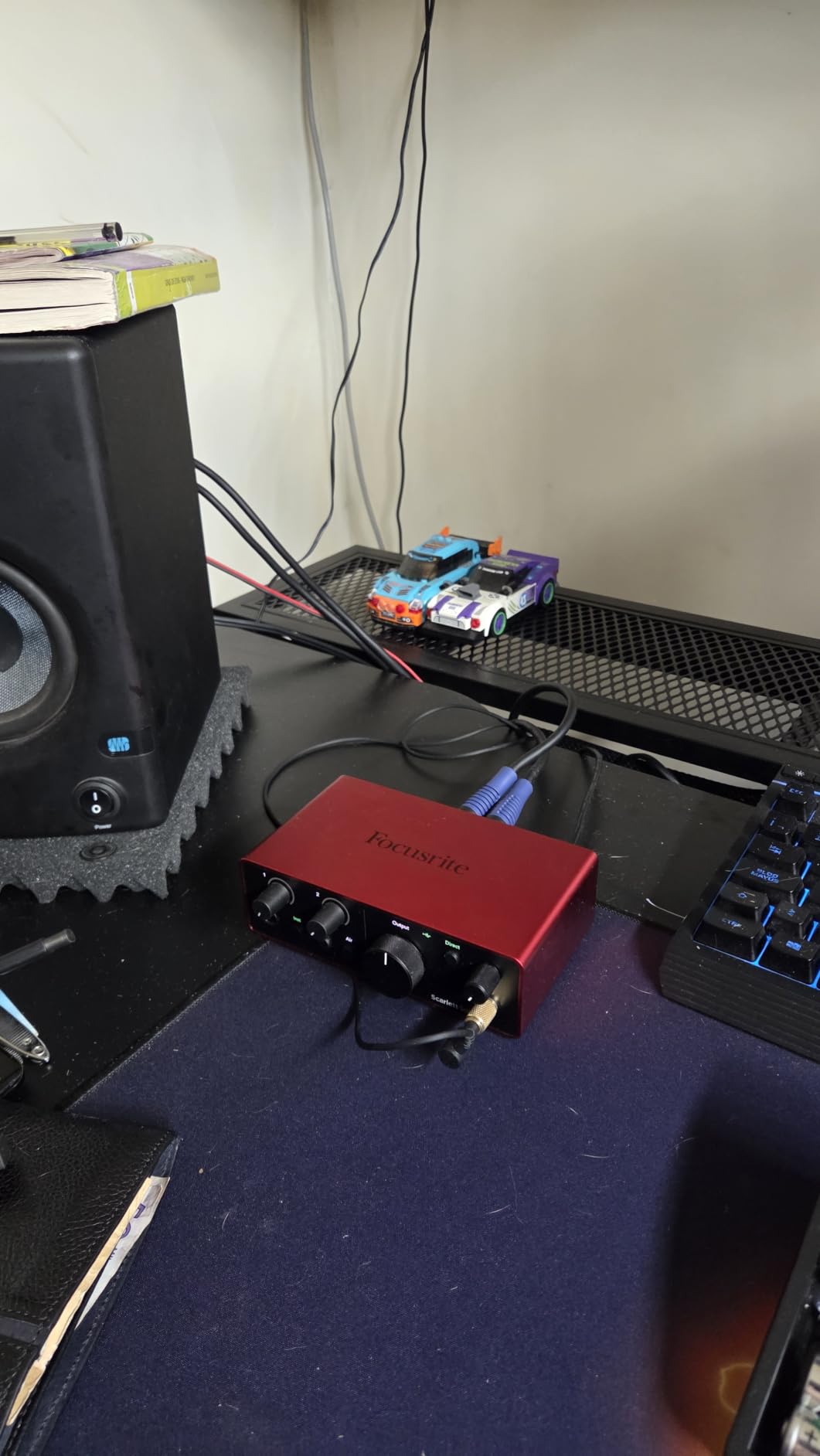
Loopback and Auto Gain both live in the Control software, and loopback means you can capture computer audio for a music bed without a virtual routing tool. That is a real workflow advantage over the other single-input options here.
Two things to know before you commit. There is one XLR input, so this is a solo-host box and a two-host show needs a different pick. And there is a well-documented thread of Windows users reporting that Focusrite Control reduces the input level for very quiet dynamics, which is resolved by using default drivers or moving to a two-input model.
Who the Scarlett Solo 4th Gen suits
It suits a solo host recording a narrative or interview show who wants the cleanest capture this roundup offers and does not need to bring a second person into the same room. The bundled Pro Tools Intro+, Ableton Live Lite, Cubase LE and Hitmaker Expansion mean you can start recording without another purchase.
Where the Scarlett Solo 4th Gen falls short
It falls short the moment a second microphone appears, and the single rotary control means adjusting several settings is one at a time. It also does not ship with a C-to-C cable, so a laptop with only USB-C ports needs its own.
6. Zoom PodTrak P4 Audio Interface – Best for Roundtables and Call-In Guests
Zoom PodTrak P4 Podcast Recorder with 4 XLR Mic Inputs, 4 Headphone Outputs, Phone & USB Input for Remote Interviews, Sound Pads, 2-In/2-Out USB Audio Interface, Battery Powered
4 XLR inputs
4 headphone outputs
Mix-minus and TRRS
4 sound pads
2-in/2-out USB
Pros
- Four XLR inputs with four independent headphone outputs
- Mix-minus and TRRS make phone interviews trivial
- About 70 dB of preamp gain for dynamic mics
- Each participant lands on a separate track
- Records to SD as well as acting as a USB interface
Cons
- 16-bit/44.1 kHz recording only
- Short AA battery life
- Light plastic chassis
- Computer does not receive the Zoom mix in USB mode
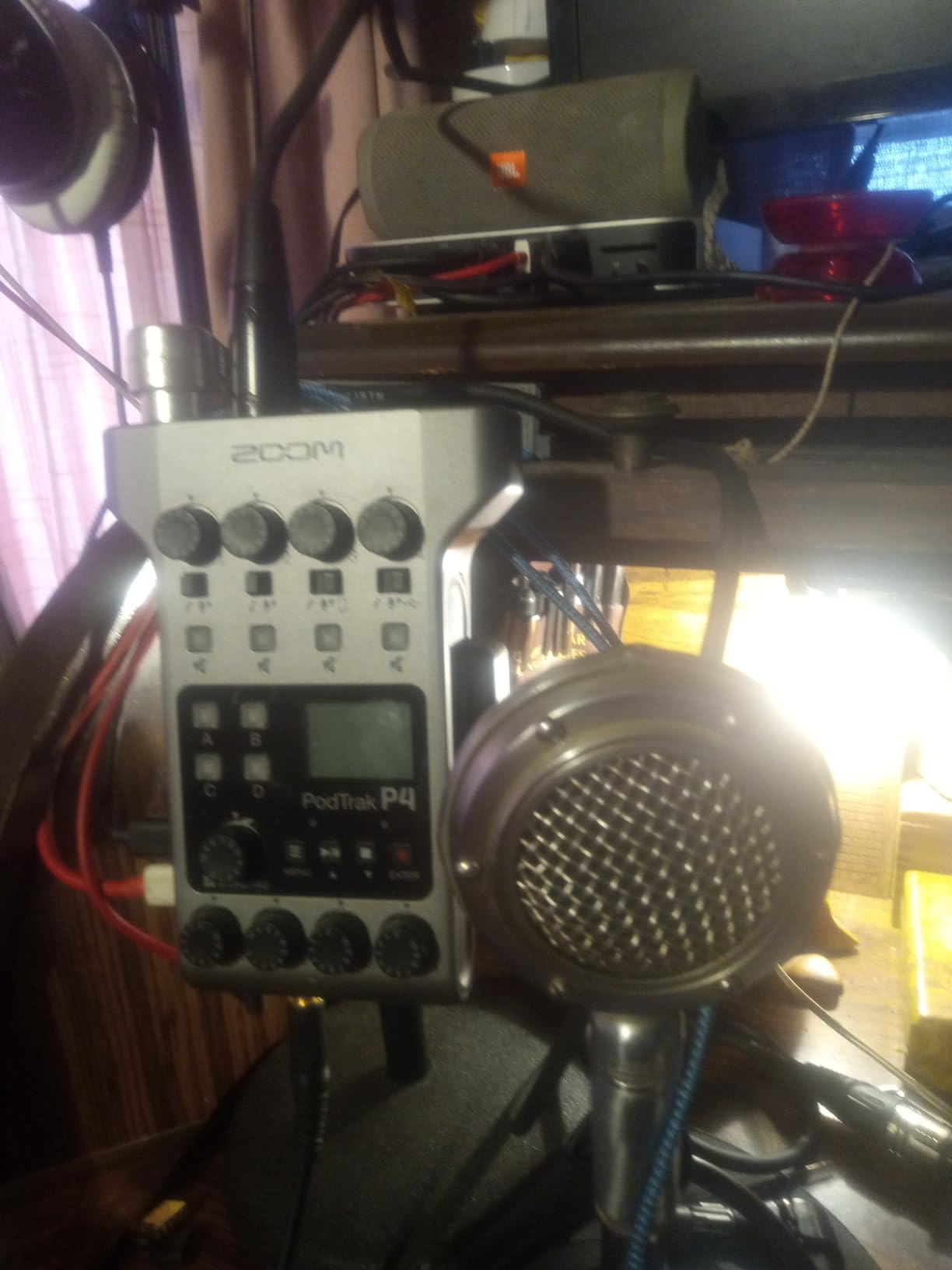
The PodTrak P4 is the highest-rated product in this roundup at 4.7, and for podcasting it is the most purpose-built of the ten. Four XLR inputs, four independent headphone outputs with individual level control, and roughly 70 dB of preamp gain per channel. Three people can talk in one room and each hear themselves alone.
Every person is recorded to their own track. That single fact changes the editing session. When a guest coughs or a chair scrapes, you mute one channel instead of trying to repair a stereo mix, and gain is balanced per person rather than per room. It also works as a USB audio interface in 2-in/2-out mode for streaming.
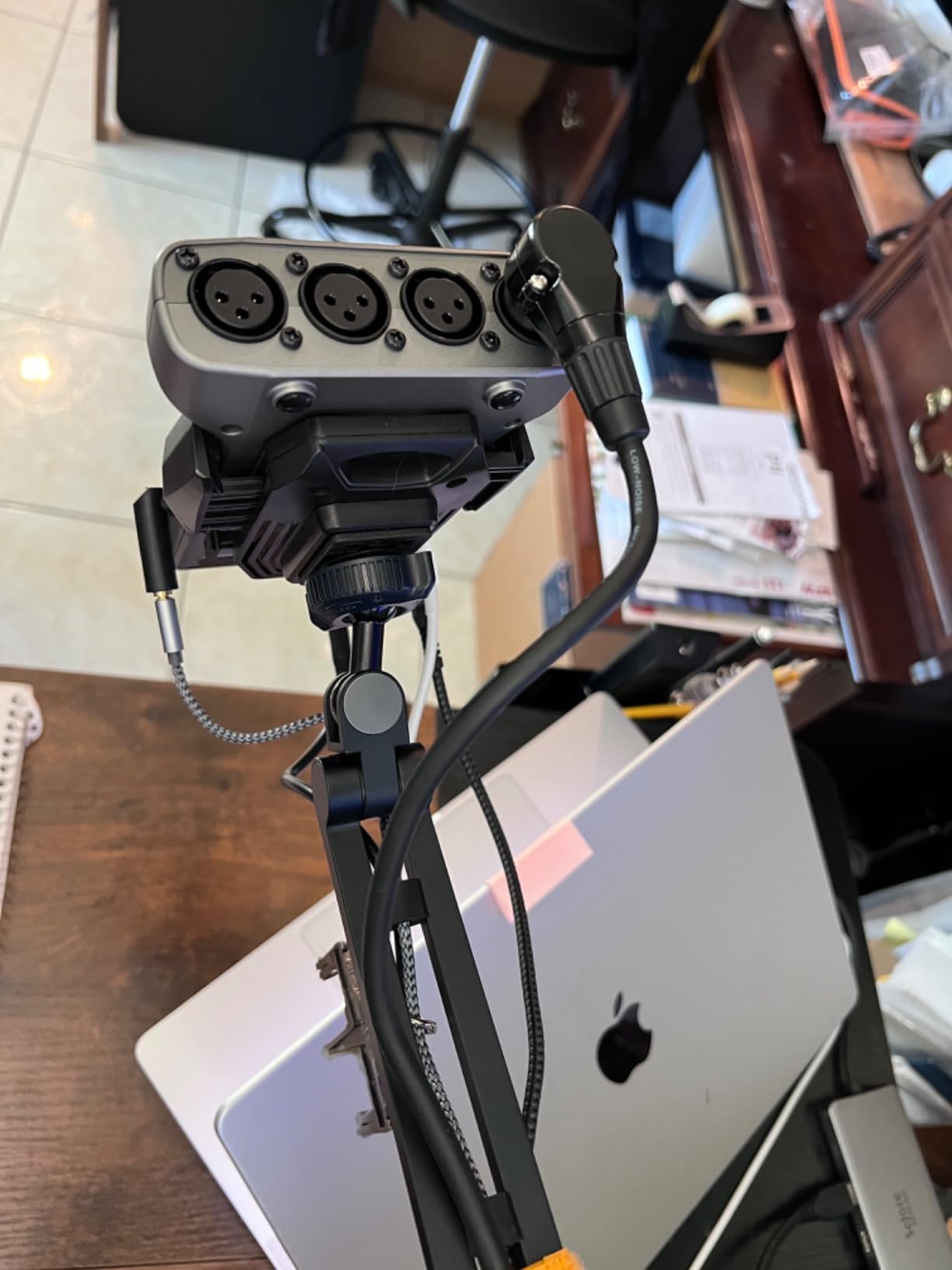
Mix-minus is the feature no other box in this list has. Plug a phone caller into the TRRS jack and the P4 handles the feedback-free mix automatically, so a remote guest does not hear themselves through the speakers. Four programmable sound pads record to their own tracks, which is how a show with recurring jingles and effects gets them captured cleanly.
It also records to SD card independently of the computer, so a crashed laptop does not cost you an interview. Controls are icon-labelled and most users never open the manual.
Who the PodTrak P4 suits
It suits roundtable shows, panel conversations and any recording with a phone caller. It also suits a podcaster who wants their multitrack files captured on hardware as a backup, or who records away from a desk and does not want to depend on mains power.
Where the PodTrak P4 falls short
It records at 16-bit/44.1 kHz with no higher option, which is the only recording format in this roundup fixed below 48 kHz. Onboard editing is limited to EQ, compression, noise reduction, low-cut and limiters, AA battery life is short so most people run it from USB, and in USB mode the computer does not receive the Zoom mix, so audio has to be pulled from the SD card.
7. Audient EVO 4 Audio Interface – Best for Console-Style Vocal Character
Audient EVO 4 USB Audio Interface
2 Audient preamps
AKM 24-bit/96 kHz
Smart Gain
Smart touch point
Loopback
Pros
- Audient console-derived preamps give a fast
- forward vocal
- AKM 24-bit/96 kHz converters keep the noise floor low
- Four inputs record two mics plus two line or instrument sources
- Loopback for capturing system audio
- Bus-powered and compact
Cons
- 96 kHz maximum sample rate
- Single smart touch point control for all channels
- No bundled MIDI or dedicated instrument-level gain
Audient built these preamps from its console range, and users consistently report a faster, more detailed and more forward vocal than budget interfaces deliver. If your previous recordings sound dull and slightly distant, the difference here is usually audible on the first take rather than after processing.
It has four inputs in total, which means two microphones plus two line or instrument sources can be captured at once. That is a different kind of flexibility from the two-mic boxes, and it is useful for capturing a guest from a recorder or a music source alongside a mic.
Loopback is built in, so system audio capture does not need a virtual routing tool. Smart Gain assists with level setting, and bus power over USB 2.0 keeps the box small and portable. Compatibility covers macOS, Windows and iOS through a powered USB hub.
The main friction is the single smart touch point. One rotary control handles every channel, so dialling in four settings takes four separate interactions with a push-button menu. The 96 kHz ceiling is the other recurring comment, and again, it does not matter for voice.
Who the Audient EVO 4 suits
It suits a solo or two-host show where the microphone and room are already good and you want the interface to add clarity rather than take it away. It also suits anyone streaming, since loopback is on the hardware.
Where the Audient EVO 4 falls short
It falls short for roundtables, for fast multi-channel set-up because of the single encoder, and for anyone who needs high-resolution capture. Buyers comparing this tier of interface report the preamps as slightly noisier than those in larger units, and the EVO sits exactly where that comparison gets made.
8. Shure MVX2U Gen 2 XLR-to-USB-C Audio Interface – Best for Travel and Mobile Recording
Shure MVX2U Gen 2 XLR-to-USB-C Audio Interface
XLR to USB-C adapter
Up to 60 dB gain
48V phantom
MOTIV DSP
Zero-latency monitoring
Pros
- Plugs straight into the microphone XLR port
- Up to 60 dB of gain covers demanding microphones
- Onboard DSP replaces a rack of processing
- USB-C bus powered for laptop
- tablet or phone
- Works immediately with OBS
Cons
- Full DSP control depends on the MOTIV apps
- Newer MOTIV releases have dropped Windows 10 support
- Single XLR channel only
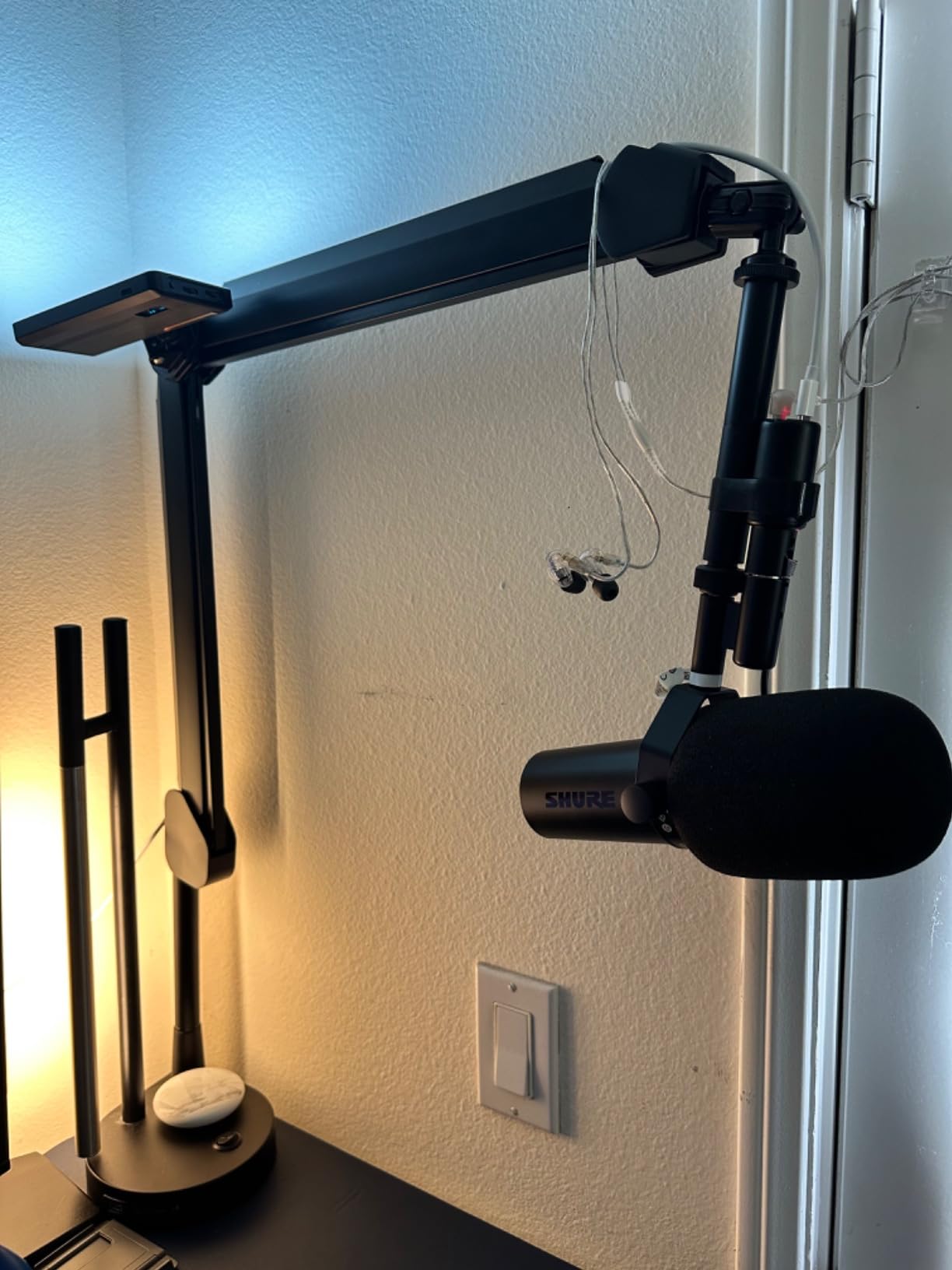
This is not really an interface in the traditional sense. It is a small adapter that plugs directly into the XLR output of your microphone, so you skip the XLR cable entirely and gain a small box that goes in a pocket. I have used it on location and the weight is enough that it does not swing on a boom arm.
Up to 60 dB of gain with 48V phantom power covers demanding microphones, and 24-bit/192 kHz conversion is the joint-highest specification in this roundup. Zero-latency headphone monitoring means you can check levels wherever you are.
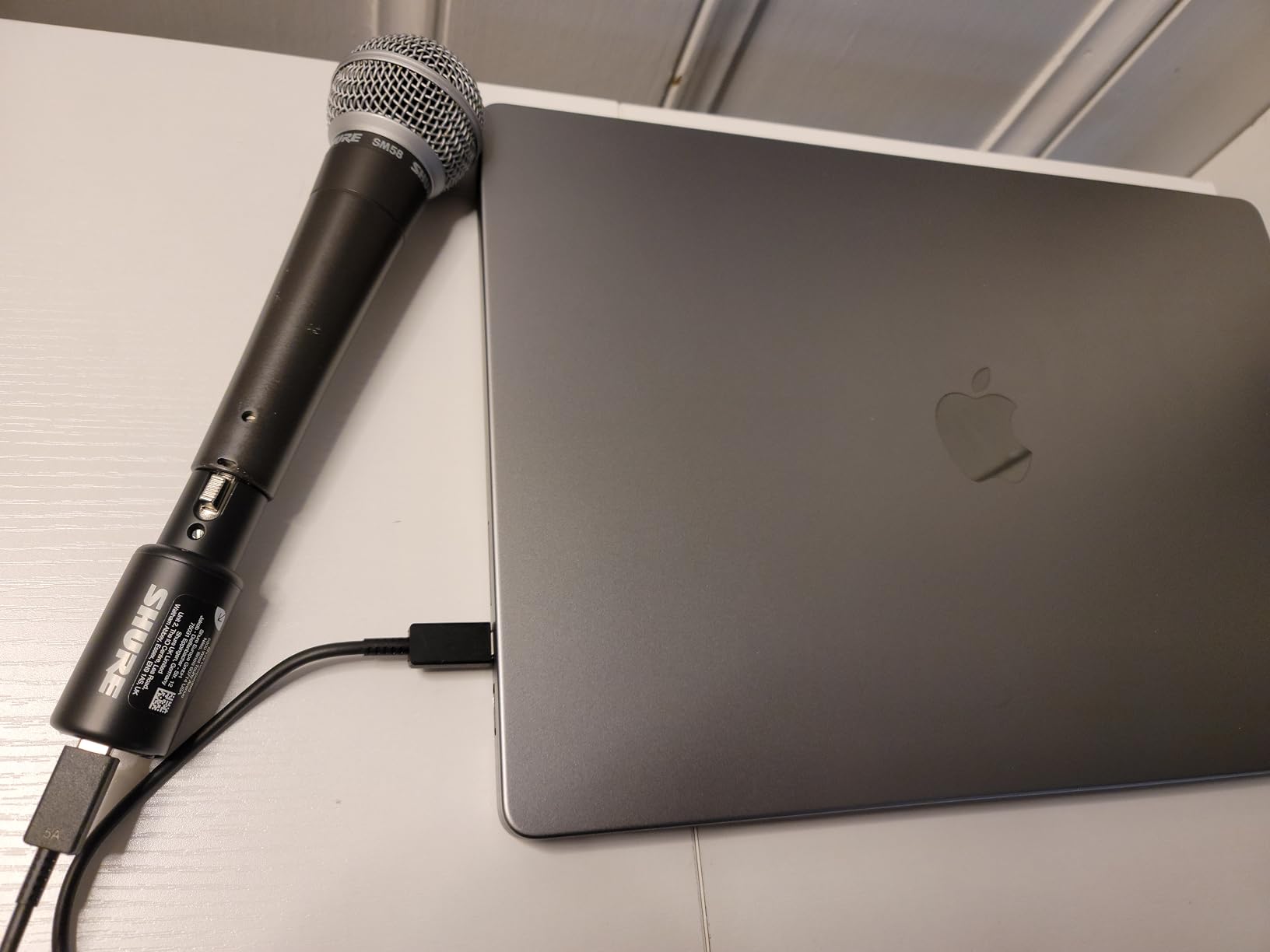
The onboard Shure digital audio processing is the differentiator. Auto Level Mode, a real-time denoiser and a digital pop stopper run on the device itself, so none of that needs a computer or a plug-in chain. Tone presets in Dark, Natural and Bright are a fast way to match a microphone to a room you did not choose.
The trade is dependence. Full control of the DSP lives in the MOTIV Mix, MOTIV Audio and MOTIV Video apps, so if you record on a borrowed machine, some settings are not available to you. Recent MOTIV software releases have also dropped Windows 10 support.
Who the Shure MVX2U Gen 2 suits
It suits a podcaster who records away from a desk, on a laptop, tablet or phone, and wants one channel of broadcast-quality capture with processing handled on the device. It also suits anyone who owns one good dynamic microphone and wants to remove the cable between the mic and the computer.
Where the Shure MVX2U Gen 2 falls short
It falls short for any recording with more than one speaker, since there is a single XLR channel and no line or instrument input. It also does not support USB Audio Class 2.0 hosts such as the PS5 or Xbox, which will not matter to most podcasters but will matter to streamers.
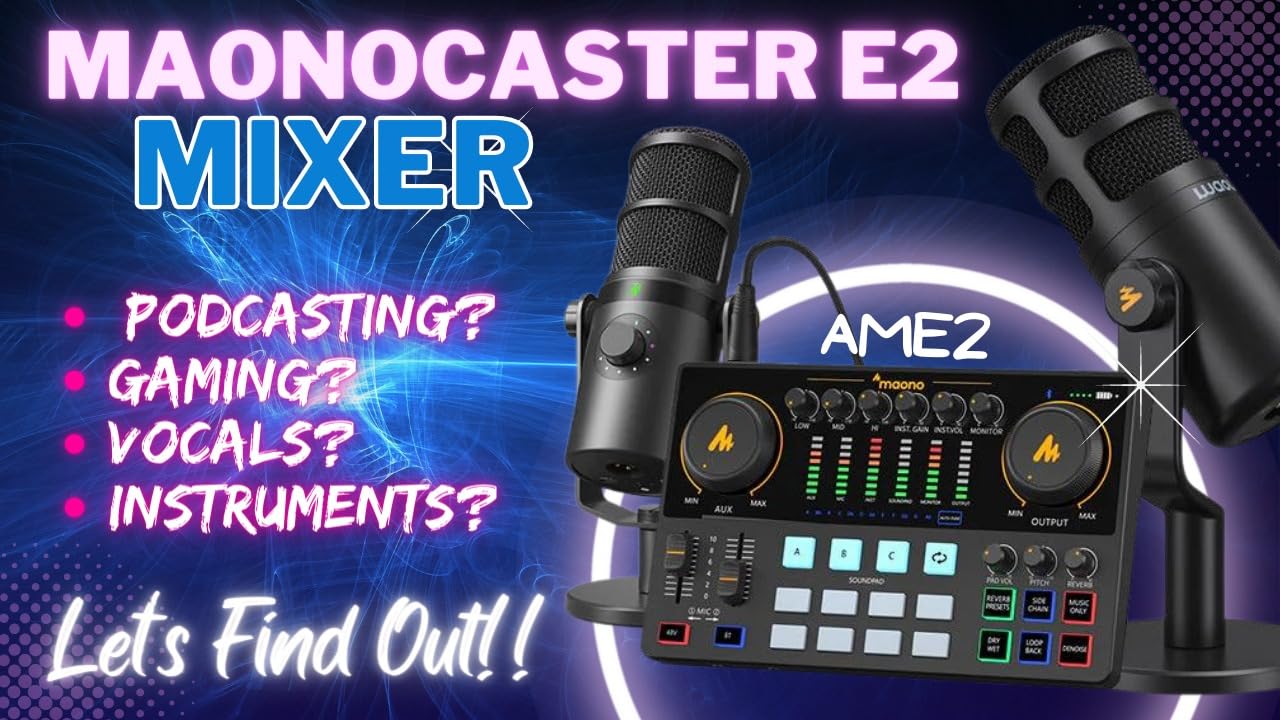
9. MAONO AME2 Podcast Console – Best for Sound Pads and Built-In Processing
MAONO AME2 Audio Interface Mixer, Podcast Studio Console with XLR Input
2 XLR inputs
3-level gain to 60 dB
11 sound pads
Bluetooth
Dual headphone outs
Pros
- Ten channels and eleven sound pads cover intros
- outros
- jingles and effects
- Three-level mic gain up to 60 dB with 48V phantom
- Reverb
- auto-tune
- pitch shift and a denoise function
- Built-in denoise helps in untreated rooms
- Bluetooth
- AUX-in and dual headphone outputs
Cons
- Custom sound-pad uploads and OBS integration are hard to work out
- Some owners reported output buzz above half output level until drivers were updated
- Background music does not always reach the recording
- USB microphones are not supported
The MAONO AME2 is a podcast console rather than a plain interface, and its appeal is that effects and sound triggers are handled on the box. Eleven customisable sound pads, three of which record up to 60 seconds with one-key looping and eight up to 20 seconds, cover an intro, an outro, jingles and effects without a computer.
Two XLR inputs with three-level gain adjustment up to 60 dB and 48V phantom power cover both dynamic and condenser microphones. The 32-bit chipset includes a denoise function, and there are six reverb modes, a 12-step auto-tune, a three-band tone control and a pitch changer for broadcast-style polish.
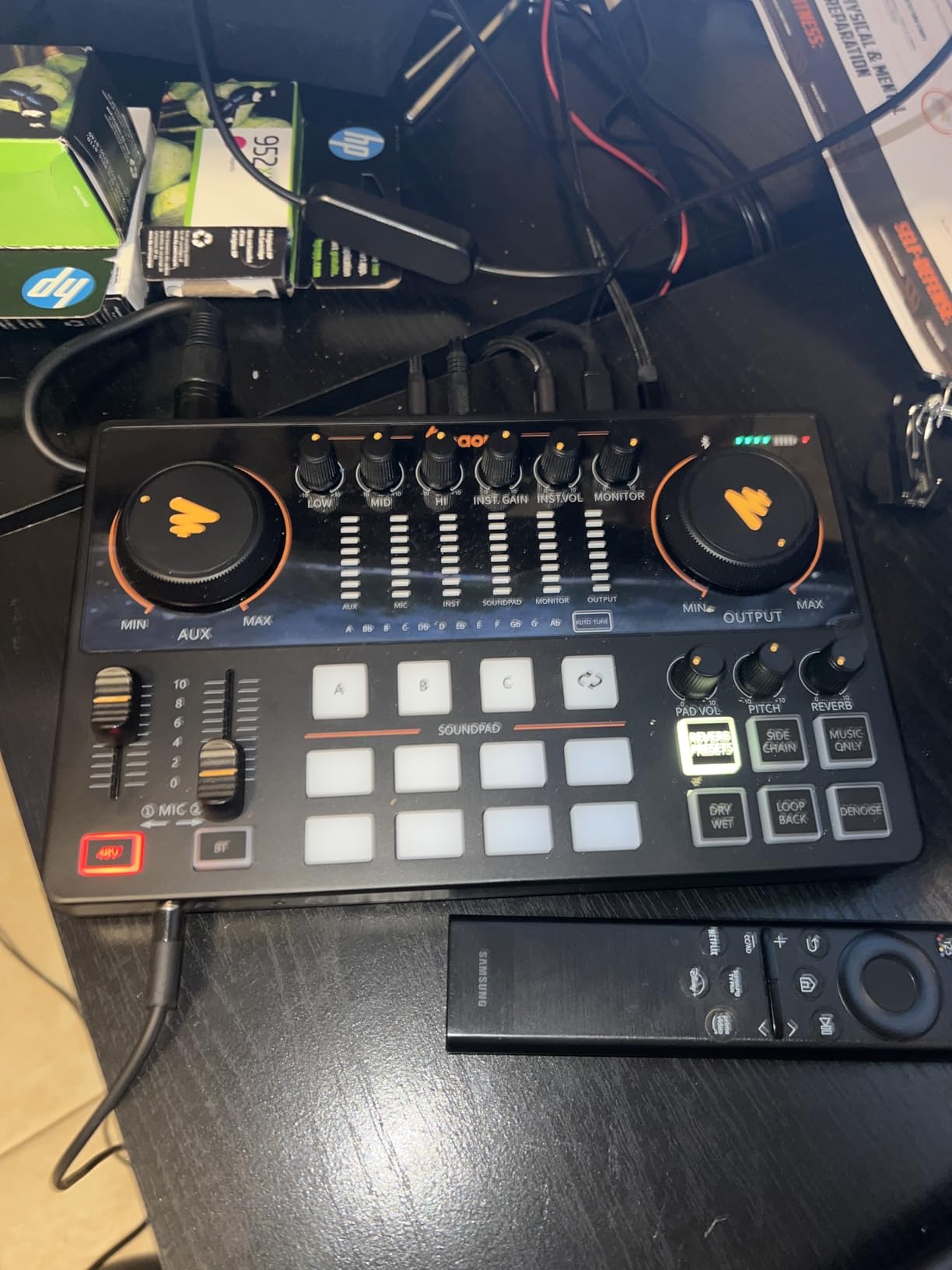
Routing is broad. Bluetooth, AUX-in, a 6.35mm instrument input, a live output, sidechain and music-only switches, and two headphone outputs let a second person listen in or a phone join. A 0.95 kg chassis gives it desk presence that the lighter budget boxes lack.
The honest criticism is software and documentation. Uploading custom sounds and getting OBS integration right takes real effort, some owners reported output buzz above half output level until a driver update, and background music does not always reach the recording or live output depending on how loopback and aux are routed.
Who the MAONO AME2 suits
It suits a creator who wants sound pads, effects and a second listener without buying separate hardware, and who will spend an afternoon setting routing up front rather than mid-show. It suits a two-person show with a producer who wants to trigger effects live.
Where the MAONO AME2 falls short
It falls short if you already own a good USB microphone, because USB microphones are not supported. It also falls short for anyone who wants a predictable signal path, since the routing between loopback, aux and the recording destination is not obvious from the manual, and the buttons are hard to read in dim light.
10. Focusrite Vocaster One Audio Interface – Best for Absolute Beginners
Focusrite Vocaster One
1 XLR input
70 dB+ gain
Auto Gain
4 Enhance presets
TRRS and loopback
Pros
- Auto Gain and Enhance presets remove the need to understand levels
- Over 70 dB of gain covers quiet dynamic mics
- One-press Mute for coughs and interruptions
- TRRS and TRS for phone and camera connections
- Stereo loopback for music beds
Cons
- Single mic input
- 48 kHz maximum sample rate
- Enhance presets only process the mic channel
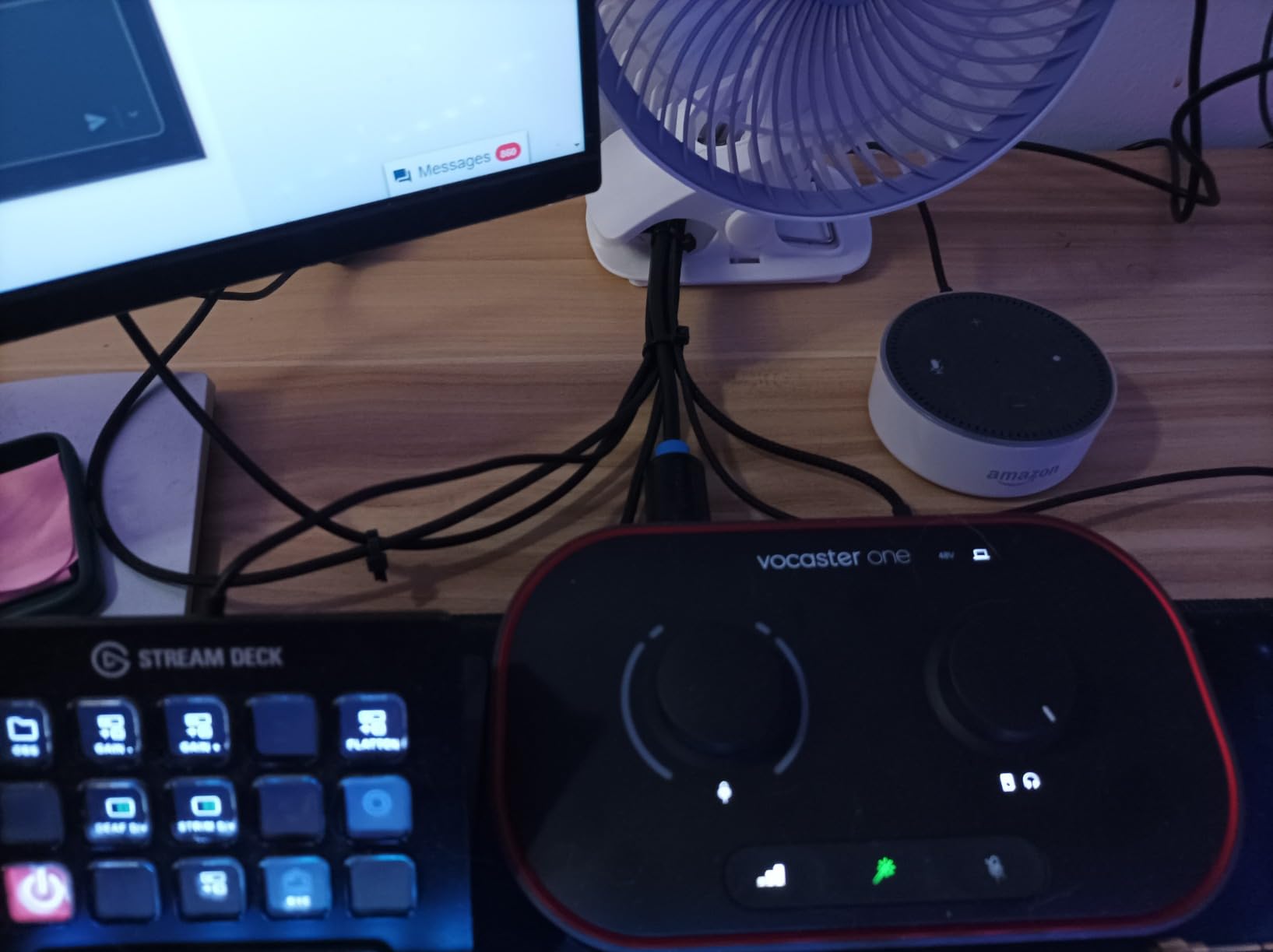
The Vocaster One is the least intimidating box in this roundup, and that is a real feature. Auto Gain sets your level in one press, so you are not looking at a gain knob wondering whether you have gone too far. Four Enhance presets, Warm, Bright, Aggressive and Clean, are each one button away.
Over 70 dB of gain means a quiet dynamic microphone works without an external booster, and the one-press Mute button is built for cutting a cough or a squeak live without leaving your chair. It works on Mac, Windows and iOS.
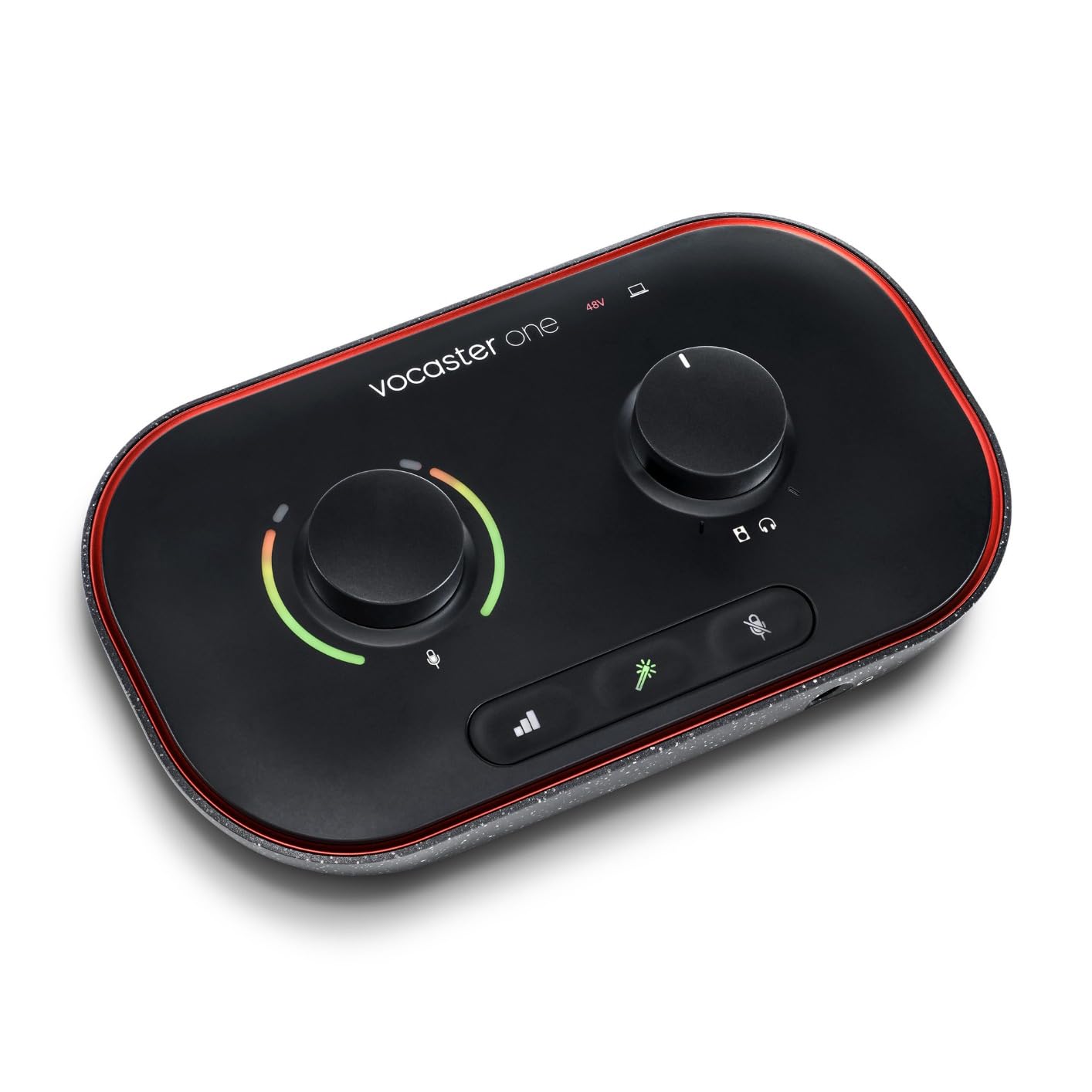
The TRRS connection lets you bring in a phone guest with one cable, and there is a TRS output for feeding a camera directly. Stereo loopback captures computer audio for intros, outros and music beds, which is the feature that turns a solo mic setup into a produced show.
There is one XLR input and a 48 kHz maximum sample rate. The Enhance presets only process the microphone channel, so anything coming in over TRRS is unprocessed, which surprises people who assume the processing is global.
Who the Vocaster One suits
It suits someone on their first or second episode who has never set a gain level and does not want to. If you record alone, occasionally take a phone call into the show, and want a mic preamp, a mute button and loopback in one box, it removes every decision.
Where the Vocaster One falls short
It falls short as soon as a second person is in the room, since there is no second mic input. The 48 kHz ceiling is the lowest here alongside the M-Track Duo, and the 349 g chassis will not stay put on a crowded desk without something under it.
How to Choose a USB Audio Interface for Podcasting
Count your speakers first
The rule is simple: one input per person who speaks into a microphone at the same time, plus a spare if you ever expect to add a third voice. A solo show needs one. A two-host show needs two. A three-person roundtable needs three, and a four-person table needs four. Remote guests on a video call do not need an input at all, which is why loopback matters more than channel count for that situation.
Buying a two-input box because it is cheaper and adding a second one later works, but only if you record to separate tracks and your software handles two USB interfaces at once. On Windows that can mean driver conflict. A four-input box is the cleaner path if you know a roundtable is coming.
Preamp gain and gain staging
Gain staging is the single biggest cause of bad podcast audio, and it has nothing to do with the price of the box. The procedure is short. Set your gain so that normal speaking peaks sit around -12 dBFS on the meters, never touching the red. Leave that setting alone for the whole session. Do not add gain in post to rescue a quiet take, because turning up a quiet file turns up its noise floor with it.
Preamp gain available matters when your microphone is quiet. Dynamic microphones often need 40 to 55 dB. The Zoom PodTrak P4 offers roughly 70 dB, the Focusrite Vocaster One over 70 dB, and the MAONO AME2 reaches 60 dB in three steps, so all of those drive a quiet dynamic without a booster.
Loopback: capturing system audio
Loopback routes audio playing on your computer back into the recording, so a remote guest on a video call, a music bed or a notification gets captured alongside your microphone. Without it you would need a virtual audio routing tool such as VoiceMeeter, or a second system to record the call separately and align it later.
Among these picks, loopback is native on the Focusrite Scarlett Solo 4th Gen, the Audient EVO 4, the Focusrite Vocaster One, and switchable on the MAONO AME2. The Zoom PodTrak P4 handles the phone-caller case natively through mix-minus instead. On the other boxes you are relying on the operating system.
Phantom power: when to switch it on and off
Phantom power is 48V supplied to a microphone through the XLR pin 1 and pin 2 conductors. Condenser microphones need it. Dynamic microphones generally do not, and a great many ribbon microphones must never receive it. If you are unsure what you have, look for a model that names phantom power in its manual, or simply leave the switch off until you know.
Leaving phantom power on while shutting down is safe on every current interface, but powering down the interface before your microphone is the tidy habit. The more common problem in the opposite direction: a condenser mic in an untreated room with too little gain, turned up at the interface, sounds thin and squealy. Fix that by moving the microphone closer, not by adding gain.
Multitrack USB versus a stereo mix
Recording two microphones into a stereo mix bakes your levels and gain balance in permanently. Recording each microphone to its own track keeps them adjustable forever, which means one quiet guest can be fixed in five seconds rather than re-recorded.
This is the criterion behind the Behringer UMC404HD recommendation that comes up repeatedly on r/podcasting, where owners praise it specifically for outputting to separate channels. In this roundup, the Zoom PodTrak P4 does it natively with one file per host, and the MAONO AME2 does it with one file per sound pad alongside the mix.
Mix-minus for remote guests
Mix-minus is a second, simpler version of your mix that does not include the remote guest’s own voice. You send that to the guest, and they hear the conversation without hearing themselves, so there is no echo. It matters the moment you add a phone caller to a show, and a full podcast console or an interface with automatic mix-minus handles it for you.
Only the Zoom PodTrak P4 in this roundup does it automatically, alongside the MAONO AME2’s sidechain and aux routing for manual versions. If you take remote calls often and want it to just work, that single feature can justify the console tier.
Monitoring paths and latency
Three monitoring methods exist. Direct monitoring is pure hardware: your microphone goes to your headphones with no computer involved and effectively zero delay, which is what you want while recording. DSP monitoring routes through on-board processing, so you can add a limiter or talkback, at a delay too small to hear. Software monitoring goes through your recording application, and the delay there is obvious enough that you should not sing or speak fast lines through it.
On Windows, buffer size is the number that controls this. Smaller buffers mean lower delay and higher CPU load. For podcast recording you are not performing live, so 512 samples is fine. If you also stream while recording, drop it to 128 and expect to spend money on your CPU rather than your interface.
Driver stability on Mac and Windows
Mac users can plug almost any of these in and start recording. Windows users should expect more friction, and the forums are full of reports of dropouts when screensharing or running OBS alongside a recording. Native class-compliant drivers are the safest option on both platforms.
Two specific cautions. The Focusrite Control driver has a documented history of reducing input level for very quiet dynamic microphones on Windows, which switching to default drivers resolves. And newer MOTIV software releases for the Shure MVX2U Gen 2 have dropped Windows 10 support. If you record on a borrowed Windows machine, test the interface before the day of the interview.
When a USB microphone removes the need for an interface
If you record solo with a good USB dynamic microphone in a treated room, an interface may add nothing. A USB microphone contains a preamp, a converter and monitoring already, and the audio reaches your computer over a single cable. This is the setup experienced podcasters describe when they talk about recording hundreds of remote guests on modest gear.
An interface becomes worth buying when you need a second microphone, hardware monitoring you can trust, phantom power for a condenser, loopback, or a multitrack path. Until one of those applies, spend the money on the microphone and the room instead.
Frequently Asked Questions
What is the best audio interface for podcasting?
The Behringer UMC22 is the best all-round choice, with two combo inputs, a Midas-designed preamp and a direct monitor switch at the entry level of this roundup. For a single host who wants the cleanest capture, the Focusrite Scarlett Solo 4th Gen leads on converter quality. Once three or four people speak in one room, the Zoom PodTrak P4 is the right tool because of its four XLR inputs and four headphone outputs.
What is the best USB audio interface?
It depends entirely on how many people record at once. One speaker needs a single XLR input, which the Focusrite Scarlett Solo 4th Gen and Focusrite Vocaster One provide. Two speakers need two inputs, covered by the Behringer UMC202HD, PreSonus AudioBox USB 96 and M-Audio M-Track Duo. Four speakers need the Zoom PodTrak P4.
Is there a better audio interface than Focusrite?
There is a better fit for most use cases, yes. Audient EVO 4 offers console-derived preamps and loopback for a similar class of price. Zoom PodTrak P4 handles four speakers, mix-minus phone calls and per-person tracks. MAONO AME2 adds sound pads and processing. Focusrite remains a safe default rather than the only good option, which is why the recurring question exists at all.
What does loopback do on an audio interface?
Loopback routes audio playing on your computer back into the recording, so a remote guest on a video call, a music bed or a notification is captured alongside your microphone. Without it you would record the call separately and align the files in post, or route through a virtual audio tool such as VoiceMeeter. The Scarlett Solo 4th Gen, Audient EVO 4 and Vocaster One have it built in.
Do I need phantom power if I have an audio interface?
You need it only if you use a condenser microphone. Most dynamic microphones do not, and ribbon microphones must never receive it. A good habit is to switch phantom power on only after confirming your microphone type, and to power the interface down before the microphone. It is safe to leave it on during normal shutdown.
How many inputs do I need for a 4 person podcast?
Four microphone inputs, one per person speaking into their own mic, plus a spare if you can. The Zoom PodTrak P4 is the only four-input option in this roundup and adds four independent headphone outputs so each person hears themselves alone. If you record the remote participants on a separate call, two inputs for the in-room speakers may be enough.
Do I need an audio interface if I have a USB microphone?
Usually not. A USB microphone already contains a preamp, a converter and monitoring, and reaches your computer on one cable. An interface becomes worth buying when you need a second microphone, reliable hardware monitoring, phantom power for a condenser, loopback, or separate tracks per speaker. If that is your situation, spend on the microphone and the room first and the interface third.
Can I record a podcast with 2 USB mics and no interface?
You can, and many people do. The limitation is that each USB microphone is its own device, so gain and monitoring must be managed separately, and on Windows two USB devices occasionally conflict in recording software. A two-input interface gives you a single gain control, a single monitoring path and one clock, which removes the whole class of problems.
What sample rate and bit depth should I record a podcast at?
Record at 24-bit and 48 kHz. That is the standard for video, it matches most cameras and phones, and it gives you enough headroom that the gain setting on your preamp matters far less than the numbers. Higher rates such as 96 kHz or 192 kHz are available on several picks here but add no audible benefit to spoken word.
Should I buy a used audio interface for podcasting?
It is reasonable for a proven model from a reputable brand, since the main risk with an older interface is its driver support rather than its preamp. Check that the model still has current drivers for your operating system before buying, and expect to replace the USB cable. A failed unit mid-interview is a bigger cost than the difference between a new and a used box.
Conclusion: Which USB Audio Interface Should You Buy in 2026?
If you are starting a podcast in 2026 and recording yourself, pick the Behringer UMC22. It is the most proven box in this roundup, it has two combo inputs in case a guest joins you, and nothing about it will waste your afternoon. If you record alone and want the cleanest capture, the Focusrite Scarlett Solo 4th Gen is the upgrade, with 120 dB of dynamic range, the highest figure in the group.
For a host and a co-host, the choice runs from the M-Audio M-Track Duo at one end to the Behringer UMC202HD and the PreSonus AudioBox USB 96 at the other, where a better preamp and a metal chassis are the reason to step up. The Audient EVO 4 is the pick if you want console character and native loopback for streaming. The Focusrite Vocaster One is the one to buy if you would rather press Auto Gain and never think about levels again.
For three or four speakers in one room, or for a show with regular phone-call guests, the Zoom PodTrak P4 is the only pick here that does the job without workarounds. It records everyone to a separate track, gives each person their own headphone output, and handles mix-minus for callers. The MAONO AME2 competes for that spot if sound pads and built-in processing matter more than per-person tracks, and the Shure MVX2U Gen 2 covers the on-location case with a single channel that travels anywhere.
One last reminder, and it is the one veteran podcasters keep making: treat the room, then buy the microphone, then buy the interface. The box decides how easy the show is to make. It does not decide how good it sounds. Whichever one you choose, set your gain once, leave it alone, and go and record something.