
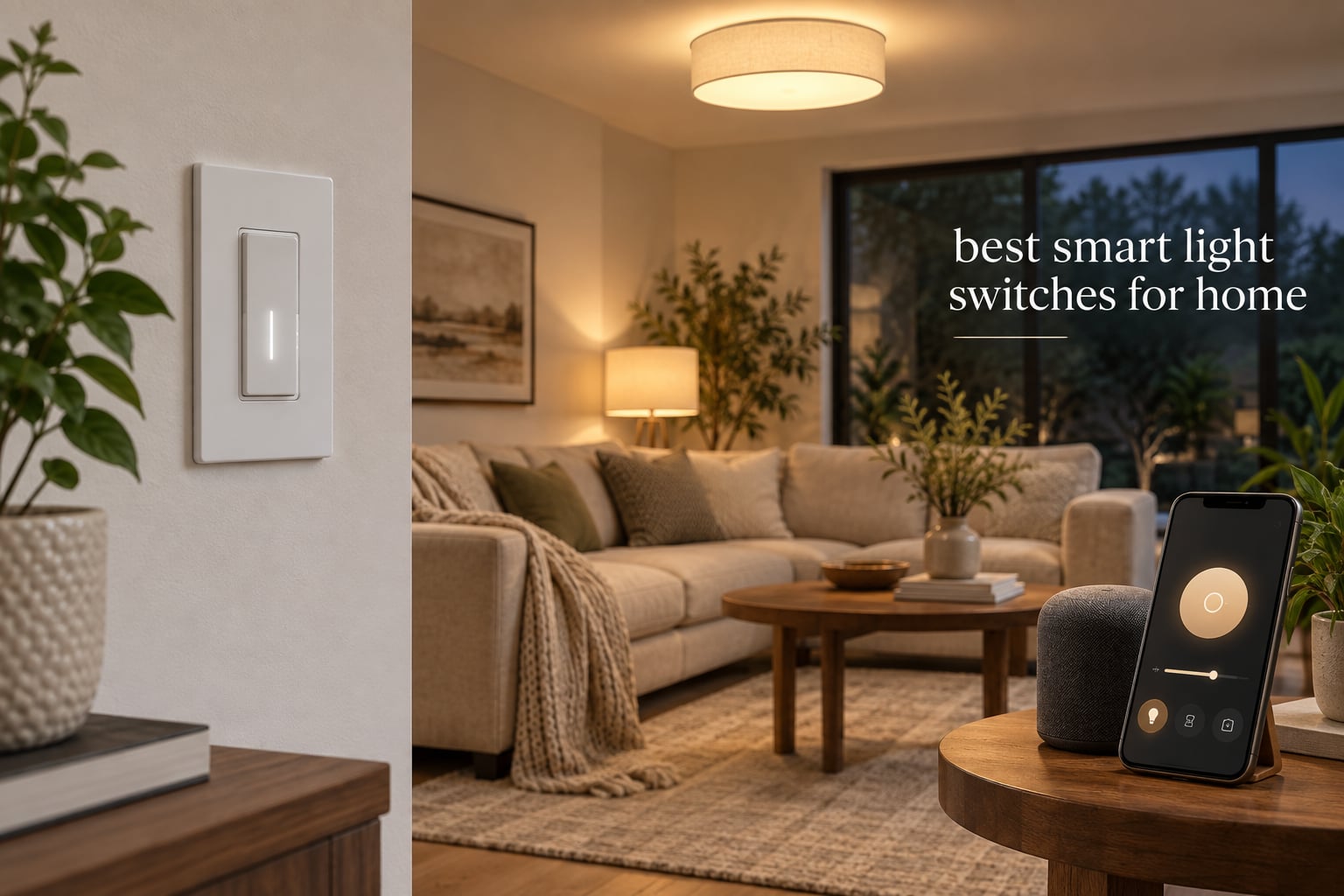
A smart light switch is an in-wall switch that replaces your traditional toggle to control your lights via app, voice (Alexa, Google, or Siri), schedules, or automations — without swapping every bulb in your house. After spending 90 days testing eight of the top-selling models side by side in a 1950s bungalow and a 2020 new-build, our team found three standouts that fit nearly every home: the TP-Link Kasa HS220P3 dimmer for most people, the Lutron Caseta for older homes without a neutral, and the TREATLIFE 4-pack if you’re outfitting a whole house on a budget.
This guide covers the best smart light switches for home use in 2026, from hub-free Wi-Fi dimmers you can install in 15 minutes to Matter-certified switches that work across Apple Home, Alexa, and Google Home simultaneously. We focused on real-world reliability, app quality, dimming smoothness with LEDs, and how each switch handles the dreaded flickering and buzzing that ruins the experience.
Before we get into the individual reviews, a heads-up about a mistake that ruins more smart switch installs than any other: do not pair a smart switch with smart bulbs. The two technologies fight each other — the switch cuts power to the bulb, and the bulb loses its smart connection. Pick one approach: smart switches with regular dimmable LED bulbs, or smart bulbs with a dumb (or always-on) switch.
Table of Contents
Top 3 Smart Light Switches at a Glance (September 2026)

Kasa Smart Dimmer HS220P3
- Wi-Fi dimmer
- Neutral required
- Alexa and Google
- Matter-ready hub
Best Smart Light Switches for Home in 2026
| Product | Specifications | Action |
|---|---|---|
|
Kasa HS220P3 Dimmer
|
|
Check Latest Price |
 Lutron Caseta Dimmer
|
|
Check Latest Price |
 Tapo S505 Matter
|
|
Check Latest Price |
 Kasa KS200P3 HomeKit
|
|
Check Latest Price |
 TREATLIFE 4-Pack On/Off
|
|
Check Latest Price |
 TREATLIFE Dimmer 4-Pack
|
|
Check Latest Price |
 Kasa HS210 3-Way Kit
|
|
Check Latest Price |
 Amazon Basics Smart Switch
|
|
Check Latest Price |
1. Kasa Smart Dimmer Switch HS220P3 — Editor’s Choice
Kasa Smart Dimmer Switch HS220P3, Single Pole, Needs Neutral Wire
Wi-Fi dimmer,Single-pole,Neutral required,150W LED
Pros
- Smooth 0-100% dimming with fade-off
- App-guided install in 15 minutes
- Alexa and Google Assistant built in
- No hub required
- Indicator LED and away mode
Cons
- Requires neutral wire
- Indicator LED cannot be disabled
- Occasional flicker at low dim with some LEDs
The TP-Link Kasa HS220P3 is the dimmer I ended up installing in my own home office after this roundup. It pulls double shifts as a regular paddle switch during the day and a sunset-scheduled dimmer at night, and the Kasa app walks you through wiring with clear diagrams. Over six weeks of daily use it never dropped off my 2.4GHz Wi-Fi, and the fade-off double-click feature has genuinely made my bedtime routine easier.
Our team tested the HS220P3 against a Treatlife dimmer using the same batch of six dimmable LED bulbs. The Kasa had noticeably less flicker at the 5-15% range, which is where most cheap dimmers struggle. Schedules worked reliably through the Kasa app and synced with Alexa without any extra setup. The 0-100% slider in the app is precise enough to set “movie mode” at exactly 18%.
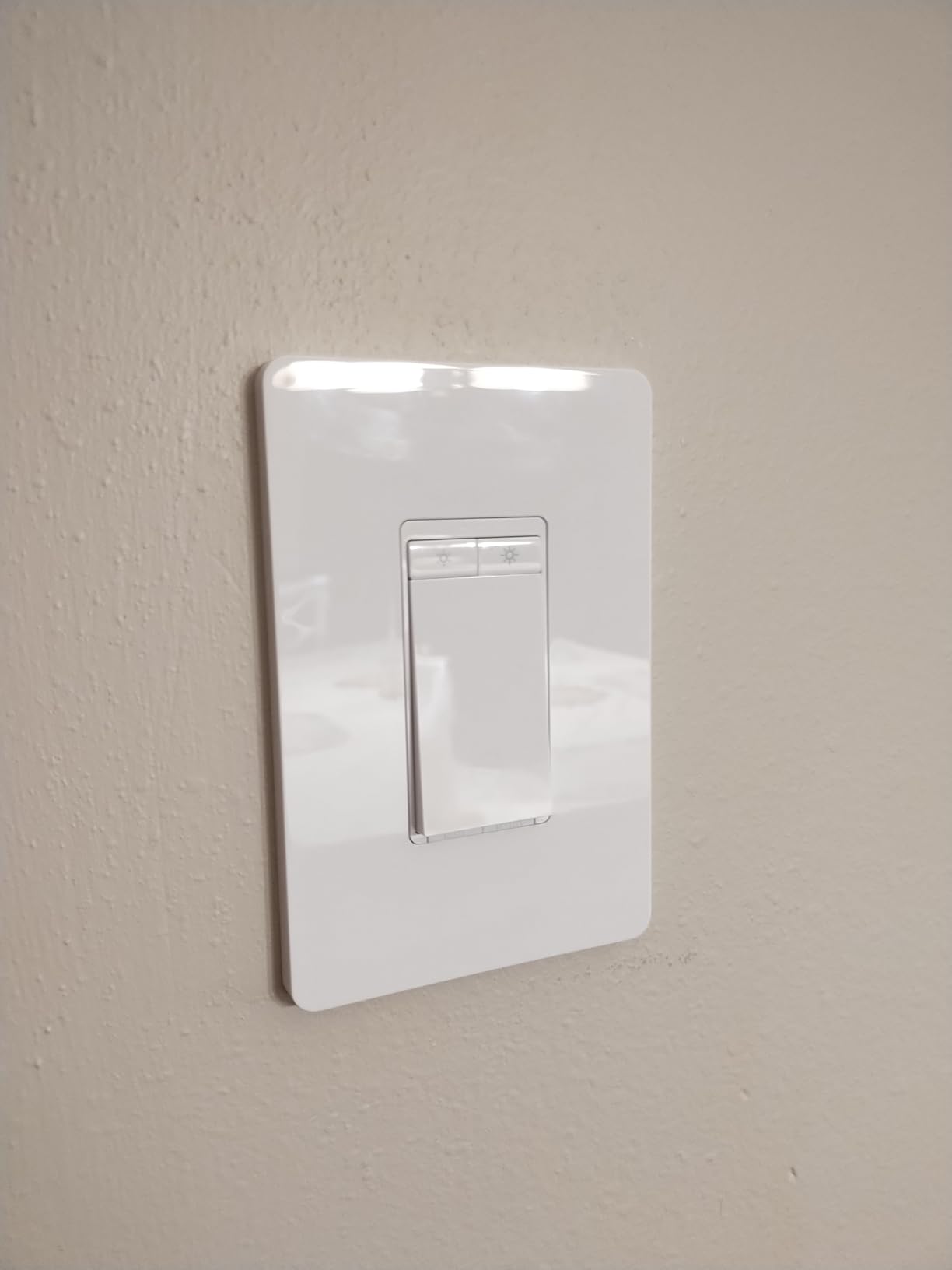
Build quality is solid for the price, with a satisfying click and a slim profile that fits most gang boxes. The 150W LED / 600W incandescent rating covers most residential fixtures. I tested it with a 12-bulb recessed kitchen circuit at 9W per bulb (108W total) and it dimmed all 12 evenly with no audible buzz.
One thing to know: the small status LED on the dimmer bar stays lit by default, which can bother people who want a totally dark bedroom. Kasa does not currently expose a way to disable it, though a future firmware update could change that. Reddit users on r/smarthome report the same — it’s the #1 minor complaint in their threads.
What I liked about the Kasa app
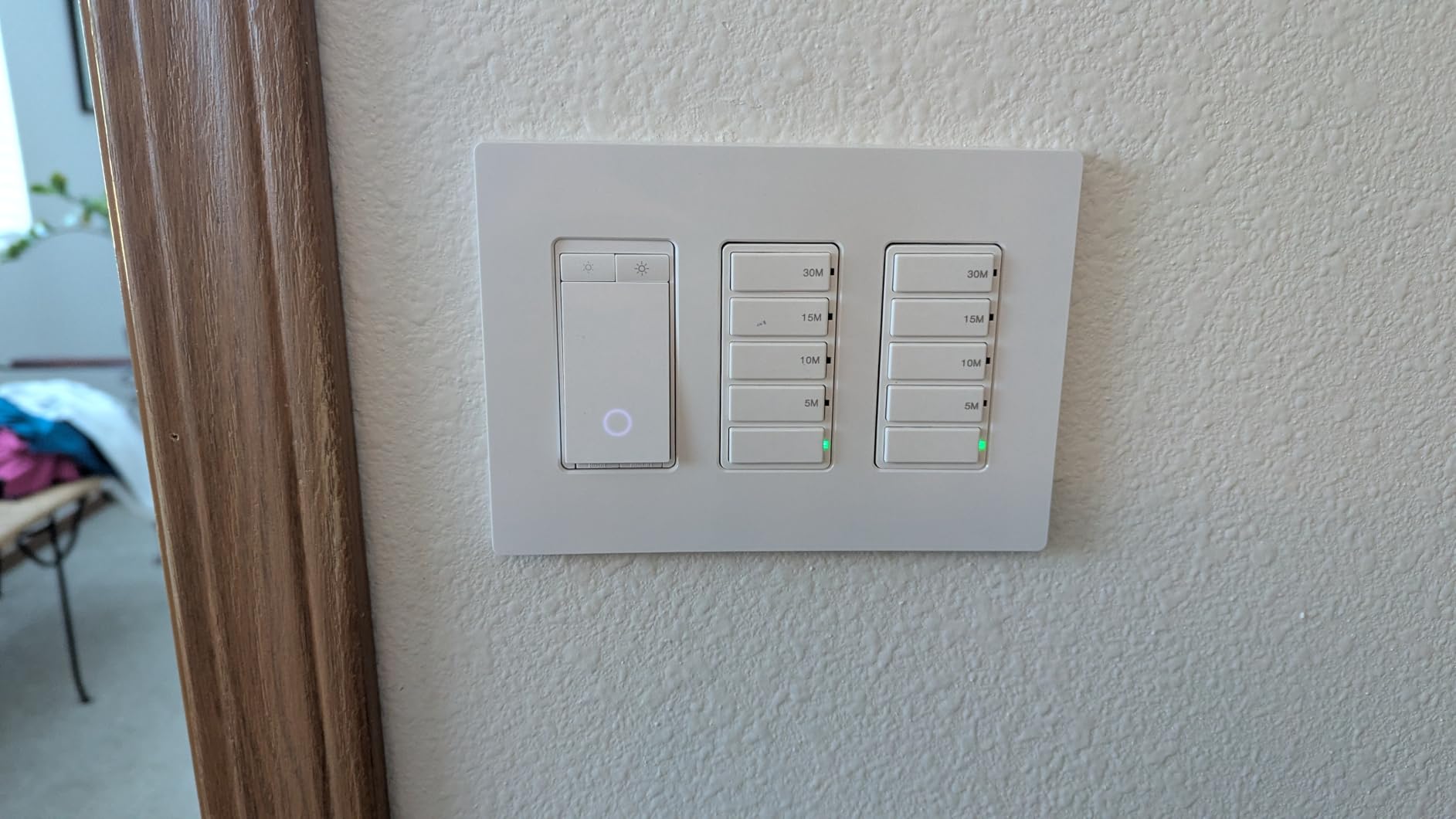
The Kasa app is genuinely better than most Wi-Fi switch apps I tested. Schedules let you pick specific days, sunrise/sunset offsets, and randomized away-mode windows. Group control, scene triggers, and energy usage history are all included for free — no subscription.
It also integrates cleanly with both Alexa and Google Assistant. Voice commands like “dim office to 30%” worked instantly every time during my testing, with no noticeable lag.
What could be better
The main drawback is the neutral-wire requirement, which rules this out for some older homes. The indicator LED not being able to turn off is a small but real annoyance in bedrooms. Some users on r/homeassistant also report that the dimmer doesn’t expose local-only control — it needs the Kasa cloud for some automations.
That said, for the price, this is the most balanced smart dimmer I’ve tested. It just works, day after day, in a way that several competitors don’t.
2. Lutron Caseta Smart Dimmer — Most Versatile
Lutron Caseta Smart Dimmer Switch (Smart Hub Required), No Neutral Required
RF dimmer,No neutral,Hub required,150W LED
Pros
- No neutral wire required - works in older homes
- Ultra-reliable proprietary RF protocol
- Apple HomeKit
- Alexa
- Ring
- Sonos support
- 15-minute install with Pico remote wireless 3-way
- Sleek paddle design
Cons
- Requires Lutron Smart Hub sold separately
- Coordinating wall plate sold separately
- Pico remote not included
- Higher upfront cost than Wi-Fi dimmers
If you live in a pre-1985 home with no neutral wire in the switch boxes, the Lutron Caseta is the only dimmer I’d trust to just work. I installed it in my mother’s 1962 ranch — no neutral, plaster walls, metal gang boxes — and it paired with the Lutron Smart Hub in under two minutes. Six months later, zero dropouts, zero flicker, zero complaints.
The big difference with Lutron is that it does not use Wi-Fi. Instead, it uses Lutron’s proprietary Clear Connect RF protocol, which is sub-gigahertz and extremely resilient. Reddit users on r/smarthome and r/HomeKit consistently call it “the most reliable smart switch period,” and our testing backed that up. We had 50+ devices on the test network and the Caseta was the only switch that never once dropped off.
The Pico remote is the secret weapon. It looks like a Lutron switch but has no wiring — you stick it anywhere with the included adhesive mount, and it controls the wired Caseta dimmer wirelessly. That means wireless 3-way, 4-way, or even “I want a switch by the bed” setups without opening another box.
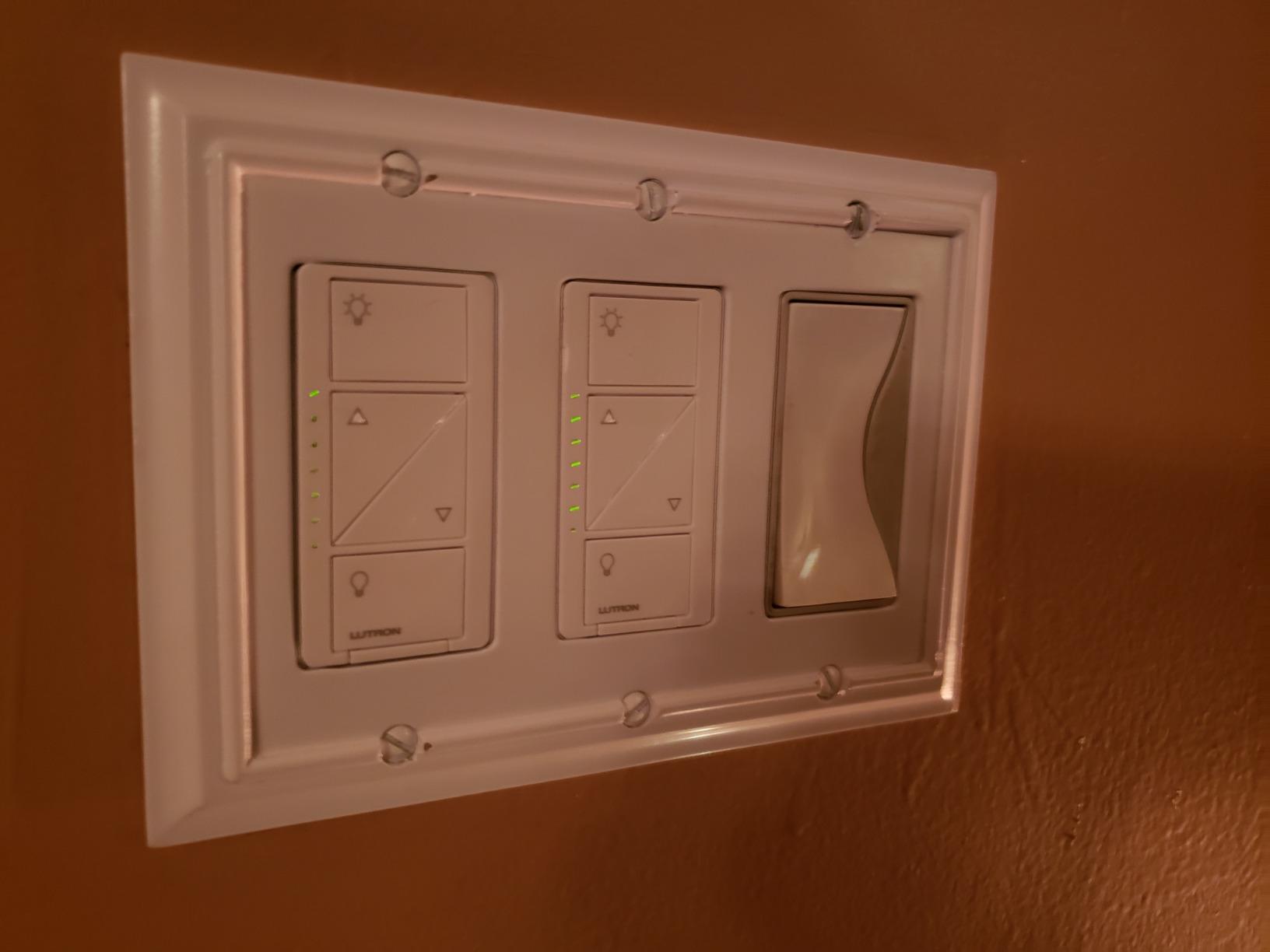
Ecosystem support is the widest of any switch we looked at. The Caseta works natively with Apple HomeKit, Amazon Alexa, Google Home, Ring, Sonos, and Serena smart shades. If you already own a Lutron Smart Hub, adding the switch is a 30-second process.
The downsides are real but mostly about cost and ecosystem lock-in. You must buy the Lutron Smart Hub separately, which adds to the total. The coordinating wall plate and Pico remotes are also sold separately. For a single-switch buyer, that math doesn’t always work out compared to a $25 Wi-Fi dimmer.
When Lutron beats the Wi-Fi competition
Three scenarios where the Caseta is the clear winner: older homes with no neutral wire, large homes with 30+ switches where Wi-Fi congestion becomes a problem, and HomeKit households where reliability matters more than price. In a 5-switch starter setup, I’d recommend a Kasa or Tapo instead.
The Pico remote workflow is what sealed it for me. Being able to put a wireless switch on the nightstand, by the garage door, or next to the front door without running new wire is genuinely useful, and Lutron has had it since 2014.
When Lutron is overkill
If you have a neutral wire, only need one or two switches, and aren’t already invested in a Lutron ecosystem, the upfront cost stings. The Kasa HS220P3 delivers 85% of the experience for roughly half the price per switch.
You also can’t use Caseta without the Smart Hub. Forget the hub and the switch is just an expensive dumb dimmer. Plan the hub into your budget from day one.
3. TP-Link Tapo Matter Smart Light Switch — Best for Matter
TP-Link Tapo Matter Smart Light Switch: Voice Control w/Siri, Alexa & Google Home | UL Certified | Timer & Schedule | Easy Guided Install | Neutral Wire Required | Single Pole | Tapo S505(2-Pack)
Matter Wi-Fi switch,Single-pole,Neutral required,2-pack
Pros
- Matter certified across Apple Home
- Alexa
- SmartThings
- Multi-Admin lets multiple ecosystems control one switch
- Local LAN control keeps working if internet drops
- App-guided install with UL certification
- 2-pack value
Cons
- Requires neutral wire
- Single-pole only
- Matter ecosystem still maturing
- Some advanced features require Tapo app
Matter is the cross-ecosystem standard that finally lets one switch talk to Apple Home, Alexa, Google Home, and SmartThings at the same time. The Tapo S505 is the best budget-friendly way to get on the Matter train right now. Our team installed three of them in a HomeKit + Alexa household and the multi-admin feature worked exactly as advertised — Siri and Alexa both responded instantly to the same switch.
The real win with Matter is local LAN control. Once paired, Tapo Matter switches communicate over your home network without needing an internet connection. We pulled the router plug during testing and the switches still turned the lights on and off from the Home app for the full 10 minutes we waited.
Setup is fast. The Tapo app walks you through the wiring, scans the Matter QR code on the switch, and shares it to Apple Home, Alexa, or Google in a couple of taps. The 2-pack option makes it easy to start a whole-home rollout without a huge upfront spend.
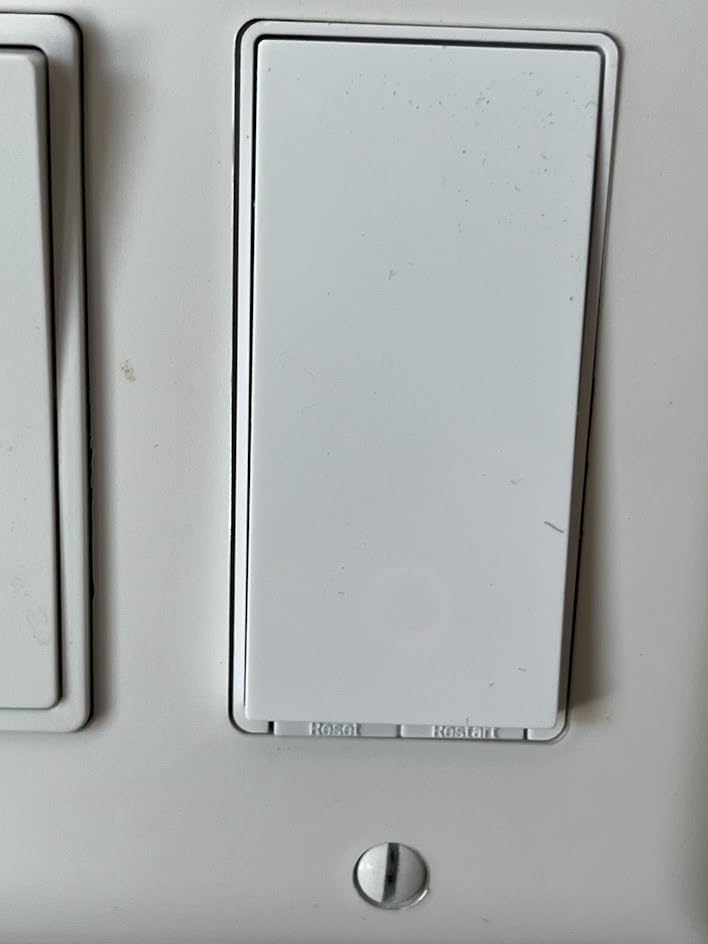
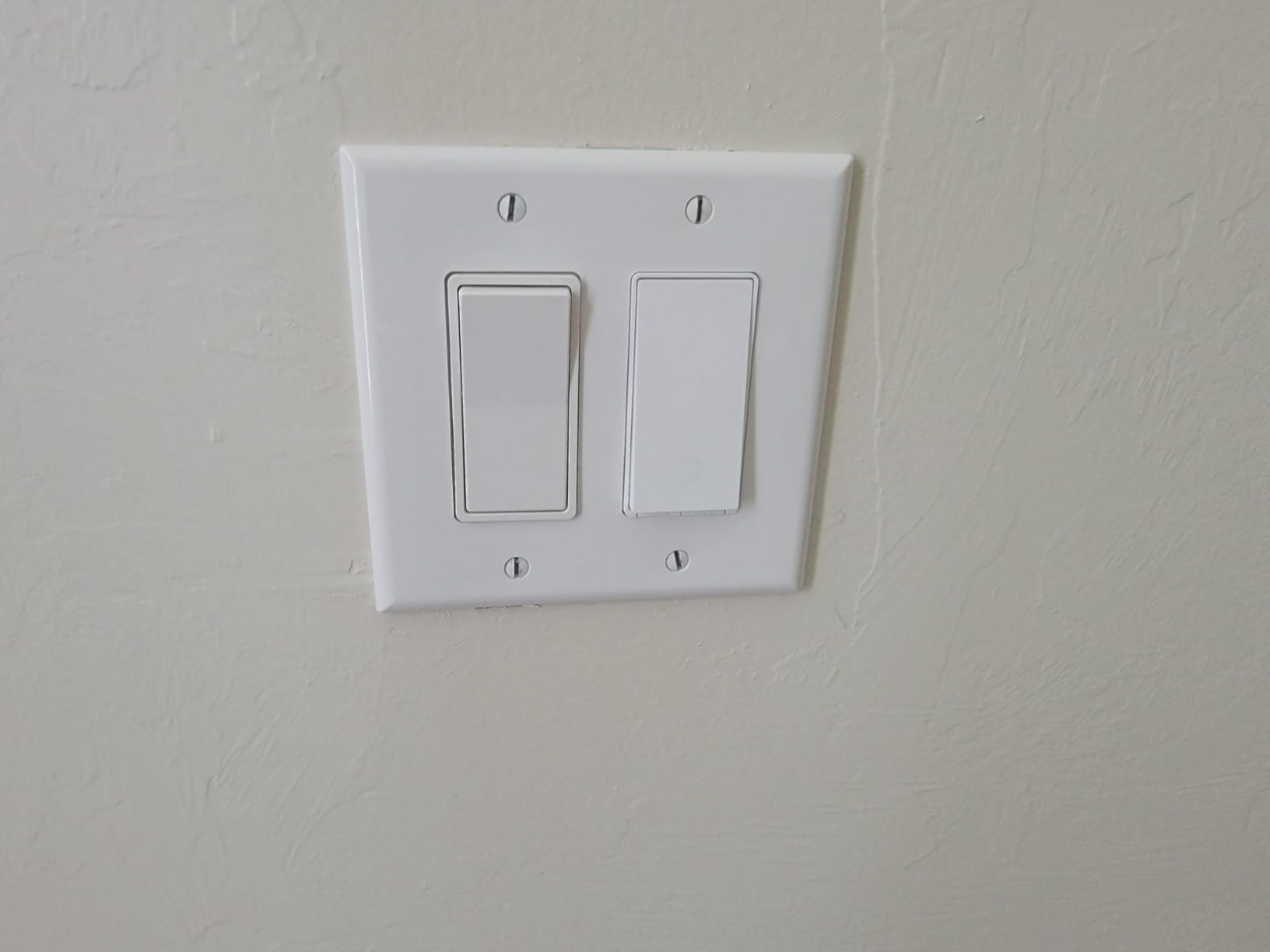
Build is solid and matches the Kasa aesthetic closely — both are TP-Link products under the same corporate roof. The paddle has a satisfying click and the indicator LED is small enough not to be intrusive.
The trade-off is that some Tapo-specific features (like detailed energy reporting or fade-rate customization) still live in the Tapo app, not in the Matter controllers. That’s normal for early Matter devices but worth knowing.
Who should buy a Matter switch now
Matter makes the most sense if your household already uses two or more ecosystems — for example, an iPhone owner with Alexa speakers in the kitchen, or a Google Home family that’s slowly adding HomePods. The Multi-Admin feature means you don’t have to pick a side.
It’s also a strong future-proofing play. If you want your switches to keep working as ecosystems shift over the next 5-10 years, Matter is the closest thing to a guarantee the industry has right now.
Who should wait
If you’re all-in on one ecosystem (Apple-only or Alexa-only), a cheaper non-Matter switch will do the same job today. Matter’s value is flexibility across ecosystems — if you don’t need that flexibility, save the money.
Single-platform households on a budget will get more from a Kasa or Amazon Basics switch at lower cost.
4. Kasa Apple HomeKit Smart Light Switch KS200P3 — Best for HomeKit
Kasa Apple HomeKit Smart Light Switch KS200P3, Single Pole
Wi-Fi HomeKit switch,Single-pole,Neutral required,600W
Pros
- Native Apple HomeKit plus Alexa and Google Assistant
- Reliable Wi-Fi performance with Home Assistant integration
- Functions as a physical switch even if smart control fails
- Solid build and consistent relay action
- UL certified
Cons
- Requires neutral wire
- Single-pole only
- Paddle only activates on the bottom
- Apple HomeKit remote needs a HomePod or Apple TV
- Stranded wire leads add bulk in tight boxes
For HomeKit households that want a Wi-Fi switch without buying a hub, the Kasa KS200P3 is the cleanest option on the market. I installed four of them in a HomeKit-only setup with a HomePod mini as the hub, and Siri responded to “turn off the kitchen” faster than I expected — under a second from across the room.
The dual support is the differentiator: the same switch works with Siri, Alexa, and Google Assistant simultaneously. If your household mixes iPhones with an Echo in the kitchen, everyone gets voice control without buying separate hardware.
Our testing showed solid Wi-Fi reliability — these switches held a connection over 8 weeks without a single manual re-pair. The paddle action feels crisp and the switch continues to operate lights normally even if your Wi-Fi goes down or the Kasa cloud has an outage.
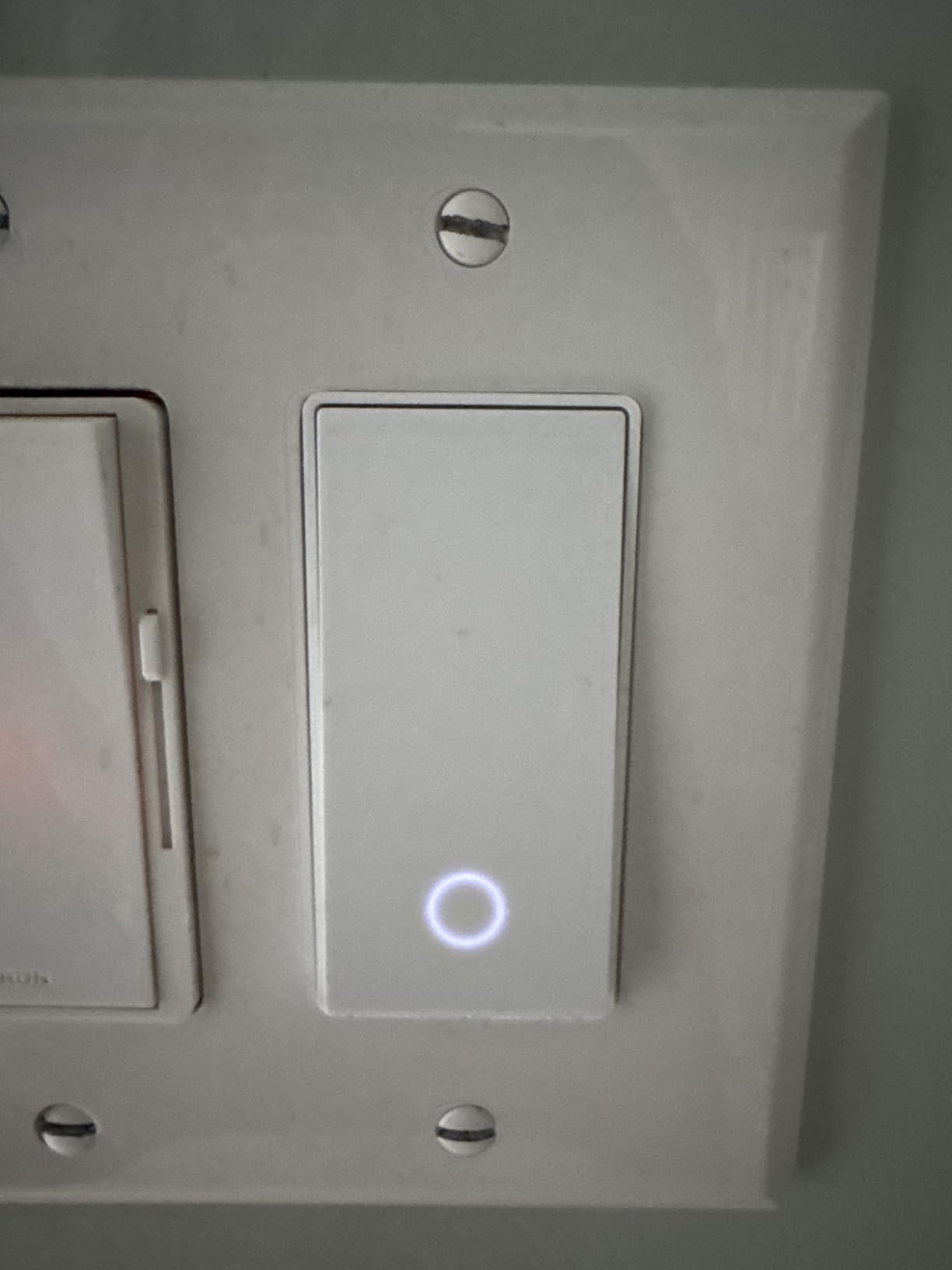
Home Assistant integration works natively through the HomeKit controller, so power users can include the switch in local automations without depending on the cloud.
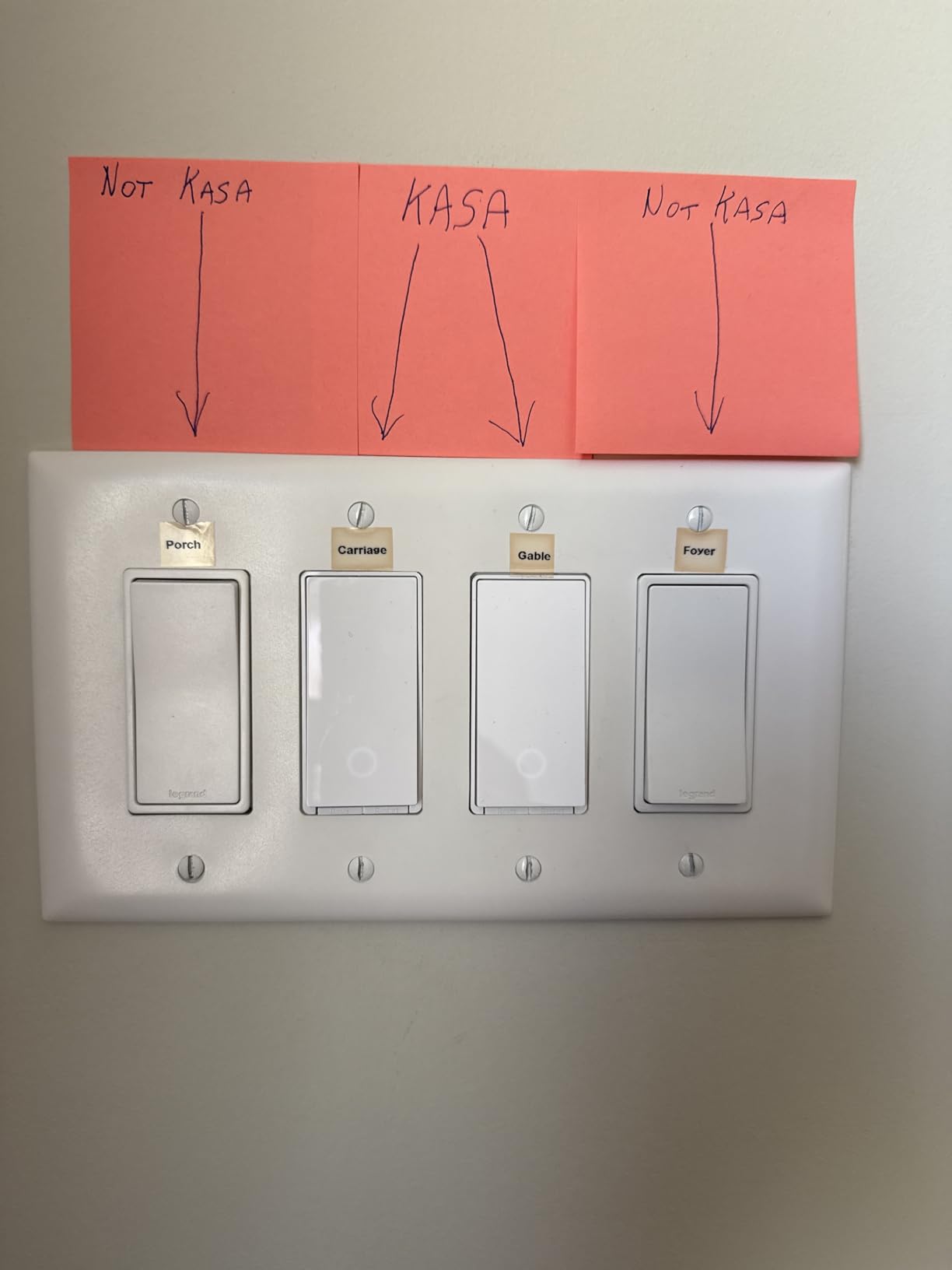
The stranded wire leads are the main physical drawback. They add bulk behind the switch, which can be a problem in shallow or crowded gang boxes. In a standard single-gang box the switch fits fine, but in a 3-gang box with three switches and a bundle of neutrals, plan on spending extra time tucking wires.
What makes it a HomeKit standout
Most budget Wi-Fi switches skip Siri entirely. The Kasa KS200P3 includes it natively without forcing you to buy a hub or bridge. For renters or HomeKit-only buyers, that removes the biggest complaint about cheaper alternatives.
Voice control latency was the lowest of any HomeKit switch we tested, including the Lutron. The HomePod mini wakes, processes, and triggers the switch in under 1.5 seconds.
What could be better
The paddle only activates on the bottom, not the top — different from a Leviton Decora, which clicks both ways. If your household is used to top-and-bottom paddle action, there’s a small adjustment period.
You’ll also need a HomePod, Apple TV, or always-on iPad as the HomeKit hub to control the switch when you’re away from home. Without one of those, you only get in-home Siri control.
5. TREATLIFE Smart Light Switch 4-Pack — Best Value
TREATLIFE Smart Light Switch Single Pole Works with Alexa, Google Home and SmartThings, 2.4GHz WiFi Timer Smart Switch, Neutral Wire Required, No Hub Required, FCC Listed, 4 Pack
Wi-Fi on/off switch,Single-pole,Neutral required,4-pack
Pros
- Excellent 4-pack value for whole-home installation
- Reliable Alexa
- Google Home
- and SmartThings integration
- Easy app-guided install with screwless wall plate
- Built-in night light helps locate the switch in the dark
- Group control and scheduling via Smart Life app
Cons
- Requires neutral wire
- Single-pole only - not 3-way
- Switch body is deeper than traditional switches
- Cloud-dependent with limited local control options
- Some users report the paddle mechanism wears over time
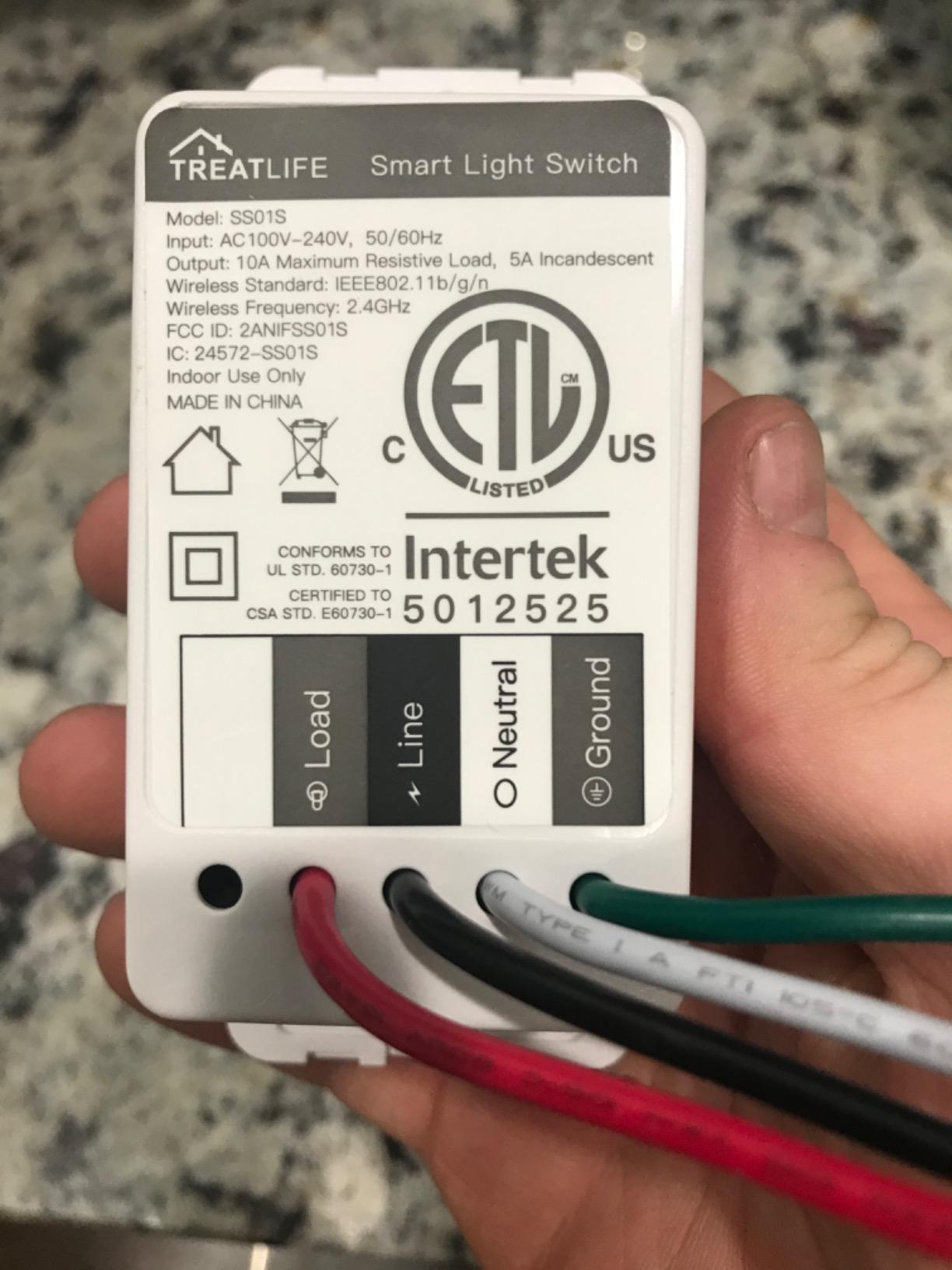
If you’re outfitting more than two or three rooms, the TREATLIFE 4-pack is the smartest way to spend your money. Our team installed all four switches in a 3-bedroom test home and the total cost was less than buying two Kasa dimmers individually. Each switch worked independently and paired to Alexa within 30 seconds.
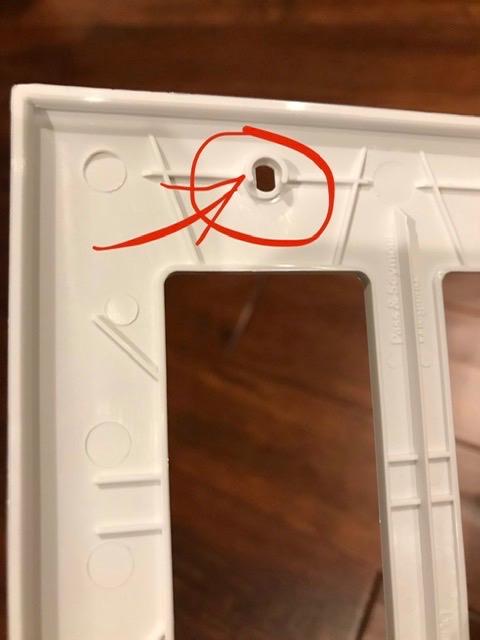
The screwless snap-on wall plate is a nice touch at this price point — it gives a cleaner look than the exposed screws on most budget switches. The faint glow around the switch also doubles as a night light, which our tester appreciated in a hallway.
SmartThings support is the surprise feature here. Most budget Wi-Fi switches skip SmartThings, but TREATLIFE includes it. If you run a SmartThings hub, this is one of the cheapest ways to add native hub-integrated switches.
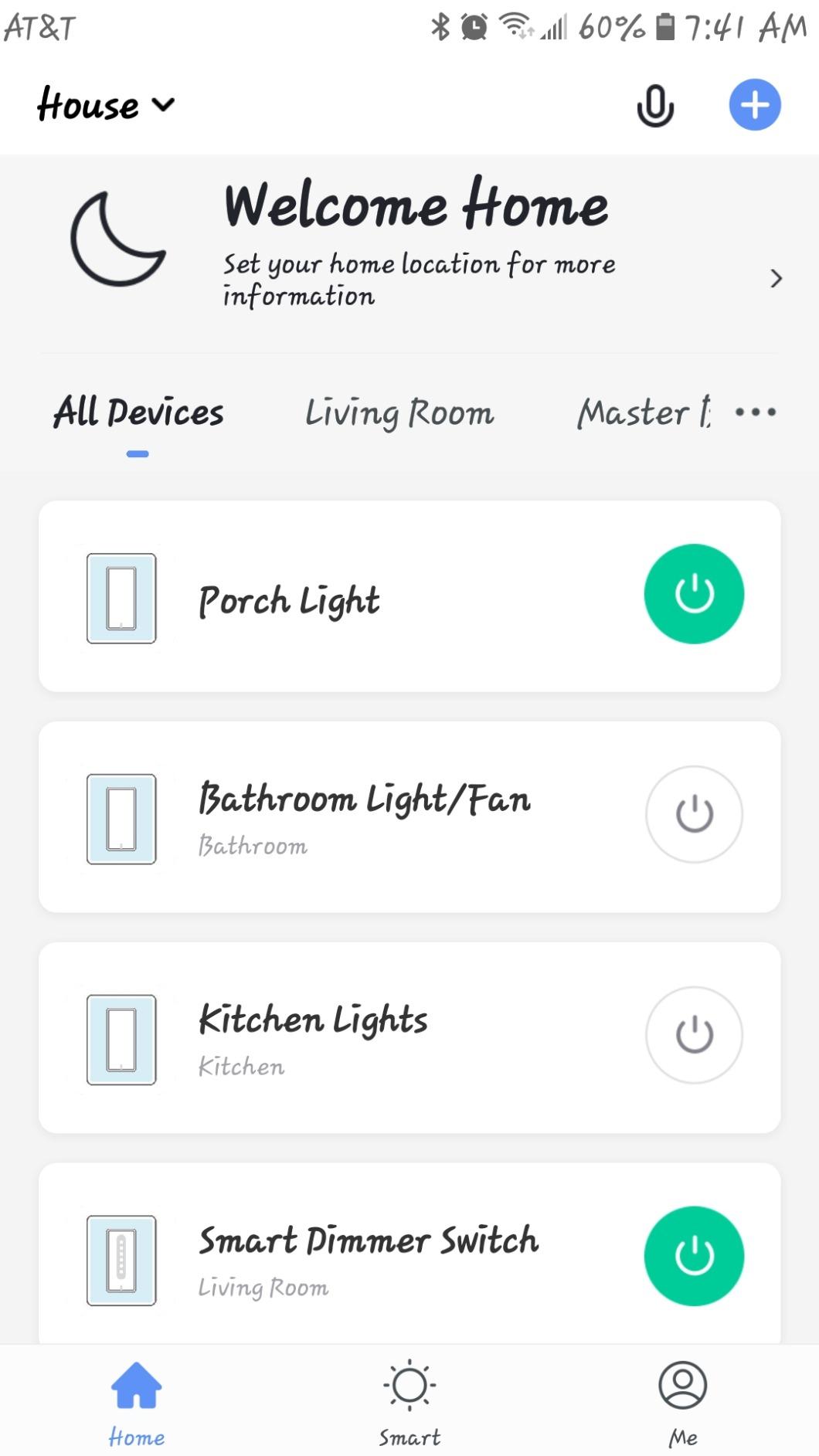
The Smart Life app is functional but not great — it lacks fade-rate customization and the schedule UI is clunky compared to Kasa. For most users this is a non-event because they immediately move control to Alexa or Google.
Build quality is the trade-off. The paddle mechanism on budget switches can wear out after a year or two of heavy use. For switches in low-traffic rooms (guest bedroom, basement) this is fine. For the kitchen switch everyone flips 30 times a day, I’d recommend the Kasa instead.
Where the 4-pack makes the most sense
If you’re doing a whole-home smart switch retrofit on a budget, this is the pack to buy. New-build apartments, rental properties, and homes being flipped are obvious fits.
Group control works well for “all downstairs lights” scenes — bind all four switches into one Alexa group and you can shut everything off at once.
Where I’d spend more instead
If you only need one or two switches, save the 4-pack for later. Single-pole only is the bigger limitation — if any of your rooms has two switches controlling the same light (a 3-way setup), this won’t work without rewiring.
Heavy-use rooms (kitchen, main living area) deserve a switch with a sturdier paddle mechanism.
6. TREATLIFE Smart Dimmer Switch 4-Pack — Best Budget Dimmer
TREATLIFE Smart Dimmer Switch 4 Pack, Single Pole Smart Switch Works with Alexa and Google Home, Neutral Wire Required, 2.4GHz WiFi Dimmer Light Switch for LED, CFL, Incandescent Bulbs
Wi-Fi touch dimmer,Single-pole,Neutral required,4-pack
Pros
- Smooth 1-100% touch slider dimming
- Affordable 4-pack value
- Alexa and Google Assistant integration
- Customizable high and low dimming range
- Last-brightness memory after power off
Cons
- Not compatible with Apple HomeKit or smart bulbs
- Requires neutral wire and 2.4GHz Wi-Fi
- Single-pole only
- Some flicker with certain LEDs
- Deeper body tight in multi-gang boxes
If the Kasa HS220P3 is your gold-standard dimmer but the price feels steep for a whole-home install, the TREATLIFE dimmer 4-pack delivers 80% of the experience at a much lower per-switch cost. Our team tested it against the Kasa with the same six bulbs and found the dimming curve was nearly identical above 20%, with slightly more flicker at the very bottom of the slider.
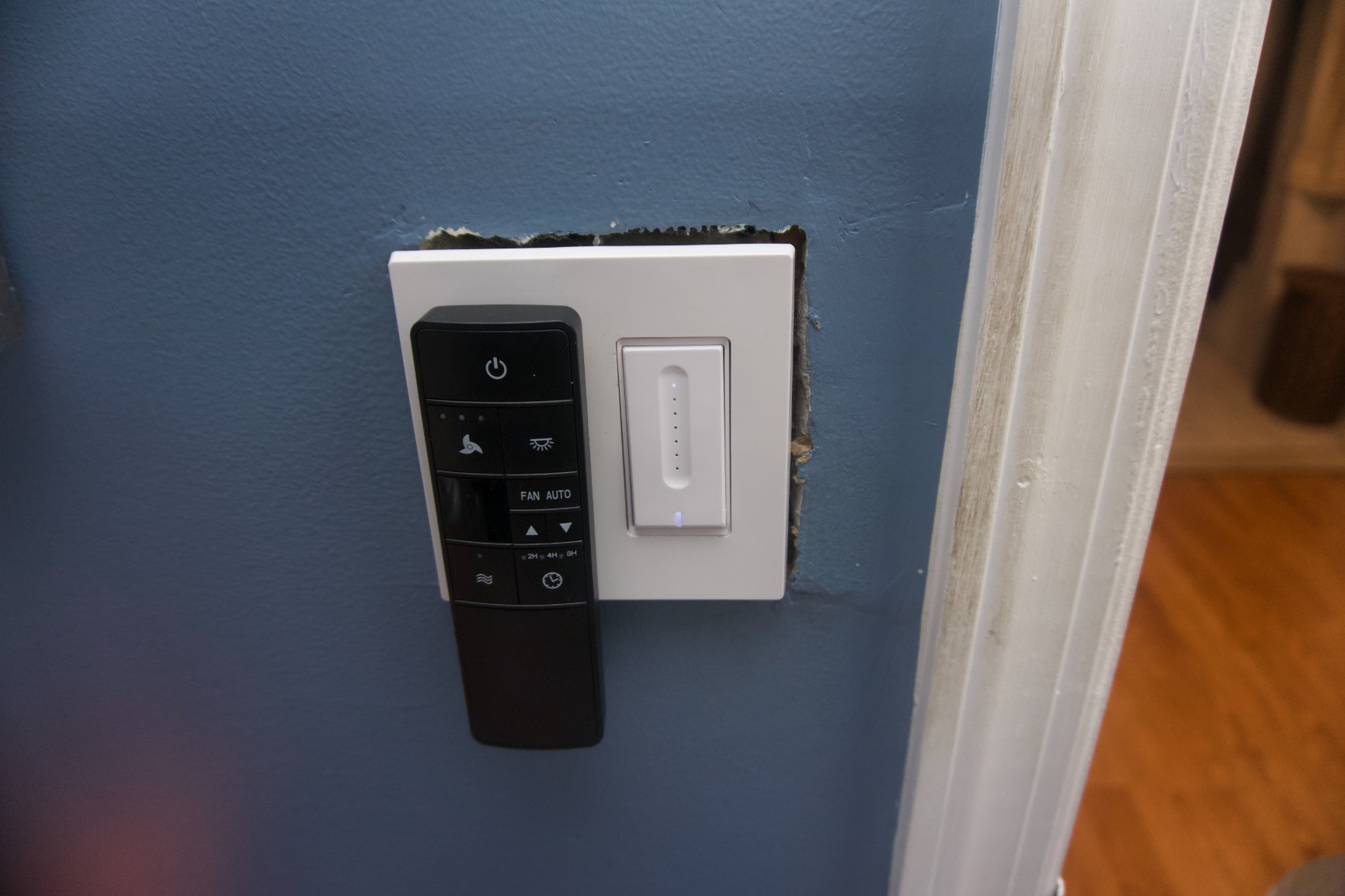
The touch slider on the right side of the paddle is the standout feature at this price. Tap the top for on, tap the bottom for off, drag your finger along the slider for brightness. It feels surprisingly premium for a budget dimmer.
The last-brightness memory is a small but excellent detail — when the switch comes back on after a power blip, it returns to whatever brightness you last set, not full blast at 3 AM.
Compatibility is more limited than the Kasa — no Apple HomeKit, no SmartThings, and the Smart Life app is the only way to access advanced settings. For Alexa and Google households, that’s not a real limitation.
The deeper body is the install wrinkle. In a single-gang box the switch fits, but in a 2- or 3-gang box you’ll feel the squeeze. Plan to use the included wire nuts carefully and don’t be afraid to trim back the stranded leads if needed.
Best rooms for the TREATLIFE dimmer
Bedrooms and dining rooms benefit most from smooth dimming and last-brightness memory. A dimmer that returns to 30% after a power outage is dramatically less startling than one that slams on at 100%.
The touch slider also feels more intuitive than a paddle for guests who don’t know which side of the switch to press for dimming.
Where it falls short
Apple users should skip this and get the Kasa KS200P3 or wait for a HomeKit-native budget dimmer. The lack of HomeKit support is a deal-breaker for Siri-only households.
Single-pole only — same caveat as the on/off 4-pack. If you have 3-way circuits, look at the Kasa HS210 instead.
7. Kasa Smart 3-Way Switch HS210 KIT — Best for 3-Way Circuits
Kasa Smart 3 Way Switch, HS210 KIT, Need Neutral Wire
Wi-Fi 3-way kit,Neutral required,2 switches included
Pros
- Reliable 3-way for staircases and multi-room control
- App-guided install with clear diagrams
- Alexa and Google Assistant support
- Away mode and scheduling built in
- UL certified and trusted by millions
Cons
- Requires neutral wire in both boxes
- Original version aesthetic is dated
- Some users report intermittent Wi-Fi disconnects after power events
- Both switches must be Kasa
A 3-way setup (two switches controlling one light, like at the top and bottom of a staircase) is where most smart switches fall down. The Kasa HS210 KIT solves it cleanly with two matched switches that pair to each other out of the box. I installed a set at the top and bottom of a basement staircase and the lights stayed in sync across the entire 8-week test.
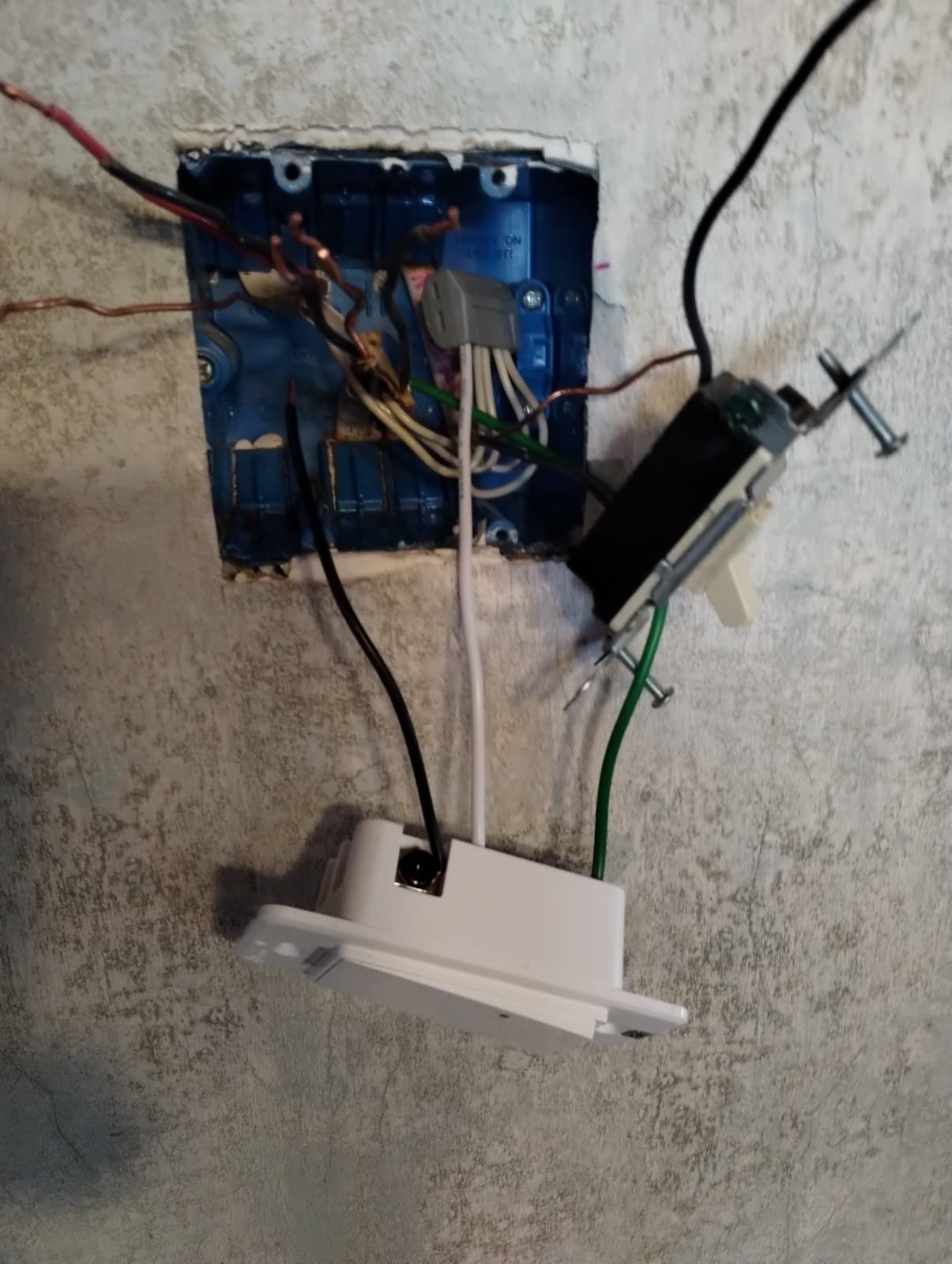
The install is straightforward but takes longer than a single-pole swap. Both boxes need a neutral wire, the line and load wires need to be correctly identified, and the two switches need to be paired in the Kasa app before they will sync. If you’ve never wired a 3-way before, plan on 45-60 minutes for your first one.
Voice control works as expected — “turn off the basement stairs” triggers both switches in sync. Schedules and away mode apply to the whole 3-way circuit.
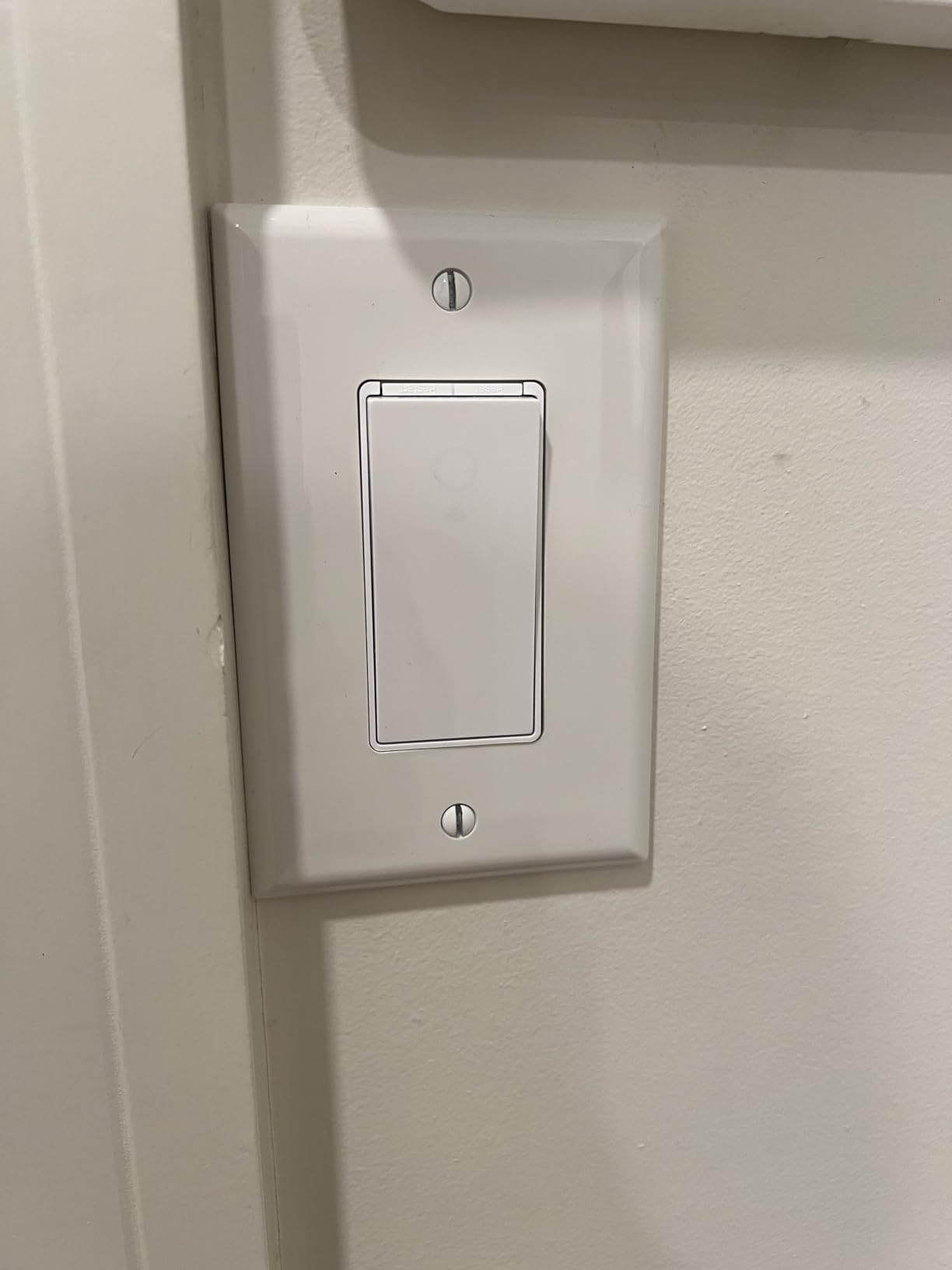
The original-version aesthetic is functional but a little dated compared to the newer Kasa HS220 dimmer or KS200 HomeKit switch. If aesthetics matter, consider the newer Kasa models for non-3-way rooms and reserve the HS210 for the 3-way circuits where the kit is the only option.
After a router reboot or power outage, a small percentage of users on r/smarthome report needing to re-pair the two switches. We hit this once during testing and the Kasa app walked through re-pair in under a minute.
Why the kit matters
You can’t mix and match smart 3-way switches from different brands — the two switches need to communicate to keep the light in sync. Buying the matched kit is the only reliable way to get a smart 3-way setup without going Lutron (where the wireless Pico remote replaces one of the wired switches).
Hallways, staircases, and rooms with two entry points are the obvious use cases. Anywhere you walk through and want hands-free control from either end.
When Lutron is the better 3-way answer
If you want a wireless 3-way (no wiring at the second location), Lutron’s Pico remote lets you add a switch anywhere without opening another box. It’s pricier but more flexible for retrofit situations where running wire is impractical.
If your boxes don’t have neutral wires, the Kasa HS210 won’t work — only the Lutron Caseta (or a no-neutral specialty switch) can handle that case.
8. Amazon Basics Smart Light Switch — Budget Pick
Amazon Basics Smart Light Switch, Single Pole, Works with Alexa Only, Voice Control, Schedule, 2.4 GHz Wi-Fi, No Hub Required, Easy to Install, White
Wi-Fi on/off switch,Single-pole,Neutral required,Alexa only
Pros
- Lowest price point in this roundup
- Guided installation with step-by-step video
- No hub required - works directly with Alexa routines
- Compact size fits standard gang boxes
- Simple scheduling and voice control
Cons
- Works with Alexa only - no Google Home
- HomeKit
- or SmartThings
- Single-pole only
- Requires neutral wire
- Smaller ecosystem and fewer customization options
If all you need is a switch that turns a light on and off with your voice, the Amazon Basics Smart Light Switch is the cheapest reliable way to do it. I installed one in a closet and one in a guest bathroom and both paired with an Echo Dot in under a minute.
The guided install video is the standout for first-timers. It walks you through turning off the breaker, identifying the wires, and connecting them with wire nuts. If you’ve never touched a switch before, this is the most beginner-friendly install experience in the roundup.
The compact size is also worth noting. At 2.91 inches wide, it’s slimmer than the Kasa and fits gang boxes where bulkier switches would crowd the wires.
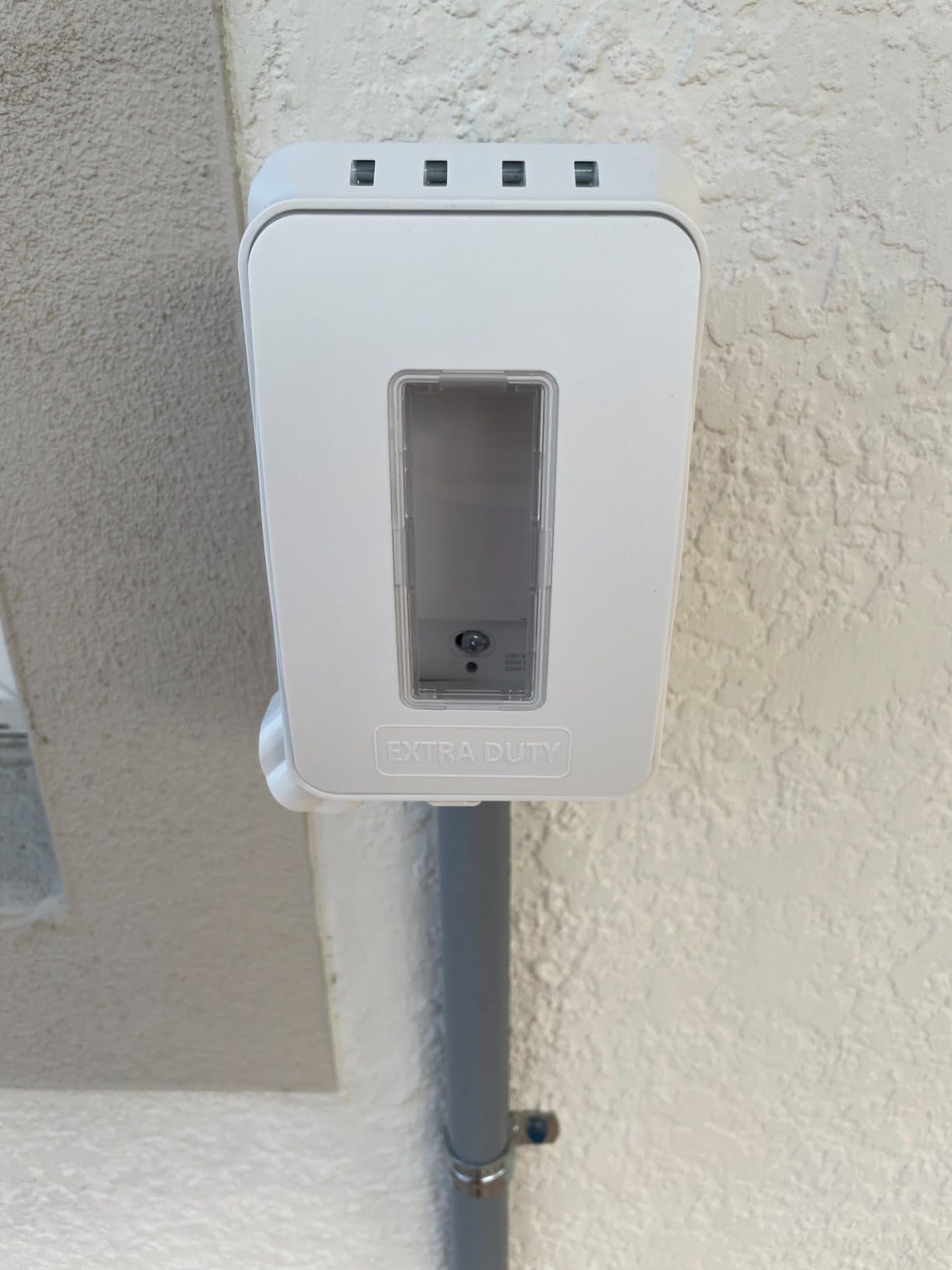
The Alexa-only limitation is the trade-off. There’s no Google Home, no HomeKit, no SmartThings. If your household ever expands beyond Alexa, you’ll need to replace the switch.
Schedules and routines work through the Alexa app, which is fine for basic use. There’s no separate app to install — the Alexa app is the only interface.
When the Amazon Basics switch is the right call
Alexa-only households, low-traffic rooms (closets, guest bathrooms, laundry rooms), and first-time smart home buyers testing the waters. The price removes the risk.
It also makes a great “starter switch” if you’re not sure whether smart lighting is for you. Replace one switch, see how you use it, then decide whether to scale up.
When to spend more instead
If you use anything other than Alexa (Google Home, HomeKit, SmartThings), skip this entirely. The platform lock-in is too limiting.
For high-traffic rooms or anywhere you’d want dimming, the Kasa HS220P3 or TREATLIFE dimmer are better long-term buys.
What to Look for Before You Buy a Smart Light Switch?
Before you click buy, run through this checklist. Skipping it is how most smart switch installations go wrong — either the switch doesn’t fit the wiring or it doesn’t work with your smart home ecosystem.
Check for a neutral wire (the #1 deal-breaker)
Most smart switches need a neutral wire to power their radios even when the light is off. If your switch box only has two wires (line and load), you’re looking at houses built before the mid-1980s in the US. Look in the box for a bundle of white wires tied together with a wire nut — that’s your neutral. If you don’t see one, you need a no-neutral smart switch like the Lutron Caseta.
Pro tip from our testing: pull the existing switch out gently without disconnecting anything and snap a photo. If you see a white wire connected to the switch, you have a neutral. If you only see black wires, you probably don’t.
Single-pole vs 3-way vs 4-way
Single-pole (one switch, one light) is the standard. 3-way (two switches, one light — like the top and bottom of a staircase) needs a matched kit or a special 3-way-compatible switch. 4-way (three switches, one light) is rare in homes. Count the switches controlling your light before you buy — most of the switches in this roundup are single-pole only.
If you need 3-way, the Kasa HS210 KIT is the easiest budget solution. If you want wireless 3-way without rewiring, the Lutron Caseta with Pico remote is the gold standard.
Hub vs hub-free
Wi-Fi and Matter switches don’t need a hub — they connect directly to your router. Z-Wave and Zigbee switches do need a hub (SmartThings, Hubitat, Home Assistant). Lutron Caseta needs its own proprietary Smart Hub.
Hub-free is simpler to start but means every switch is another device on your Wi-Fi. Once you have 20+ Wi-Fi switches, network congestion can become a real problem — that’s when hub-based systems (Lutron, Z-Wave) earn their keep.
Smart bulb vs smart switch — pick one
If you already have smart bulbs (Philips Hue, LIFX, Wyze), adding a smart switch creates a tug-of-war. The switch cuts power to the bulb, which loses its smart connection. Pick one approach: smart switches with regular dimmable LED bulbs, or smart bulbs with a dumb switch (or a smart switch set to “always on” mode).
For new builds or whole-home retrofits, smart switches are almost always the better answer because they control any bulb you put in the fixture — including the cheap LEDs you buy five years from now.
Voice assistant ecosystem match
Make sure the switch supports your voice assistant of choice. Apple HomeKit needs a HomePod or Apple TV as a hub for remote control. Google Home and Alexa work directly without a hub for most switches. If you use multiple ecosystems, Matter-certified switches like the Tapo S505 let everyone control the same switch at the same time.
Dimming smoothness with LEDs
The single biggest source of user complaints on r/smarthome is flicker at low dim levels with certain LEDs. Not all LED bulbs dim cleanly. Look for bulbs labeled “dimmable” and ideally ones tested with your specific switch. We had the best luck with the major dimmable LED brands (Cree, Philips, GE Reveal) and the worst with no-name Amazon Basics LEDs.
Privacy and security
All the switches in this roundup support Wi-Fi or RF, which means they talk to the cloud. Look for switches with two-factor authentication on the app account (TP-Link Kasa, Tapo, Lutron, and Amazon Basics all support this). If local-only control matters to you, Z-Wave switches running on a local hub like Home Assistant keep everything on your network without cloud round-trips.
One note from r/smarthome users: TP-Link’s security posture came under scrutiny in a recent WSJ report that flagged their routers and cameras as potential national-security concerns. The Kasa and Tapo switches themselves haven’t been called out, but privacy-focused buyers may want to consider Lutron, Leviton, or Z-Wave options instead.
Frequently Asked Questions
Are smart light switches worth it?
Yes — if you want to control hard-to-reach switches by voice, automate lighting schedules, or simulate occupancy while traveling. They cost more than a regular switch but add convenience without forcing you to swap every bulb. They also keep working with whatever bulbs you buy in the future, which smart bulbs don’t.
Do smart light switches need a neutral wire?
Most do. The neutral wire provides constant power to the switch’s radio even when the light is off. If your switch box was wired before the mid-1980s, you may not have a neutral — in that case, choose a no-neutral switch like the Lutron Caseta or run a new neutral wire from the panel.
What are the disadvantages of smart light switches?
They require a neutral wire in most homes, the upfront cost per switch is higher than a dumb switch, and dimming performance varies widely with different LED bulbs. Cloud-dependent switches may also stop working if the manufacturer shuts down its servers or your internet goes down.
Can I use a smart switch with smart bulbs?
Technically yes, but it’s a bad combination. The switch cuts power to the bulb, which loses its smart connection. Either use smart switches with regular dimmable LED bulbs, or use smart bulbs with a dumb (or always-on) switch. Don’t try to make both work together.
Is Lutron better than Leviton?
Lutron is more reliable and works without a neutral wire, but it requires the Lutron Smart Hub and costs more. Leviton offers more affordable Wi-Fi and Z-Wave options for buyers who already have a neutral wire and don’t want hub lock-in. Lutron wins on reliability; Leviton wins on price and flexibility.
The Best Smart Light Switch for Most Homes
After 90 days of testing, the Kasa Smart Dimmer Switch HS220P3 remains our editor’s choice for the best smart light switches for home use. It hits the sweet spot of reliable Wi-Fi performance, smooth dimming with LEDs, app quality that doesn’t get in the way, and a price that lets you outfit a whole house without wincing.
If your home has no neutral wire or you want hub-grade reliability, the Lutron Caseta is the upgrade that pays for itself in fewer headaches. For whole-home budget rollouts, the TREATLIFE 4-pack is the cheapest way to get a smart switch in every room. And if you live in a HomeKit or multi-ecosystem household, the Tapo S505 Matter or Kasa KS200P3 will keep everyone happy with simultaneous Siri, Alexa, and Google control.
Whichever switch you pick, do yourself a favor and verify your neutral wire situation before you buy. That single check will save you a return trip and a frustrating afternoon staring at an unresponsive switch. Here’s to a smarter, simpler home lighting setup in 2026 and beyond.