
The best smart lock for an Airbnb is the Schlage Encode Smart WiFi Deadbolt. It has built-in Wi-Fi, an ANSI/BHMA certified security rating, room for up to 100 access codes, and a mechanical backup key. For every reservation you can hand a guest a number that works from check-in to checkout, then delete it in about ten seconds.
That answer is only true for some doors. If your rental has no usable Wi-Fi at the front entry, or your landlord will not let you swap the exterior deadbolt, the same sentence stops applying. So rather than rank eight locks by spec sheet alone, we filtered every option through one question: does it give a guest their own code, and remove it when they leave?
We spent weeks going through host forum threads, manufacturer pages and owner reviews for the eight locks below, comparing code capacity, offline behaviour, connectivity, battery claims and installation limits. Along the way we kept running into the same Schlage-versus-August argument that dominates the r/airbnb_hosts conversation. The honest answer is that both are right, for different doors.
What follows is the decision-first version of that debate. Start with the top three if you want a fast verdict, then jump to your situation in the comparison section, and use the door compatibility checklist before you spend anything.
Table of Contents
Top 3 Smart Locks for Airbnb Hosts (October 2026)

Schlage Encode Smart WiFi…
- Built-in Wi-Fi
- up to 100 access codes
- auto-lock delay
- backup key

August Smart Lock Pro with…
- Retrofit over your existing deadbolt
- temporary codes
- DoorSense included

One quick note before the detail. Schlage takes the top spot because of what it removes from your workflow, not because it wins every spec line. A lock that needs a separate bridge, an extra app, or a physical visit to the door every time a cleaner changes is a lock you will stop trusting by the third booking of the season.
All 8 Locks Compared in 2026
| Product | Specifications | Action |
|---|---|---|
|
Schlage Encode Smart WiFi Deadbolt
|
|
Check Latest Price |
|
August Smart Lock Pro with Connect Hub
|
|
Check Latest Price |
|
ULTRALOQ Bolt SE WiFi
|
|
Check Latest Price |
 TEEHO TE002 Fingerprint Keypad Lock
|
|
Check Latest Price |
 eufy Security Smart Lock C220
|
|
Check Latest Price |
 Google Nest x Yale Lock
|
|
Check Latest Price |
 Philips Wi-Fi Smart Deadbolt
|
|
Check Latest Price |
 LOCKSTAR Smart Door Lock
|
|
Check Latest Price |
Two columns do most of the work here. If your door has no power and no signal, the offline locks in this list behave completely differently from the connected ones. And if your association or landlord restricts what you can replace on the exterior door, retrofit designs win outright.
1. Schlage Encode Smart WiFi Deadbolt – Best Overall for Rental Doors
Schlage Encode Smart WiFi Deadbolt Lock with Century Trim, Matte Black
Built-in Wi-Fi
Up to 100 access codes
Four AA batteries, 6-month claim
Backup key included
Pros
- Built-in Wi-Fi removes the bridge step
- 100 code capacity handles heavy turnover
- Auto-lock with selectable delay or off
- BHMA certified security and durability
- Screwdriver-only install on standard US doors
Cons
- Higher price tier than keypad models
- Battery replacement needed on high-traffic doors
- Codes managed in the app rather than at the keypad
This is the lock that gets recommended most often in host groups, and the r/airbnb_hosts consensus is not wrong. A snippet from that community calls the Schlage Encode the favourite in most Airbnb host groups, and once you understand why, the logic is obvious: Wi-Fi is in the body of the lock, not in a hub you have to mount and keep working.
The practical difference is your turnover evening. With a bridge-based setup, a dead bridge at 6pm on a Saturday can mean every arriving guest gets a phone call. With the Encode, you open one app and the door is live. Code capacity is the other quiet win: 100 codes is enough that you can leave the previous month’s guests in the system and still never reuse a live one.
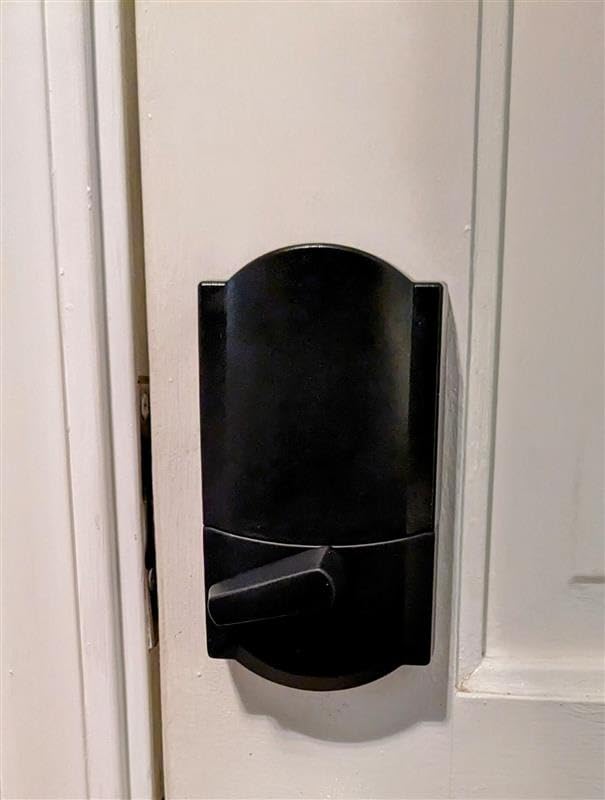
Owners consistently praise three things in reviews: how straightforward the install is over a standard door, how the auto-lock delay is adjustable rather than fixed, and how the one-touch exterior locking feels in wet gloves at a rural door. The alarm is customizable for door movement and forced entry, which matters more on an empty rental than on a home you occupy.
It is also a full replacement deadbolt, not a retrofit. That means you remove the existing lock, which brings backset and door thickness into the decision. Schlage states it fits doors from 1-3/8 inch to 1-3/4 inch thick with a 2-3/8 inch or 2-3/4 inch backset, so measure before you buy.
The battery picture is the one compromise. Schlage claims up to six months on four AA cells, which is the shortest of the connected locks here apart from eufy. On a high-turnover city unit, plan a scheduled check rather than assuming a full year.
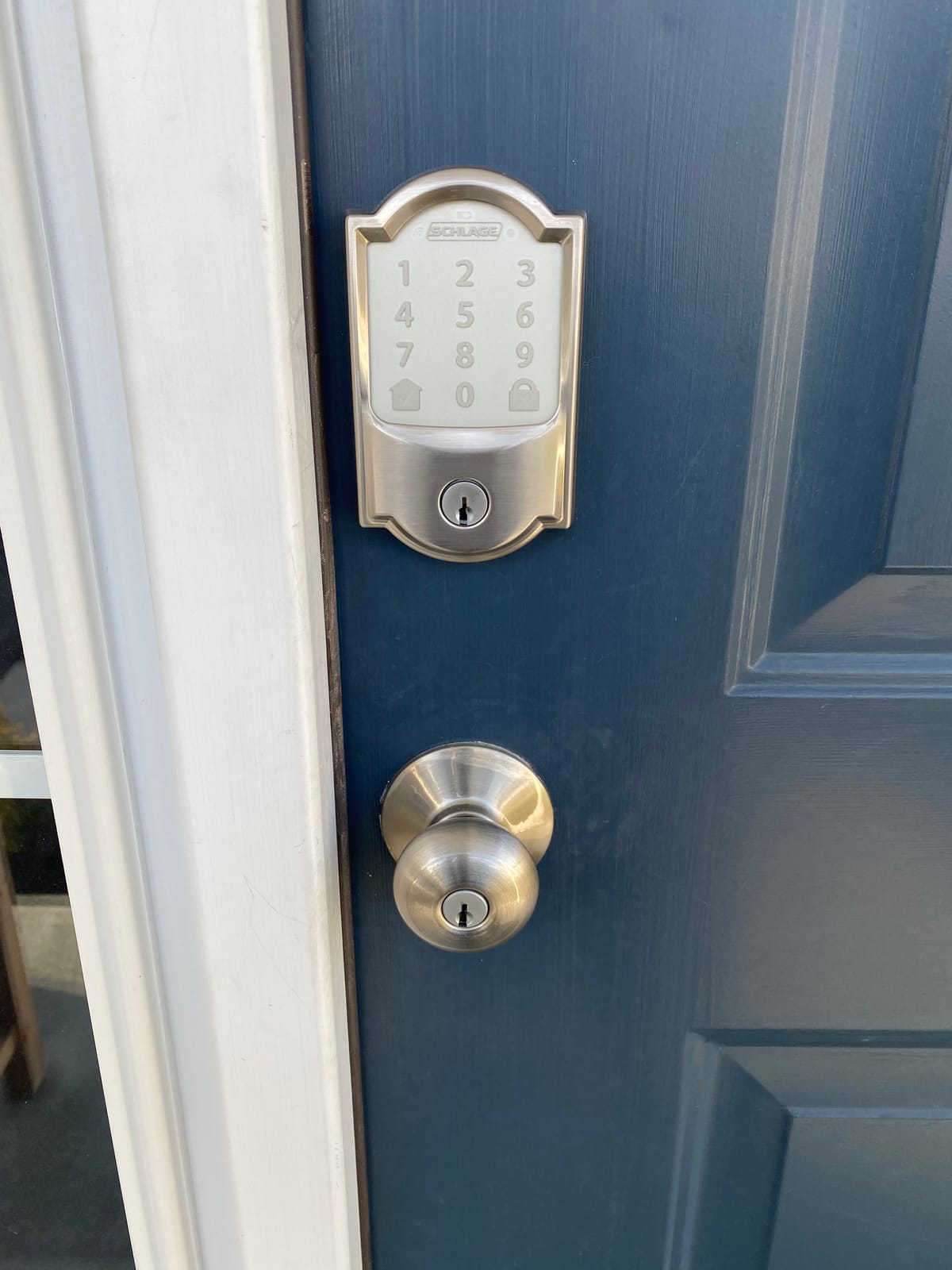
Why hosts keep this one on the door
Because the failure modes are boring. It is a certified mechanical deadbolt with electronics bolted on, so the thing that actually keeps a door shut is a well-made lock rather than a gadget. When the batteries go, the backup key still opens it, and when you are on a fence with no signal, the codes you programmed still work at the keypad.
For a portfolio of one to twenty doors, the Schlage Home app holding multiple locks in one place is the reason experienced hosts stay with it. You are not logging into three different apps to see which unit a guest is trying to enter.
When to pick something else
Skip it if your association or building rules forbid replacing the exterior deadbolt, or if your entry door is thicker than 1-3/4 inch. It is also a heavy spend for a single rural cabin that sits empty for weeks, where battery drain and distance make a simpler offline lock more sensible.
2. August Home Smart Lock Pro + Connect Hub – Best Retrofit Pick
August Home Smart Lock Pro + Connect Hub – Wi-Fi Smart Lock for Keyless Entry – Works with Alexa, Google Assistant, and more – Silver
Retrofit over existing deadbolt
Connect Wi-Fi bridge included
DoorSense sensor included
4 AA batteries included
Pros
- Keeps your existing deadbolt and keys
- Bundle includes the Connect bridge and DoorSense
- Auto-Lock and Auto-Unlock
- Works with HomeKit
- SmartThings
- Alexa and Vera
Cons
- Highest price in this roundup
- Remote access depends on the bridge
- Auto-Unlock can misread with several phones nearby
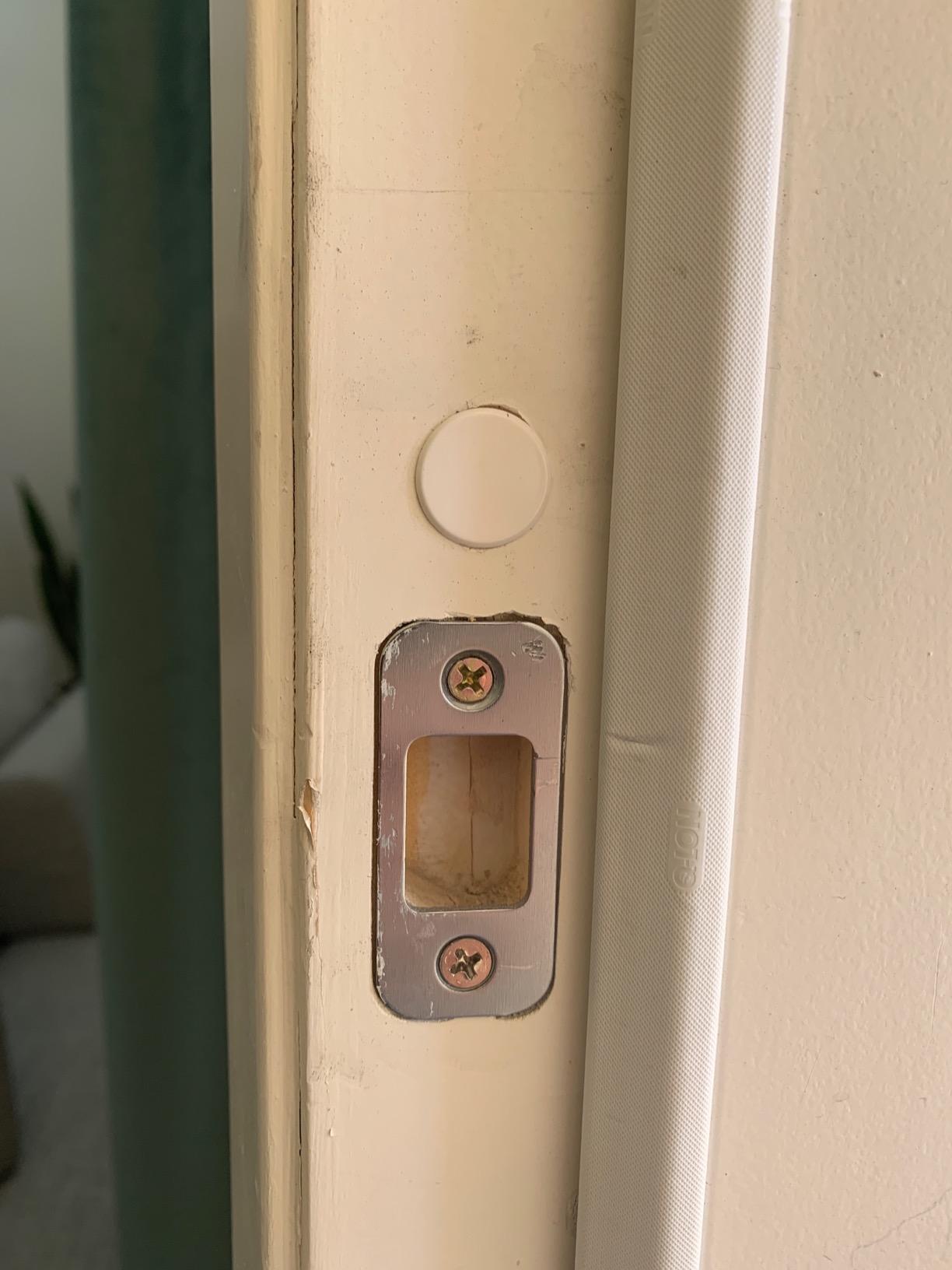
August is the answer when the door itself is off limits. The motor sits inside your existing deadbolt and the interior thumbturn is swapped, so the outside of your door keeps its current lock and its existing keys. If you rent a unit inside a condo association where exterior hardware is locked down, this is often the only option on the shortlist.
The bundle here includes the August Connect Wi-Fi Bridge, which matters, because the base lock speaks Bluetooth and the bridge is what makes it reachable from a phone away from the house. The bridge also runs off batteries, so it is one more thing to check on a slow winter visit.
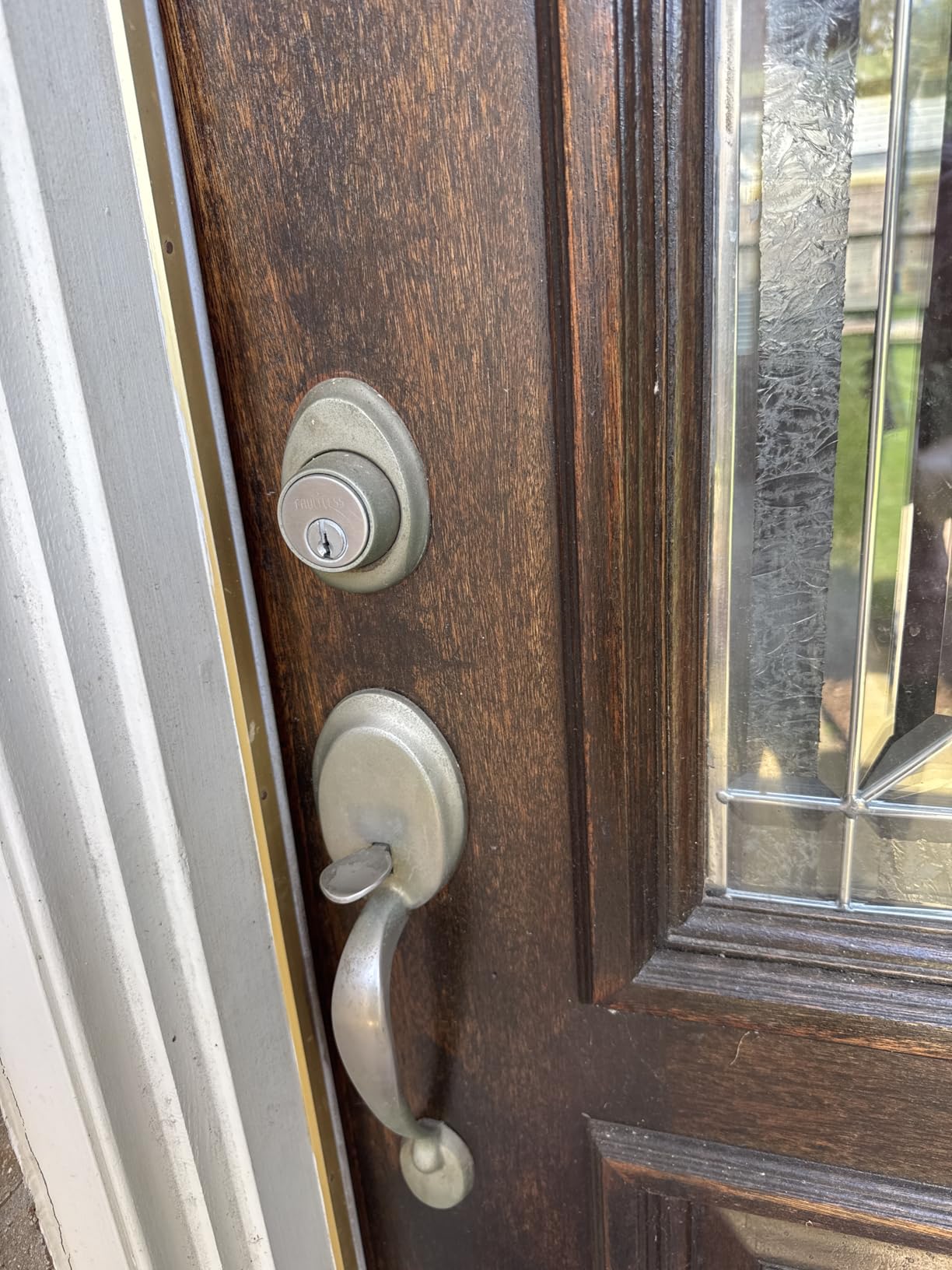
Hosts love what August removes rather than what it adds. Auto-Lock means nobody has to re-key between guests, and temporary codes shared through the app make a mid-stay handoff painless. A professionalhosts Facebook snippet describes exactly this pattern, with guests given a code that has a duration attached and expires on its own.
DoorSense is the sleeper feature for rentals. It tells the app whether the door is actually closed, which separates a guest who closed the door from a guest who left it standing, and that difference shows up in your entry log when something goes wrong.
The gripes in reviews are consistent. Cost is the headline complaint, since this bundle sits above every other option here. Auto-Unlock, which opens the door as you approach with your phone, depends on Bluetooth proximity and can misread when several people with paired phones are standing outside.
Why hosts pick this lock
The retrofit is the whole argument. If your door already has a working deadbolt, replacing it means new keys, new fit issues and possibly permission you do not have. August lets you add keyless entry in about ten minutes and keep the cylinder your guests or staff may already rely on.
For a host managing several listings where a manager or co-host physically visits, the fit with HomeKit and SmartThings ecosystems is more useful than raw code capacity. It drops into an automation layer that already exists rather than asking you to build one.
When to pick something else
Skip it if your budget is the deciding factor or if your exterior deadbolt is due for replacement anyway, because retrofitting onto a worn cylinder wastes a good opportunity. It is also a weaker fit when you want fingerprint entry, since this model is keypad and app driven rather than biometric.
3. ULTRALOQ Bolt SE WiFi – Best Value Fingerprint Lock
ULTRALOQ Bolt SE Wi-Fi Smart Lock, Matter Over Thread, App Remote Access
Built-in Wi-Fi with no hub
50 codes and 50 fingerprints
18-month battery claim
IP65 weather rated
Pros
- No hub needed for remote access
- 50 fingerprints and 50 codes
- Matter over Thread for Apple Home and SmartThings
- 18-month claimed battery life
- ANSI BHMA certified and IP65
Cons
- Matter features need a separate Thread Border Router
- 2.4 GHz Wi-Fi only
- No door sensor included
Most fingerprint-and-keypad locks in this bracket force you to buy a hub before the thing does anything useful over the internet. The Bolt SE does not. Wi-Fi is built into the lock, so you open the app, share a code, and a guest standing at the door gets in even if you are two hours away.
Fingerprint capacity is the real rental feature. Fifty prints means you can register yourself, your co-host, a cleaner, a groundskeeper and still have room, and returning guests never have to remember a number after a long night out.
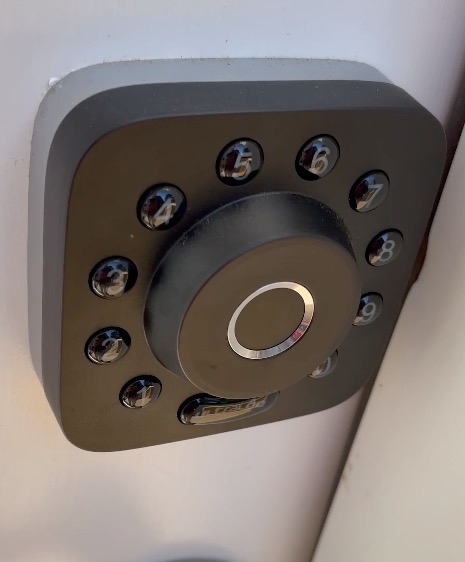
The manufacturer lists rental and hospitality use among the recommended applications, and the practical side holds up. The zinc alloy body carries an ANSI/BHMA certification and an IP65 rating, which is the number to look for on an exposed exterior door that takes rain from the side.
Two specifications deserve attention before you buy. Connectivity is 2.4 GHz only, with a recommended maximum of about 70 feet from the router, so a modern dual-band router may still need help. And the Matter over Thread features require a Thread Border Router that is not in the box.
Battery life is the standout claim: up to 18 months, with real-time low battery alerts. Even allowing for the usual optimism in these figures, it is far beyond what the Schlage and eufy units claim, which means fewer mid-stay failures on a property you visit monthly.
Why hosts pick this lock
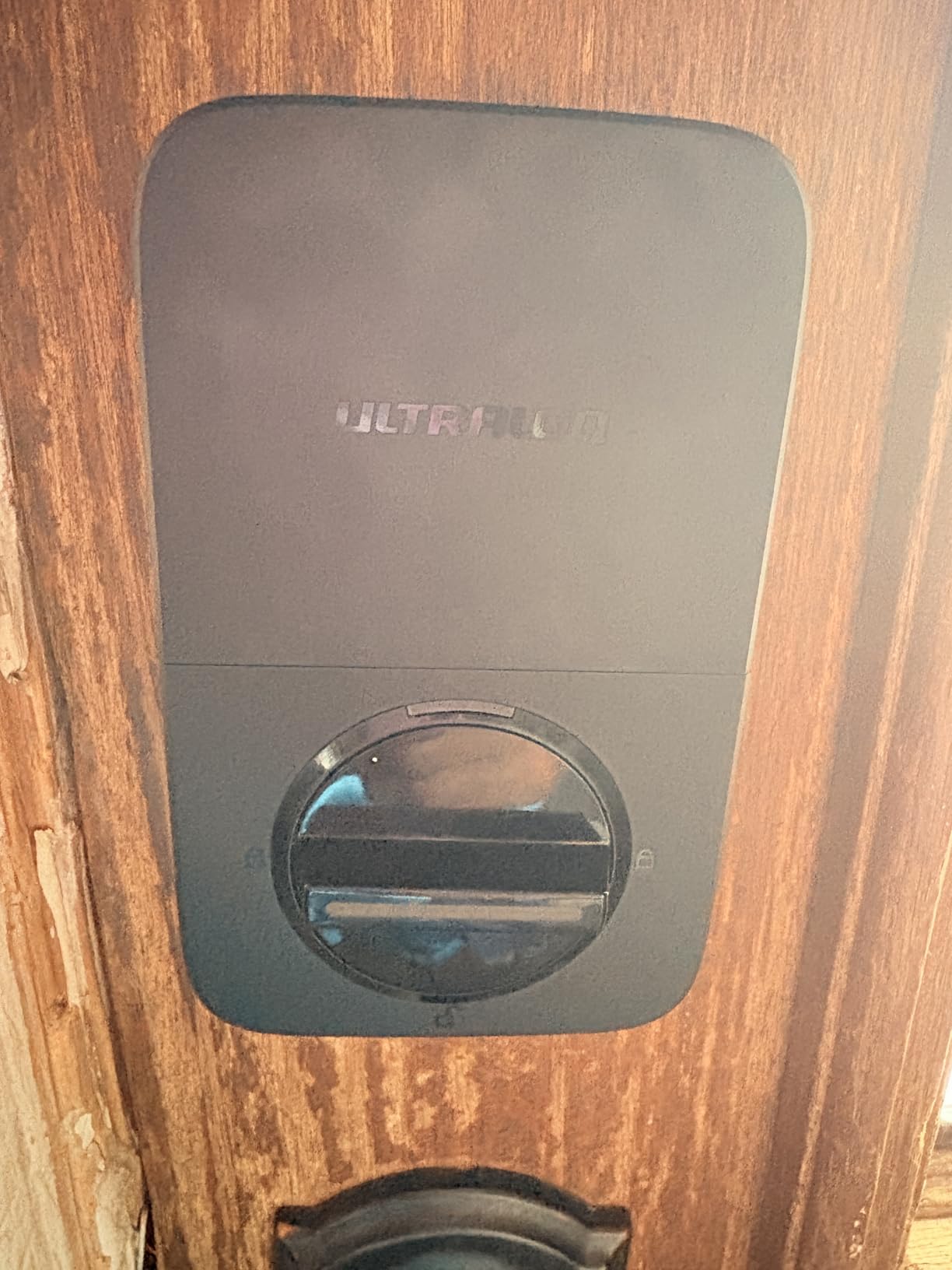
It removes two costs at once. There is no bridge to mount and no bridge battery to die, and there is no separate keypad accessory to lose. For a single rental on a tight schedule, one device that does everything is worth more than a premium brand with extra pieces.
The self-healing mesh over Thread also makes it a sensible choice if you plan to add Matter-compatible cameras or thermostats later, since the lock can carry part of that traffic rather than adding another radio to the door.
When to pick something else
Skip it if your router is 5 GHz only, if you run a mesh network with no 2.4 GHz band, or if you need to know whether the door is physically closed, since no door sensor is included and the app cannot report open state.
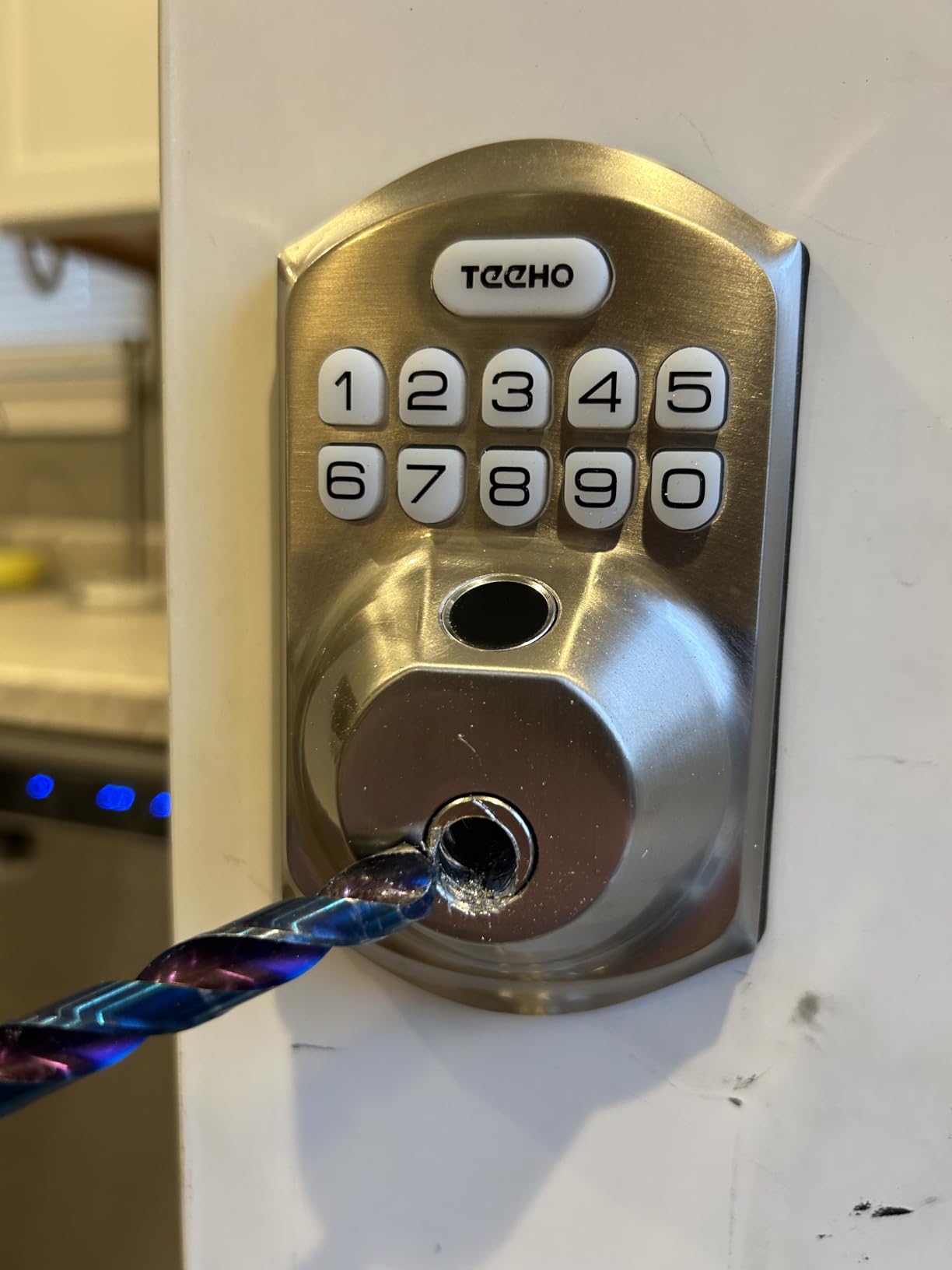
4. TEEHO TE002 – Best Offline Lock With No App Required
TEEHO TE002 Fingerprint Deadbolt with Keypad for Front Door, Matte Black
Fully offline keypad and fingerprint
One-time PINs auto-delete after use
20 codes and 20 prints
Two backup keys included
Pros
- One-time PINs expire on their own after a single use
- Works with no app
- hub or subscription
- Fast forgiving fingerprint reader
- Silent mode for late-night arrivals
- Installs on a standard US door with a screwdriver
Cons
- Fully offline so no remote access
- Codes must be programmed at the door
- Fits 2-1/8 inch bore only
- Batteries not included and life varies
This is the lock for a cabin, a boat house, a converted barn or any door with no reliable signal. It has no connectivity at all. Everything happens at the keypad, which means a guest can always get in regardless of your router, your phone, or whether the property has electricity.
The feature that makes it a genuinely good fit for short-term rental is the one-time PIN. You create a code, the guest uses it once, and the lock deletes it. That is arguably a better outcome than a time-limited code, because there is no window where a code could still work if someone photographs the keypad.
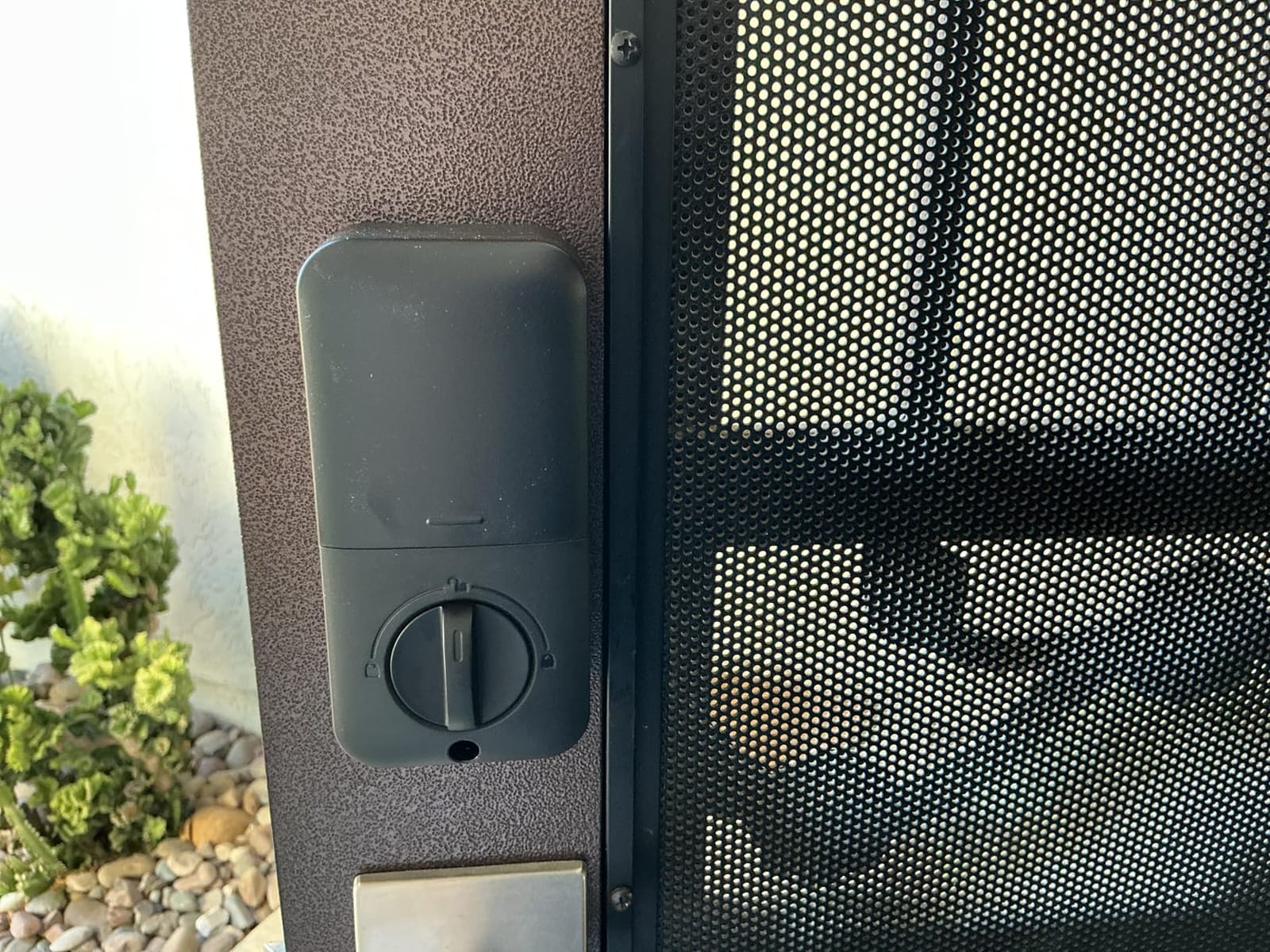
It also handles fingerprint entry, with room for 20 prints and 20 passcodes, plus two physical keys in the box. The reader is fast, and reviewers single it out as more forgiving than other fingerprint locks at this price.
Security extras are unusually thoughtful here. Anti-peeping passcodes let you add fake digits in front of the real sequence, wrong-entry lockout triggers after repeated failures, away mode disables temporary access entirely, and silent locking keeps late arrivals from waking the house.
The fit requirement is strict. It works with 2-1/8 inch, or 54mm, door holes only, which is the common US standard but not universal on older or imported doors. Measure the bore before ordering.
Battery life is claimed at up to 365 days on four AA cells, and batteries are not included. Reviewers report real-world results shorter than the claim, so treat a yearly check as the baseline rather than a rare event.
Why hosts pick this lock
Because zero moving parts means zero infrastructure to maintain. There is no bridge on a shelf in the hall, no account to log into, and nothing that fails when a firmware update goes sideways. You walk to the door, press a sequence, and you are done.
It is also the cheapest way to give every guest a different code. Older locks hold a single static combination, which gets passed around the group chat and stays valid after the guest leaves. Here, each stay can get its own entry.
When to pick something else
Skip it if you want to unlock the door from your phone while you are out, because there is no app and no remote path. It is also the wrong choice for a busy urban unit where you would rather never visit, and the 54mm bore limit can rule it out on unusual doors.
5. eufy Security Smart Lock C220 – Best Fingerprint Plus App Combo
eufy Security Smart Lock C220, Fingerprint Keyless Entry Door Lock
Six unlock methods
Built-in Wi-Fi, no bridge
8 AA batteries, 8-month claim
BHMA Grade 3 and IP53
Pros
- Built-in Wi-Fi with no bridge required
- Six ways to unlock including Apple Watch and voice
- Self-learning fingerprint module
- Plugs into eufy doorbell routines
Cons
- Battery life shorter than most rivals
- Keypad code capacity not published
- Removing a spacer is needed for bores under 54mm
The C220 is the lock we would pick for a co-hosted unit where several people need access and none of them remember numbers well. Six entry methods cover fingerprint, keypad, app, physical key, Apple Watch and voice, which means the person doing the turnover is not blocked because they forgot a code they set up three weeks ago.
Built-in Wi-Fi removes the bridge again, and the self-learning fingerprint module is the detail reviewers praise most. It refines recognition as it sees more touches, so a regular cleaner whose finger is cold or slightly wet still gets in on the second or third attempt.
Because it pairs into the eufy Security app alongside eufy doorbells, you can build routines that link entry events to camera clips. For a host, that turns a code entry into something you can actually review afterwards.
Two limitations are worth planning around. Battery life is claimed at about 8 months on 8 AA cells, the shortest of the connected locks here, and the manufacturer does not publish keypad code capacity, which is a real gap when you want one code per guest for a busy season.
Why hosts pick this lock
The entry-method breadth means your team never gets locked out by a technicality. If a fingerprint fails, there is a keypad. If the guest has no fingerprint worth registering, there is a code. If both fail, there is a physical key and an app.
Installation is advertised at about 15 minutes without drilling on most standard deadbolts, and it can fit bores under 54mm by removing the included spacer, which widens the doors it will accept compared with the TEEHO.
When to pick something else
Skip it if your property is far from anywhere you visit monthly, because 8 months of batteries and an unpublished code limit make it a poorer fit for very high turnover. If you are not already in the eufy ecosystem, the doorbell routine feature adds little on its own.
6. Google Nest x Yale Lock – Best for Google Home Hosts
Google Nest x Yale Lock – Tamper-Proof Smart Lock for Keyless Entry – Keypad Deadbolt Lock for Front Door – Satin Nickel
Scheduled passcodes with Privacy Mode
Nest Connect bridge bundled
Tamper and lock alerts
Retrofit over existing deadbolt
Pros
- Schedules control when each passcode works
- Privacy Mode disables the keypad completely
- Tamper and lock alerts give a clear activity trail
- Swaps out an existing deadbolt
Cons
- Nest Connect bridge required for remote access
- Code capacity not stated
- Keypad entry only with no fingerprint reader
This is the pick if your household already runs Google Home, because the lock sits natively in the Nest app and talks to Google Assistant without a third-party bridge. That means a guest arrives, you unlock for them from the Nest app, and the door opens without you sending a code at all.
Privacy Mode is the feature that makes hosts cautious about smart locks comfortable using one. It disables the keypad entirely, so you can switch the door into owner-only mode while you are in residence or between bookings, with no guest codes live at all.
Scheduling and alerts do the operational work. Passcodes can be limited to windows, chimes confirm lock, unlock and Privacy Mode changes, and you get alerts on lock, unlock and tamper attempts, which gives you a usable trail after a guest stay.
Two constraints stand out. The Nest Connect bridge is required for remote access and is bundled rather than built in, and the manufacturer does not state a user-code capacity, which matters if you run a lot of overlapping reservations.
Why hosts pick this lock
Phone-based remote unlock is the honest answer to the late-arrival problem. When a guest texts at 11pm because they cannot find the keypad light, you open the app and open the door, without changing a single code.
It also swaps out an existing deadbolt rather than requiring a retrofit over one, so you get a clean install with no adapter, and one-touch locking plus auto-lock handle the leaving side for you.
When to pick something else
Skip it if your property sits where Google Home coverage is poor, or if you want guests to enter with a fingerprint rather than a number. Also be aware that with the smallest review base of the premium options here, long-term field reliability is less well documented than for the Schlage and August units.
7. Philips Wi-Fi Smart Deadbolt – Best for Code Capacity
Philips Wi-Fi Smart Deadbolt Lock, Keyless Entry Door Locks for Front Door
Up to 100 passcodes plus one-time codes
Built-in 2.4 GHz Wi-Fi
Away Mode locks out other methods
Fits doors 1-3/8 to 2 inch thick
Pros
- Highest stated code capacity with one-time and scheduled codes
- Hub-free remote unlock
- Away Mode resets the door between stays
- Fingerprint plus keypad plus key entry
Cons
- Batteries not included
- 2.4 GHz only with router within 65 feet
- No door sensor included
- Smallest review base in this roundup
Code capacity is the number that decides whether a lock scales, and this is the one that wins it. Philips states up to 100 custom passcodes plus unlimited one-time and scheduled codes, which covers a host running overlapping bookings, several cleaners and a family sharing one property.
The scheduled-code feature matters at turnover. Rather than remembering to delete yesterday’s code, you can set the validity window and let the lock handle the boundary between stays, which is the difference between a system you run and a system you worry about.
Built-in Wi-Fi means remote unlock without a hub, and the door accepts five entry types: app, passcode, fingerprint, physical key and voice through Alexa or Google Assistant. Auto-lock is adjustable from 10 to 180 seconds, so you can stop it snapping shut behind a guest carrying bags.
The honest caveat is thin field data. With the smallest review base in this roundup, you have less long-term reliability history to lean on, and the manufacturer does not include a door sensor, so open state is not reported to the app.
Why hosts pick this lock
Away Mode is the underrated part. It disables every unlock method except the master code, which is a clean way to guarantee the door is locked down after a stay and reset your confidence that nothing is still active.
Installation is a screwdriver job on doors from 1-3/8 inch to 2 inch thick, a wider thickness range than several competitors, which makes it forgiving when you are fitting an older rental door.
When to pick something else
Skip it if your router is 5 GHz only or sits more than about 65 feet from the door, since both conditions break remote access. Buy fresh batteries before the first stay, because none are included and the lock is specified to run on AA alkaline cells.
8. LOCKSTAR Smart Door Lock – Most Entry Methods
LOCKSTAR® Smart Door Lock • Keyless Entry Deadbolt Door Lock • Multiple Entry Methods – APP • Fingerprint Touch ID • Keypad Code • Card FOB • Traditional Key • Smart Home Devices
Five entry methods including card fob
Wi-Fi gateway included in the box
Complete event history
Drill piece and screwdriver included
Pros
- Card fob entry is unique in this roundup
- Gateway included so no add-on purchase
- Firmware-free event history in the app
- Screwdriver and drill piece for doors with no existing bore
Cons
- Lowest review count so long-term data is thin
- Guest code capacity not published
- No stated voice assistant support
The LOCKSTAR earns its place on breadth. It accepts app, fingerprint Touch ID, keypad code, card fob and a traditional key, and the card fob is the one entry method no other lock on this list offers. For a house with a gate, a dog door or a detached studio, handing a fob beats explaining a code.
The Wi-Fi gateway comes in the box, which is a genuine saving compared with buying a bridge separately, and the event history with real-time notifications gives a clear record of who opened the door and when.
Installation is unusually accommodating. The box includes a screwdriver and a drill piece, so it can go onto a door that has no existing lock hole at all, not just an existing deadbolt. That makes it workable on a rental outbuilding or a secondary entry nobody has ever fitted hardware to.
The tradeoff is documentation. It has the smallest review count of the eight, the manufacturer does not publish guest code capacity or passcode scheduling details, and although the marketing leans smart-home, no voice assistant support is stated.
Why hosts pick this lock
When you cannot measure your way to certainty on door fit, a lock that works on virtually any door removes the most common install blocker. The included drill piece is the detail that turns a hard no into a maybe.
Multiple entry types also make shared access cleaner. A co-host uses a fob, a guest uses a keypad code, and you use the app, with each method revocable on its own rather than sharing one credential.
When to pick something else
Skip it if code capacity is your deciding factor, since no figure is published and high-turnover operators need a known limit. If you need proven long-term uptime across a whole portfolio, pick an option with a deeper review history instead.
Which Smart Locks Connect Directly to Airbnb?
Airbnb does not recommend a single lock brand. Its own guidance points hosts toward a connected lock with a keypad that the platform can talk to, and in practice the brands with the most reliable native integration are Schlage, Yale and August. Those are the names to search against your listing settings before you buy anything.
Two conditions apply. The lock needs both a keypad on the door, since guests must be able to enter without the host present, and a route to the internet, whether that is built-in Wi-Fi or a bridge. Native lock integration has also been rolled out as a US and Canada feature, so hosts elsewhere will usually need to send codes manually or use an access platform instead.
Only the Schlage Encode and the August Smart Lock Pro in this roundup are built around that native path. If you are outside the US or Canada, treat that as a decision point rather than a footnote: an offline lock such as the TEEHO, or a connected lock you manage yourself with codes you send from your own phone, is the realistic path.
For hosts who list on several channels, the same logic applies to Vrbo and Booking.com. Native integration is tied to one platform, so multi-channel operators generally send codes by hand or route them through property management software, which can push codes into whichever lock app you use.
Door Compatibility Checklist Before You Buy
Door fit causes more failed installations than bad hardware. Before ordering any lock on this list, spend five minutes with a tape measure, because a lock that does not fit is a return, a refund and another trip to the hardware store.
Measure three things. Door thickness, which most locks specify explicitly: the Schlage Encode covers 1-3/8 inch to 1-3/4 inch, the Philips covers 1-3/8 inch to 2 inch, and the August, Google Nest x Yale and LOCKSTAR options all ask you to confirm backset, cross bore and thickness before installing.
Then check the bore. The TEEHO TE002 fits 2-1/8 inch, or 54mm, holes only. The eufy C220 fits most standard deadbolts and can take bores under 54mm by removing an included spacer. The ULTRALOQ Bolt SE is a standard screwdriver install on standard US deadbolts.
Decide retrofit versus full replacement next. If a landlord, association or building rule protects the exterior lock, retrofit designs like August and the Google Nest x Yale mount over the existing deadbolt and keep your keys. If you own the exterior door and it is reaching the end of its life, replace it outright and pick something like the Schlage Encode with its wider code capacity.
Finally, think about the jamb and the swing. A keypad deadbolt adds depth to the edge of the door, and on a door that butts tightly against a frame, that added depth can stop the door closing. Hosts have flagged clearance as the thing they wish they had checked first, and it takes one test with the existing deadbolt removed.
How to Set Up a Smart Lock for Airbnb Guests
Here is the order we would use, from compatibility check to a tested backup plan. It takes about an hour on a standard door and avoids the two mistakes that cause lockouts later.
Confirm fit. Measure thickness, backset and bore against the manufacturer spec before the box is open. If it fails here, return it rather than forcing it.
Install with a screwdriver. Every lock here is a DIY install. Photograph the existing wiring and strike plate if you are removing an electronic lock, so you can put it back.
Pair the app and the lock. Create the account, add the lock, and name it after the property rather than the address, because you will be reading that name from a phone at 11pm.
Set the auto-lock behaviour. Choose a delay that suits a guest carrying bags rather than the fastest setting, or turn auto-lock off if your door closes cleanly on its own.
Connect the lock to your listing. For a Schlage lock, connect it in the Schlage Home app, link the lock to your account, then find the entry and lock settings in your Airbnb listing settings and connect the lock there. Confirm the exact model is on Airbnb’s compatible list first.
Create the standing codes. Program one master code for you, one for your cleaner with a schedule that matches your turnover window, and one for anyone else who needs steady access.
Test the guest path end to end. Create a test code, walk to the door, enter it, and confirm the lock registers in the app. Then delete the test code and confirm the deletion.
Set the backup entry plan. Know where the physical key is stored, where the spare batteries are, and whether your lock has an emergency charge port, before your first real guest arrives.
For offline locks, steps three and five change. There is no app to pair and no listing to connect, so the code is created at the keypad and given to the guest through your booking message. That is less automatic, and it is also why offline locks suit properties where nothing else works.
Mistakes Hosts Make With Smart Locks
Treating one static code as a rotating code. Reusing a single PIN across every stay is the most common failure we see, and it undoes the entire security argument for a smart lock. Create a separate code per guest, even if you create them from the same phone.
Not planning the battery. Battery death is the top real-world lockout cause, and it clusters in properties that sit empty: ski homes, lake cabins and units between long bookings. Every lock here sends low battery alerts to an app, which does nothing if you never open the app. Put a calendar reminder on your turnover visit.
Leaving no backup way in. A lock without a mechanical key override, without an emergency charge port and without a key stashed on site is one flat battery away from a bad review. Check what your specific model offers before the first booking.
Buying before measuring the door. Thickness, backset and bore are not interchangeable across brands, and the number one installation blocker we found in host discussion is clearance rather than compatibility. Measure first, always.
Expecting flawless connectivity. Owners report occasional August issues even while praising the integration, and hosts running several brands describe stitching together a management app, an automation layer and a lock app because no single platform handles every channel. Build the habit of checking the entry log rather than assuming.
Forgetting that a keypad is mandatory. Native listing integration assumes an on-door keypad so a guest can self check in. A fingerprint-only lock with no keypad is a lock that needs you to be at the property.
Frequently Asked Questions
What smart lock does Airbnb recommend?
Airbnb does not endorse a single brand. Its guidance points hosts toward a connected lock with an on-door keypad so guests can self check in, and the brands with the most reliable native integration are Schlage, Yale and August. The lock needs both a keypad and a route to the internet, either built-in Wi-Fi or a bridge. Native lock integration has been rolled out as a US and Canada feature, so hosts elsewhere usually send codes manually or use an access platform.
What is the best lock to use for Airbnb?
It depends on the door. With solid Wi-Fi, the Schlage Encode Smart WiFi Deadbolt is the strongest all-round choice, with built-in Wi-Fi and room for 100 access codes. With no reliable signal at the door, choose an offline lock with one-time PINs such as the TEEHO TE002. If you cannot replace the exterior deadbolt because of landlord or association rules, pick a retrofit design like the August Smart Lock Pro.
What are common problems with August Smart Locks?
Owners report occasional connectivity and Auto-Unlock glitches, particularly when several phones with Bluetooth are nearby. The lock also depends on the separate August Connect bridge for remote access, and that bridge itself runs on batteries. Fit and clearance can catch you out on unusual doors, and hosts with very high turnover should note that code limits matter. On the other side, the same owners confirm the Airbnb integration works well and that guest codes expire on their own.
Do I need Wi-Fi at my rental for a smart lock?
Yes for native Airbnb integration and for any app-based remote access, since codes have to reach the lock over a network. No if you choose a lock designed for offline operation. The TEEHO TE002 runs entirely at the keypad with no app, hub or subscription, and its one-time PINs delete themselves after a single use. That makes it the practical choice for cabins, boats and converted buildings with poor signal.
How many guest codes can a smart lock store?
It varies widely and the figure matters more than any other spec for high-turnover rentals. The Schlage Encode Smart WiFi Deadbolt stores up to 100 access codes, and the Philips Wi-Fi Smart Deadbolt states up to 100 custom passcodes plus unlimited one-time and scheduled codes. The ULTRALOQ Bolt SE stores 50 codes and 50 fingerprints, the TEEHO TE002 handles 20 codes and 20 prints, and the eufy C220, Google Nest x Yale, August and LOCKSTAR do not publish a figure.
What happens when the smart lock battery dies mid-stay?
Codes stop working and remote access stops working, so a guest who arrives after the batteries die cannot get in. The mitigation is preparation: check that your lock has a mechanical key override or an emergency charge port, keep a physical key stashed on site, leave spare batteries with the lock, and set a calendar reminder to check levels at every turnover. Pay extra attention at empty ski homes and lake houses, where cold drains cells faster and nobody walks past the door.
Are smart locks more secure than a lockbox?
Usually yes for short-term rentals. A lockbox relies on one static combination that gets copied or forwarded and stays valid long after a guest leaves. A smart lock gives every guest a unique code, records a timestamped entry log, lets you revoke access instantly, and on the top models adds a certified mechanical deadbolt underneath. The weak point is not the lock but the backup plan, so keep a key on site in every case.
Final Verdict: Which Lock Fits Your Rental?
The best smart locks for Airbnb hosts all solve the same problem, and they solve it differently depending on your door. For most rentals with working Wi-Fi, the Schlage Encode Smart WiFi Deadbolt is the one we would install, because built-in Wi-Fi and 100 codes remove the two things that cause late-night problems.
Swap it out when your situation says otherwise. Cannot replace the exterior deadbolt, or you need to keep the existing keys: the August Smart Lock Pro with the Connect hub. No reliable signal at the door, or you want zero apps and zero subscriptions: the TEEHO TE002 with its self-deleting one-time PINs. Want fingerprint plus app without a bridge and without the premium tier: the ULTRALOQ Bolt SE.
Whatever you choose, measure the door before ordering, confirm the model supports the platform you list on, and write down where the backup key lives. Those three steps prevent more lockouts than any feature on any lock.
Use the buttons above to check current pricing and availability for the models that match your situation, and pick one before your next booking goes live.